
macOS
macOS Catalina 10.15.7
macOSUpdated
| Requirement | On file |
|---|---|
| macOS | See the sheet |
| CPU | Intel 64-bit |
| Download | 7.7 GB |
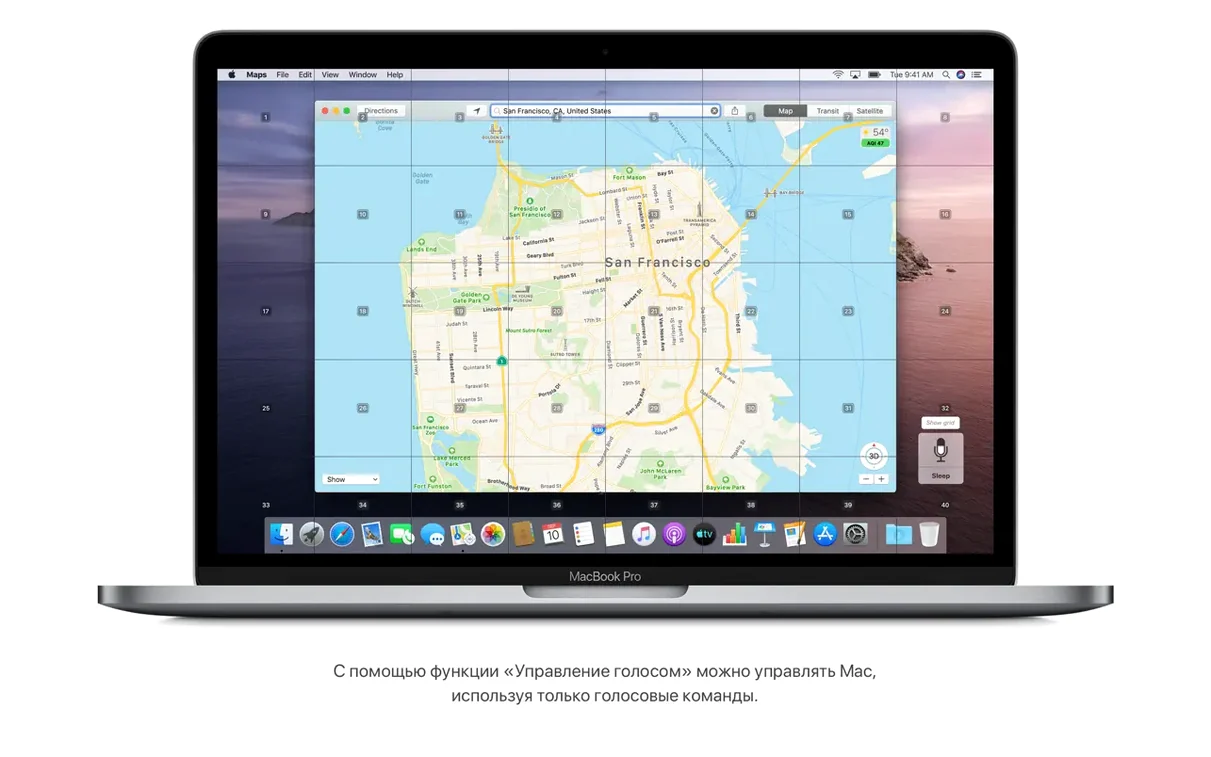
Voice Control rewrites the input contract entirely. Instead of reaching for a trackpad, you speak commands to open apps, dictate text, or navigate numbered on-screen labels. It is a grid-based interaction layer that sits on top of the standard desktop, and it ships inside version 10.15.7 with the security patches you would expect from a final-point release.
The Finder takes over wired device duties
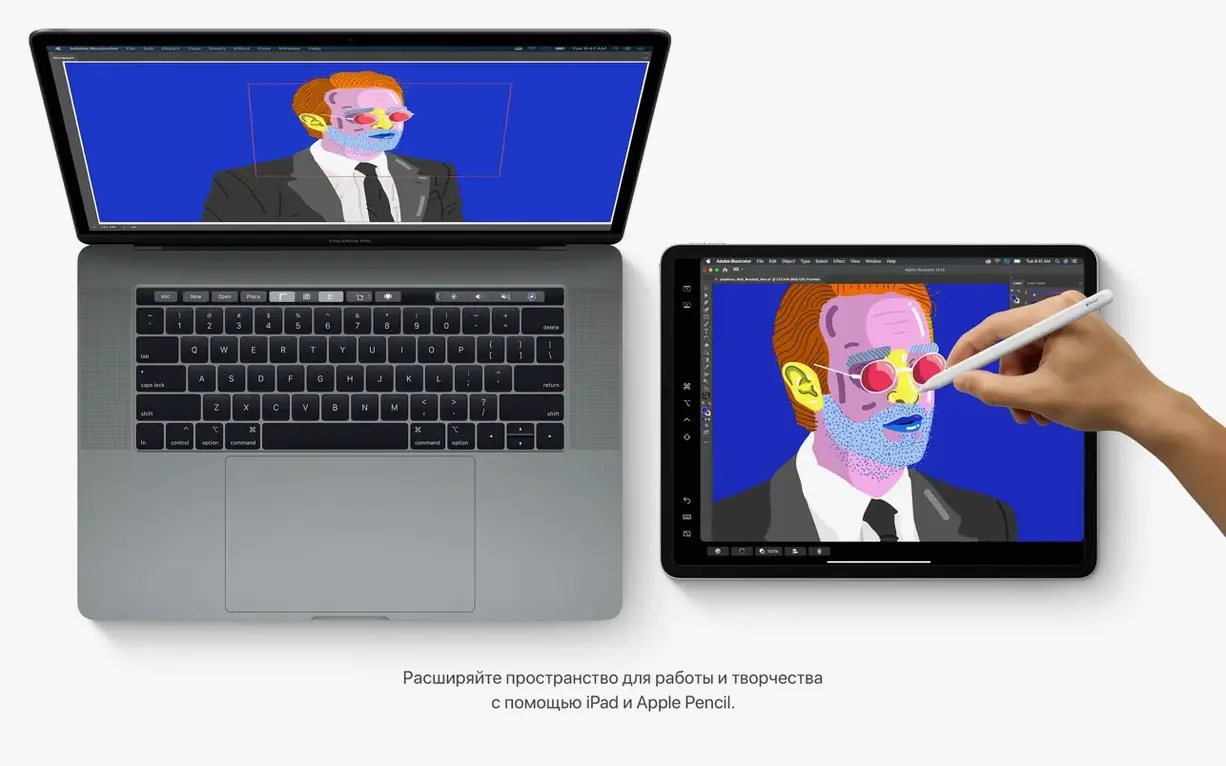
Plug in an iPhone or iPad and the Finder window becomes a sync console. Backups, restores, and software updates all happen through a column view that lists the connected device alongside local volumes. It is the same workflow iTunes once handled, now stripped of the media-library baggage and placed directly in the file browser. A connected iPad can also serve as a secondary display, extending the desktop without a third-party dongle or driver.
Three apps replace one
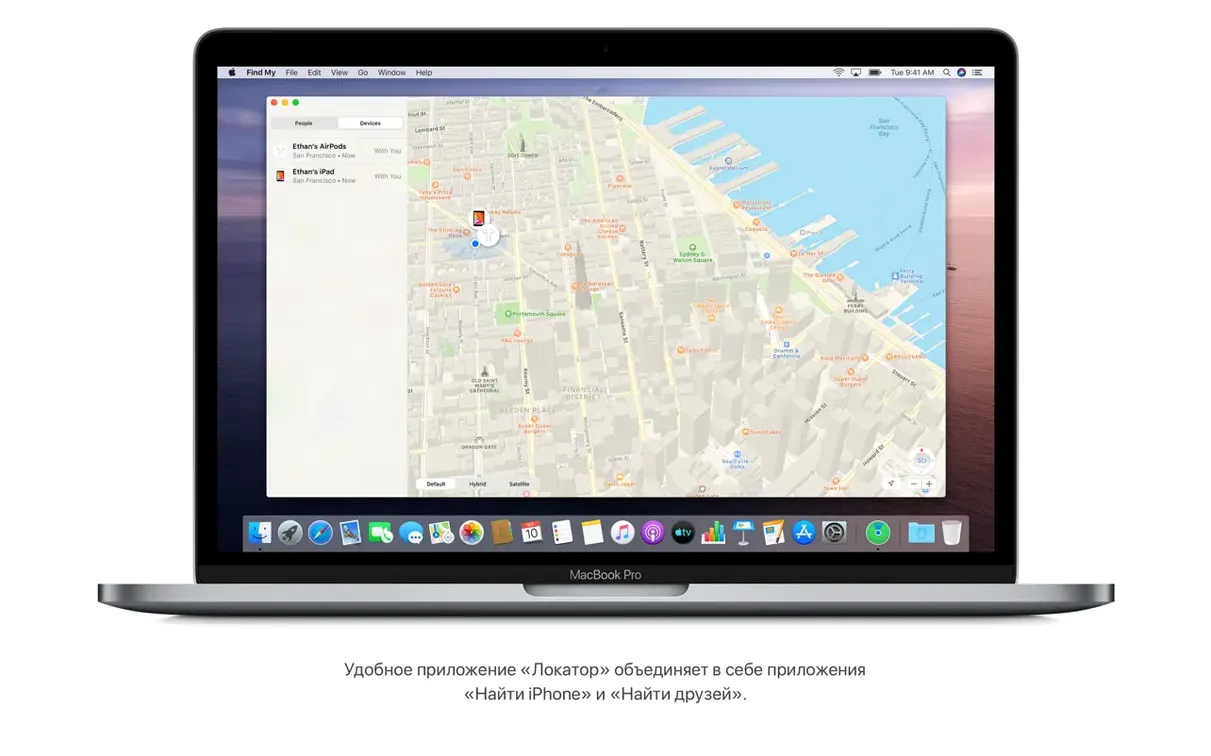
Music, TV, and Podcasts split the old iTunes monolith into separate, single-purpose applications. Each handles its own catalogue: your song library and purchases in Music, 4K and HDR films in TV, and curated show libraries in Podcasts. The Reminders app gained date, location, flag, and attachment fields with inline editing controls, so a task can carry its context without opening a secondary inspector panel. Underneath, the Find My app pools location data to track a missing Mac, even when the machine is offline, by leveraging nearby Apple devices as a relay mesh.
FireWire audio interfaces and the 32-bit cutoff
A Mac that stays on 10.15.7 tends to belong to someone with a specific, non-negotiable requirement. Developers testing against the last 32-bit-free Intel-only runtime need this exact environment. Musicians running hardware that never received a Big Sur driver — FireWire audio interfaces from 2010–2013, certain PCIe DSP cards — keep a Catalina partition precisely because the kernel extension model still works here without the additional notarisation hurdles of later releases. Anyone maintaining a lab of 2012–2015 MacBook Pros for education or fieldwork also benefits: those machines cannot move past Catalina, and the 10.15.7 build gives them current-ish security certificates alongside the Sidecar and Voice Control features that earlier macOS versions lack.
A second group finds value in the Finder-based device sync. People who dislike the Finder sidebar clutter in newer macOS releases — where an iPhone appears then disappears based on Wi-Fi whims — prefer the wired, deterministic behaviour Catalina offers. Plug in, trust the device once, and the backup runs. No wireless sync ambiguity, no "device not found" spinner. The same applies to anyone archiving old iOS devices: an iPhone 6s on iOS 12 backs up cleanly to a Catalina Mac over USB, and that backup file moves anywhere without cloud service dependencies.
Voice Control users who depend on a stable grid overlay also stick with Catalina. Later macOS versions changed the numbering behaviour slightly and broke some accessibility workflows that third‑party assistive toolchains relied on. The 10.15.7 implementation is frozen — no surprise updates will shift how labels are drawn — which matters when muscle memory for spoken triggers takes weeks to build.
Wi‑Fi refuses to rejoin after sleep on mesh networks
Wi‑Fi dropouts after waking from sleep were the headline annoyance across early 10.15 builds. Version 10.15.7 (19H15) includes a fix that resolves the specific case where macOS would not automatically reconnect to known networks, but some home mesh setups still exhibit the behaviour if the router's 802.11r fast‑transition key caching is enabled. Switching the network to WPA2‑only with PMF disabled often settles the connection. It is not a macOS bug at that point — just an edge case in the handshake — but it is the first thing to check when a Catalina Mac stubbornly stays greyed‑out in the Wi‑Fi menu.
iCloud Drive sync stalls crop up in two forms. The fix in 19H15 addressed a file‑syncing issue where certain file types (particularly .numbers and .pages bundles) would sit un-synced indefinitely. If a folder still shows the dotted‑cloud icon after the update, the quickest nudge is to toggle iCloud Drive off and on in System Preferences > Apple ID, which forces a fresh metadata scan. The Mac will re‑download everything, but the local cache stays intact.
Sidecar presents its own set of requirements. It demands a Mac with Skylake processors or later and an iPad that supports Apple Pencil — broadly, iPad 6th generation and newer, iPad mini 5, iPad Air 3, or any iPad Pro. Both devices must be signed into the same Apple ID with two‑factor authentication turned on. A cabled connection over USB‑C or Lightning‑to‑USB‑A is more reliable than wireless, especially in offices with congested 5 GHz bands. If the iPad shows a black screen, unchecking "Enable double‑tap on Apple Pencil" in the iPad's Settings > Apple Pencil sometimes frees up the display pipeline.
App notarisation warnings arrive constantly. Catalina enforces a notarisation requirement that older software often cannot satisfy. The workaround — right‑click, Open, confirm in the dialogue — still works, but some users miss that Gatekeeper caches the decision. If an app launches once with that manual override, subsequent launches skip the warning. The cache resets if the app bundle is moved or renamed, so a permanent fix is to leave the app in /Applications undisturbed.
Gallery view turns Notes into a document scanner
The Notes gallery view arrived without much ceremony. In any folder, clicking the gallery icon (four small squares) shows thumbnails of each note. For scanned documents, the thumbnail is a preview of the scan; for notes containing photos, it is the most prominent image. This turns a folder of 200 receipts into a visual flipboard. Search inside Notes gained object recognition too — typing "plant" surfaces notes with photos containing greenery, and "whiteboard" pulls up snapshots of meeting scribbles. No tagging needed.
Reminders gained a subtle but powerful editing flow. Pressing Return on a reminder creates a new one directly below it, keeping the list‑building momentum uninterrupted. Dragging a reminder onto another stacks them as subtasks without opening a separate inspector. The quick‑toolbar button for attaching a photo uses the continuity camera: right‑click a reminder, choose "Scan Documents", and the iPhone camera launches instantly.
Safari's redesigned start page is customisable in ways many people never touch. The gear icon in the bottom‑right corner lets you add or remove sections — Favourites, Frequently Visited, Privacy Report, Siri Suggestions, Reading List, and iCloud Tabs — and the background image pulls from any photo in your library. It is a small thing, but a dark‑mode wallpaper with the Privacy Report section visible makes at‑a‑glance tracker blocking obvious without opening a separate pane.
Dictation and Voice Control are separate systems, and Catalina keeps both. Standard dictation (double‑press Fn) works offline for on‑device transcription once the language model downloads; Voice Control runs through Siri's speech recognition and requires an internet connection. The distinction matters on flights or in secured environments. You can toggle enhanced dictation in System Preferences > Keyboard > Dictation to force offline mode for the simpler tool, while leaving Voice Control for the grid‑based UI when connectivity is available.
How Catalina compares with similar macOS releases
Against macOS Mojave (10.14), the jump is about 32‑bit deprecation and media‑app architecture. Mojave still runs 32‑bit apps, keeps iTunes intact, and offers Dashboard as a legacy panel. Catalina strips all three. For someone who relies on an old version of Adobe CS6 or a 32‑bit audio unit, Mojave is the natural ceiling — Catalina will not launch those binaries at all. The trade‑off is that Mojave never got Sidecar, Voice Control, or the Find My mesh networking feature; those are Catalina‑only APIs.
Compared to macOS Big Sur (11.x), Catalina feels lighter on visual effects and more predictable on older Intel hardware. Big Sur introduced the translucent menu bar, control centre, and a full redesign that taxes integrated GPUs on 2013–2015 MacBook Airs. Catalina's interface is still the Mavericks‑era design language with a flat toolbar — less animation overhead, fewer dropped frames during Mission Control transitions. Big Sur also moved system files onto a sealed snapshot volume that complicates low‑level modifications. Catalina's volume structure is still APFS but without the signed system volume, so bootable backups and system‑file tweaks are less obstructed.
Against macOS High Sierra (10.13), the gap is the filesystem and graphics stack. High Sierra still boots on HFS+ if you force it; Catalina is APFS‑only. That matters for dual‑boot setups with older Windows releases or Linux distributions that read HFS+ more easily than APFS. Catalina also requires a Metal‑compatible GPU — 2012 Macs with non‑Metal cards (some Mac Pro configurations) cannot run it — whereas High Sierra supports those GPUs with IOKit drivers.
How Catalina fits with other apps and macOS features
Time Machine backups to a network drive work reliably under 10.15.7, and the snapshot system integrates with APFS so that local snapshots sit on the same volume without ballooning storage. A backup disk formatted as APFS (Case‑sensitive, Encrypted) lets Time Machine use fast‑clone snapshots rather than hard links, which cuts the initial backup window for large photo libraries by roughly a third compared to HFS+‑formatted backup targets.
Automator and Shortcuts occupy different slots on Catalina. Automator remains the primary automation tool — folder actions, calendar alarms, and services all run through it — while Shortcuts arrived on the Mac only in macOS Monterey. For Catalina users, that means AppleScript and shell scripts still carry the automation load. A useful pairing is a Finder folder action that watches a Screenshots folder and runs an sips command to strip EXIF location data from every new PNG; that runs silently in the background and requires no third‑party utility.
Terminal on Catalina defaults to zsh as the shell, not bash. Scripts that begin with #!/bin/bash still execute because bash 3.2 ships in /bin, but Apple's licence concerns pushed the interactive default to zsh 5.7.1. The practical upshot is that shell customisations in .bash_profile need migration to .zshrc. Homebrew installs itself under /usr/local and links cleanly if Xcode Command Line Tools are present, though the xcode‑select --install step is required before the first brew invocation.
Connections to iOS and iPadOS devices extend beyond the Finder sync panel. Universal Clipboard — copy on one device, paste on the other — works as long as both share an Apple ID and have Bluetooth and Handoff enabled. Continuity Markup lets you annotate a PDF on the Mac, push it to an iPad for Apple Pencil marking, and see the strokes appear on the Mac screen in real time. Both features run over a peer‑to‑peer Wi‑Fi link that Catalina negotiates automatically; no configuration beyond the Handoff checkbox in System Preferences > General is needed. The link also carries phone calls and SMS through the Mac, though that requires the iPhone to be signed into the same iCloud account and on the same Wi‑Fi network unless you enable Wi‑Fi Calling.
For anyone pulling the installer via a catalina dmg torrent or a macos catalina torrent, the resulting disk image contains the full 8.2 GB installer application.
Security updates — important patches rolled into the 10.15.7 build
Wi-Fi — resolves a problem where macOS would not automatically connect to known networks
iCloud Drive — fixes a bug that could stop files syncing through iCloud Drive
Graphics — addresses a rendering issue on iMac (Retina 5K, 27-inch, 2020) with Radeon Pro 5700 XT
- Intel 64-bit processor
- 4 GB memory
- 12.5 GB available storage for an upgrade from OS X El Capitan 10.11.5 or later
- Broadband internet connection required for some features
Questions on file
Can macOS Catalina run iPad apps?
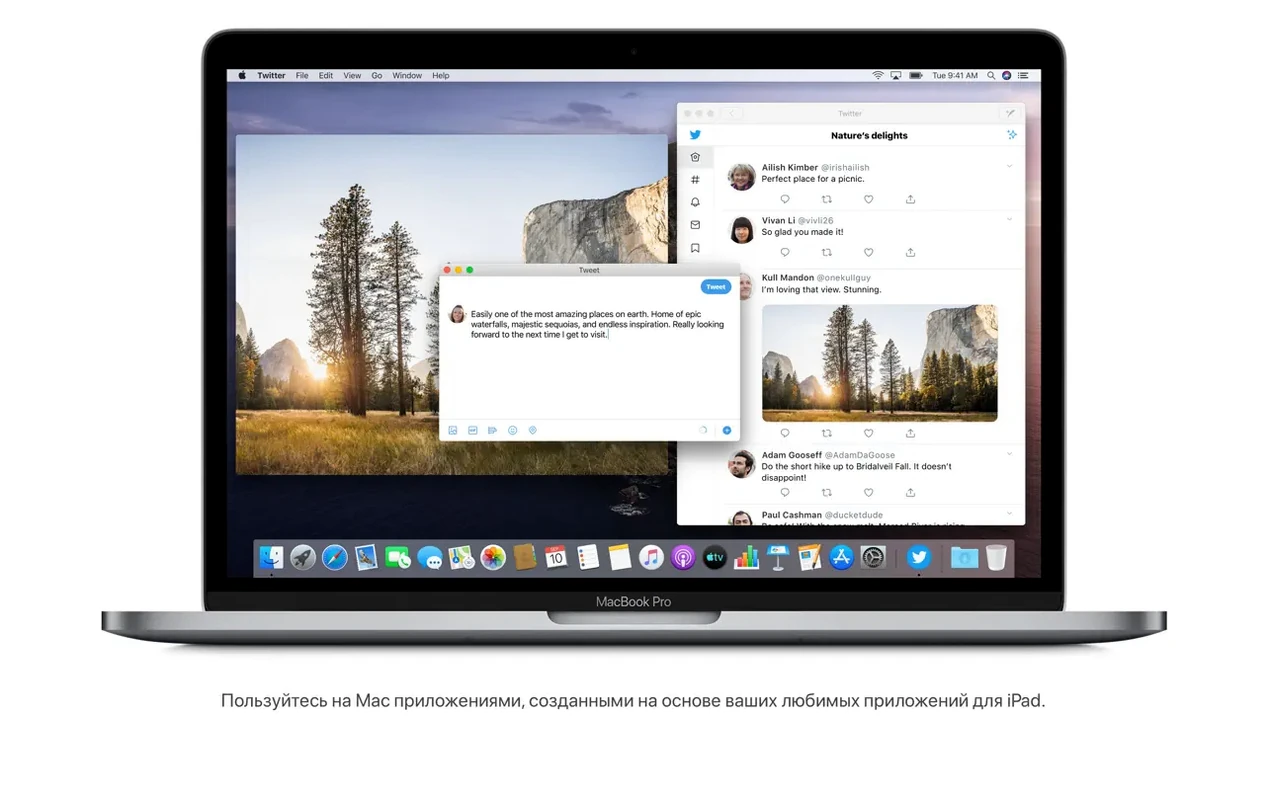
Yes, Catalina can run iPad apps on the Mac when the developer has made them available on the Mac App Store, though the experience is built for a trackpad and keyboard rather than touch.
Which Mac models support macOS 10.15.7?
Support covers MacBook (Early 2015 and later), MacBook Air and MacBook Pro (Mid 2012 and later), Mac mini and iMac (Late 2012 and later), iMac Pro (2017), and Mac Pro (Late 2013 and later).
Does the 10.15.7 update fix any specific graphics problems?
It addresses a graphics issue that occurred on the iMac (Retina 5K, 27-inch, 2020) with the Radeon Pro 5700 XT, along with fixes for automatic Wi-Fi connections and iCloud Drive file syncing.
Sign in · Create an account to add a field note.
No field notes yet. A measurement, a version, a machine — they appear after moderation.