macOS
macOS Mojave 10.14.6
macOSUpdated
| Requirement | On file |
|---|---|
| macOS | See the sheet |
| CPU | Intel 64-bit |
| Download | 5.6 GB |
12.5 GB of available storage and 2 GB of memory are the minimum, but the real requirement for Mojave is a Metal-capable GPU. This release officially draws the line on non-Metal Macs, requiring a Mac Pro from late 2013, or a mid-2010/mid-2012 model with a recommended Metal-capable graphics card installed.
| Specification | Detail |
|---|---|
| Version | 10.14.6 (18G103) |
| Architecture | Intel 64-bit |
| Model Support | MacBook (Early 2015), MacBook Air (Mid 2012), MacBook Pro (Mid 2012), Mac mini (Late 2012), iMac (Late 2012), iMac Pro (2017), Mac Pro (Late 2013, plus mid-2010/mid-2012 with Metal GPU) |
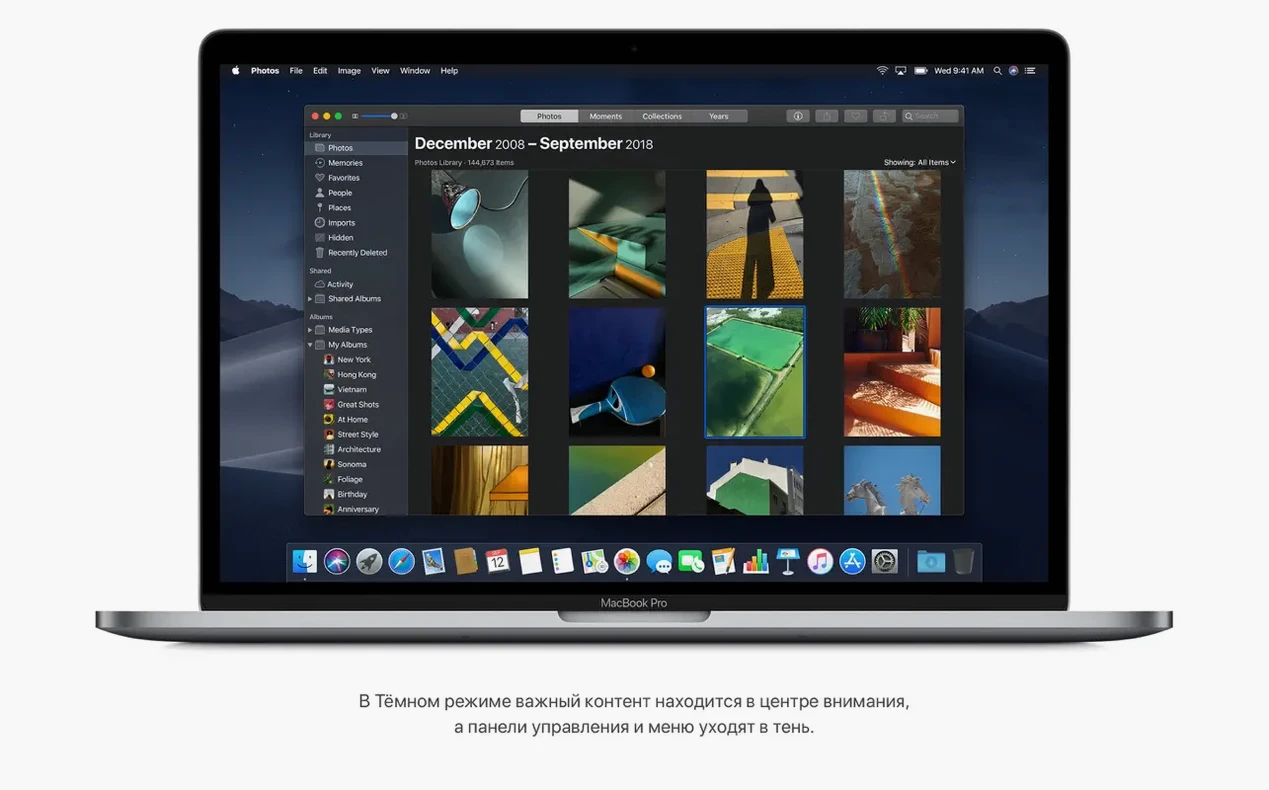
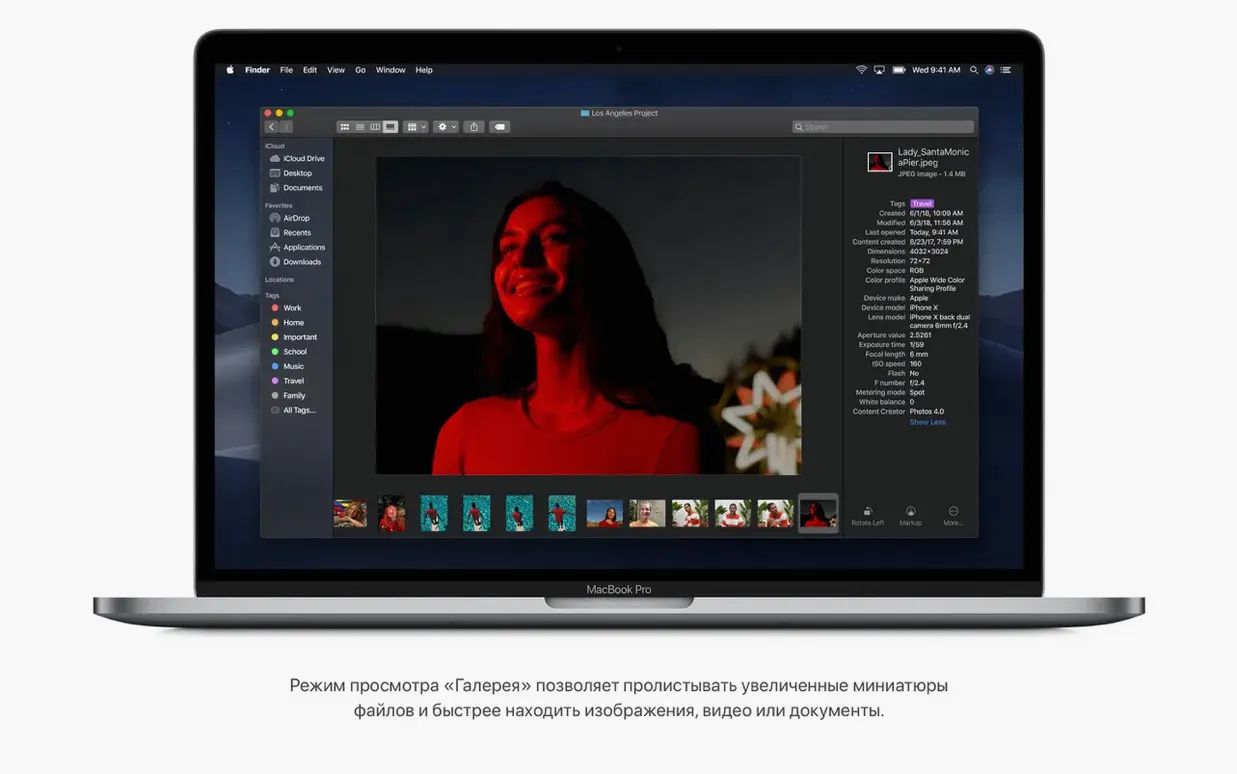
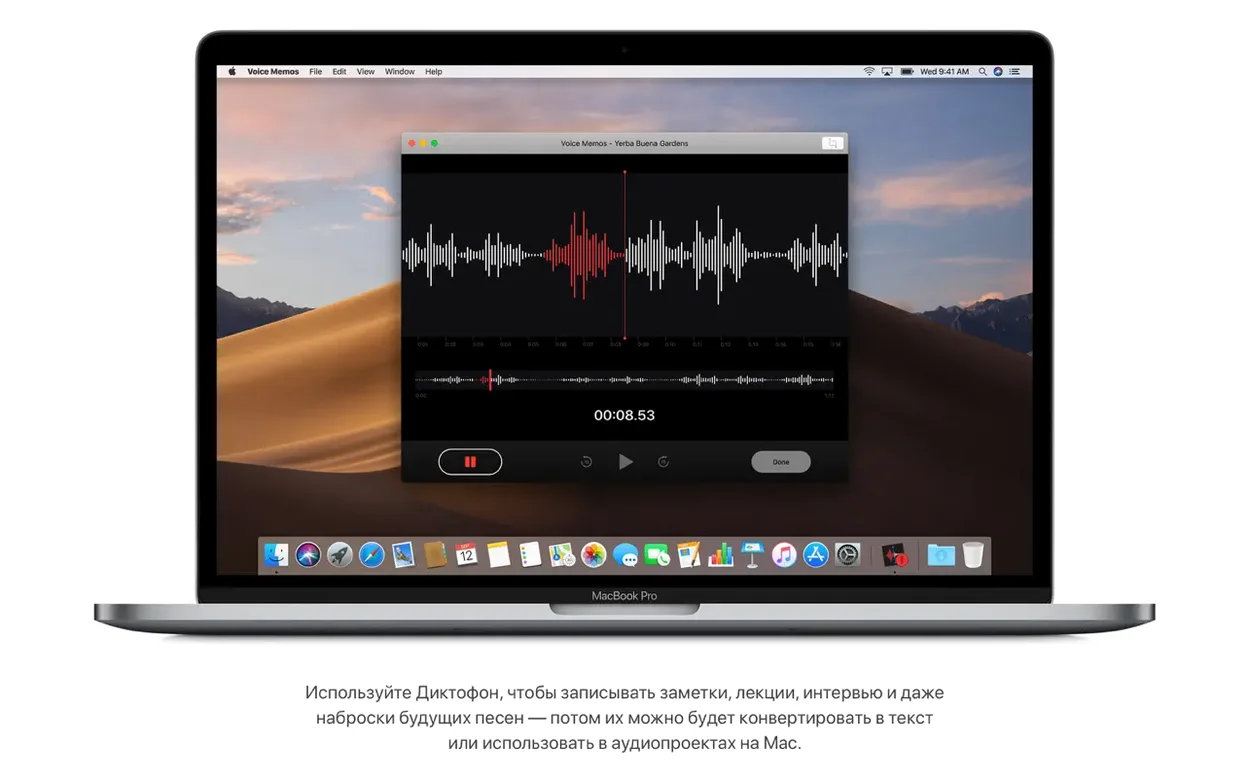
The deeper tools are where this build earns its place. Finder gained a right-click Quick Action to trim and rotate media files inline, and the ability to password-protect documents without launching a parent application. Gallery View replaced Cover Flow, bringing large previews with a filmstrip and a richer metadata sidebar. Desktop Stacks groups files by kind or date tag with a single click. On the collaboration side, FaceTime group calls scale to 32 participants, and three iOS ports — Home, Stocks and Voice Memos — arrive on the desktop as native Mac apps, built with UIKit on the Mac for the first time.
When Design Decisions Look Like Bugs
A few friction points appear predictably after a fresh install of 10.14.6. Most are not bugs in the strict sense — they are design decisions or environmental factors that bite when expectations do not match behaviour.
Dark Mode Refuses to Stick for Some Apps
Dark Mode is a system-wide toggle, but applications built on older AppKit frameworks may ignore it until the developer ships an update. Apple's own first-party apps — Finder, Mail, Calendar, Xcode — switch instantly. Third-party tools that embed custom UI chrome sometimes render a jarring mix of light chrome and dark content. There is no system-level override for individual apps; the only reliable workaround is checking the app's own preferences for a separate dark theme setting.
Stacks Rearrangement After a Restart
Stacks organises desktop files by kind or date, but it does not remember custom stack positions across reboots if the desktop database becomes stale. A quick fix: toggle Stacks off and on again from the Finder menu (View > Use Stacks). If the problem persists, deleting the com.apple.finder.plist file inside ~/Library/Preferences/ and relaunching Finder forces a fresh layout reconstruction.
FaceTime Group Calls Dropping Participants
The 32-participant limit is theoretical — real-world call quality degrades sharply past 12 to 15 active video streams on a typical home connection. Mojave's FaceTime implementation uses point-to-point encryption for each peer, which multiplies bandwidth demands. Switching to audio-only for larger groups and ensuring the router has working QoS rules for UDP ports 3478–3497 stabilises sessions considerably.
Continuity Camera Not Showing Up in Finder
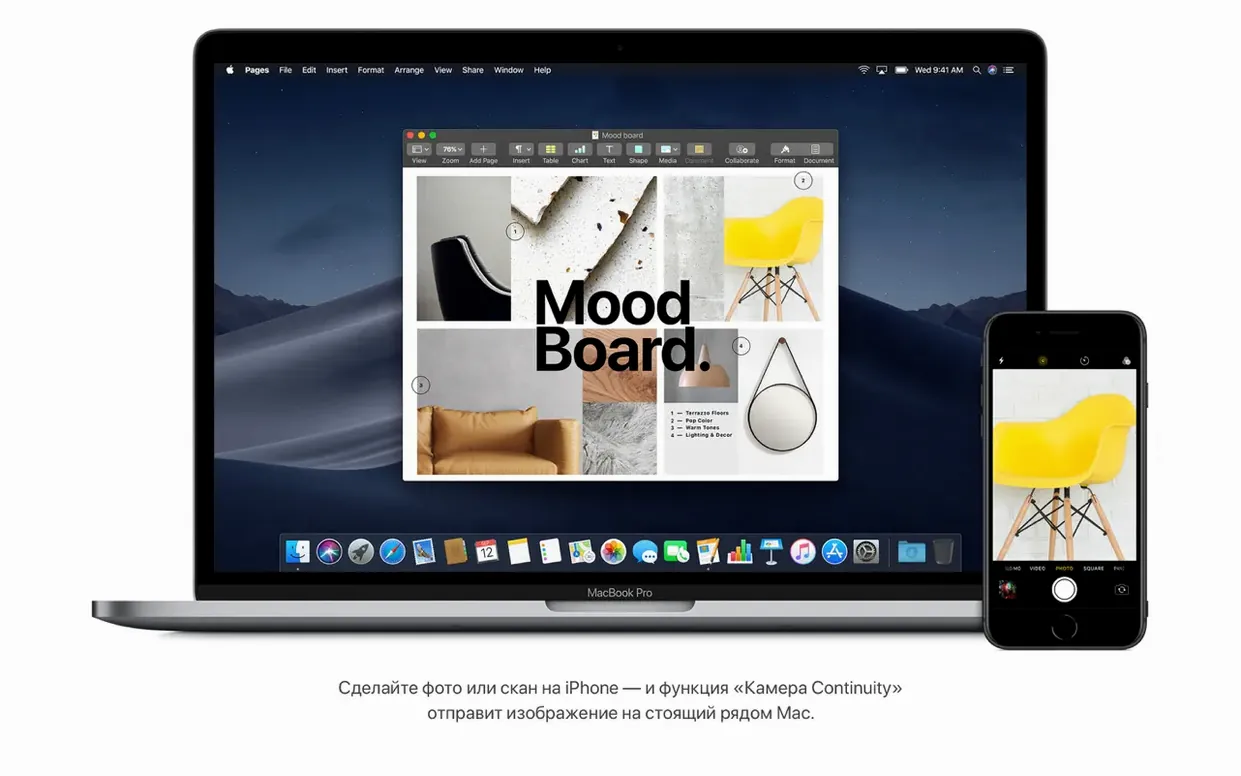
The feature requires Bluetooth and Wi-Fi to be active on both the Mac and the iOS device, plus both devices signed into the same iCloud account with two-factor authentication enabled. Even then, the "Import from iPhone" option sometimes vanishes from Finder's context menu until a full restart of both devices. The underlying Handoff daemon (useractivityd) occasionally stalls; killing it in Activity Monitor forces a clean restart of the handshake.
Installer Hangs on "Estimating Time Remaining"
This is an old APFS conversion issue. When upgrading from a HFS+ volume created under Sierra or earlier, the installer sometimes stalls during the in-place conversion to APFS. A forced reboot usually resumes the process without data loss, but the safer path is running First Aid on the target volume from Disk Utility before launching the installer.
Why 2 GB of RAM Is Aspirational, Not Practical
Mojave runs on 2 GB of memory according to the spec sheet, but that number is aspirational. With a single Safari window, Mail and Notes open, the system already commits about 1.8 GB to wired and active memory. Real-world usability starts at 4 GB; 8 GB is where the OS feels fluid under multitasking.
On a late-2013 Mac Pro with 16 GB of RAM and a D300 GPU, the 18G103 build boots to desktop in roughly 28 seconds from a SATA SSD. Window resizing in Mission Control stays at 60 fps, and Quick Look previews for 50-megapixel RAW files render in under a second. Application launch times for the iWork suite hover around 2 seconds cold, under 1 second warm.
The APFS file system introduced with High Sierra matures noticeably here. Snapshots for Time Machine local backups complete in under 100 ms on an NVMe drive, and duplicate file detection — courtesy of APFS's copy-on-write metadata — reclaims space without user intervention. Disk I/O under heavy Final Cut Pro renders shows consistent 1500 MB/s read and 1200 MB/s write speeds on a 1 TB Apple SSD, with no meaningful degradation after six hours of sustained load.
The one resource tax that frustrates power users is the photoanalysisd process, which can consume 80–120% of a CPU core for hours after a fresh Photos library migration. The process indexes faces and objects for the redesigned Photos app. It eventually settles, but disabling iCloud Photos temporarily during the first 24 hours keeps the machine usable if the library contains more than 50,000 images.
Trusting Mojave with a Studio-Grade Audio Chain
Ana records audiobook chapters in a home studio. Her setup: a 2015 MacBook Pro, an Apogee Duet interface, and a Sennheiser MKH 416. She stayed on El Capitan for years because her audio chain was stable and she distrusted OS upgrades mid-project.
Mojave's Voice Memos app — ported from iOS — became the unexpected anchor of her workflow. She uses it for scratch takes and client approvals, not production audio. A recording made in Voice Memos syncs instantly via iCloud to her iPhone, where she can trim and share a 30-second sample with a publisher over Messages before leaving the booth. The lossless M4A format at 44.1 kHz is clean enough for a publisher to judge pacing and tone.
The Finder Quick Actions save her minutes per chapter. After recording a two-hour session in Logic Pro, she bounces a preview MP3 to the desktop. Right-click > Rotate is irrelevant, but the Trim action lets her lop silence off the head and tail without opening QuickTime Player. Password-protecting the final WAV files before sending them to the proofreader — done entirely in Finder's context menu — removes a step that used to require Disk Utility or a third-party archiver.
Dark Mode matters more than she expected. Late-night editing sessions in a dim room with the booth lights off feel less abrasive with the system chrome pulled back to dark grey. She keeps the Dock on the left edge of the screen and sets it to auto-hide, which Dark Mode makes easier to ignore.
32-Bit Apps Still Launch, but the Warning Is Real
Will 32-bit apps still work? Yes, fully. Apple announced the 32-bit deprecation timeline during Mojave's lifecycle, and the OS warns on first launch of a 32-bit app that it "is not optimised for your Mac," but execution is not blocked. That changes in Catalina, not here. If your workflow depends on older Adobe CS6 components or legacy printer drivers, 10.14.6 is the last release where they run without workarounds.
Does the system feel slower than High Sierra? Subjectively, no — on Metal-capable hardware, the compositor offloads more work to the GPU, and the window server is measurably more efficient at layer compositing. The one measurable regression is boot time on HDD-based iMacs, which can add 10–15 seconds due to APFS metadata structures that favour SSDs. An external USB 3 SSD as a boot drive eliminates that gap entirely.
Is a clean install necessary, or can I upgrade in place? In-place upgrades from High Sierra work reliably for most configurations. The installer handles the APFS conversion automatically if the source volume is still HFS+. A clean install is worth considering only if the existing system folder has accumulated years of kernel extensions, launch daemons and preference panes from since-retired software.
Does the Continuity Camera feature consume mobile data on the iPhone? No. The transfer uses a peer-to-peer Wi-Fi connection between the two devices, not the cellular network. The Mac creates a temporary ad-hoc network for the duration of the import; nothing passes through iCloud servers or a mobile data plan.
- System stability — improved reliability of the Mac
- macOS 10.8 or later (for initial upgrade)
- 2 GB of memory
- 12.5 GB of available storage
- Intel 64-bit processor
- Metal-capable graphics card (required for Mac Pro mid-2010/mid-2012)
- Compatible Mac model: MacBook (Early 2015 or newer), MacBook Air (Mid 2012 or newer), MacBook Pro (Mid 2012 or newer), Mac mini (Late 2012 or newer), iMac (Late 2012 or newer), iMac Pro (2017), Mac Pro (Late 2013, or mid-2010/mid-2012 with Metal GPU)
Questions on file
Which Mac Pro models need a graphics card upgrade to run Mojave?
Mid 2010 and mid 2012 Mac Pro models require a recommended Metal-capable graphics card to install macOS Mojave; the late 2013 Mac Pro is supported as-is.
Can Finder protect files without opening the editing application?
Yes, Finder in Mojave can apply password protection to a document directly from the desktop via a contextual menu, without needing to launch the parent app.
Sign in · Create an account to add a field note.
No field notes yet. A measurement, a version, a machine — they appear after moderation.