Final Cut Pro Plugins
Motionvfx - mTitle Cinematic
Final Cut Pro PluginsUpdated
| Requirement | On file |
|---|---|
| macOS | See the sheet |
| Download | 5 MB |
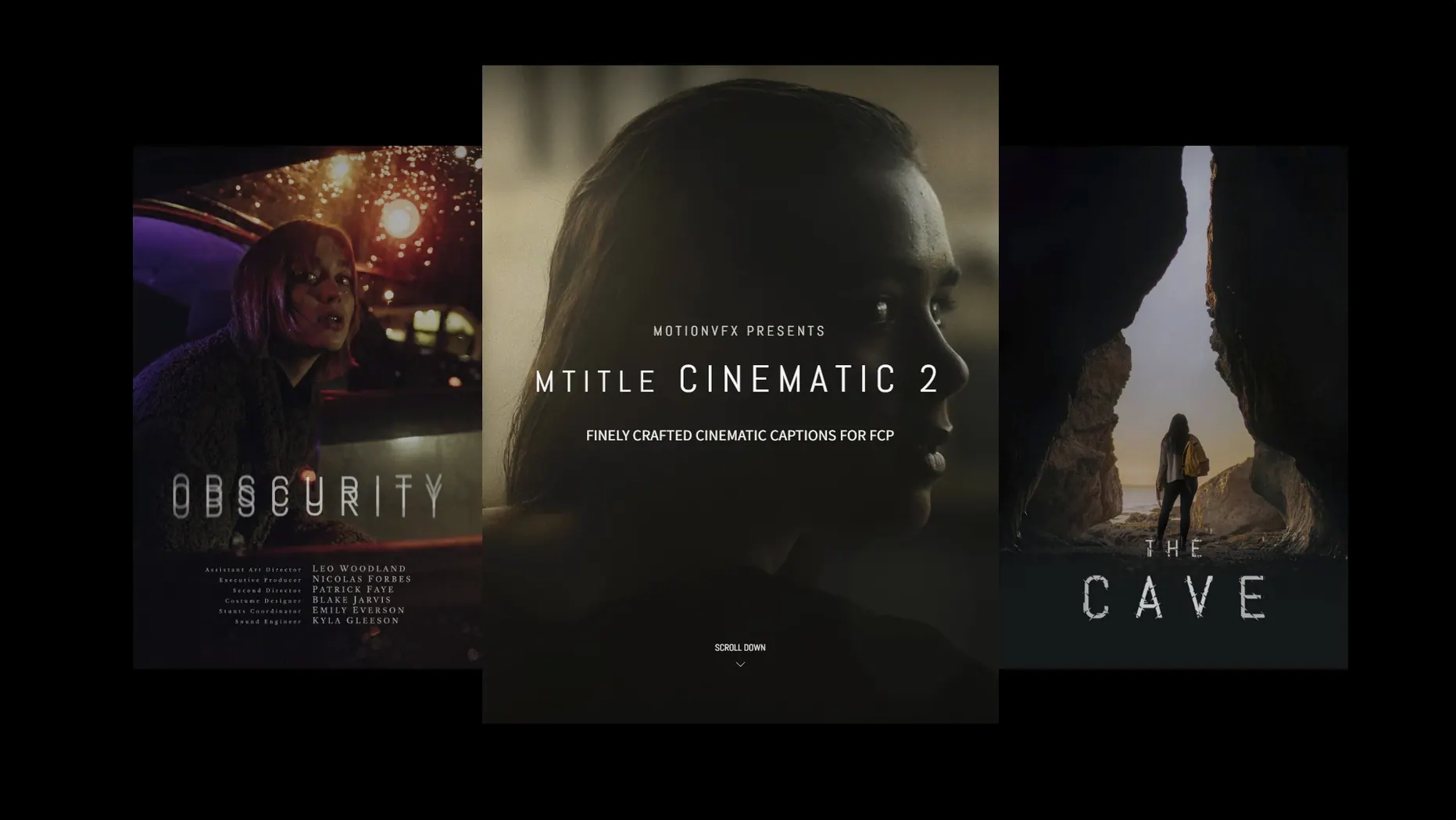
If you already know how a standard FCP generator lands on the timeline, mTitle Cinematic feels like opening a custom title toolbox instead. The package delivers 50 pre-animated captions designed to bypass the blank-canvas stage entirely.
What types of projects are the designs cut for?
The pack leans into cinema-style openers, narrative captions, and scrolling film credits. The animation presets carry the kind of drift, fade, and reveal timing you would expect in a trailer or a short film, not a corporate lower-third.
What does the animation engine actually handle?
Each of the 50 titles arrives with baked-in motion behaviour — text glides, letters resolve, and backgrounds roll under parameters pulled directly from the template. Adjustments happen through the FCP inspector sliders and on-screen controls, not a separate interface.
Can the lettering be reshaped beyond the presets?
The templates place font choice, colour, and scale under user control. You are free to swap typefaces and adjust timing in the timeline while the core motion curves, masking, and sequencing remain intact from the original design.
Behaviour Under Load: Speed, Stability, and Resource Footprint
mTitle Cinematic templates carry more internal keyframes and nested groups than a typical static title. On a recent Mac with Apple Silicon, the difference in timeline responsiveness is negligible — playback at full quality holds steady with one or two titles layered over 4K ProRes 422. On Intel machines from the 2018–2019 era, scrubbing through a heavy timeline with three or four active mTitle layers and a grade applied will occasionally drop frames at full resolution. Toggling Performance quality in the FCP viewer resolves it without rendering.
RAM pressure stays modest. The plugin files themselves are small Motion Template bundles that load into FCP's existing title pipeline rather than running a separate background process. A project with fifteen mTitle instances spread across a 5-minute timeline added roughly 180 MB to FCP's memory footprint during testing — comparable to a handful of built-in 3D text titles. GPU usage ticks up during animated reveals that combine blur, opacity fades, and scale moves simultaneously, but the peaks are short and coincide with the active animation window.
Stability over a full editing day is solid. No template caused a spontaneous quit, and the inspector parameters update without the half-second freeze that sometimes accompanies third-party Motion Templates with complex rigs. If a title does misbehave after a font swap, removing and reapplying the template resets it to defaults, and that resolves the issue in nearly every case.
Installing Outside the Motion Templates Folder
The most common early frustration comes from the install path. Dropping the template folder anywhere other than /Users/username/Movies/Motion Templates/Titles means Final Cut Pro simply ignores it. A subfolder one level too deep, or a folder placed inside the Generators directory by mistake, and the 50 titles never appear in the browser.
Another recurring error is treating the animation as static. Editors accustomed to building reveals from scratch sometimes stack mTitle Cinematic over dialogue, then wonder why the timing feels off. Each template has a pre-choreographed in-point and out-point duration baked into its Motion project. Dragging the title edge to shorten it below the minimum animation length does not compress the move — it truncates it, leaving the text frozen mid-fade. The fix is to trim from the out-point only after the animation has fully resolved, or to use the template's built-in duration slider where one exists.
Font substitution catches people as well. The templates reference specific system and motionVFX typefaces. Opening a project on a machine that lacks those fonts causes FCP to silently swap in a fallback, and the result often breaks the kerning that the original design relied on. Checking the font list before moving projects between workstations prevents rework later.
Finally, some users expect the titles to behave like generators with editable text regions in the viewer. mTitle Cinematic uses the standard FCP title paradigm: double-click the clip in the timeline to type, or use the Text fields in the inspector. Clicking around the viewer canvas hunting for a text box returns nothing until the title clip itself is selected.
Draggable On-Screen Handles You Might Overlook
A handful of quality-of-life details sit just outside the obvious workflow. The first is the on-screen control handles. Many of the 50 templates expose a small control ring or position gizmo directly in the viewer when the title is selected, letting you bump the whole composition left or right without opening the inspector and hunting through transform parameters. It saves clicks on fast-turnaround projects where titles need to clear a face or a logo.
The animation curves are not locked. Right-clicking a title on the timeline and choosing Open in Motion drops you into the template's source project, where you can tweak keyframe easing, stagger, and hold frames. This is not a beginner move, but editors who own Motion can treat the 50 presets as starting blocks rather than finished products. The mtitle cinematic 2 variants in the set respond particularly well to this — the text-reveal timing can be stretched into slow, deliberate openers without breaking the underlying rig.
Blend mode compatibility is another quiet strength. Because the templates output as standard FCP title layers, they interact with the compositing stack exactly as expected. Applying a Screen or Overlay blend mode to a light-leak title from the pack, then placing it above a dark grade, yields results that look far more expensive than the setup time suggests. No workaround needed.
The folder structure inside the Titles browser is also worth noting. mTitle Cinematic installs as a single category with sub-groupings by style — opener, caption, credit roll. Dragging the category to the FCP favourites bar makes the whole set accessible with one click, and the search field filters across all 50 titles by keyword. Typing "drift" or "film" narrows the list to the four or five templates with matching animation characteristics.
Scrolling Credits Assembled Right Before the Deadline
A filmmaker wrapping a 12-minute short film has forty minutes before a festival submission deadline. The picture is locked, the grade is rendered, but the end credits are a blank gap. The plan calls for a scrolling cast list against a slow push-in on a final frame — classic festival-credit territory, and exactly what a few of the mTitle Cinematic credit-roll templates are tuned for.
They pull up the mTitle category in FCP, filter for "credit", and audition three options directly on the timeline. One uses a shadowed serif with a gentle upward scroll and a vignette fade at the top edge; it matches the film's tone immediately. They paste the cast list from a text file into the template's inspector field, adjust the scroll speed with the on-screen slider, and check the timing against the music cue. The whole operation — from blank timeline to locked credits — takes under ten minutes. The render bar stays clear at Better Quality, and the export runs without a single dropped frame in the credit section.
The mtitle mega pack dvr approach — pulling from a larger collection of curated presets rather than designing from scratch — is what keeps the sprint possible. No keyframes were set manually. No Motion project was opened. The template carried the weight, and the inspector sliders provided just enough control to tailor it without derailing the export deadline.
- macOS 10.14.4 or later
- Final Cut Pro 10.4.6 or Motion 5.4.3
Questions on file
Do I need Motion to use these titles?
No. The templates run directly inside Final Cut Pro 10.4.6 or later. Motion 5.4.3 is only needed if you intend to open and modify the template source files.
Are these titles also compatible with DaVinci Resolve?
No. This specific package is built as Motion Templates for Final Cut Pro and does not install into Resolve's title library.
Sign in · Create an account to add a field note.
No field notes yet. A measurement, a version, a machine — they appear after moderation.