Games
Life is Strange: Before the Storm 2018.09.13
GamesUpdated



| Requirement | On file |
|---|---|
| macOS | See the sheet |
| CPU | Intel 64-bit |
| Download | 19 GB |
| Tested on | macOS Sequoia, MacBook Air (M1. 2020) |
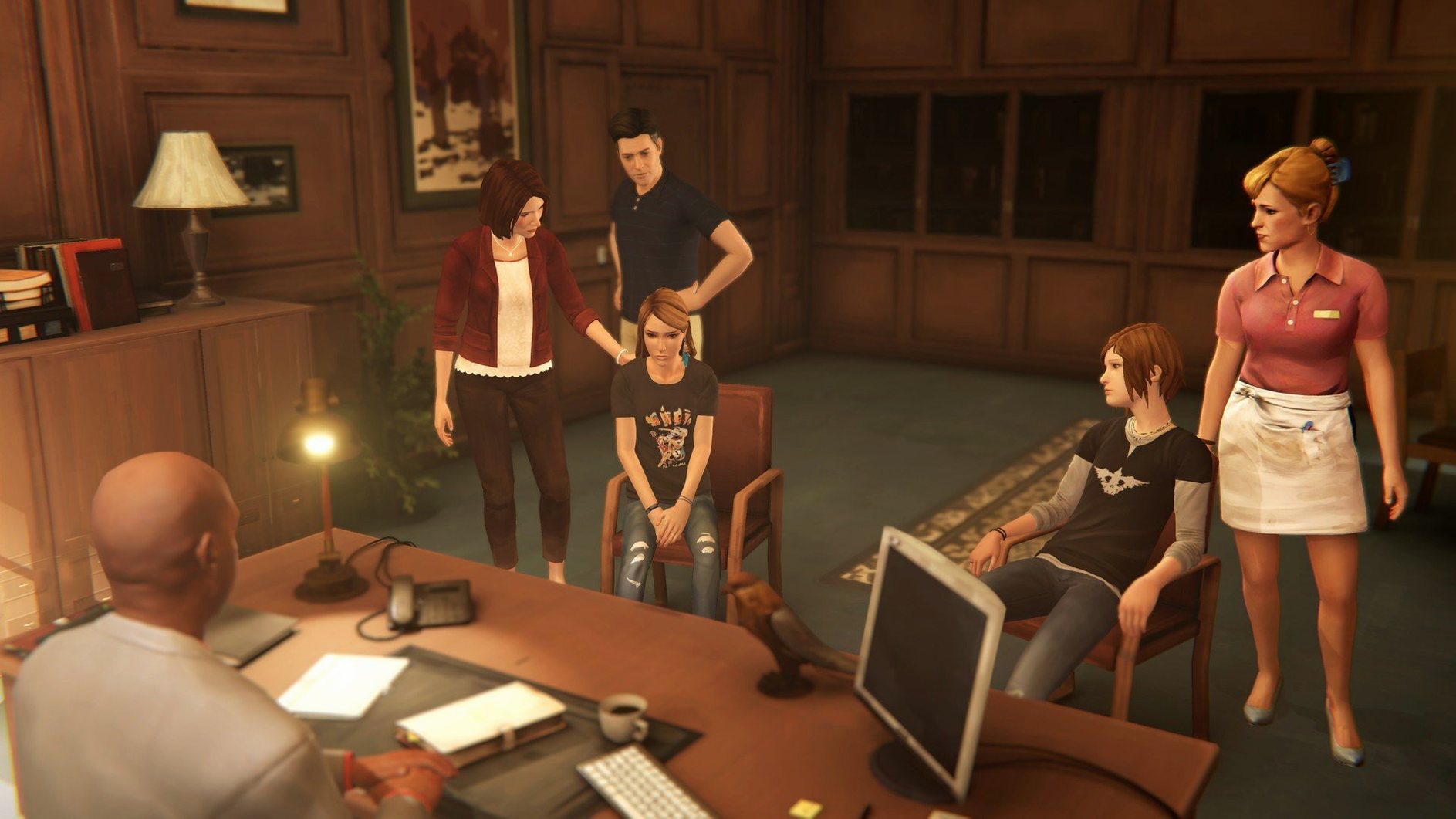
You load the app on a quiet afternoon and within minutes you are 16-year-old Chloe Price, leaning against a wall outside a sawmill in Arcadia Bay, Oregon, deciding how much attitude to throw at a bouncer. Life Is Strange: Before the Storm is a narrative adventure game set three years before the events of the original Life Is Strange, released on 2017-08-31 and published on Mac by Feral Interactive. The current version is 2018.09.13.
| Detail | Spec |
|---|---|
| Publisher (Mac) | Feral Interactive |
| Architecture | x86 (64‑bit) |
| Voice language | English |
| Interface languages | English, German, Spanish, Italian, Simplified Chinese, Portuguese, French |
| Tested system | macOS Sequoia on a MacBook Air (M1, 2020) |
The package is a straightforward port that lands you inside Chloe’s head during three pivotal days. You explore the fictional town of Arcadia Bay, make dialogue choices that shape relationships, and uncover the backstory behind characters who loom large in the first game. The app launches from Launchpad after copying to the Applications folder, no extras needed. It is a self-contained prequel that expects you to live with the consequences of each hot-headed or vulnerable decision, with no gameplay mechanics beyond walking, interacting and talking.
First Days: Adjusting to Arcadia Bay
The game loads in a 1920×1080 window by default on most Mac displays. Press Cmd + F to switch to fullscreen before your first proper session — the wider field of view makes exploring the junkyard and the Blackwell Academy corridors feel less cramped. In the Graphics menu, set texture quality to High and shadows to Medium on an Intel Mac with a discrete GPU; integrated graphics handle Low settings more smoothly without the fan ramping up.
One habit worth building early: check every object that glows with a white interaction dot, even the ones that seem like set dressing. The game logs optional graffiti tags and journal entries that fill in Chloe's state of mind between the main scenes. Her journal sits in the top-left corner of the screen — open it after each major conversation. The handwriting shifts depending on her mood, and a few entries reference events from the original Life Is Strange that you will miss if you only follow the critical path.
Audio balance needs a tweak on most MacBooks. The dialogue sits low in the mix compared to the licensed soundtrack. Drop the Music slider to 60% and leave Voice at 100% so you do not strain to hear Rhianna DeVries' performance during the quieter rooftop scenes. The soundtrack itself — Daughter's original score plus tracks from Speedy Ortiz and Lanterns on the Lake — is worth a second playthrough with headphones after you finish Episode 1.
Workflow: The Tabletop Session in Episode 1
The Dungeons & Dragons-style game inside Chloe's garage arrives about 40 minutes into the first episode. It is easy to rush through it as a throwaway mini-game, but the dialogue branches here lock in character traits that echo into Episode 3. Approach it methodically.
Step one: let Chloe pick the elf barbarian. The other class options change the tone of her back-and-forth with Steph, but the barbarian dialogue gives the most direct window into how Chloe processes anger — which pays off when Rachel confronts her later. Step two: during the first combat round, fail the check intentionally. Doing so triggers a short monologue about her father that does not fire if you play the scene perfectly. Step three: when Steph asks about the character's backstory, pick the dialogue option that mentions running away. This plants a thread that Rachel references in the junkyard scene at the end of Episode 2.
The whole tabletop segment takes about 12 minutes if you explore every dialogue branch. Save it for an evening session when you are not rushing; the candlelit garage, the dice rolls, and the off-screen presence of Chloe's mum upstairs work better without daylight spilling onto the screen.
The 15-Second Backtalk Window That Can End Badly
Skipping the Backtalk mechanic early. The first Backtalk challenge appears with the bouncer at the mill and the tutorial pop-up is vague. You have 15 seconds to pick each verbal jab, and the wrong sequence ends the conversation badly. The trick: listen for the other character's weak point in the sentence before the timer starts. The bouncer mentions his boss — use that. Players who ignore Backtalk in Episode 1 often fumble the more consequential challenge with Wells in Episode 3, where the stakes involve Rachel's academic record.
Not revisiting Chloes's room between episodes. The game jumps straight into the next chapter after the Episode 1 credits roll, but pausing to check the bedroom reveals new objects — a postcard, a photo pinned to the mirror — that update between days. The environmental storytelling is quiet and easy to miss if you treat the room as a loading zone.
Assuming choices work like the first game. Before the Storm does not have a rewind mechanic. A dialogue choice locks in the moment you click it, and the game autosaves immediately. There is no undo. Players who come from Life Is Strange expecting to test both dialogue branches and rewind are caught off-guard by the finality. If you want to explore alternative outcomes, make a manual copy of the save folder before each episode's climax — one misclick during the junkyard confrontation changes the emotional register of the entire back half.
The life is strange before the storm mac full version includes all three episodes plus the Farewell bonus chapter. Play Farewell last, not first. It hits harder when you already know where Chloe and Max's story ends up.
- macOS: 10.13.4 or later
- Architecture: Intel (64‑bit)
- RAM: 8 GB
- Free space: 28 GB
Sign in · Create an account to add a field note.
No field notes yet. A measurement, a version, a machine — they appear after moderation.