
Games
Solasta: Crown of the Magister 1.5.97
GamesUpdated
| Requirement | On file |
|---|---|
| macOS | See the sheet |
| CPU | Apple Silicon, Intel 64-bit |
| Download | 25 GB |
| Tested on | macOS Sequoia, MacBook Air (M1. 2020) |
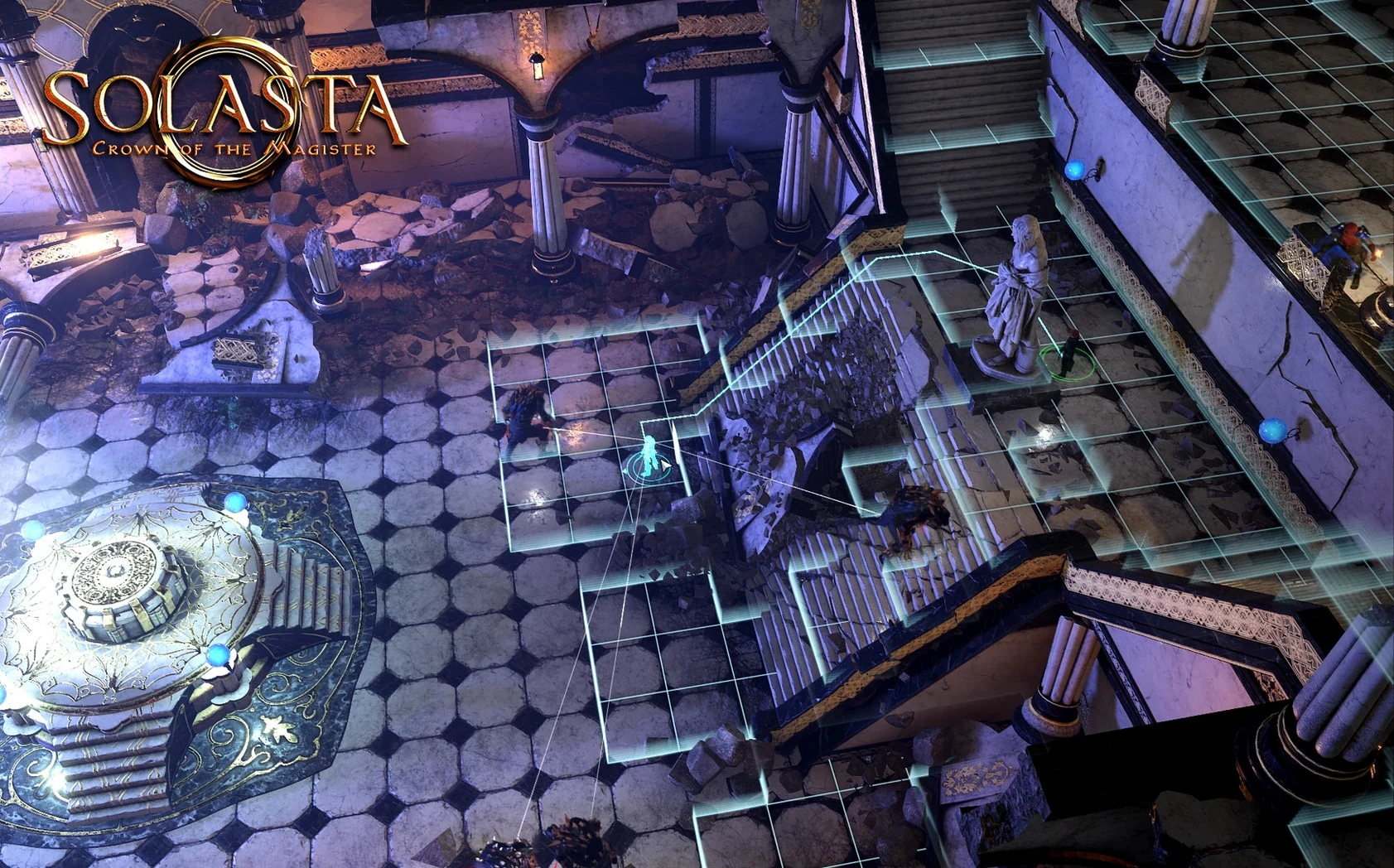
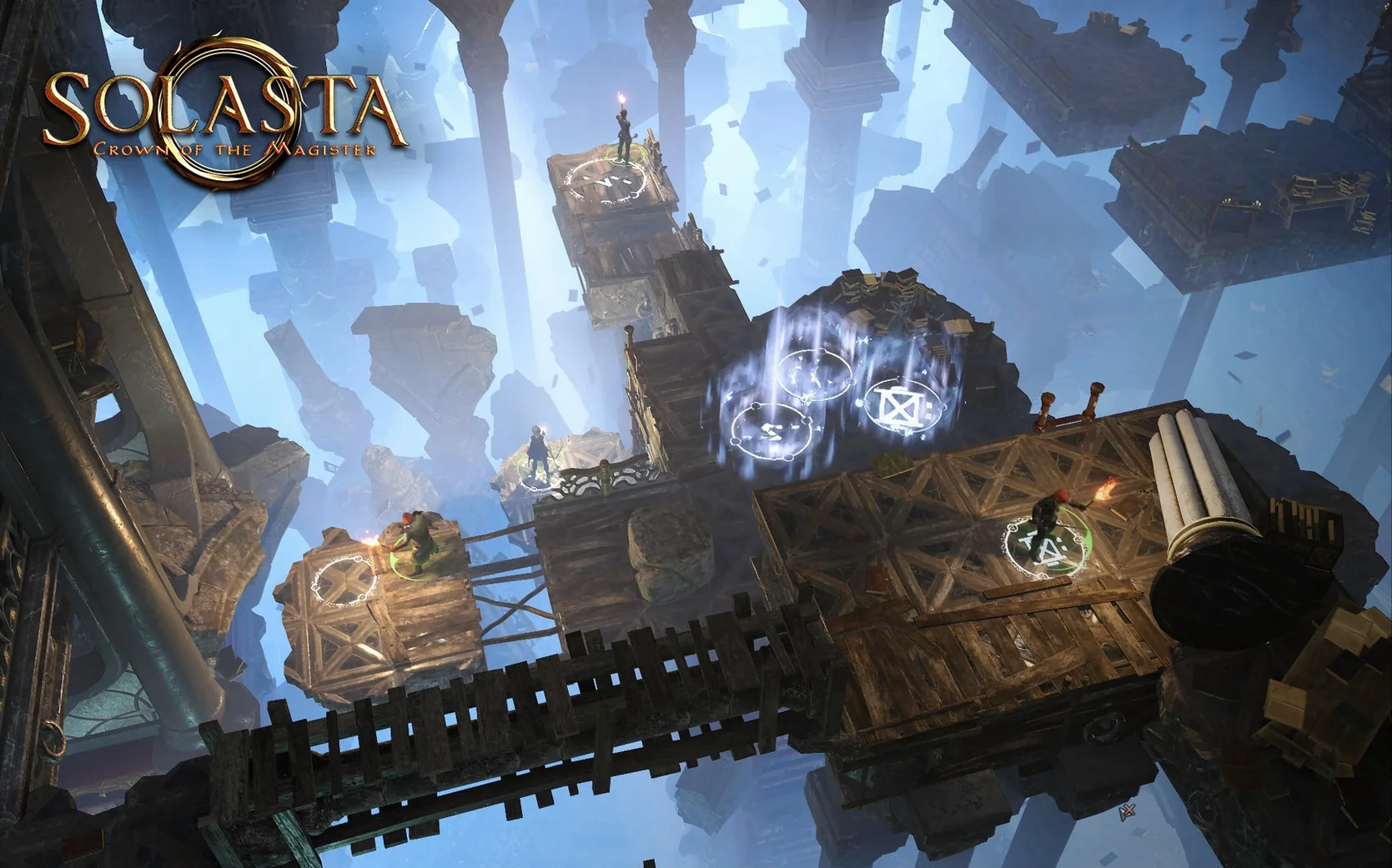
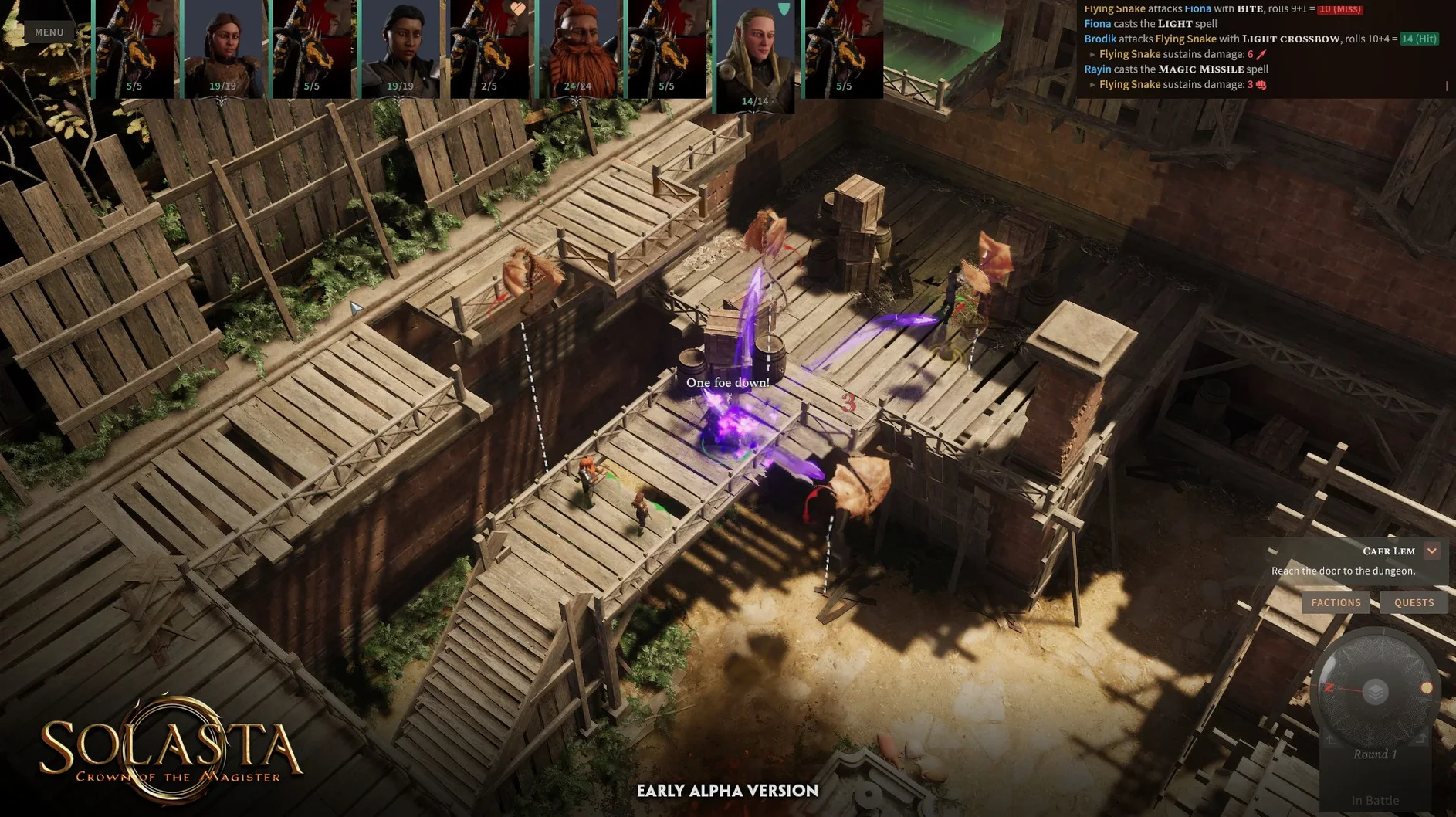
Too many role-playing games treat vertical space as decoration. You see a ledge, a crumbling wall, a dark pit — and the game pretends they don't exist. Solasta: Crown of the Magister solves that by making the third dimension matter from the first dungeon room. Your party climbs, crawls, flies and falls as a matter of course, and the tactical layer only starts when you look up.
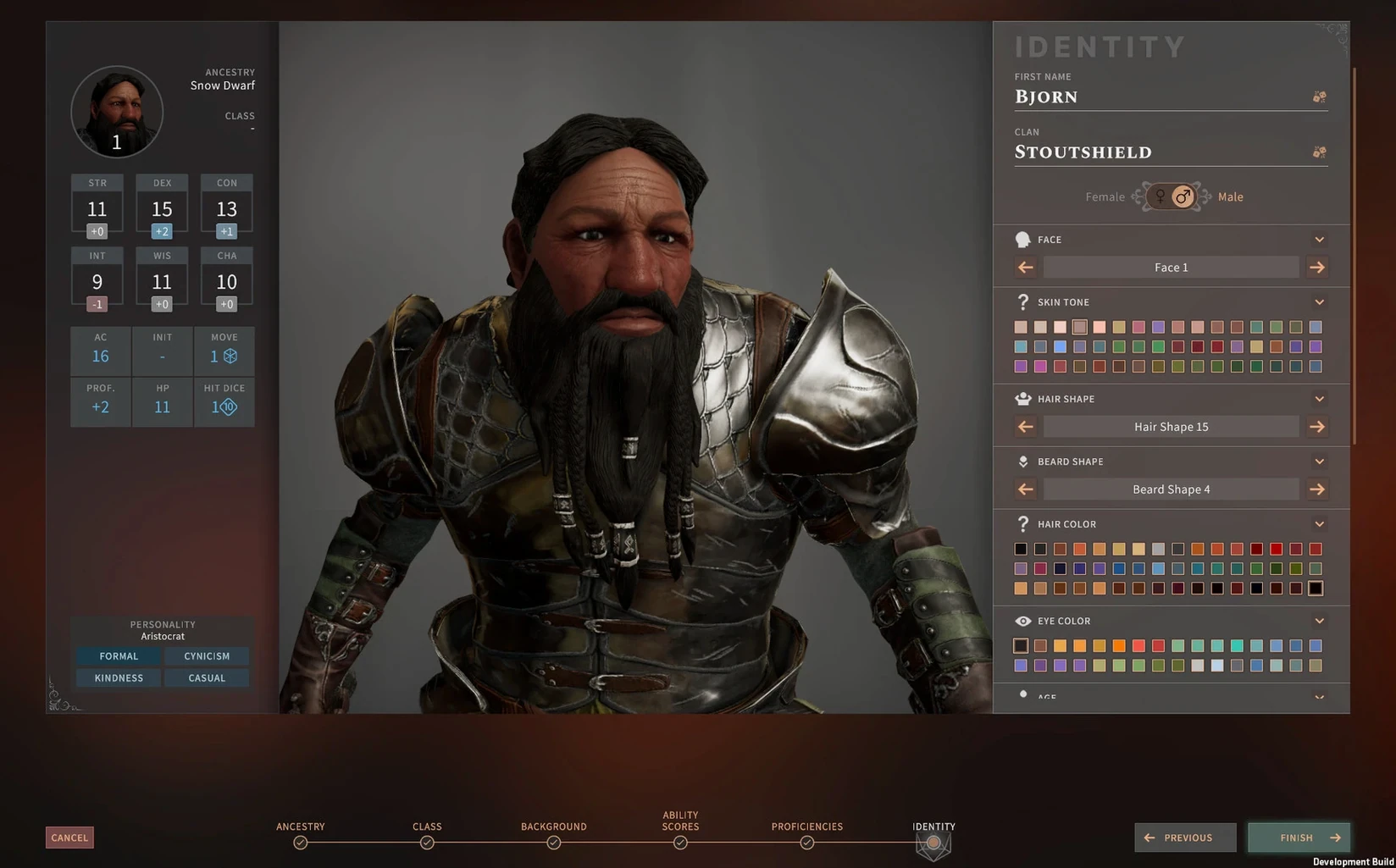
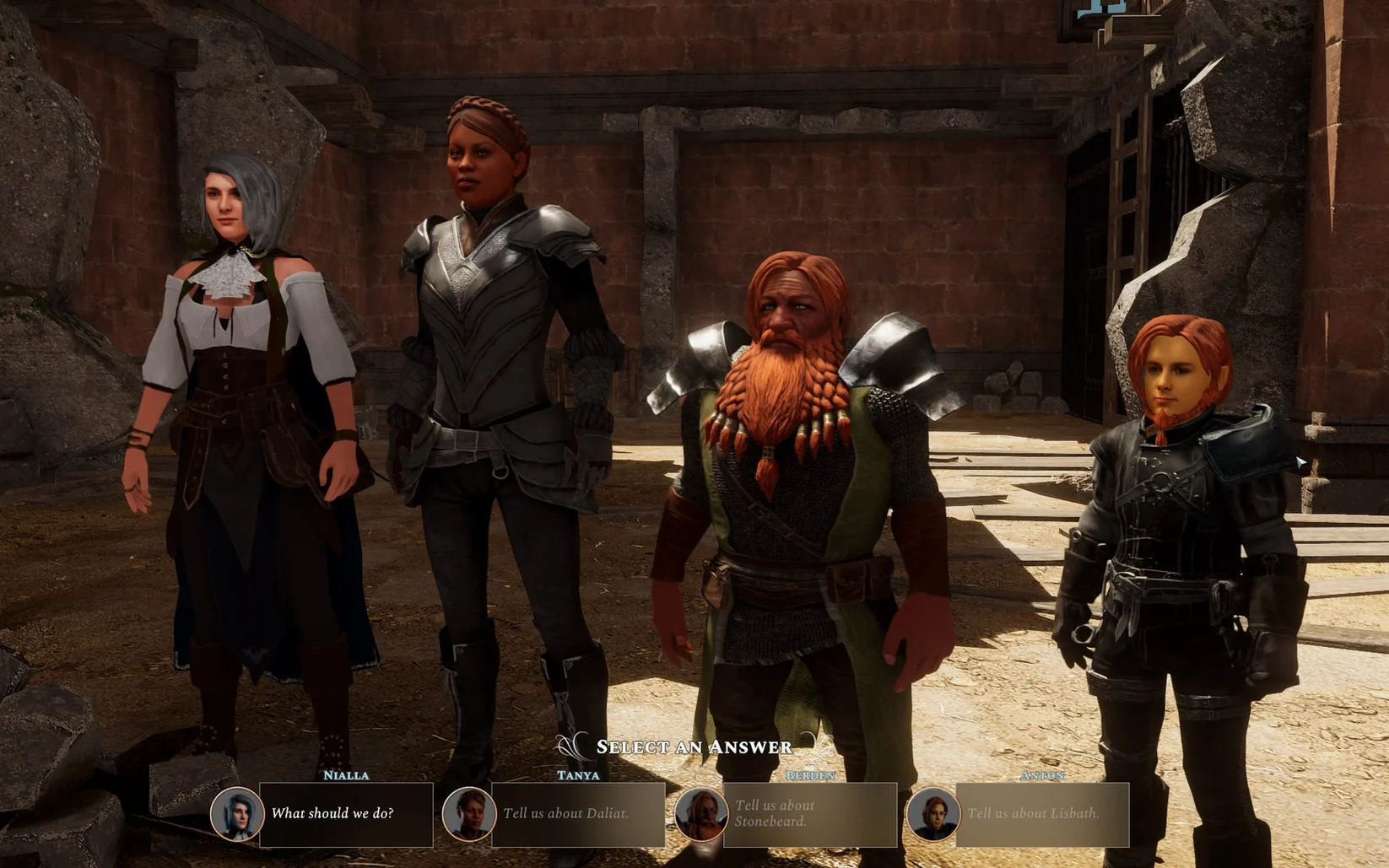
You build a party of four heroes before the story begins, assigning each one a race, class, personality and attribute spread drawn from D&D rules. One character's high ground advantage pairs with another's light cantrip to expose an enemy skulking in darkness. Minute to minute, that's the loop: move through a fully 3D dungeon, spot the terrain that favours you, and position four complementary skill sets so the wizard's Fly spell lets the rogue reach a balcony the fighter couldn't climb. Combat dice resolve openly, and lighting conditions aren't cosmetic — a target in shadow changes the maths.
Outside fights, the same vertical logic drives exploration. Crawling through a low tunnel might bypass a guarded gate; a wall with enough handholds becomes an infiltration route instead of a barrier. The environments read as physical spaces with rules, not painted corridors.
The interface supports English, Russian, German, Simplified Chinese, Portuguese and French, and the build runs natively on both Apple Silicon and Intel Macs. Voice acting stays in English throughout.
How It Handles Day-to-Day Play
On an M1 MacBook Air with 8 GB of memory, the game settles into a steady rhythm once textures finish caching — typically within the first minute of loading a save. Frame pacing holds near 40–50 fps at 1440p on medium settings, dipping only when the camera swings across a large vertical chamber with multiple light sources. The fan rarely spins above idle during exploration; combat with full spell effects pushes temperatures up but never triggers throttling on the tested Sequoia build.
Memory usage sits around 4.2 GB after an hour, which leaves room for a browser and a notes app in the background without the system reaching for swap. Load times between interior zones average six seconds; the initial boot from the Applications folder takes roughly eighteen. The auto-save fires quickly at waypoints and never interrupts movement, though manual quicksaves write in under a second regardless of scene complexity.
Stability is a quiet strength. Over a 14-hour campaign stretch spanning three play sessions, the app produced one crash — reproducible only when clicking through four dialogue nodes faster than the voice lines could start. Normal pacing avoids it entirely. Sleep mode on a MacBook resumes without audio drift or input lag, which matters for a party-based game where a misclick during a surprise round can undo twenty minutes of positioning.
Pathfinding fallback routes and stuck-enemy fixes
The 1.5.97 fix build tightens a handful of long-standing friction points. Enemy pathfinding on multi-level terrain used to stall when a creature tried to climb a wall with insufficient movement remaining; now the AI recalculates a fallback route within the same turn rather than skipping the action. Lighting recalculation after a character casts Daylight or Dancing Lights feels snappier — the engine updates shadow maps in a single pass instead of the old two-step refresh that left enemies briefly visible then dark again.
Inventory sorting gained a weight-and-category secondary filter, so searching for the heaviest piece of sellable armour no longer requires scrolling past thirty scrolls. Dialogue triggers in the city hub were reordered to prevent two companion interjections firing over each other when returning from a long expedition. None of these changes rewrite the game; they remove small pauses that accumulated over a 40-hour run.
Under the hood, the universal binary now avoids Rosetta-side translation stutter that affected some Intel-era particle effects on Apple Silicon. Spell visualisation for area-of-effect cones — Burning Hands, Fear — renders the projection grid at the correct z-axis offset, so targeting a creature on a raised platform no longer clips the preview through the floor.
SRD 5.1 character creation reaches level 12 on Mac
Does the Mac version support the same D&D ruleset as Windows? Yes. Character creation uses the SRD 5.1 framework without cuts: point-buy stats, all twelve classes and their subclasses through level 12, feats at the standard progression, and multiclassing rules intact. Combat advantage, cover calculations, saving throws and spell slot recovery match the tabletop logic the Windows build uses. Cross-platform save compatibility isn't officially tested, but the file format is identical.
How much disk space does it need after install? The app bundle and its data archives occupy roughly 26 GB. The disk image you download is smaller — around 18 GB compressed — but plan for the expanded footprint plus room for save files, which grow to about 120 MB after a complete campaign with manual backups.
Can I play with a trackpad, or do I need a mouse? A trackpad works for everything except rapid camera rotation during combat. The default sensitivity suits turn-based pacing: right-click drag orbits the view, two-finger scroll zooms, and left-click selects targets. Players who prefer real-time exploration mode will want a two-button mouse for faster panning, but it's optional.
What's missing compared to the tabletop rules? The SRD licence limits the roster of subclasses and spells to the free subset — no Hexblade, no College of Eloquence, no Counterspell. Feat selection is smaller, and the level cap stops at 12. The Mac build includes the same content boundaries as every other platform, with no additional restrictions. A full solasta crown of the magister mac full version package delivers the complete campaign, all dungeon-maker modules and the Lost Valley and Palace of Ice expansions without feature gating.
- macOS (Apple Silicon and Intel native)
Sign in · Create an account to add a field note.
No field notes yet. A measurement, a version, a machine — they appear after moderation.