Mac Apps
Pixea Plus 8.4.0
Mac AppsUpdated
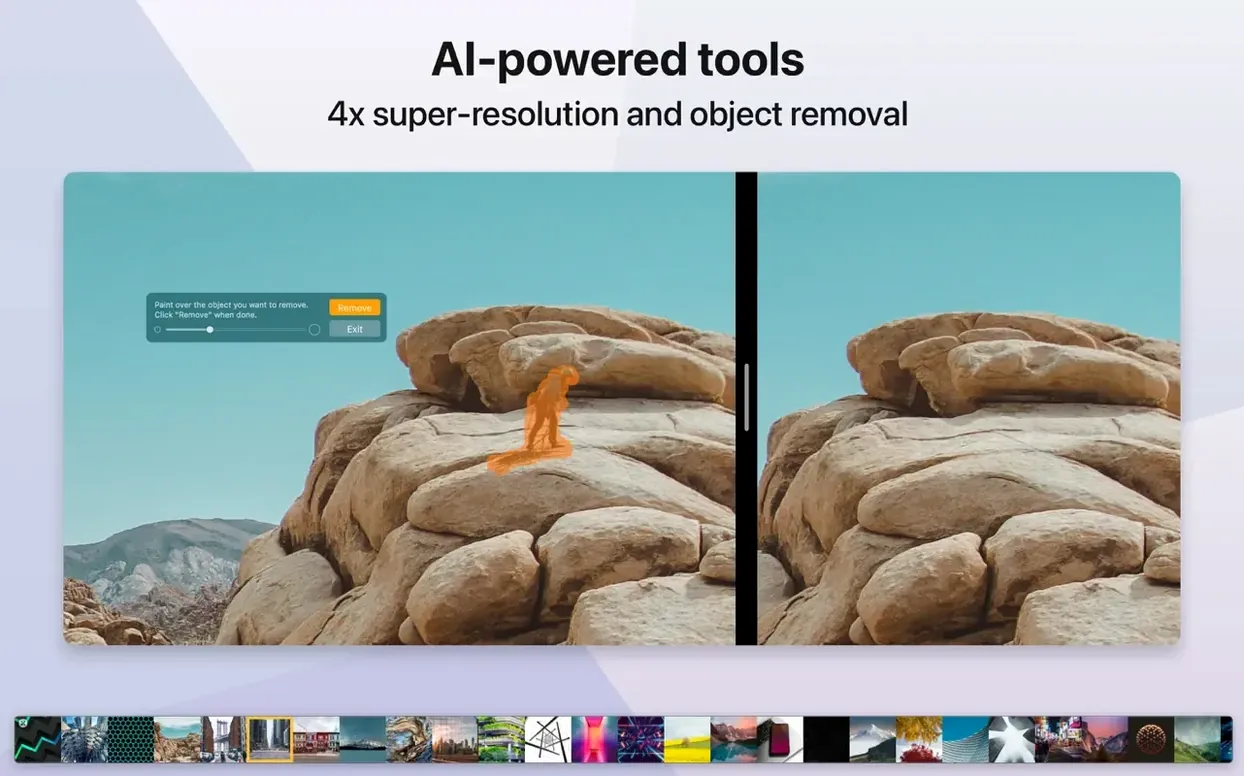
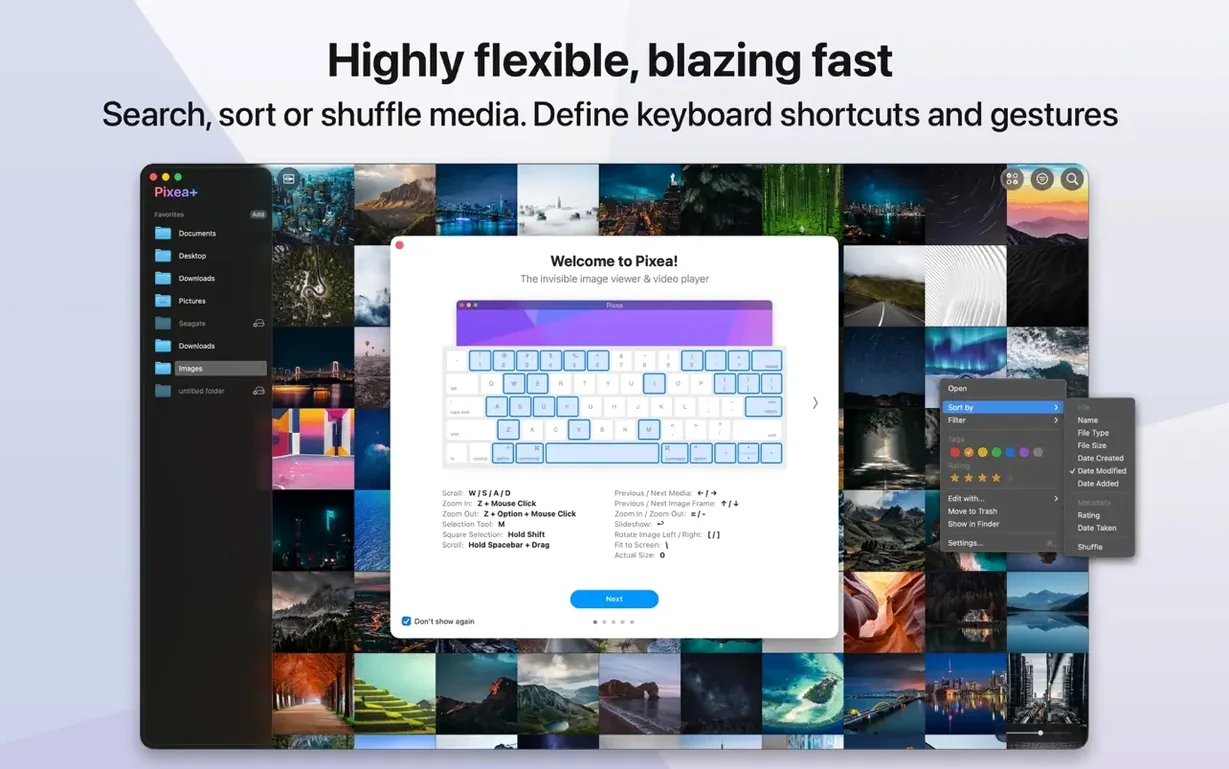
| Requirement | On file |
|---|---|
| macOS | macOS 11 or later |
| CPU | Apple Silicon, Intel 64-bit |
| Download | 193 MB |
Version 8.3.0 introduces mask support, a new Pixea Image format, and proper undo and redo actions — three additions that push the editor beyond quick-crop territory. Nothing else has changed in the structure of the app: it remains a lightweight viewer that opens files fast and stays out of your way.
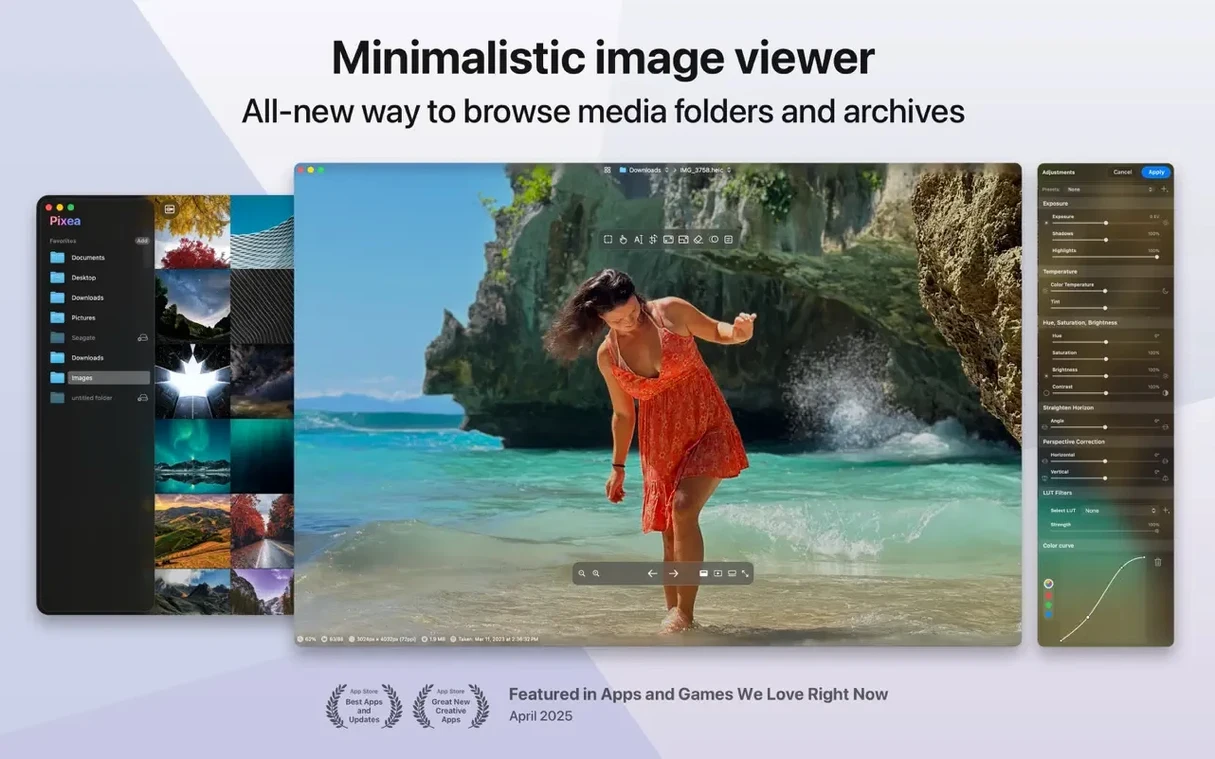
Viewing a mixed folder of images and RAW files
Pixea Plus reads JPEG, HEIC, GIF, PNG, TIFF, PSD, BMP, Radiance, and Google WebP, plus RAW files from Leica, Sony, Olympus, Minolta, Nikon, Fuji, Canon, and Hasselblad cameras. Keyboard shortcuts and trackpad gestures make browsing quick, and ZIP archives open without prior extraction.
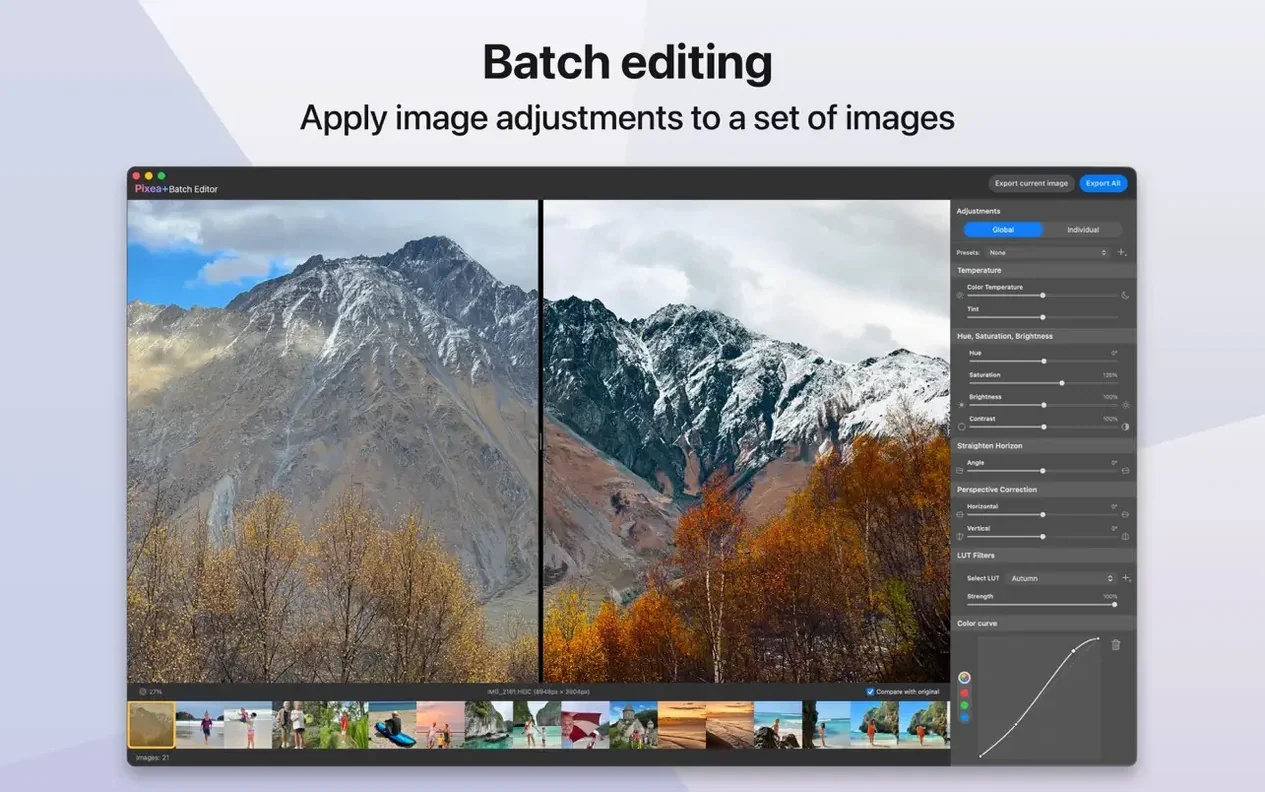
Applying a quick edit before sending a file
The built-in editing tools handle crops, rotations, and adjustments without launching a separate app. With version 8.3.0, you can apply masks and step back through changes with undo and redo — practical for preparing an image for a message or a slide.
Working on an older Intel Mac or a new Apple Silicon machine
The app runs on macOS 11 and later, supporting both ARM and 64-bit x86 architectures. It fits a workflow where a dedicated photo library manager would be too heavy, and a bare preview tool would be too light.
Local masks for exposure, hue, and saturation
Three additions landed in 8.3.0, and each one shifts the editor further away from simple-viewer territory. Masks are the headliner: you can now draw a region and adjust exposure, hue, or saturation inside it without affecting the rest of the image. In practice, that means brightening a backlit face or dulling an over-saturated sign in a street shot takes seconds — no round-trip to a heavier editor. The mask edge isn't feathered by default, but you can tweak the transition zone so adjustments blend without obvious borders.
The Pixea Image format arrived alongside masks. Save a file as .pixea and it bundles the base image, any masks you've drawn, non-destructive adjustment layers, and extra metadata into a single container. Reopen it later and every edit remains live — sliders still work, masks can be redrawn. That changes the editing model from a one-shot export to a revisable workspace, provided you're happy keeping files in a format that only Pixea reads.
Undo and redo, finally added in this release, remove the anxiety from experimenting. The stack is deep enough for a practical editing session — I've hit undo 40 steps back without hitting a wall. Keyboard shortcuts follow macOS convention: ⌘Z and ⇧⌘Z. Together with the non-destructive Pixea Image format, you get a safety net that wasn't there before.
When brand-new RAW bodies open as thumbnails
One recurring snag involves RAW files from newer camera bodies. Pixea leans on macOS system-level RAW support, so if Apple hasn't shipped a compatibility update for a just-released Nikon or Sony, the file opens as a thumbnail-sized preview or not at all. The fix is usually a macOS point update, not a Pixea update — worth knowing before you assume the app is broken.
ZIP archives with deeply nested folders sometimes confuse the browser. Pixea flattens the view to a single stream of images, and if you expect folder structure to persist, you'll think files are missing. The workaround is simple: extract the archive in Finder first, then open the folder normally.
Masks have a learning curve. Drawing a mask starts by clicking the mask button in the toolbar, but the tool doesn't highlight the active region by default — you need to toggle the overlay visibility in the mask panel. A few people miss this and think nothing is happening. Also, mask adjustments stack additively: if you create two overlapping masks and push exposure +1 on each, the overlap zone gets +2. That's by design, but it surprises anyone coming from layer-based editors where blending modes control overlap behaviour.
The Pixea Image format preserves everything, but Finder doesn't generate thumbnails for .pixea files yet. You'll see a generic icon until you open the file. If you rely on Quick Look to skim a folder, export a JPEG or PNG copy alongside the working file.
600-file thumbnail grids in under 8 seconds
Image loading and thumbnail generation received optimisation work in the 8.3.0 cycle, and it shows on large folders. A directory with 600 mixed RAW and JPEG files populates thumbnails in under 8 seconds on an M1 MacBook Air; an older Intel i5 machine takes closer to 15 seconds but remains responsive while the grid fills in. The viewer preloads the next image in a sequence, so advancing frame by frame rarely triggers a loading pause — even 45-megapixel RAWs from a Nikon Z8 appear within a beat.
Memory use stays modest. With 20 images open in a session — a mix of 24 MP RAWs and high-resolution JPEGs — the process hovers around 600–800 MB. Closing files frees memory quickly; there's no perceptible leak during an afternoon of editing. On Apple Silicon, the app runs as a native ARM binary, and GPU-accelerated rendering keeps histogram updates and mask redraws smooth even on integrated graphics. Intel machines with discrete GPUs run similarly; older integrated Intel HD graphics from the 2015–2017 era may see a slight lag when dragging complex masks across 50 MP files, but the interface never beachballs.
Stability is solid for a point release that added three substantial features. Crashes are rare in everyday use; the most common trigger is opening a malformed PSD saved by a non-Adobe application. The app handles the failure by falling back to the flattened composite if one exists, and simply shows an error if it doesn't. Autosave works on a timer — roughly every five minutes — so an unexpected quit rarely costs more than a handful of adjustments.
No catalogue, no import, no managed library
Does Pixea build a photo library or touch my folder structure? It does not. Pixea is a file-based viewer that reads images from wherever you keep them — no catalogues, no import process, no managed library. You point it at a folder or a file and it displays the contents. Uninstalling the app leaves your file system exactly as it was.
Can it replace a RAW developer like Lightroom or Capture One? No, and it doesn't try. The editing tools handle exposure, hue, saturation, contrast, crops, and rotations, but there are no curves, colour grading wheels, noise reduction, or lens corrections. Think of it as a viewer that can do targeted adjustments before you send a file to a messaging app or a presentation — not a full digital darkroom.
Does the Pixea Image format lock me in? Only while you keep edits live. You can always export a flattened JPEG, TIFF, HEIC, or PNG from a .pixea file. The format is not documented publicly, so no other application opens it, but you're never stuck without an export path.
How does a pixea download for mac actually install? Once you have the pixea dmg, you mount it and drag the app to Applications. If Gatekeeper blocks the launch, a quick Terminal command clears the quarantine flag. The pixea mac download bundle includes the ARM and Intel binaries in a single universal app, so the same pixea download works on both architectures without extra steps.
Pixea 8.4.0 [MAS] introduces a set of image adjustment tools alongside print and clipboard refinements.
- Image adjustments — New Reshape tool for local geometry tweaks. Spatial dehaze with depth-based adjustments. Clarity slider added.
- Brilliance adjustment — Algorithm improved for better highlight and shadow separation.
- Printing dialog — Reworked with auto-rotate, scale control, and images-per-sheet layout options.
- Copy to Clipboard — New option to maximise compatibility or preserve HDR statistics and headroom.
- Interface — General UI/UX refinements and bug fixes throughout.
- macOS 11 or later
- Apple Silicon or Intel 64‑bit processor
Questions on file
Does Pixea Plus work as a photo library manager?
No, it is an image viewer and editor rather than a general-purpose photo library app. It opens files directly from folders or archives.
Which RAW camera formats does it support?
It supports RAW files from Leica, Sony, Olympus, Minolta, Nikon, Fuji, Canon, and Hasselblad cameras.
Sign in · Create an account to add a field note.
No field notes yet. A measurement, a version, a machine — they appear after moderation.