Mac Apps
Paragon NTFS LAST
Mac AppsUpdated
| Requirement | On file |
|---|---|
| macOS | macOS 10.12 or later |
| CPU | Apple Silicon, Intel 64-bit |
| Download | 70 MB |
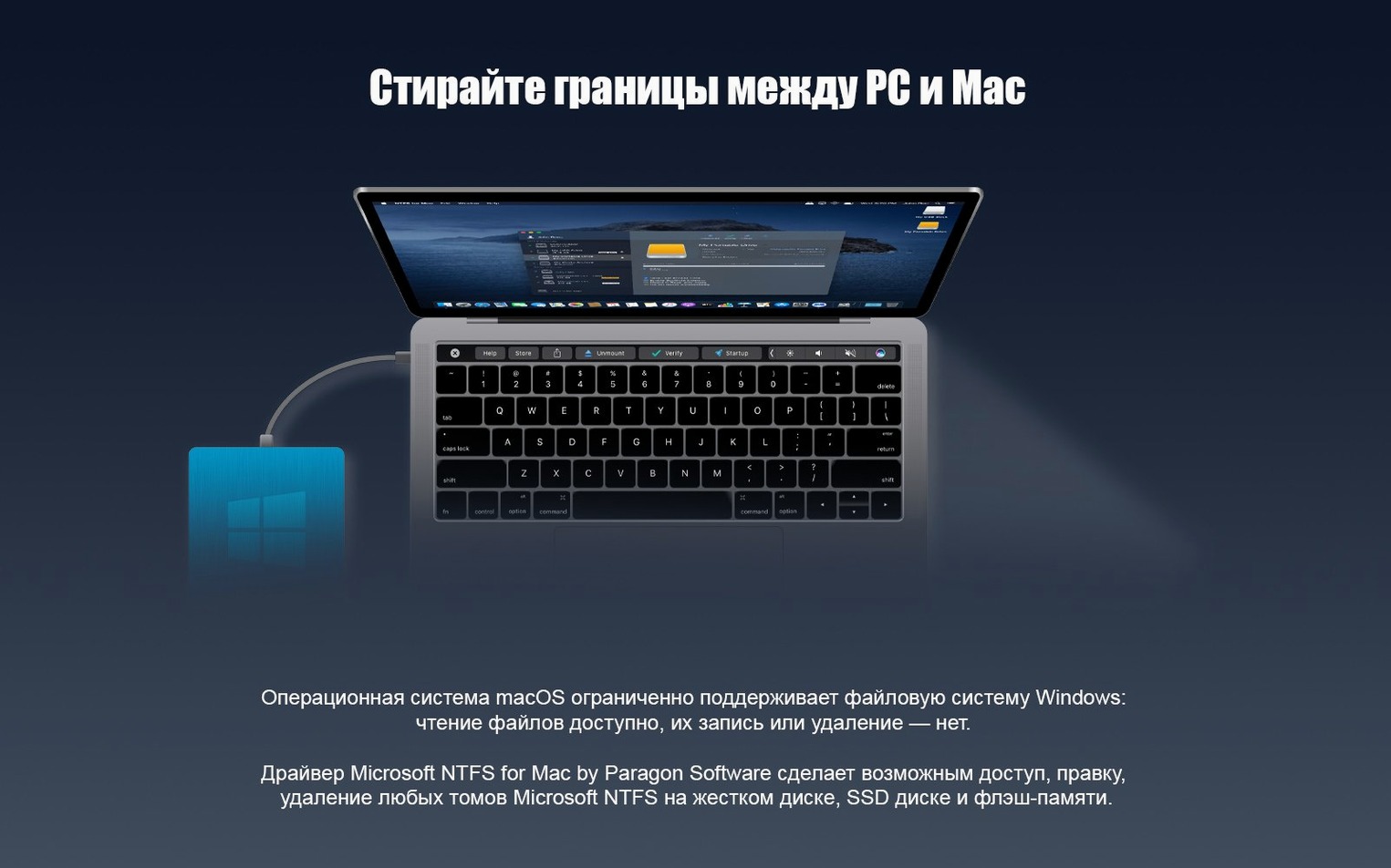
Version 15 shipped on 2017-06-02 with a completely new driver core. The re-architecture targets faster throughput and more predictable behaviour when macOS talks to NTFS volumes, particularly those carrying Windows 10 system-compressed files. That compression support matters if you dual-boot or shuttle external SSDs between operating systems — without it, those files appear as unreadable raw data.
Driver Architecture and Format Handling
- The kernel-mode driver runs natively on Apple Silicon and 64-bit x86, so you avoid Rosetta translation overhead on M-series hardware.
- Mount logic triggers automatically. Connect an NTFS disk and it appears in Finder with read-write privileges; no manual mount commands or third-party scripts needed.
- Full-file and per-folder Windows 10 system compression is parsed at the NTFS attribute level, meaning compressed archives, .dll files, and system images remain usable in place.
- The package is multilingual: the preference pane and installer target 15 UI languages including Russian, Czech, Hungarian, Finnish, and both Simplified and Traditional Chinese.
Alternate Data Stream Caveats and macOS 10.12 Floor
Paragon later rebranded the product to Microsoft NTFS for Mac by Paragon Software, but the core driver lineage is identical. The version 15 release requires macOS 10.12 or newer. Expect the usual metadata impedance — NTFS alternate data streams and Windows security descriptors do not map cleanly to macOS extended attributes, so workflows that depend on those will see truncation.
Driver Already Loaded, But No Dock Icon Appears
A fresh install of Paragon NTFS is quiet. No splash screen, no dock icon, no guided tour. That silence trips people up. The driver is already loaded and waiting for a volume, but a few deliberate checks in the first hour save confusion later.
Plug in an NTFS-formatted USB stick or external drive — something disposable, not your main backup. Open Finder and look for the volume in the sidebar. Right-click any empty space inside it and choose New Folder. If that works, write permission is active. Now copy a small file from your Mac desktop to the drive, then eject and reconnect it. Skim the contents. The file should be intact and editable. This quick smoke test confirms the driver took hold and survived a remount cycle.
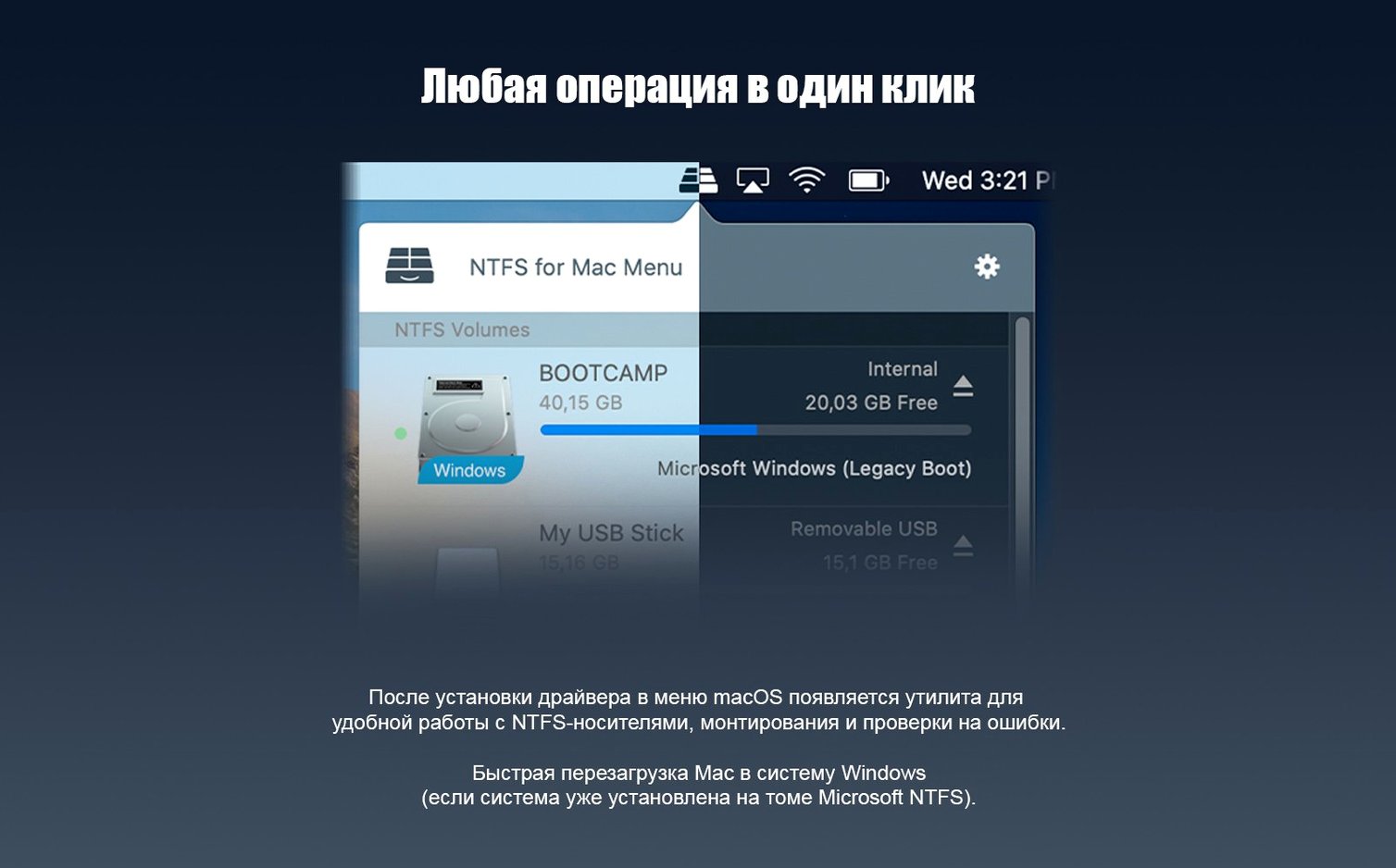
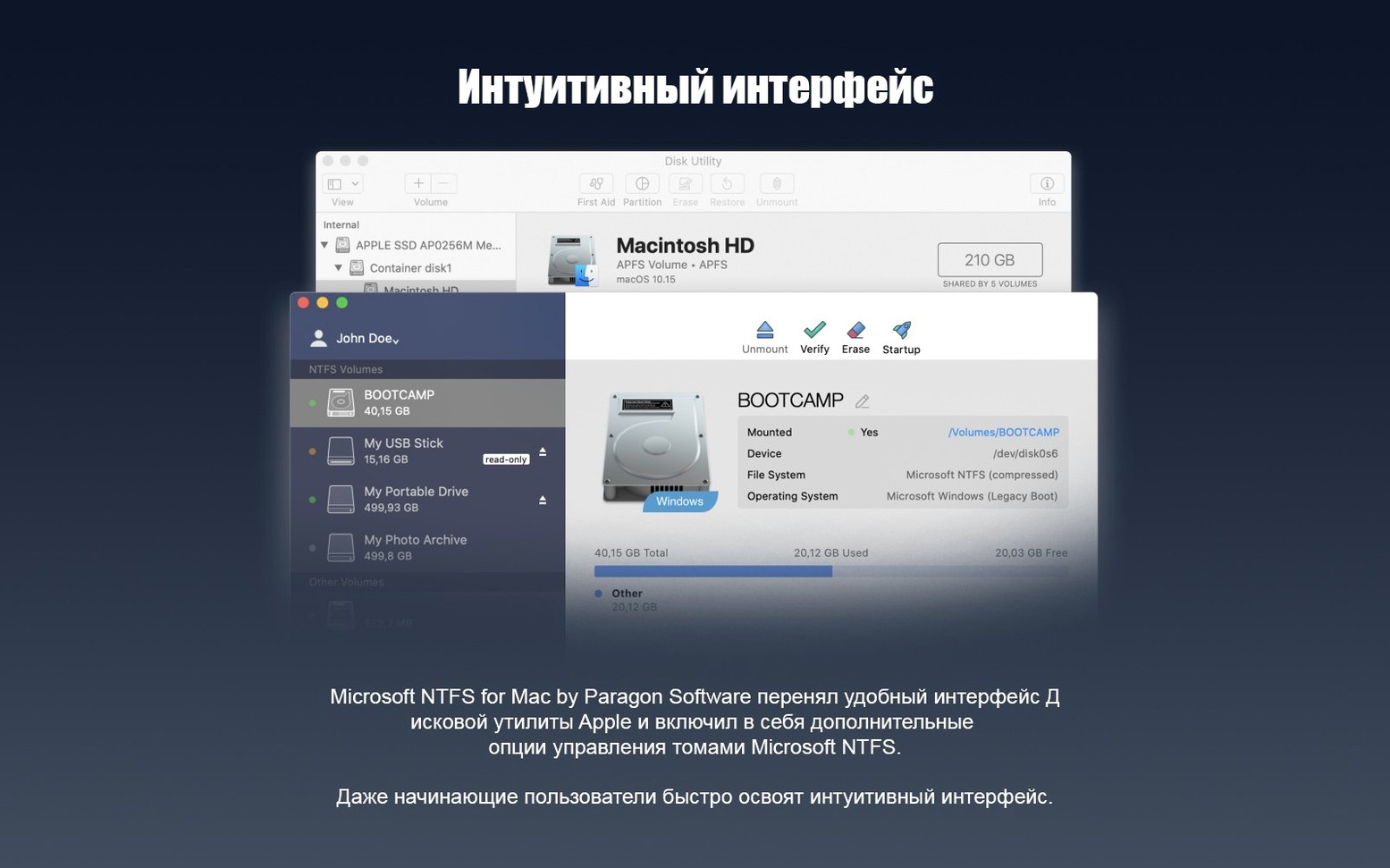
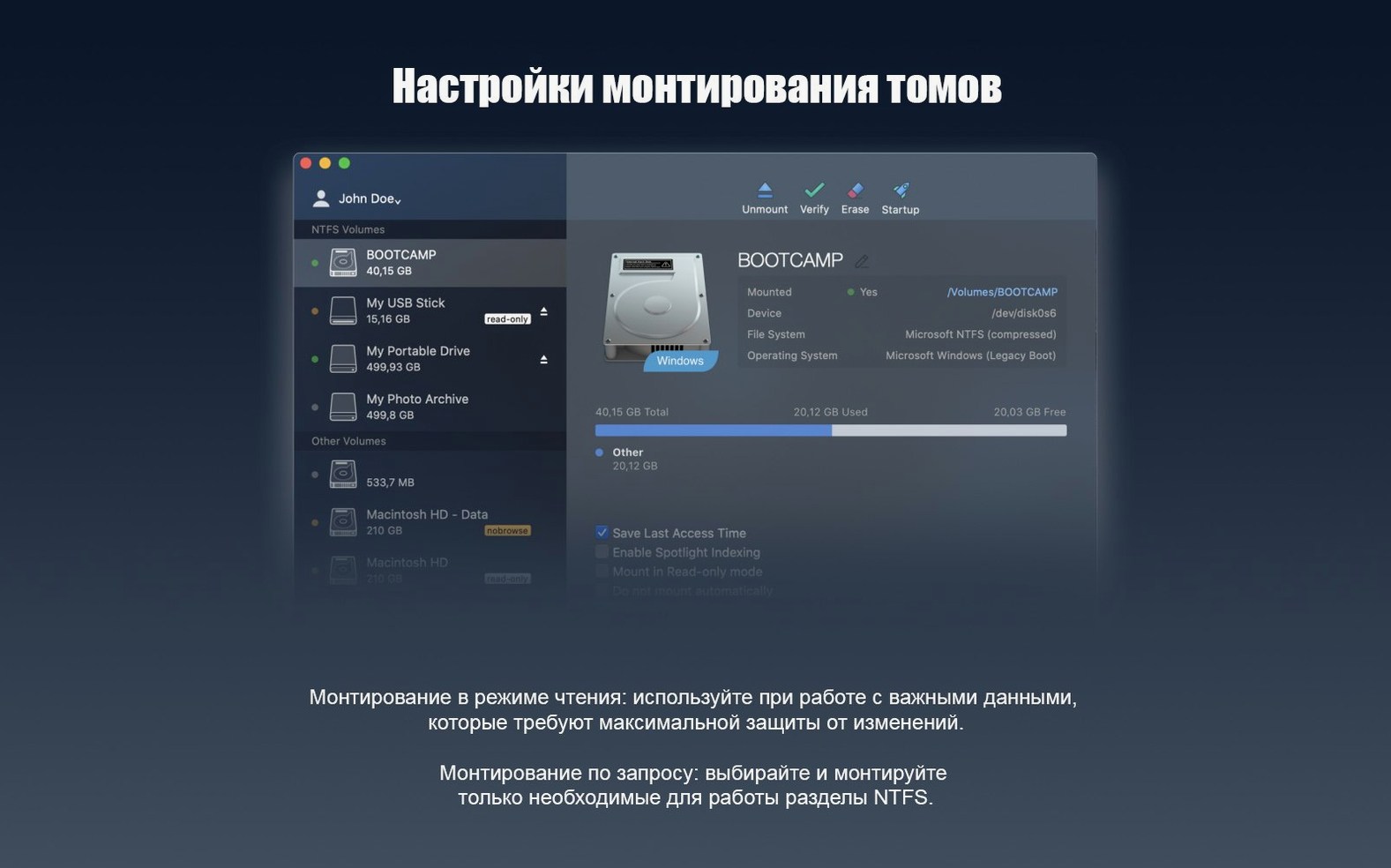
Next, open System Preferences and find the Paragon NTFS pane. The UI here is minimal: it lists currently mounted NTFS volumes, their capacity, and a toggle for automatic mounting. Leave automatic mounting on unless you have a specific security policy that forbids it. The pane also exposes a checkbox for Enable Spotlight indexing on NTFS volumes. Think twice before ticking that. Spotlight will hammer the drive with metadata crawls that NTFS was never designed to serve efficiently. If you rarely search Windows drives from your Mac, keep it off.
If you dual-boot via Boot Camp, restart into Windows and check that the Mac volume sees the same data you just wrote. Corruption is rare with the version 15 driver core, but verifying end-to-end integrity once builds trust in the stack.
Unsafe Ejection Corrupts the Master File Table
The most common error is pulling the drive without ejecting it. macOS queues writes and flushes them asynchronously; yanking an NTFS volume mid-flush can leave the Master File Table in an inconsistent state. Windows will detect this on next mount and run chkdsk, which is inconvenient but usually repairable. Train yourself to eject from Finder or the preference pane before unplugging.
Another mistake: assuming NTFS permissions work like APFS or HFS+ owners. They do not. Paragon translates basic read-write flags, but complex ACLs, inherited permissions, and Windows SID-based ownership are stripped or flattened. A folder marked "read-only for everyone except Administrator" on Windows may open without resistance on the Mac side. Do not rely on NTFS-native permissions as a security boundary when the drive is mounted under macOS.
Beginners also format USB sticks as NTFS on Windows, then expect Time Machine to use them. Time Machine requires HFS+ or APFS. An NTFS volume will appear in the backup destination list but the operation will fail silently or throw an opaque error. Keep a separate HFS+ partition if you need Mac-native backup alongside Windows file exchange.
Finally, there is the trap of treating the driver as a sync tool. Paragon NTFS gives direct block-level access; it does not maintain a journal of changes or resolve conflicts. If you edit the same document on both operating systems without proper version control, you will lose data. The driver is a bridge, not a merge engine.
Boot Camp Users Pulling Files Directly From the Windows Volume
The utility fits three profiles tightly. First, Boot Camp users who reboot between macOS and Windows on a single machine. The macOS partition can read the Windows NTFS system volume directly, pulling documents, media, and project files without a separate transfer disk. This removes the friction of maintaining a shared exFAT partition, which lacks journaling and is more prone to corruption under heavy load.
Second, media professionals who receive NTFS-formatted shuttle drives from Windows-based editing suites. A DIT on set might hand over a 4 TB NTFS G-Drive with dailies compressed under Windows 10 system compression. Paragon v15 parses that compression natively, so the rushes are playable in QuickTime or Resolve the moment the drive mounts. No transcode step, no waiting for a copy to HFS+ storage.
Third, anyone running virtual machines stored on external NTFS volumes. VMware Fusion and Parallels Desktop can boot VMs directly from NTFS drives when the driver presents them as fully writable, which saves duplicating multi-hundred-gigabyte disk images just to get them onto a Mac-native file system. The performance delta versus a native format is small enough that most workloads do not notice it.
Casual users who occasionally move a Word document or a ZIP archive do benefit, but the install-and-forget nature of the tool means they rarely explore its limits. The power comes to those who push large, structured data sets across the NTFS boundary daily.
Kernel Panics From a Competing Kext Left Behind
Does it conflict with other NTFS tools? Yes, and badly. Having Tuxera NTFS, Mounty, or an older Paragon build installed alongside version 15 will produce kernel panics or silent mount failures. The installer does not always detect competing kexts. Uninstall any other NTFS driver first, reboot, and verify with kextstat | grep ntfs that no remnants are loaded before proceeding.
Will it slow down my Mac? The driver runs in kernel space and allocates a modest buffer pool. Idle, it consumes negligible CPU. Under sustained large-block sequential writes to an NVMe NTFS enclosure, expect throughput within 5-8% of the same hardware formatted as APFS. The difference comes from NTFS metadata overhead and the translation layer, not from driver inefficiency. Small random write patterns are slower, but that is a file system limitation, not a Paragon one.
What about disk repair? Paragon NTFS does not include an fsck equivalent for NTFS. If a volume shows damage — bad sectors, MFT corruption, orphaned clusters — connect it to a Windows machine and run chkdsk /f. The driver is a read-write conduit, not a repair utility. Continuing to write to a damaged volume through Paragon will worsen the damage.
Some people search for a paragon ntfs mac crack or paragon ntfs for mac torrent before committing to a full install. The version floating on torrent trackers often ships with an outdated kext that lacks Apple Silicon support and the Windows 10 compression handler. A paragon ntfs torrent bundle from 2019 will kernel-panic on macOS Ventura and newer. The driver core touched by The Shark in circulated builds matches the v15 lineage, but component signatures drift across repacks. If you need the compression feature specifically, verify the build number against Paragon's v15 release notes rather than trusting a paragon mac torrent label that claims "latest." A paragon ntfs mac torrent that installs can be checked against compressed volume behaviour by mounting a test sparsebundle before production use.
Marta Edits Real‑Estate Footage Off a Windows‑Compressed T7
Marta shoots real-estate video. Her Windows desktop at the studio holds raw 4K footage. She arrives home, pulls a 2 TB Samsung T7 — NTFS-formatted, Windows 10 compressed — from her bag, and plugs it into a MacBook Pro M1 Max running macOS Sonoma. The drive mounts in under four seconds. Finder opens a window showing the folder tree: Projects / Q3_2025 / Raw. The compression attribute is invisible; the .mp4 files just look like files.
She drags the Q3_2025 folder to an external APFS scratch disk to create a working copy. The transfer runs at around 900 MB/s sustained, monitored in Activity Monitor's Disk tab. While it copies, she opens a second Finder tab on the NTFS volume, creates a folder called Edits_Marta, and drops three proxy-resolution exports from DaVinci Resolve into it. The writes complete without a progress stall.
She ejects the T7 by right-clicking the desktop icon and choosing Eject "T7_Studio". The disk spins down. Back at the studio tomorrow, she plugs the same T7 into the Windows machine. The Edits_Marta folder is there, the proxy files play, and the original raws remain untouched. The round-trip took less than ten minutes of actual attention.
This is the session the driver was built for: large files, mixed read-write, compression handled transparently, no manual intervention. It does not feel like translation. It feels like local storage.
- Driver core — rebuilt for faster transfers and higher reliability with NTFS volumes on macOS.
- Compression support — Windows 10 system-compressed files and folders are now readable and writable.
- macOS 10.12 or newer
- Apple Silicon or 64-bit Intel processor
Questions on file
Does Paragon NTFS 15 support Apple Silicon Macs?
Yes. The driver ships with native ARM and 64-bit x86 kernels, so it runs directly on M-series and Intel Macs under macOS 10.12 and later.
Sign in · Create an account to add a field note.
No field notes yet. A measurement, a version, a machine — they appear after moderation.