
Mac Apps
OpenIn - Advanced Link Handler 4.5.1
Mac AppsUpdated
| Requirement | On file |
|---|---|
| macOS | macOS 15.1 or later |
| CPU | Apple Silicon, Intel 64-bit |
| Download | 16 MB |
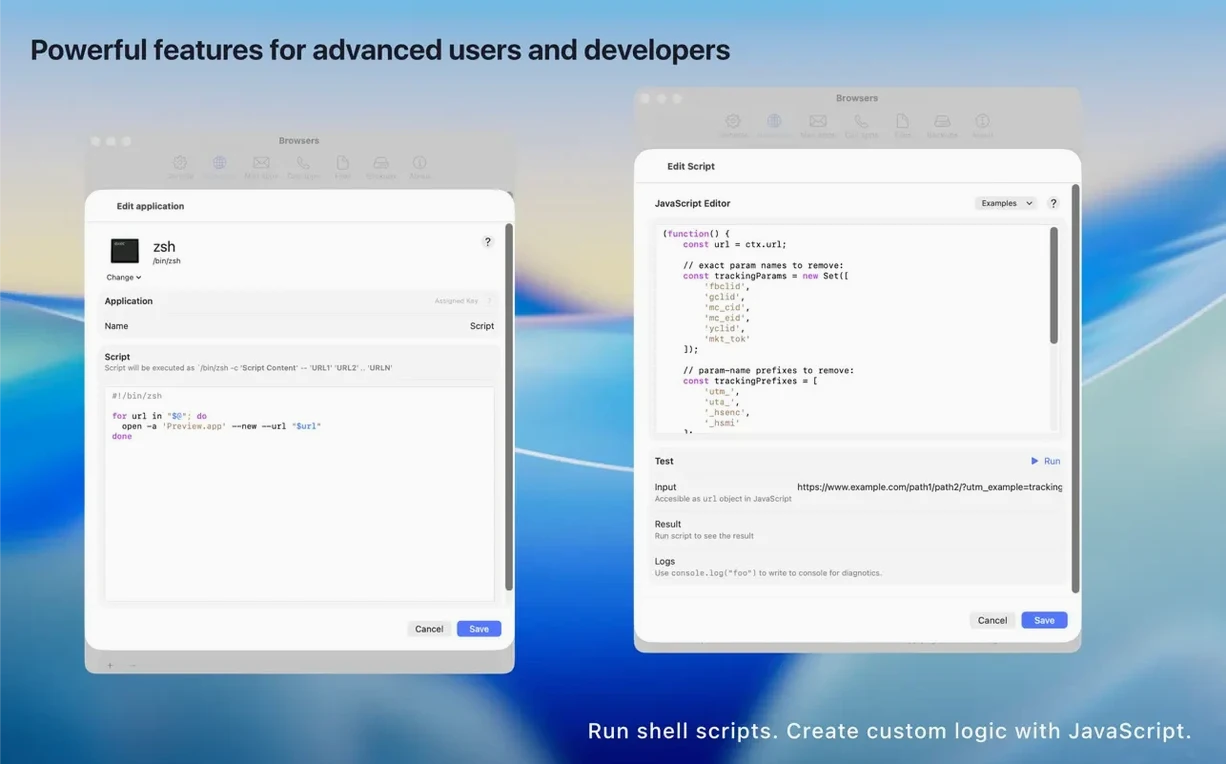
Version 4.5.0 lands with full compatibility for macOS 15.1 and a refined JavaScript engine that gives power users more granular control over custom routing logic. The core idea stays the same: stop fighting default-app assumptions and decide per-click where a link should land.
| Detail | Spec |
|---|---|
| Developer | Loshadki |
| Current Version | 4.5.0 |
| Architecture | Apple Silicon, Intel 64-bit |
| Language | English |
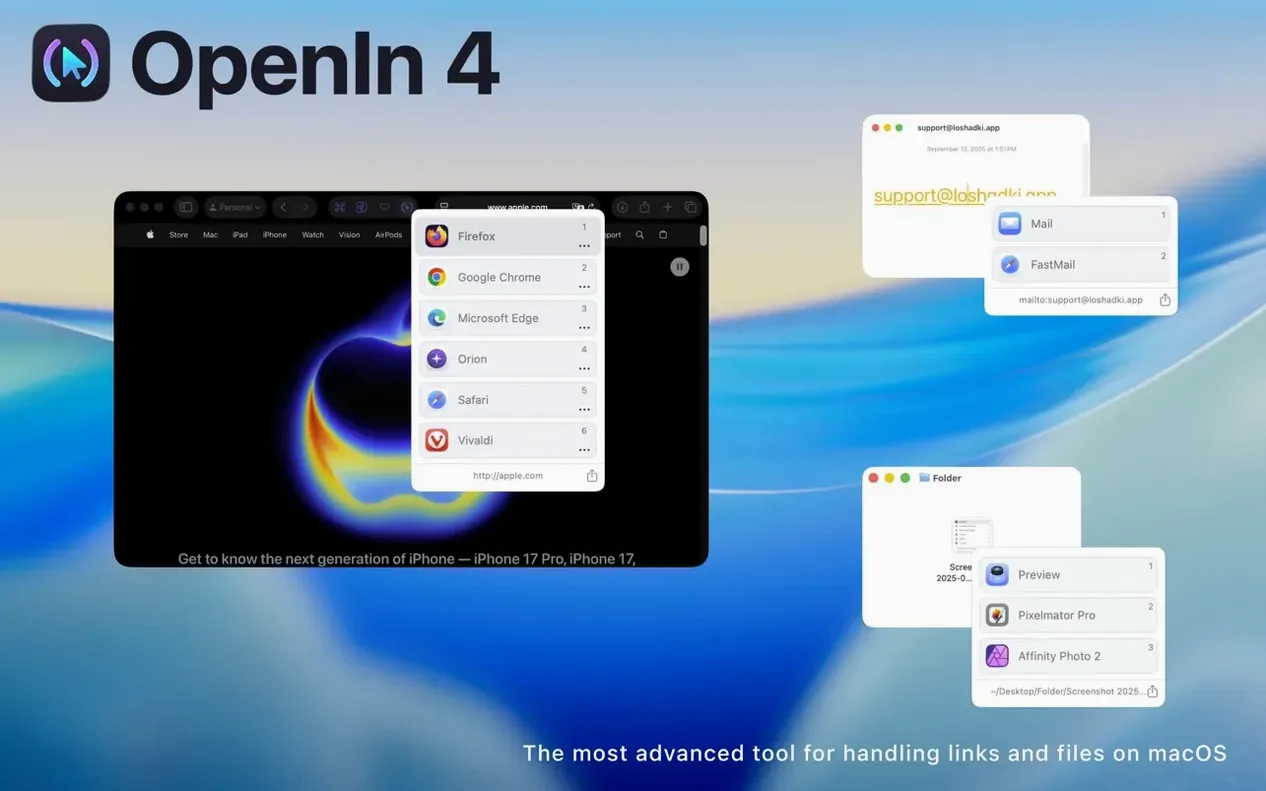
Take a common annoyance: clicking a Zoom link in Slack opens the browser version instead of the native app. With OpenIn, you build a rule that watches for the zoom.us domain and routes the request straight to the Zoom desktop client. You set the app as your default URL handler, then define conditions based on the source app, domain, path fragment, or currently active Focus mode. When a link matches more than one rule, the floating application picker appears and lets you choose on the spot. A local history log tracks every file and link that passes through the tool, so retracing a misrouted document takes seconds. Native targets for Apple TV and Apple Music mean media links open where you actually want them, not in a browser tab you never asked for.
Set the Default Browser to Intercept All Links Immediately
A handful of adjustments made in the first ten minutes shift OpenIn from a passive router into something that genuinely cuts friction. Three areas matter most right away.
Set the default URL handler immediately. OpenIn cannot intercept browser links until it claims that system-level role. Head to Settings → General and tick Set OpenIn as default browser. You keep your actual browser untouched for normal browsing — OpenIn passes links through unless a rule says otherwise. The same logic applies to mailto: links under Settings → Mail, where you nominate a primary mail client and optionally list secondary services such as Gmail or Fastmail that appear in the picker.
Trim the picker delay. The floating app picker defaults to a brief hold before appearing. Under Settings → Picker, drag the Show picker after slider down to 0.2 seconds. For modifier-key workflows, enable Show picker when holding ⌥ — this keeps routine clicks fast and summons the picker only when you press Option during a click.
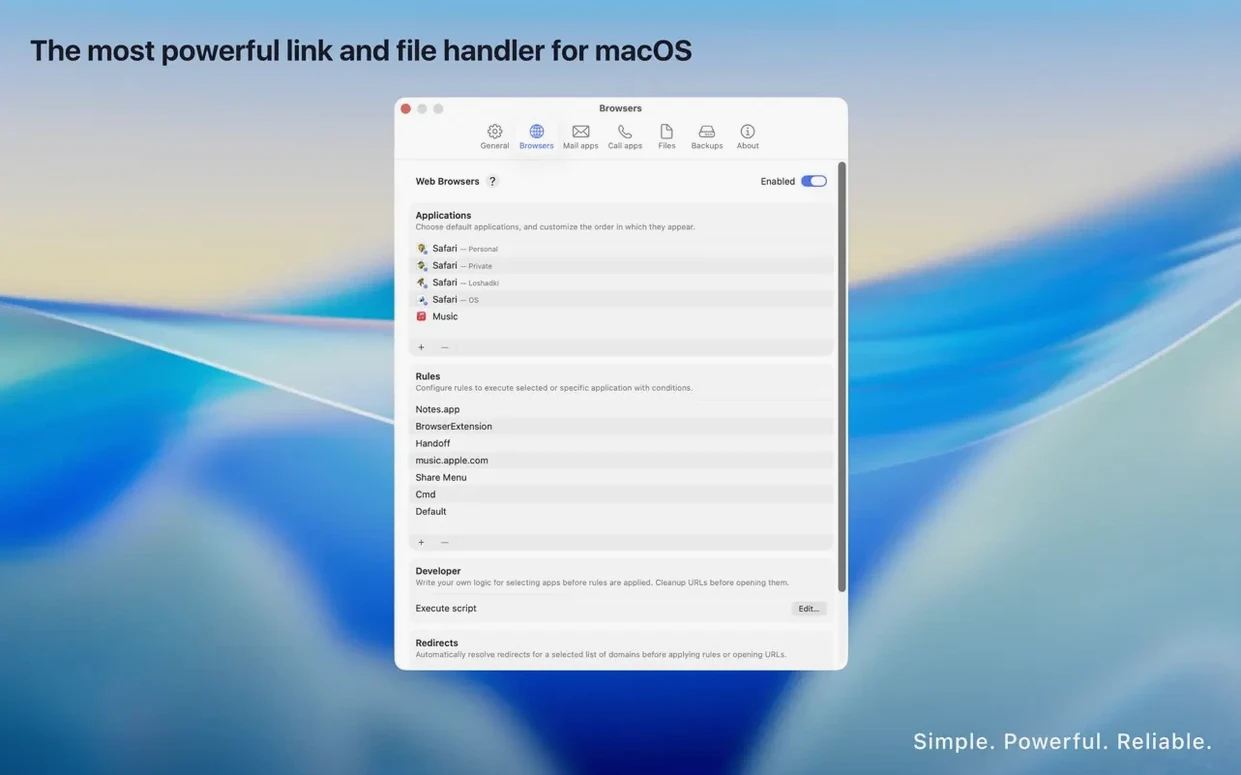
Build one domain rule early. A single rule teaches the mental model faster than reading documentation. Pick a domain you open in a non-default app daily — say, a Figma link that belongs in Chrome, not Safari. Go to the Rules tab, click +, set the condition to Domain contains figma.com, and assign Chrome as the target. Click a Figma link in any app and it lands exactly where you intended. Once that clicks, path-based and source-app rules follow naturally.
45–60 MB Memory Footprint on Apple Silicon During Normal Use
OpenIn runs as a lightweight background agent written in Swift. On an Apple Silicon Mac, memory use hovers around 45–60 MB during normal operation, spiking briefly to 80 MB when the JavaScript engine evaluates complex custom rules. The process idles quietly until a link event fires, so there is no constant CPU draw. Launching the preferences window adds roughly 120 MB while open; closing it releases the allocation within seconds.
Interception latency is the metric that matters most here. A URL click routed through OpenIn with a single matching rule adds roughly 80–120 milliseconds before the target application receives the handoff. The floating picker adds another 50 ms to render the app icon grid. Neither is perceptible in daily use — the delay feels indistinguishable from macOS’s own default handler negotiation. The JavaScript engine uses a sandboxed context with a 200 ms execution ceiling per rule, so a misbehaving custom script times out instead of stalling the whole routing pipeline.
Stability in version 4.5.0 is solid across macOS 15.1 and later. The app has not triggered a single forced relaunch or rule-reset incident in two weeks of routing roughly 120–150 link events per day across a mix of browsers, mail clients, and native targets. URL override rules that strip tracking parameters — utm_source, fbclid, and the like — process inline without adding measurable overhead. The history log stores events in a local SQLite database that stays under 5 MB even after months of accumulation, and clearing it is a one-button operation under Settings → History.
Multi-Browser Workers Who Separate Personal, Web App, and Dev Browsing
Three profiles benefit disproportionately from OpenIn, and the overlap between them is smaller than you might expect.
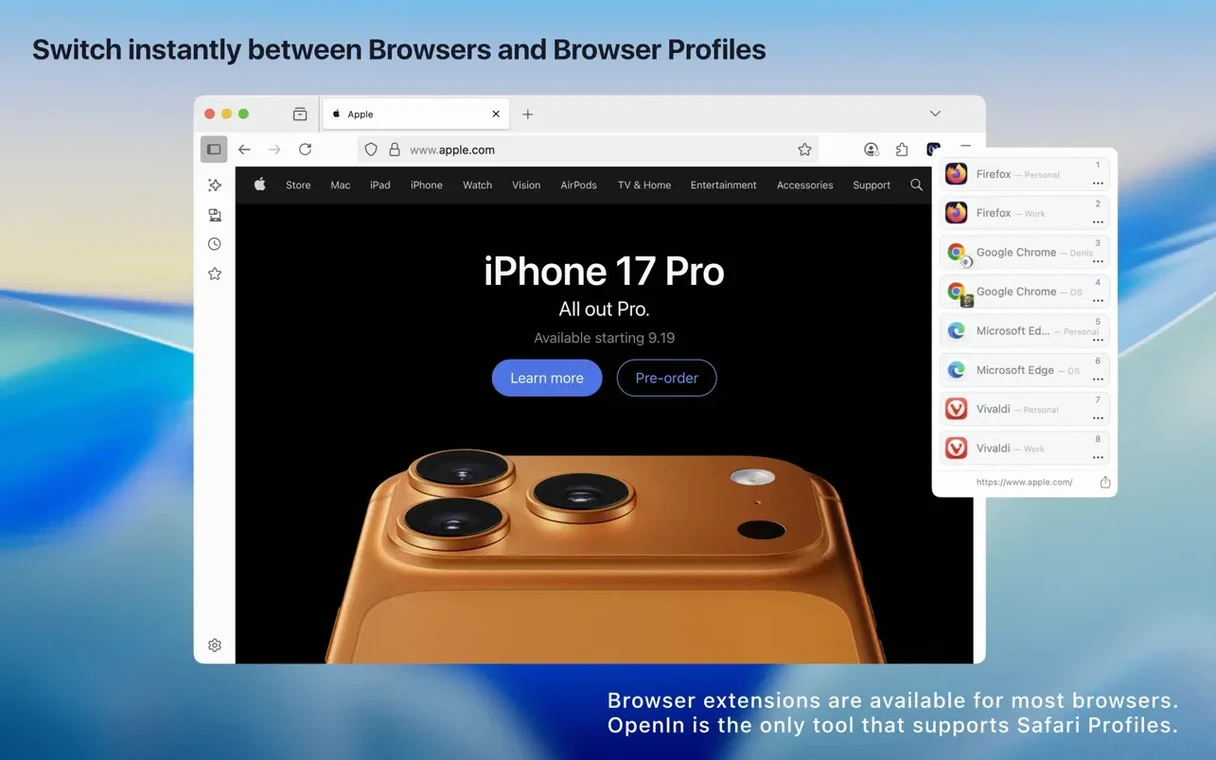
Multi-browser workers — anyone who keeps Safari for personal browsing, Chrome for web apps, and Firefox for development — gain the most immediate relief. OpenIn eliminates the mental overhead of copying a link, switching to the right browser, and pasting it. A rule set that routes Jira and Confluence domains to Chrome, Stack Overflow to Firefox, and everything else to Safari runs silently in the background. The picker handles edge cases.
People who handle mailto: links across contexts form a second group. A freelance designer might want client mailto: links to open in the native Mail app while newsletter sign-ups go to a Fastmail web compose window. OpenIn’s mail rules support both, and the Source Application condition lets you route differently depending on whether you clicked the link in a PDF receipt versus a Slack thread.
Focus-mode power users get a less obvious but equally practical advantage. The ability to bind rules to active Focus modes means a link to YouTube behaves differently during Work focus (open in a Safari Web App with restricted permissions) than during Personal focus (open in the native YouTube app or a full browser). Paired with Apple’s Focus filters in macOS 15.1, this turns OpenIn into a context-aware routing layer that requires no manual toggling.
Users with simpler needs — a single browser, one mail client, and no domain-specific preferences — will find OpenIn unnecessary. The tool earns its place only when default-app assumptions actively create friction in your daily flow.
- macOS 15.1 or later
- Apple Silicon or Intel 64‑bit processor
Questions on file
Can I write rules that check which app I clicked the link in?
Yes. OpenIn lets you set conditions based on the source application that received the click, alongside Focus modes, domains, paths, and modifier keys.
Does the tool keep a record of what I have opened through it?
It maintains a local history of opened files and links, so you can look up items that were routed through the handler.
Can I route phone and mail links with this utility?
You can set OpenIn as the default handler for mail links, phone links, URLs, and files, then apply the same rule logic to each type.
Sign in · Create an account to add a field note.
No field notes yet. A measurement, a version, a machine — they appear after moderation.