Design
AutoCAD 2027
DesignUpdated
| Requirement | On file |
|---|---|
| macOS | macOS 12 or later |
| CPU | Apple Silicon, Intel 64-bit |
| Download | 2.3 GB |
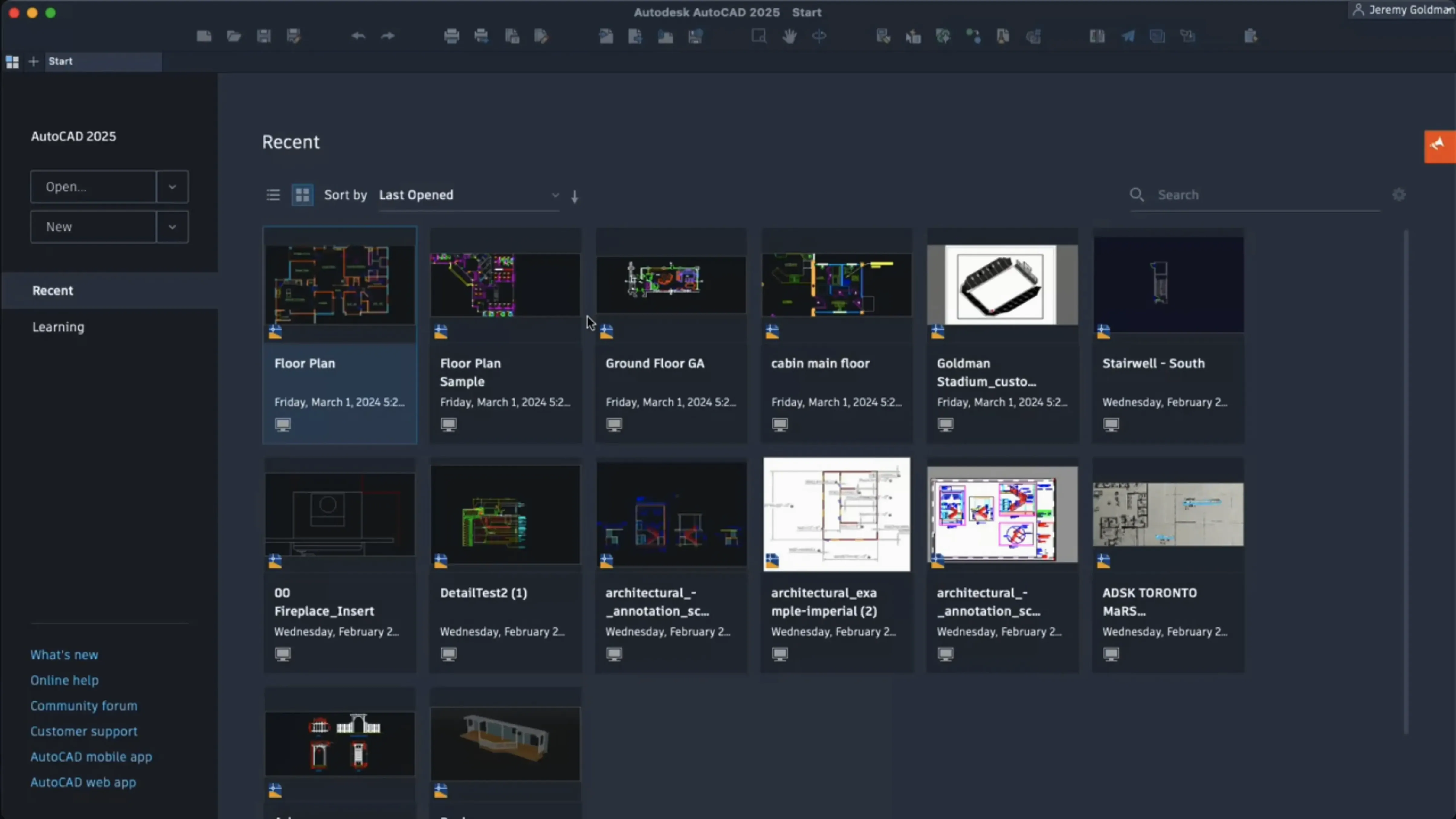
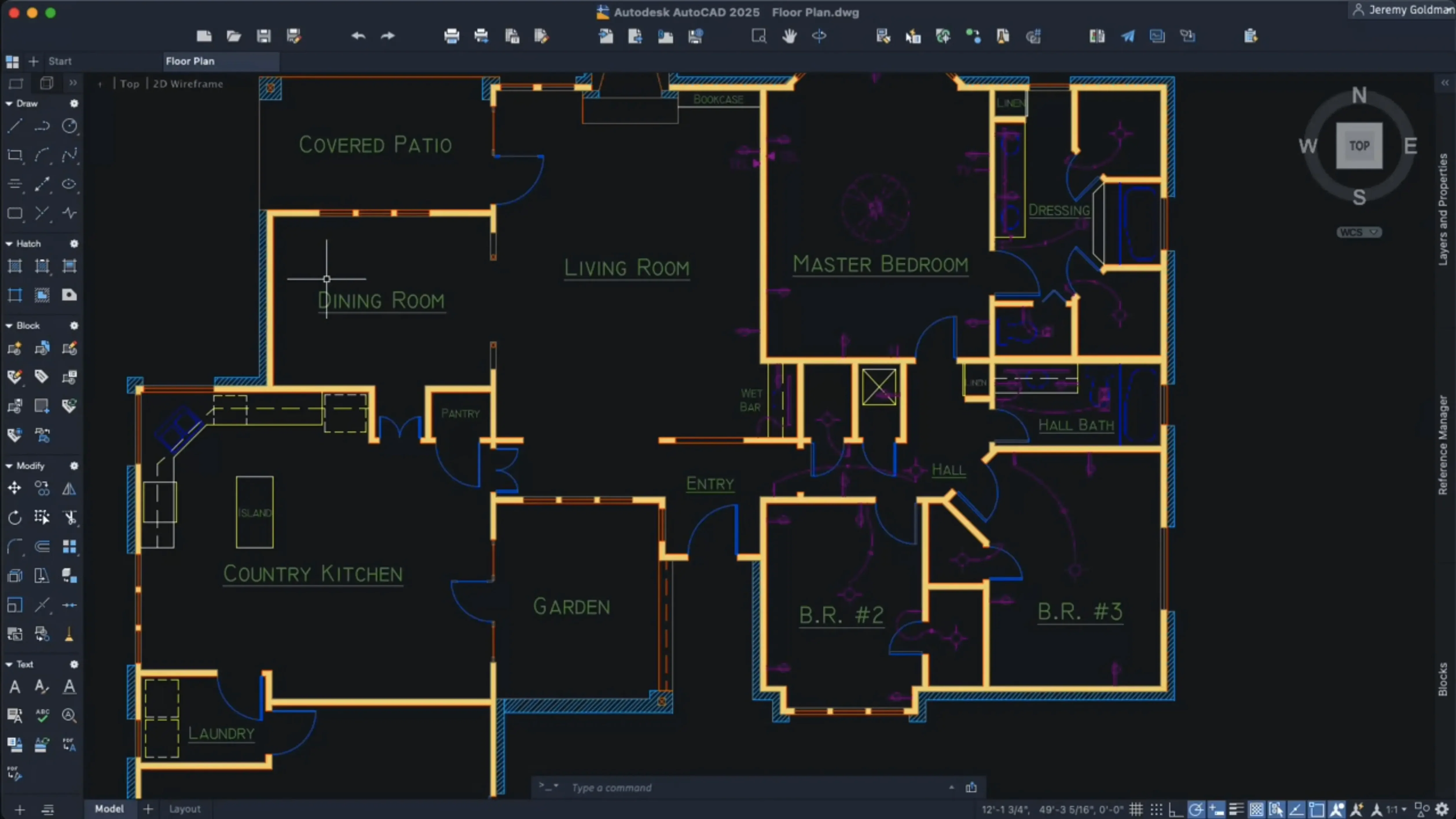
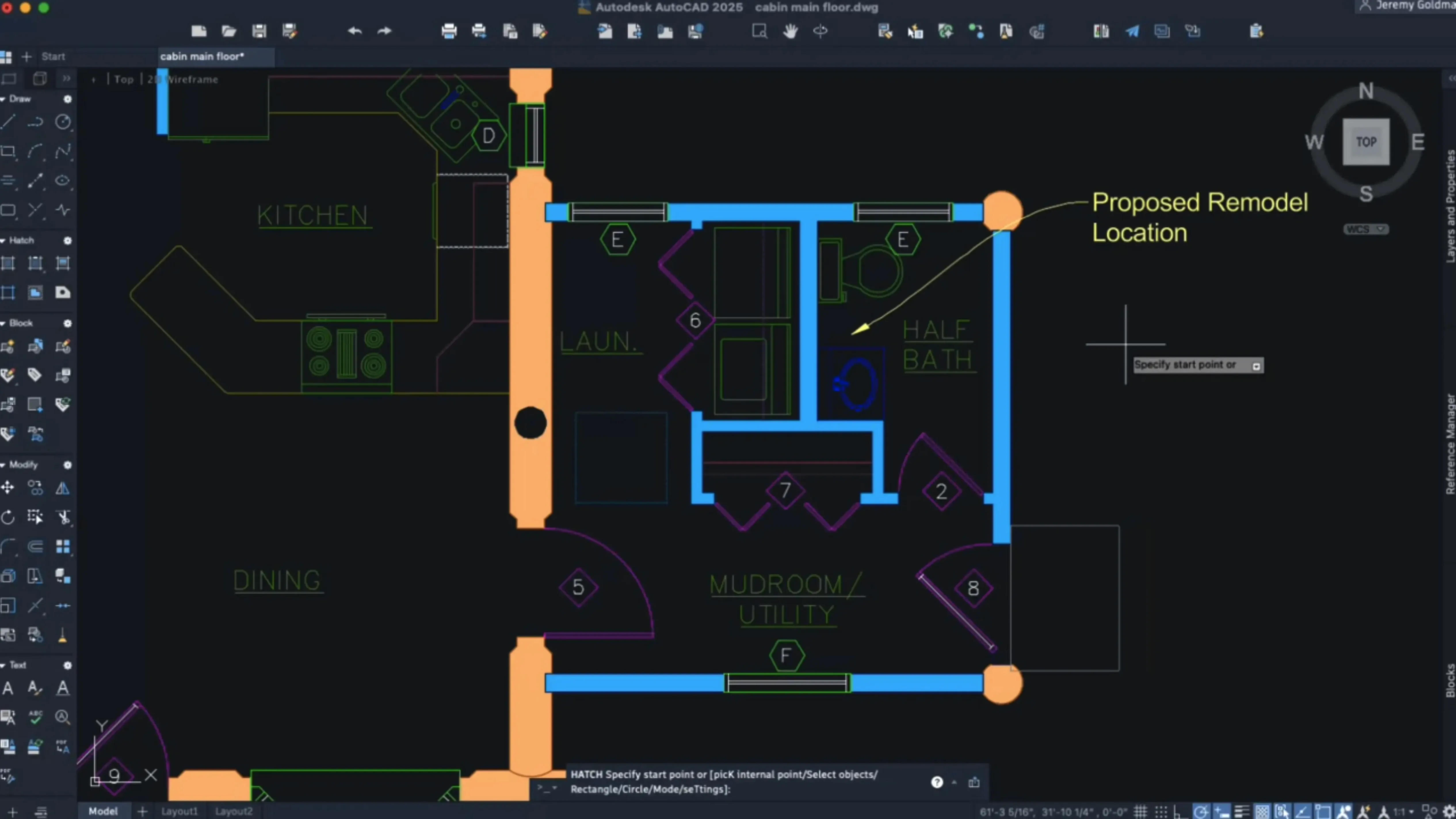
A structural engineer opens a third-revision floor plan, dense with MEP overlays and block references. That is the day-to-day reality AutoCAD for Mac 2027 is built for: not lightweight sketching, but production drafting where file fidelity is non-negotiable.
| Spec | Detail |
|---|---|
| Version | 2027 |
| File format | DWG, identical to Windows version |
| Graphics engine | Metal only; OpenGL dropped |
| Processor support | Native Apple silicon, 64-bit Intel |
The standout feature set revolves around drawing hygiene and block automation. Autodesk AI scans an entire layout for geometry clusters that repeat — ungrouped fasteners, valve symbols, lighting nodes — and flags them for conversion into reusable blocks. Paired with the new Geometry Cleanup tool, which removes duplicate and overlapping objects in a single pass, the workflow cuts manual tidy-up on legacy DWG imports. For drafters working across versions, the Mac release reads and writes the same DWG format as its Windows counterpart, so a sheet set passed from a Windows survey team opens with zero translation prompts. On the navigation side, 3D orbit and viewport switching now run entirely on Metal. The interface is English only.
Independent Crosshair Colors for Model and Layout Tabs
Several workflow refinements sit just below the headline features. The crosshair colour can now be set independently for model space and each layout tab — a small change that makes a difference when you toggle between a dark sheet background and a white paper-space preview. Right-click shortcut menus are fully customisable in this release, letting you strip out commands you never use and surface the ones you do. If your keyboard shortcuts differ between localised setups, dynamic grip menus now respond to those keys correctly, something that broke in earlier localised builds.
Palette behaviour has shifted, too. When you move between workspaces — from 2D Drafting & Annotation to 3D Modeling, say — palettes migrate their position and visibility state by default. No more reassembling your toolset after a workspace switch. Layout tab switching, which could feel sluggish on dense sheet sets, has been noticeably tightened; the redraw on a six-tab project file now completes in under a second on Apple silicon, where previous releases sometimes left you staring at a blank paper preview.
Cold Launch in Eight Seconds on Apple Silicon
On an M2 or M3 Mac, AutoCAD 2027 loads cold in roughly the same time as the 2026 release — about eight seconds for an empty drawing, a little more when it has to rebuild the font cache on first launch. The difference shows under load. The large coordinate scene optimisation kicks in when a drawing spans tens of thousands of units in model space. In practice, that means an infrastructure plan with kilometre-scale coordinate extents no longer pegs the GPU at full clock just to display a zoomed-out wireframe. Metal handles the viewport draw calls more evenly, and panning across a dense site plan stays smooth where OpenGL builds could stutter.
Memory use sits around 1.2 GB with a moderate architectural set open — three layout tabs, a handful of xrefs, some hatching. Complex 3D models push it past 2 GB, which is unremarkable for professional CAD. CPU load idles near zero when the application is in the background, and the automatic save pause is brief enough that it rarely interrupts a command sequence. The trade-off is the hard requirement on Metal: older Macs that relied on OpenGL fallback no longer run the 2027 release. If your machine is an Intel Mac with a pre-Metal GPU, this is the version that draws a line.
OpenGL Dropped for a Single Graphics API Pipeline
The 2027 update is less a visual overhaul and more a cleanup release with a clear agenda. Dropping OpenGL simplified the rendering pipeline to a single graphics API, which explains the steadier frame pacing in 3D navigation. The AI block scanner changes how you approach legacy drawings — rather than hunting for repeated geometry by eye, you let the scanner propose candidates, then accept or reject them as a batch. It is not infallible; rotated instances of the same symbol sometimes get missed, but the hit rate on orthogonal repetitions is high enough that it saves real minutes on a cluttered mechanical layout.
The Geometry Cleanup tool addresses a pain point that anyone inheriting drawings from subcontractors will recognise: zero-length lines, duplicate hatches, overlapping text objects. Running it before you start dimensioning prevents the kind of snap-point chaos that makes smart dimensioning tools pick the wrong reference. It is a one-click operation with a results summary that tells you how many objects it removed or merged — useful when you need to note revisions on a drawing issue sheet.
Hatching saw a quiet but practical expansion. You can now hatch along a contour without needing an existing closed boundary, and the shaded fill options produce gradient hatches that read better on greyscale prints. For presentation plans, it removes the step of drawing a temporary polyline just to contain a hatch region.
Bit-for-Bit DWG Parity with the Windows Version
Does AutoCAD for Mac 2027 use the same DWG as the Windows version?
Yes, bit for bit. A file saved on the Mac opens on a Windows workstation with no conversion, no proxy warnings, no lost objects. The format parity has been a constant for several releases, but it is worth stating because it means the Mac version slots into a mixed-OS office without a special export step.
Will it run on Apple silicon without Rosetta?
It is a universal binary — native ARM code for Apple silicon, 64-bit Intel for older Macs. No translation layer is involved on M-series chips. The installer is a single package that places the correct architecture automatically.
What about SIP? The package mentions disabling it.
System Integrity Protection must be turned off before installation. The included instructions walk through the steps: restart into Recovery, open Terminal, run csrutil disable, restart normally, install, then re-enable SIP afterwards if you prefer. The application runs with SIP on after activation; it is only the installation and activation process that requires it off.
Is the interface available in languages other than English?
This build is English-only. If you need the command set in German, Japanese or Simplified Chinese, you would need a different localised package. Shortcut menus and dynamic input, however, do respect localised keyboard layouts, which was not always the case in earlier Mac releases.
Can it open files from AutoCAD 2016 for Mac? Or from torrented copies of earlier versions?
The DWG format is forward and backward compatible across many releases. Files created in versions as old as the AutoCAD 2016 for Mac release open without issue in 2027. The same applies to drawings produced by any Windows build, whether sourced from an AutoCAD 2017 Mac torrent distribution or a licensed seat; the file format is agnostic to provenance. The application reads the DWG, not its history.
Parametric Building Objects Versus Generic Geometry
Vectorworks Architect shares the same target audience — architects and designers who need 2D documentation with 3D capability — but takes a different approach. Where AutoCAD treats every object as generic geometry until you assign properties, Vectorworks uses parametric building objects from the start: walls know they are walls, doors know they are doors. That makes schedule generation and IFC export more automatic, but it also means less control over raw linework for detail drafting. AutoCAD remains the stronger choice when the deliverable is a precisely annotated DWG that follows a strict layer standard.
BricsCAD Mac offers the closest DWG-native alternative. It reads and writes the format directly, supports LISP routines, and has a near-identical command line. In daily use, BricsCAD feels lighter — launch time is a couple of seconds faster — but its 3D constraint solver and block tools lag behind where AutoCAD 2027 sits with the AI block scanner and Geometry Cleanup. For a drafting-heavy workflow that does not need Autodesk's proprietary verticals (Architecture, MEP), BricsCAD covers the same ground competently. The difference narrows to the ecosystem: if your collaborators standardise on AutoCAD templates and dynamic blocks, staying inside the Autodesk environment avoids subtle incompatibilities.
SketchUp Pro sits further away on the spectrum. It excels at conceptual massing and client-facing presentation models, but its 2D documentation tools — Layout, in SketchUp's terminology — are not a substitute for a full drafting environment. You can produce construction drawings from a SketchUp model, but the process involves a back-and-forth that AutoCAD users would find slow. For an architect who models in SketchUp and drafts in AutoCAD, the two complement each other; neither replaces the other.
Where AutoCAD for Mac 2027 pulls ahead is in the sheer volume of accumulated DWG data it handles without translation. A drawing set that has passed through AutoCAD 2019 torrent download copies, Windows seats, older Mac releases and back again still opens, still prints, and — with the new Geometry Cleanup — is faster to bring up to standard than it was a version ago.
Autodesk AI — Drawing scan identifies geometry that can be converted into blocks.
Geometry Cleanup — New tool removes duplicate and overlapping objects.
Graphics engine — OpenGL support removed; Metal is now the only graphics engine.
- macOS 12 or later
- Apple silicon or 64-bit Intel processor
- English interface language
Questions on file
Does AutoCAD for Mac use the same file format as the Windows version?
Yes, the Mac version reads and writes the same DWG file format as the Windows version, with no translation step required.
What macOS version is required for AutoCAD 2027?
AutoCAD for Mac 2027 requires macOS 12 or later and runs natively on both Apple silicon and 64-bit Intel processors.
Sign in · Create an account to add a field note.
No field notes yet. A measurement, a version, a machine — they appear after moderation.