Design
Artlantis 9.5.2.32853
DesignUpdated
| Requirement | On file |
|---|---|
| macOS | macOS 10.13 or later |
| CPU | Intel 64-bit |
| Download | 370 MB |
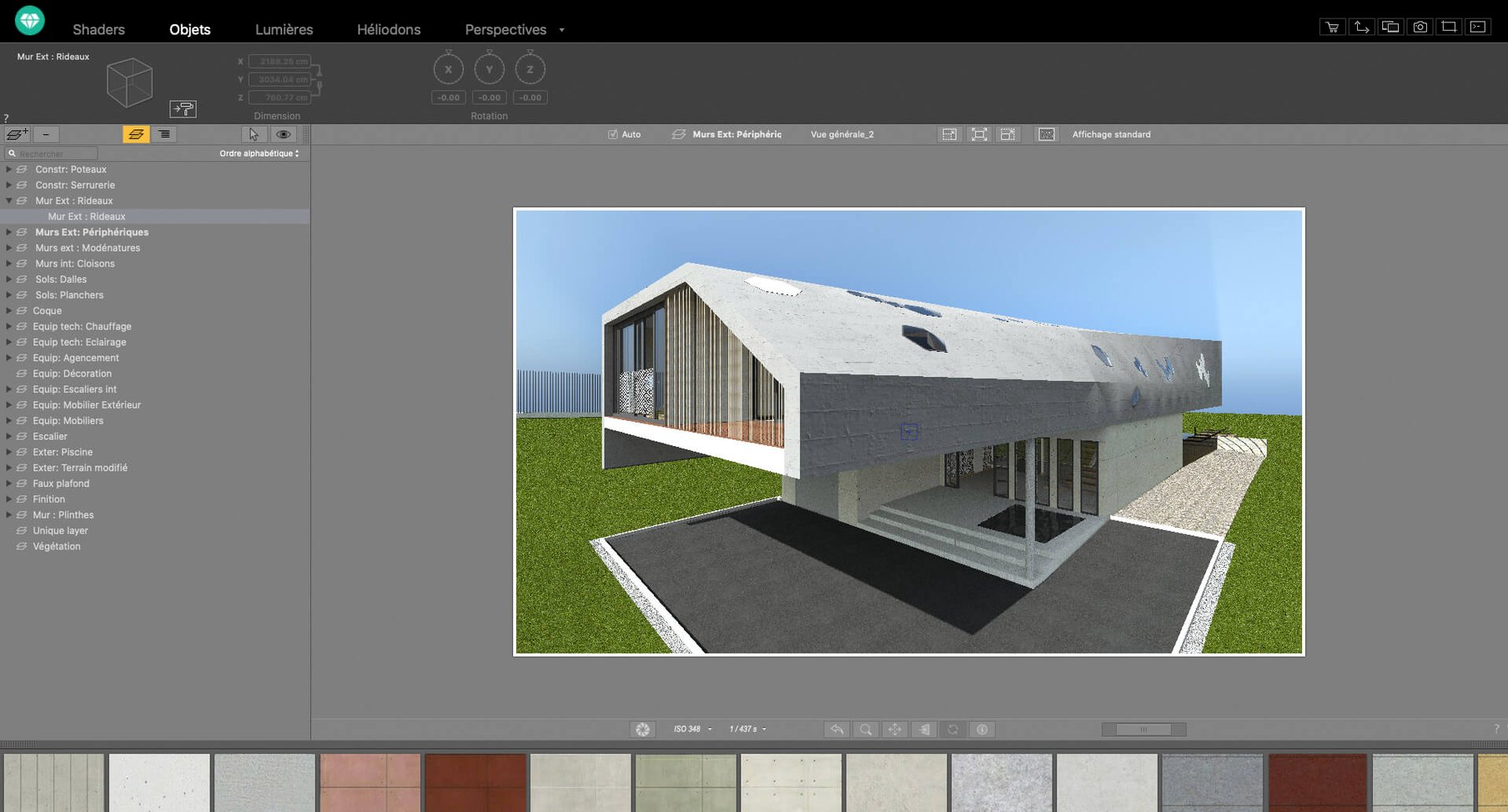
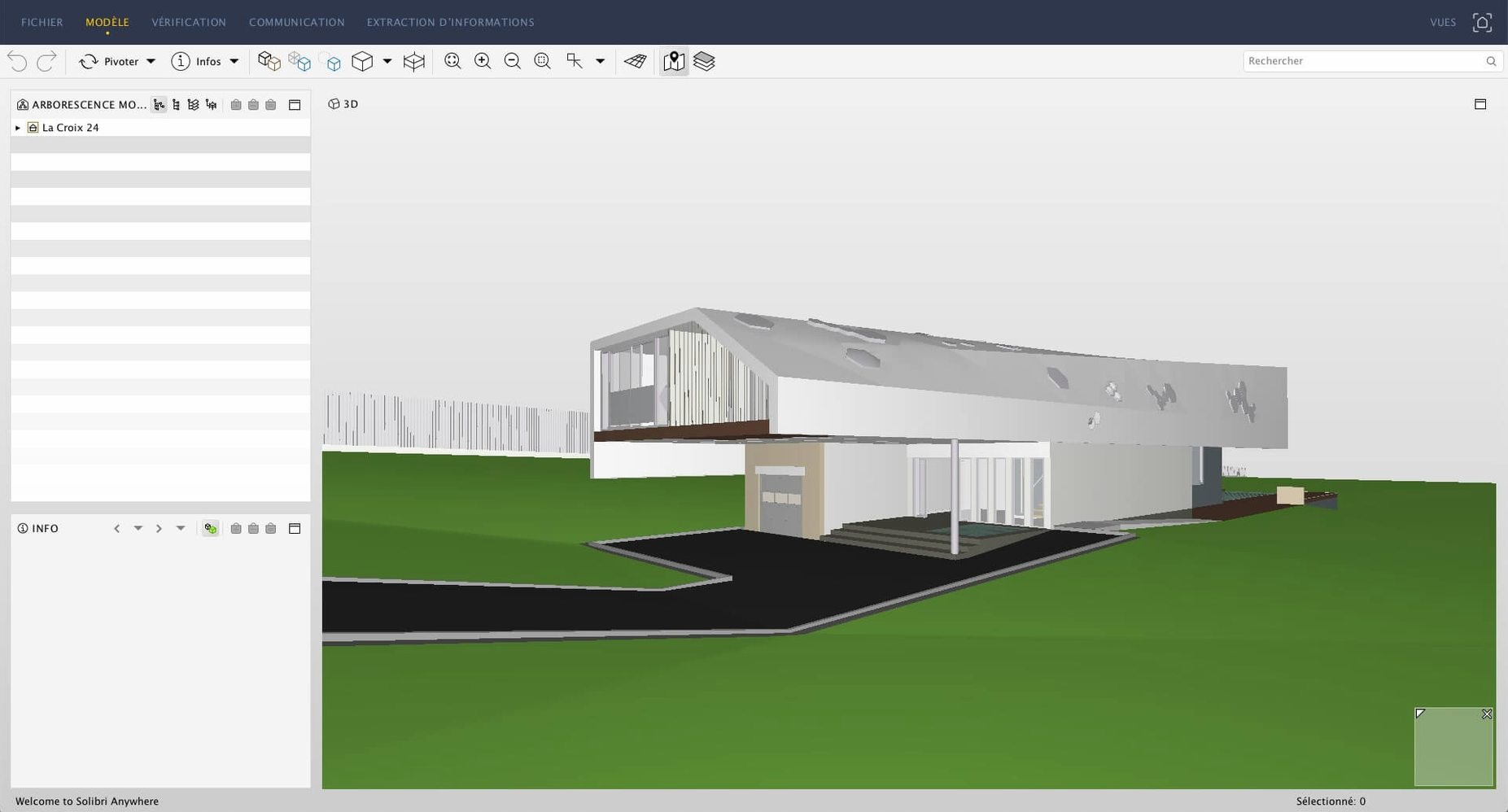
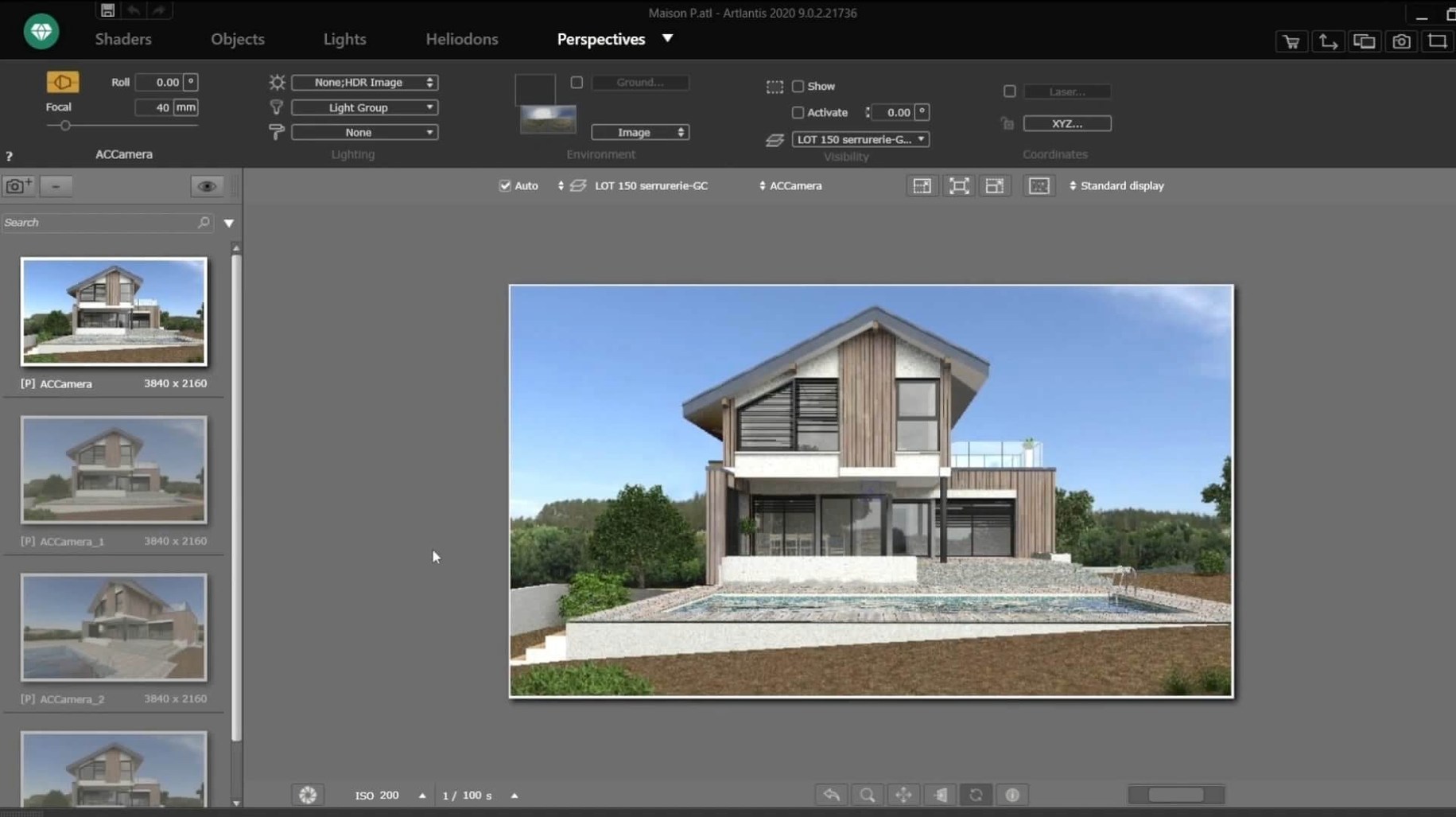
Artlantis imports DXF, DWG and 3DS geometry, and it renders high-resolution stills. The app aims at architects and designers who already have a model in VectorWorks, ArchiCAD, SketchUp, AutoCAD or Arc+ and need a dedicated presentation renderer without rebuilding materials from scratch.
What the renderer produces
Output covers three formats: high-resolution still images, animation clips with editable motion paths, and VR panoramas. The VR scenes can be saved as QuickTime VR files or standard interactive panoramas for headsets and browsers. The rendering engine is tuned for realistic light simulation and material response, so it suits post-processing workflows where the model is fixed and the job is visual polish rather than design iteration.
Material Previews Update Instantly from a Drag-and-Drop Catalog
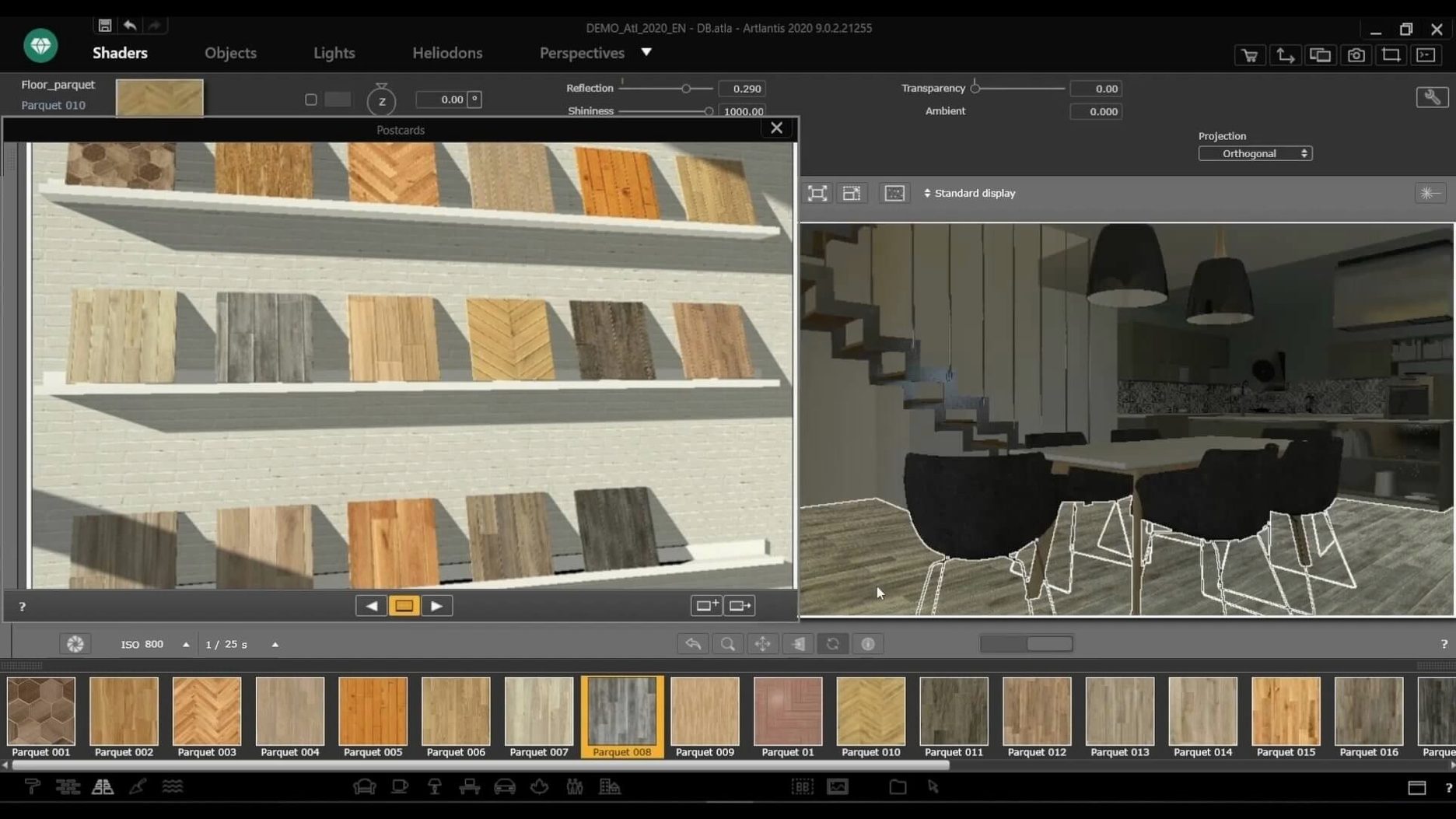
The material system relies on a drag-and-drop catalog. You pull a preset surface onto a model face, and the engine recalculates reflections, roughness and transparency on the fly. Direct data exchange with ArchiCAD, VectorWorks, SketchUp, AutoCAD and Arc+ means geometry updates travel without a detour through interchange formats. The app is a 64-bit Intel binary that requires macOS 10.13 or later.
A 4K Interior Settles in 8–14 Minutes on Intel via Rosetta 2
Artlantis 9.5.2.32853 runs as a 64-bit Intel binary, so Apple Silicon Macs translate it through Rosetta 2. On an Intel iMac with 32 GB of RAM, a 4K still of a mid-complexity residential interior settles in roughly 8–14 minutes with the built-in Radiosity engine. Animations are naturally heavier: a 10-second camera fly-through at 1080p can occupy the machine for 3–6 hours depending on the number of light sources and reflective surfaces. The app does not offload work to the GPU, which keeps it predictable on older Intel hardware but also means render times do not drop on machines with powerful discrete graphics.
Memory pressure stays moderate. The app rarely exceeds 6 GB of RAM for a single scene with 40–60 materials and 15 light sources. Crashes are infrequent during rendering, though the material preview panel can stutter when the catalog contains many user-imported textures above 4096 px. The autosave interval is configurable; setting it to every 10 minutes is sensible for animation sessions. Studio mode, which handles presentation layouts and batch renders, adds roughly 15% to CPU load over the base renderer. For overnight jobs, turning off macOS App Nap in the Finder info panel prevents the system from throttling the process.
Worked example: rendering a courtyard at dusk
Assume a SketchUp model of a small courtyard with a stone floor, glass balustrade, planting beds and a water feature. The goal is a 3840 × 2160 still with artificial light balancing a fading sky.
- Export the model from SketchUp via the Artlantis direct link. The geometry arrives with layer structure intact.
- In the Scene palette, switch the environment to an evening HDRI from the built-in library. Rotate the dome until the brightest patch of sky sits behind the main planting bed.
- Drag a wet-look stone material from the catalog onto the courtyard floor. Adjust the roughness slider to 0.25 so it picks up the warm light from the wall sconces.
- Place three IES spotlights along the pergola beam. Set colour temperature to 3000 K and intensity to 850 cd each. Enable soft shadows with a radius of 12 px.
- Add a single point light inside the water feature at 10% intensity, tinted slightly cyan, to simulate underwater LED glow.
- In Camera, set focal length to 24 mm, height to 1.6 m, and enable two-point perspective correction. Position the view so the balustrade leads the eye diagonally toward the planting.
- Open the post-processing panel. Push contrast to +12, pull shadows to −8, and apply a subtle warm colour table. These adjustments feed into the final render pass, not a separate post step.
- Render to PNG at 3840 × 2160 with Radiosity quality set to High. The scene completes in about 12 minutes on a 2019 6-core iMac.
The resulting image carries soft reflections on the stone, believable light fall-off from the sconces, and a sky gradient that aligns with the HDRI rotation. No external editor was opened.
Lock Your Default Render Resolution Before Opening Any Scene
Set the default render resolution to match your most common delivery format before you open any scene. Artlantis stores this in preferences, and changing it later does not retroactively adjust open documents. If your CAD tool is VectorWorks or ArchiCAD, install the direct-export plug-in from the Abvent folder inside the disk image; the plug-in version must match the Artlantis build number exactly.
On first launch, the material catalog loads with the default library. Spend 20 minutes dragging 15–20 surfaces into a test cube scene to understand how the roughness and transparency sliders interact with the Radiosity engine. The preview sphere updates in near real time, so you can dial in values without starting a full render. Disable the "Show shadows in preview" checkbox if the sphere redraw feels sluggish.
For users who obtain Artlantis through community channels — for example, searching for artlantis mac torrent or an artlantis 2021 download — the disk image from TEAM HCiSO requires mounting and running the standard installer. The app expects write access to ~/Documents/Artlantis for the custom material library; create that folder manually if the installer skips it. Keep a backup of your shader presets in a separate directory outside the app bundle.
An architect's Saturday deadline
An architect in Melbourne is preparing a client presentation for a townhouse renovation. The SketchUp model is finalised, but the client wants four 1080p stills showing the kitchen with three different benchtop finishes and one evening exterior shot. She opens Artlantis on a 2017 MacBook Pro, imports the model via direct link, and assigns the room's existing materials from the catalog. For each benchtop variant, she drags a new surface onto the island face, adjusts the reflection glossiness, and queues all four views in the batch render panel. While the renders run, she sets up a fifth output: a QuickTime VR panorama of the living area, placing the camera at eye height and setting the field of view to 360°. The batch finishes in under 50 minutes. She drops the PNGs into a Keynote deck and embeds the QTVR file for the client to explore on their own Mac. No DXF export, no material rebuild, no intermediate file conversions.
Architects who still rely on an Artlantis torrent release of version 9.5.2 find the same batch-render behaviour and the same IES light accuracy, because the rendering core has not changed since the final Abvent update. The app remains useful for exactly this kind of focused presentation work, even without ongoing development.
- macOS 10.13 or later
- 64-bit Intel processor
Questions on file
What file types can Artlantis open?
It imports DXF, DWG and 3DS files and connects directly with ArchiCAD, VectorWorks, SketchUp, AutoCAD and Arc+ projects.
Can Artlantis create virtual reality scenes?
Yes, it can generate VR panoramas and QuickTime VR files for interactive viewing.
Does Artlantis run on Apple Silicon Macs?
It is a 64-bit Intel application. It runs on Apple Silicon machines through Rosetta 2, but no native ARM build is available.
Sign in · Create an account to add a field note.
No field notes yet. A measurement, a version, a machine — they appear after moderation.