
Games
Football Manager 2026 26.3.2.2329565
GamesUpdated

| Requirement | On file |
|---|---|
| macOS | See the sheet |
| CPU | Apple Silicon, Intel 64-bit |
| Download | 6.4 GB |
| Tested on | macOS Tahoe, Mac mini 2024 M4 |
Long-time career builders and spreadsheet tacticians tend to dive deepest into a Football Manager release. FM26 shifts the technical foundation to the Unity engine, which changes the visual presentation and the feel of match day on a Mac display. The interface has been reworked around a new portal system, and navigating between your inbox, the squad planner, and the transfer centre relies less on nested menus than it did in previous iterations. The engine change means Apple Silicon Macs run the simulation natively, and the system requirements now list explicit support for both ARM and 64-bit x86 architectures.
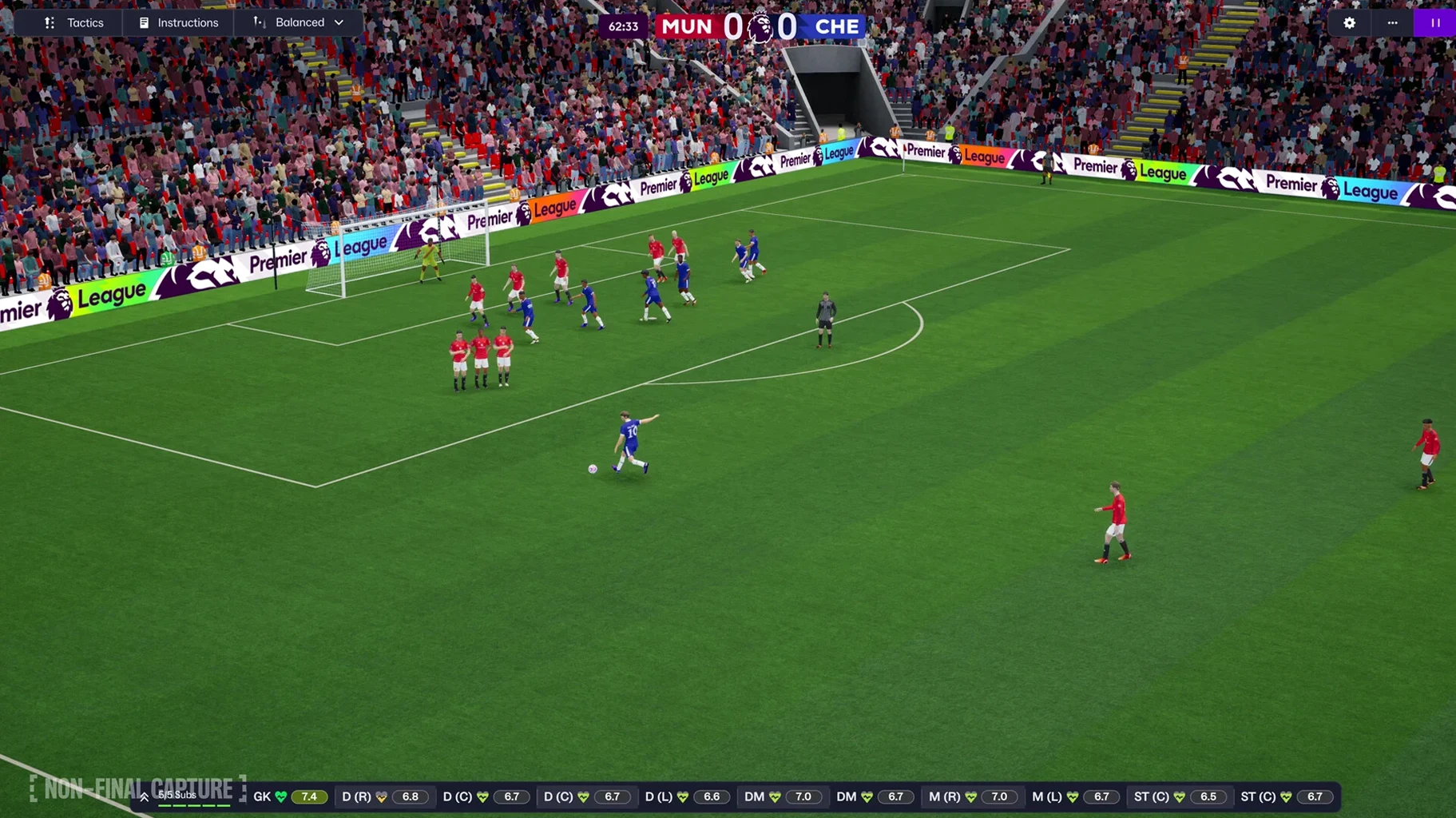
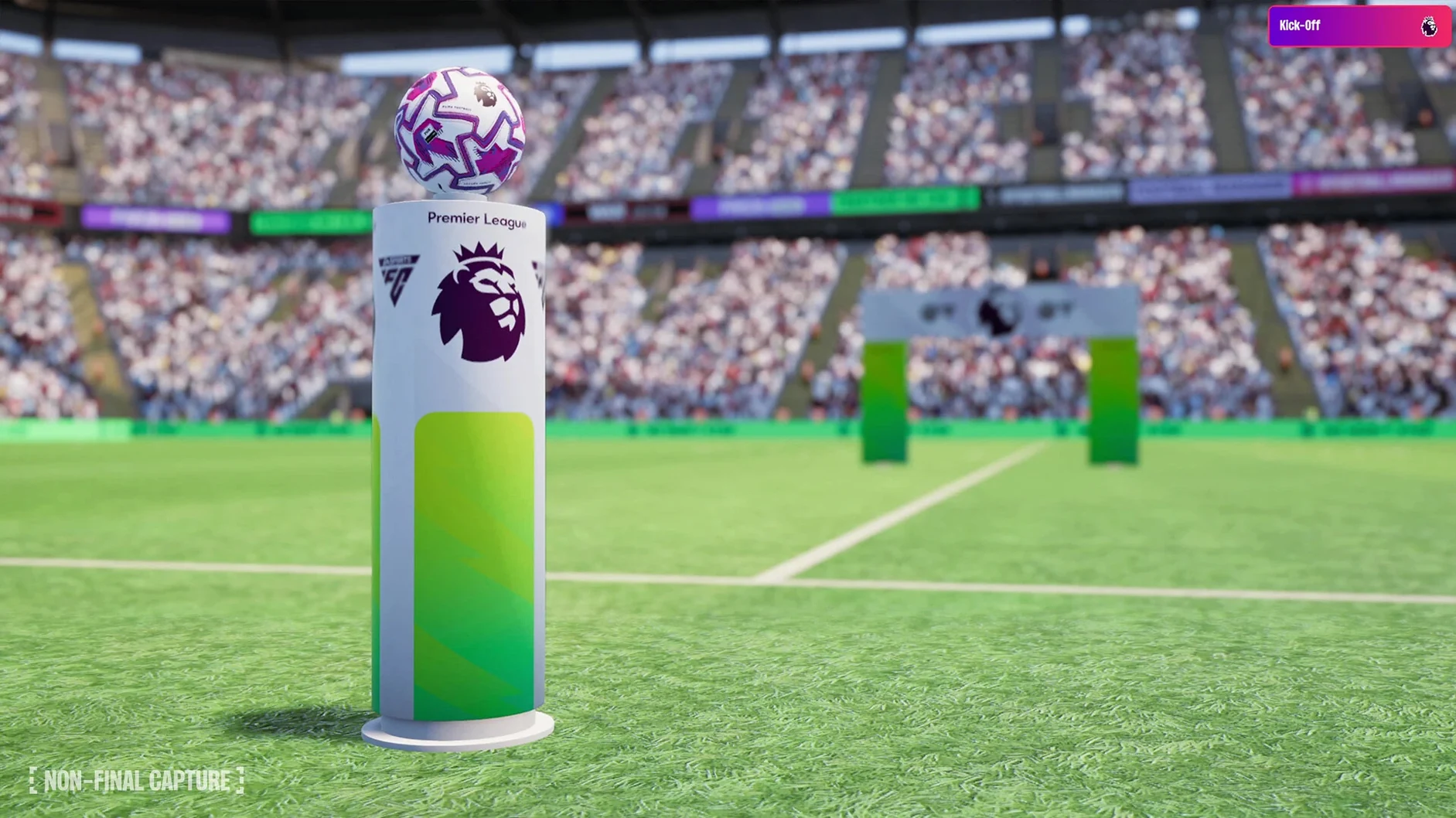
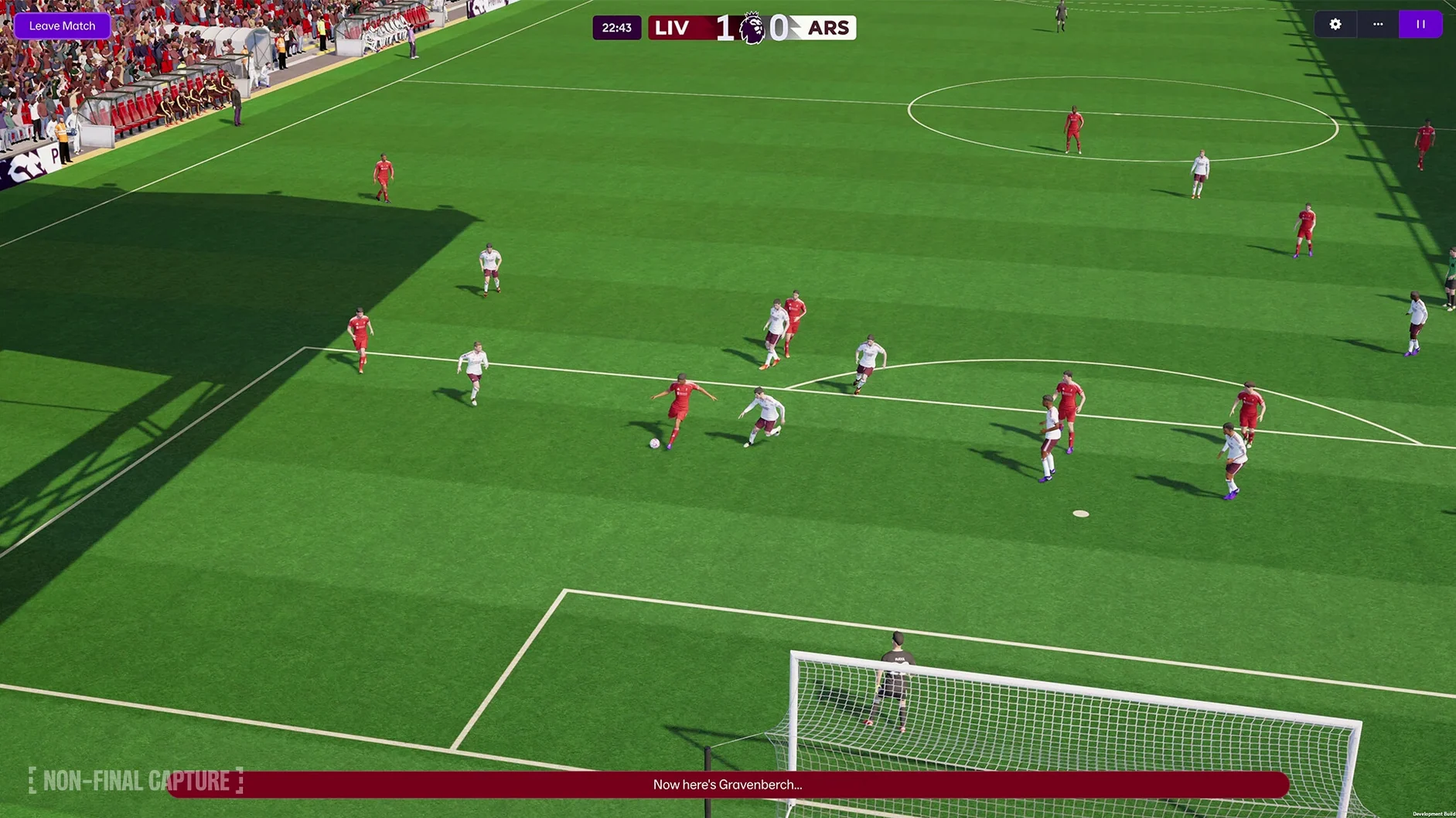
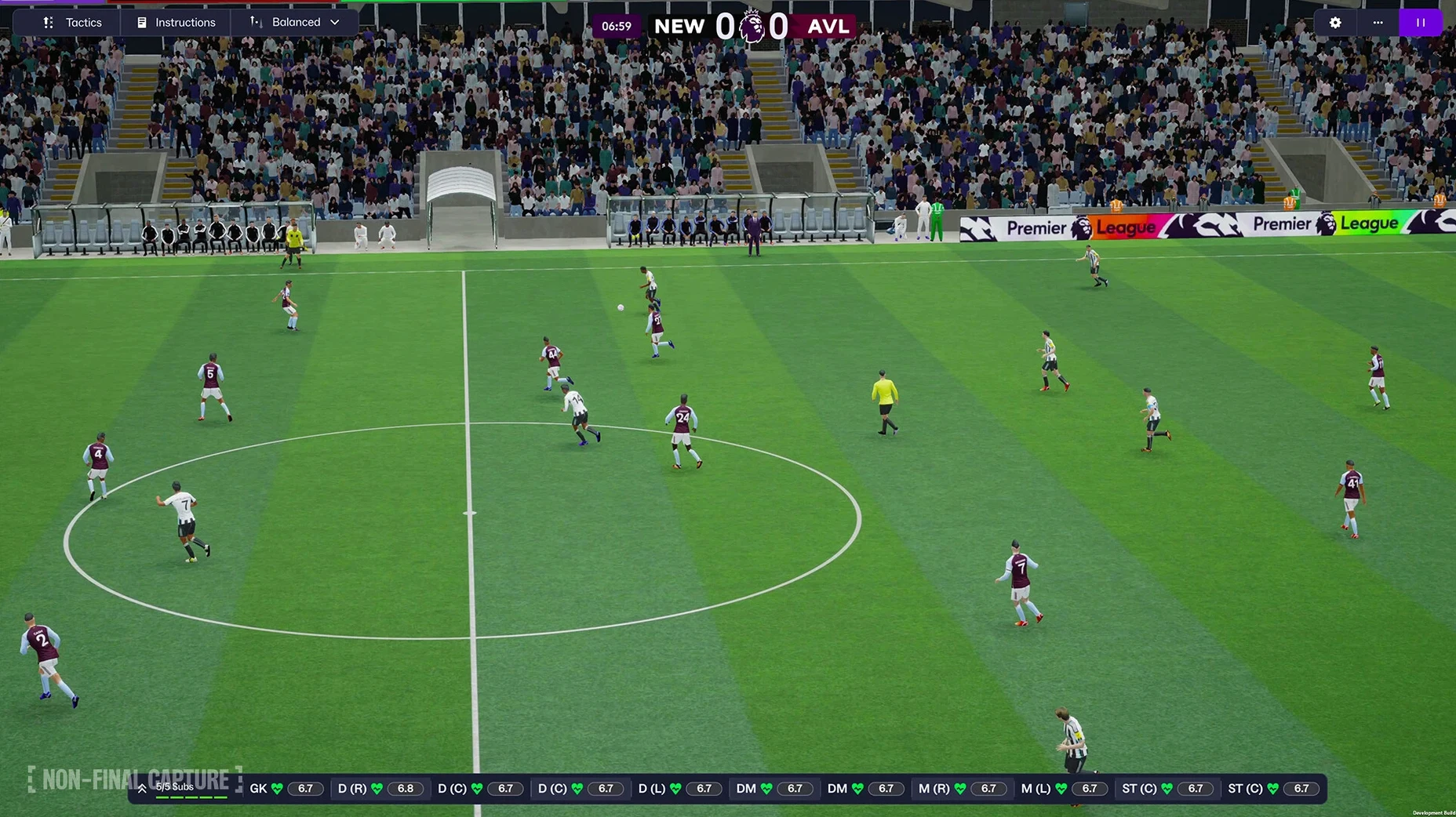
Match presentation receives a noticeable lift from the engine swap. Player animations, stadium lighting, and the flow between highlights feel sharper, and you can now set separate attacking and defensive tactical shapes. Women’s football arrives with fully licensed squads for the Women’s Super League and the National Women’s Soccer League, integrated into the same database structure as the men’s game. Premier League licensing brings official club badges, kits, and player photographs into the base install for the first time, so you skip the usual first-day hunt for a logo pack.
Controls on Mac work identically to the Windows version. Keyboard shortcuts carry over, and the UI scales reasonably on Retina resolutions, though the text density remains high by design. The FMPedia glossary sits inside the help system and defines every attribute, role, and statistical term the game tracks, which helps when you are fine-tuning a 4-3-3 gegenpress and the assistant flags a low pressing intensity in the final third.
Expect the processor to stay busy during fixture processing, especially with a large database and multiple active leagues. The 3D match view will push integrated graphics harder than the 2D classic mode, so lowering the render scale and turning off crowd detail keeps frame rates stable on older MacBooks.
No More Sidebar Icons: The Unity Rewire
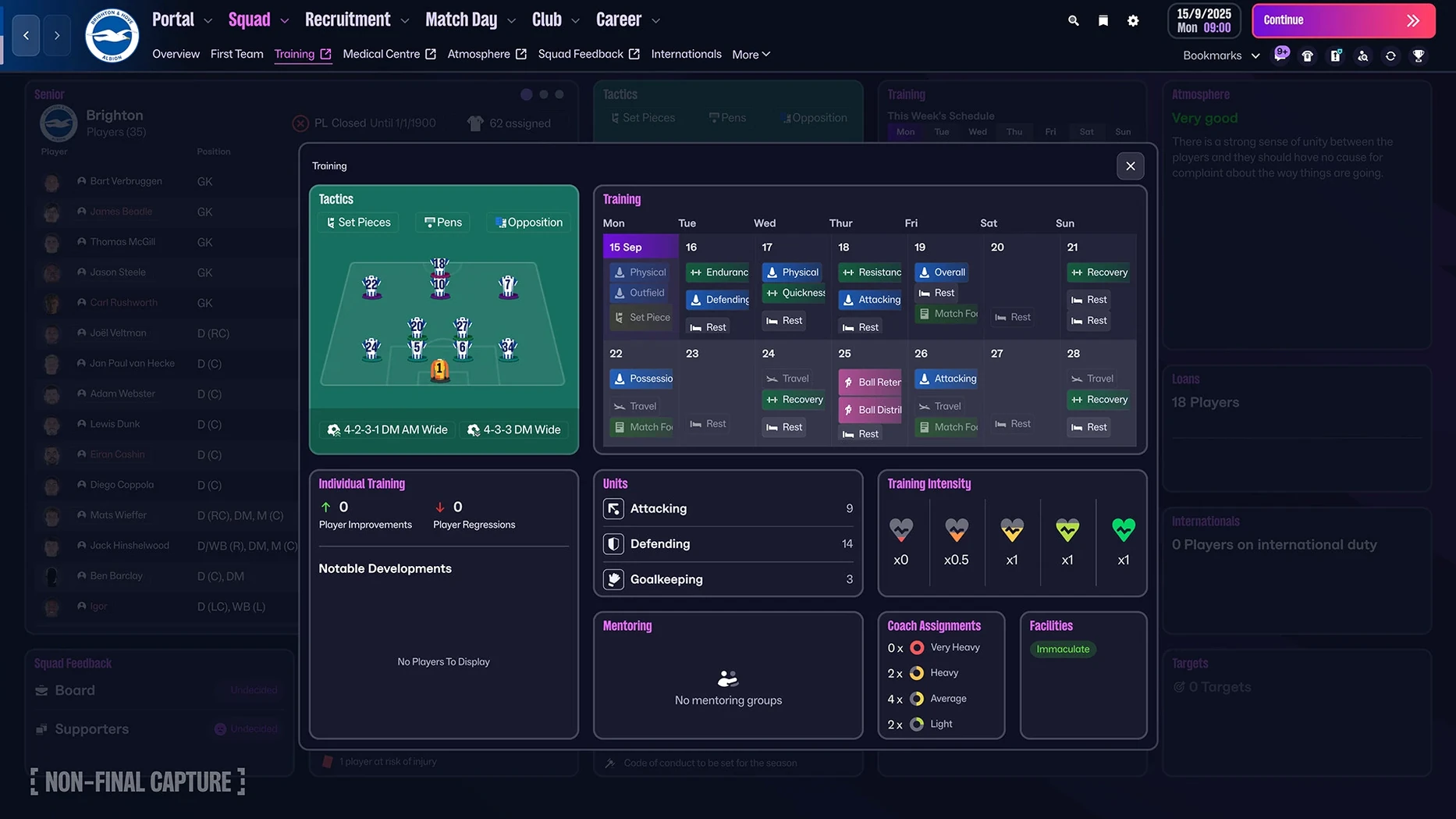
The move to Unity in version 26.3.2.2329565 is not a visual polish alone. It rewires how you move through a season. The old nested-menu spine — squad, tactics, scouting, transfers, each living behind a sidebar icon — is replaced by a portal layout. Your inbox, the squad planner, the development centre, and the transfer hub all sit at the same level. Switching between them feels flatter, with fewer intermediate clicks between reading a scout report and adjusting an individual training schedule. Muscle memory from FM24 will trip you up for the first two sessions, then click.
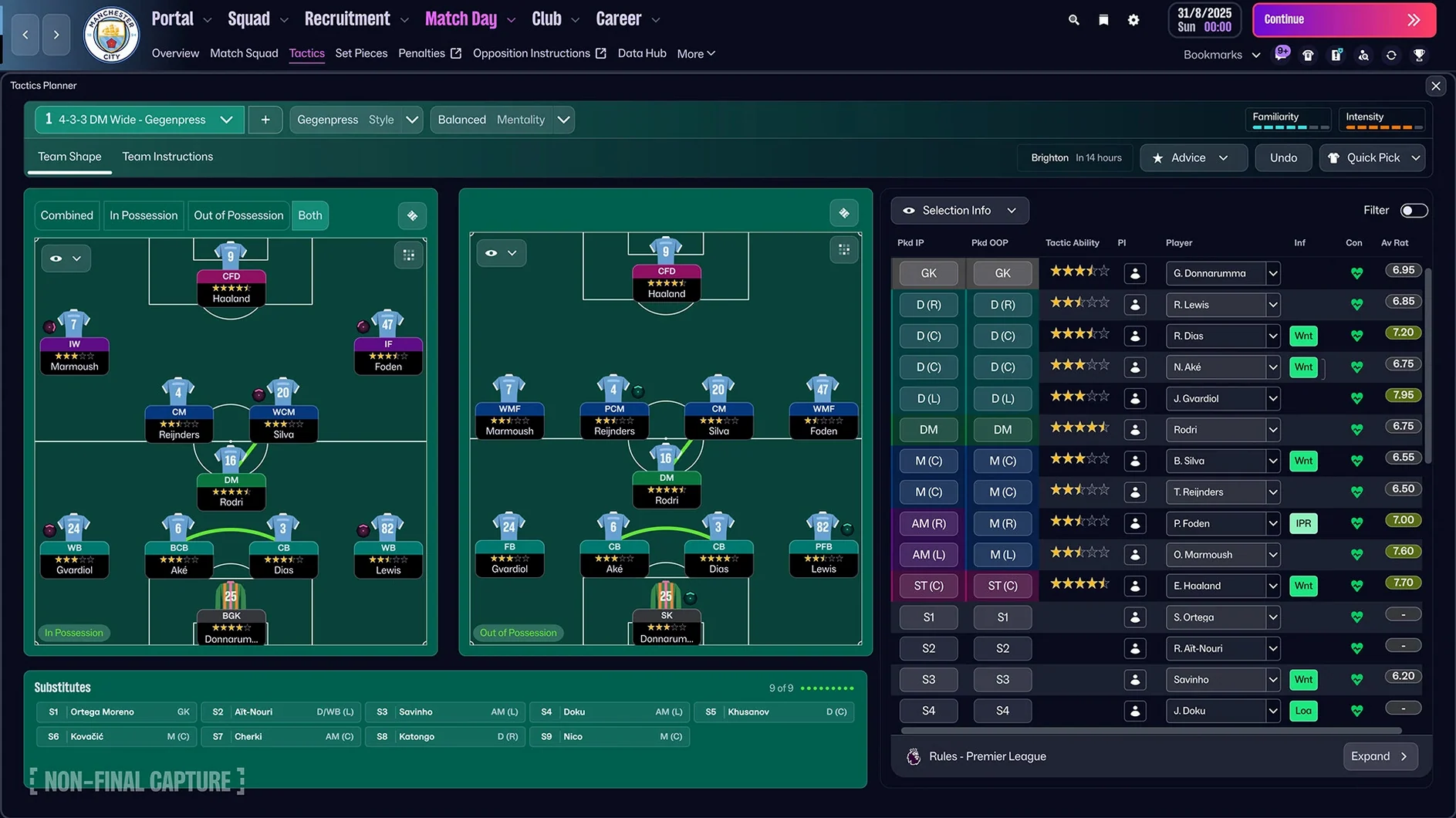
Match-day preparation benefits directly. The separate attacking and defensive tactical shapes mean you no longer build a single formation and tweak it with instructions. You set a base shape for when your team has the ball — a 3-2-5 in possession, for example — and a different compact block for when they lose it, say a 4-4-2 mid-block. The assistant’s advice during matches now references both shapes independently, flagging gaps in the defensive transition that the old single-shape system blurred into general feedback.
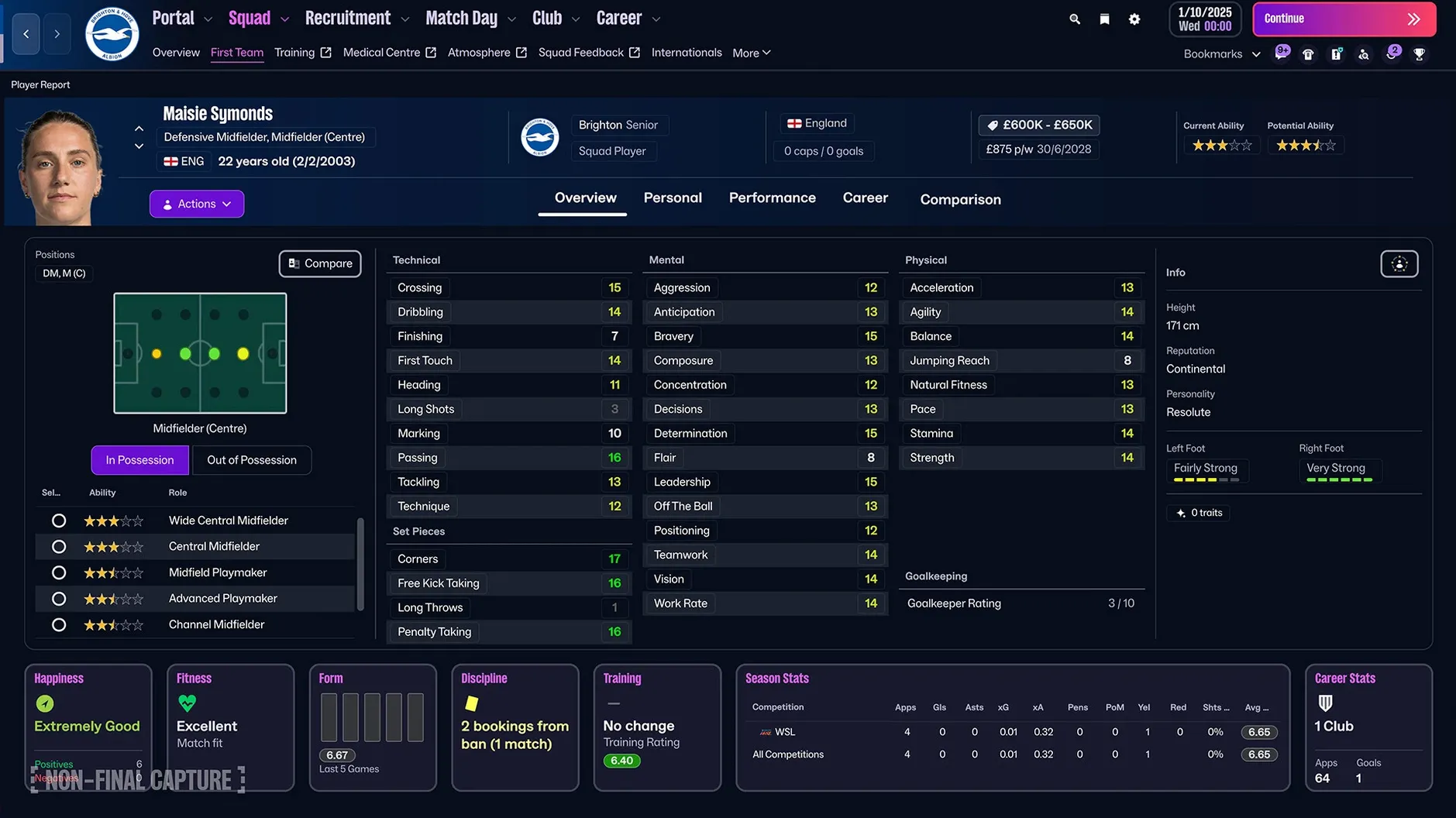
Women’s football slots into the same career structure as the men’s game. You choose a starting league from 14 leagues across 11 countries, and the database pulls from the same scouting pool, the same attribute ranges, and the same transfer logic. The calendar integration is the quiet improvement here: women’s international windows, cup competitions, and league schedules all interact with the men’s calendar without clashes when you manage both a men’s and a women’s side in the same save. The fixture congestion logic got a rewrite to handle this, which also smooths out men’s schedules when you run a deep cup run alongside a league title push.
Premier League licensing removes a friction point that had been part of the setup ritual for years. Official badges, kits, and player photographs for all 20 top-flight clubs ship in the base install. When you load a save with a Premier League club, the squad screen, match preview panels, and league table all pull from licensed assets immediately. No config file edits, no third-party graphics pack downloads, no cache clearing to make logos appear. The Championship and lower divisions still rely on generic assets, so community packs remain useful for saves that start outside the top tier.
The manager creation editor received more granularity. Face sculpting, accessory placement, and body type selection now use sliders rather than preset toggles. The editor remembers your last three created managers locally, so restarting a save with a tweaked version of the same character takes under a minute. The in-game avatar appears in press conferences, touchline cutscenes, and the staff overview panel, and the Unity lighting model gives it consistent skin tones across all three contexts — a small visual continuity fix that the previous engine struggled with under different stadium lighting conditions.
Bookmark Any Screen Beyond Squad and Tactics
Quick bookmarks sit in a collapsible bar at the top of the portal view, but the system runs deeper than the icon suggests. You can bookmark any screen in the game — not just squad or tactics, but a specific player’s attribute page, a particular scouting assignment filter, or the contract negotiation screen for a transfer target you are monitoring. Bookmarks are save-specific, not global, so a long-term save accumulates a breadcrumb trail of the exact spots you return to repeatedly. Right-click any bookmark to rename it; the default label pulls the screen title, but editing it to “Striker shortlist — January” or “U18 left-back comparison” makes the list scannable at a glance.
The improved search function accepts partial role names and attribute thresholds in the same field. Typing “DLP 15 pas 14 vis” filters for deep-lying playmakers with passing at least 15 and vision at least 14, without opening the advanced filter panel. This shorthand also works in the scouting centre search bar, the shortlist filter, and the staff search screen. Attribute abbreviations match the game’s internal codes — pac for pace, sta for stamina, dec for decisions — which the FMPedia glossary lists under a search syntax reference entry.
Holding the Option key while clicking a player name in any list opens their profile in a new portal tab rather than navigating away from the current screen. This is especially useful in the scouting centre: you can open five or six scouted players in separate tabs, flick through them with Command-number shortcuts, and add the best two to a shortlist without losing your place in the original report list. Command-W closes the current tab, and the portal remembers your open tabs between sessions if you save and reload.
The transfer deadline day screen includes a hidden timer shortcut. Pressing the spacebar during the countdown clock pauses or resumes the simulation at the exact second you press it, which matters when you are lining up a chain of three deals and need the first one confirmed before triggering the next. The assistant’s deadline-day summary updates every in-game hour, but the spacebar pause gives you fine control that clicking the on-screen pause toggle does not match for speed.
The player development centre labels position familiarity in quarter-stars now, up from the whole-star increments of previous versions. A winger retraining as a wing-back shows 2¾ stars rather than rounding to 3, which removes the ambiguity where a player appeared fully adapted but still lost attributes when played out of position. The fractional display also applies to role familiarity, so you can track incremental gains from individual training assignments week to week.
Native ARM Support Sidesteps Translation Overhead
Apple Silicon Mac owners benefit from the Unity engine’s native ARM support without translation overhead. A Mac mini 2024 M4 with 16 GB of unified memory processes a full database with 15 active leagues and a large player count without the thermal throttling that older Intel machines hit during international breaks when the game simulates hundreds of fixtures simultaneously. The 3D match engine holds 60 frames per second at High settings on the M4 at 1440p; the M2 and M3 Pro chips sit closer to 45-50 fps on the same preset, which remains smooth for highlight-based viewing.
Users who run long-term saves spanning 15 or more seasons accumulate the largest database files — often exceeding 500 MB per save — and here the SSD speed of modern Macs shortens both load times and the auto-save pause that triggers every two in-game weeks by default. The auto-save interval is adjustable in preferences, and on fast storage you can drop it to one week without the 3-5 second hitch that spinning drives suffered.
MacBook Air owners without active cooling should expect the fans on any Pro model to matter less than the render scale setting. Dropping render scale to 75% and switching crowd detail to Low keeps the chassis temperature manageable during a full 90-minute match in 3D view. The 2D Classic view draws almost no thermal load and remains the pragmatic choice for processing-heavy sessions like pre-season scouting days or the January transfer window crunch.
Multi-league career builders — the type who run the top five European leagues plus Brazil, Argentina, and a custom database with 80,000 players — see the biggest quality-of-life gain from the portal layout. The old sidebar required expanding and collapsing sections to jump between the Dutch Eredivisie scouting pool and the Argentine Primera shortlist. The portal’s flat tab structure and quick bookmarks mean you can pin each active league’s scouting overview as a separate bookmark and cycle through them with a single click. The simulation speed during fixture processing scales roughly linearly with player count, so limiting the database to 60,000 players and 10 active leagues keeps weekly processing under 30 seconds on an M3.
Full-Screen Mode Swipes Without Conflicts
FM26 uses the standard macOS full-screen mode and its own windowing logic without conflict. Swiping between full-screen FM and a Safari window with a tactics forum open works as expected on a trackpad, and the game does not force its own resolution or refresh rate when running in a window on a ProMotion display. Mission Control groups FM as a single space; the game’s internal tab system does not spawn separate macOS windows, so your desktop stays tidy.
Notes and tactics planning often spill into external apps. The in-game notebook saves short text entries per save, but anything structured — a five-season transfer plan, a shortlist rationale, a youth intake calendar — lives better in a Notes app or a Numbers spreadsheet open in Split View. FM26’s windowed mode at 1920×1080 on a 4K display leaves the right third of the screen for a narrow Notes column, and the game’s UI text remains legible at that width on Retina scaling. Copy-paste from the game is limited to player names and attribute strings via the in-game export function, which writes a .rtf file to the desktop that Numbers can parse into columns if you use comma-separated values.
The TransferRoom-based recruitment tools generate shortlists that export as .fmf files, the same format community data updates use. These files are compatible with the pre-game editor and with scouting filters shared on forums, so you can import a curated shortlist from an external source and have it populate the scouting centre automatically. The file lives in the shortlists folder inside the Sports Interactive directory in Application Support, and the game reads it on save reload without requiring an import dialogue each time.
macOS dictation works in the in-game search bar, which is useful when you are scouting a player whose name you can pronounce but not spell from memory. Voice input accuracy for names like Gianluigi or Szoboszlai depends on system language settings, but the improved search’s partial matching usually finds the player within three or four keystrokes regardless.
The Touch version on Apple Arcade shares save compatibility with the full Mac version only for cloud saves stored in iCloud. A save started on FM26 Touch on an iPad can be opened on the Mac if both are signed into the same Apple ID and the save is designated as a cloud save at creation. Local saves on Mac and local saves on iPad do not sync, and the Touch version’s reduced feature set — no full press conferences, simplified training, fewer active leagues — means a cloud save opened on Mac gains those features for the session but reverts to Touch limitations when returned to the iPad.
From Launch to Dortmund in Late November 2028
You launch the game from the Applications folder, and the start screen loads your most recent save in under 20 seconds on an M4 Mac mini. You pick the long-term Borussia Dortmund save where you are in late November 2028, sitting third in the Bundesliga and through to the Champions League knockout rounds. The portal opens to your inbox, and you spend the first five minutes clearing scout reports, a physio update on a left-back’s bruised rib, and a board confidence summary that is happy with the league position but wants more attacking football.
You switch to the tactics portal tab. The next fixture is RB Leipzig away in three days, and their formation preview shows a 4-2-2-2 narrow press. You set the defensive shape to a 4-3-3 low block to clog the centre, then flip to the attacking shape and push the full-backs high into a 3-2-5. The right-winger’s individual instruction gets a tweak — stay wider, cross to the far post — because Leipzig’s left-back is 179 cm and your striker has 16 jumping reach. You save the tactic as “RBL Away — Press Bypass” so it sits in the quick-load slot next to the standard home tactic.
Three bookmarks sit pinned in the top bar: the scouting centre filtered for defensive midfielders aged 18-22 with determination above 14, the development centre for the U19 squad, and the shortlist of January striker targets. You click the scouting bookmark and skim four new reports. A 20-year-old from River Plate has 15 tackling and 14 positioning but an estimated cost of €22 million — too steep for a backup role. You add him to the watch list and set the scout to track him for the next month, looking for consistency and big-match ratings.
The development centre shows three U19 prospects who gained half a star in current ability since September. You adjust the training focus for the best of them, a 17-year-old playmaker, from passing to composure, because his technical attributes are rising faster than his mental ones. The assistant’s monthly development report flagged exactly this imbalance, and the FMPedia entry for “Composure” confirms it affects decision-making under pressure — a stat you want high before he gets first-team minutes in the DFB-Pokal.
Match day arrives. You load the “RBL Away — Press Bypass” tactic, check the opposition lineup for surprises — none, their first XI is fit — and start the match in 3D view at two notches above default speed. The first 20 minutes are cagey. You notice Leipzig’s right-sided centre-mid is pushing higher than the scouting report predicted, so you pause, open the tactics overlay, and drop your defensive line by one notch. The adjustment shows up in the next highlight: your centre-back intercepts a through ball that would have split the higher line.
Half-time, 0-0. The dressing room feedback says the squad is frustrated but not nervous. You tell them to keep patient, then switch the attacking width to fairly wide and ask the left-back to overlap more aggressively. The second half produces
Women’s football — introduced with licensed WSL and NWSL squads
Licensing — Premier League club badges, kits, and official player photos added
Tactics — separate attacking and defensive tactical shapes now available
Interface — reworked portal and navigation system implemented
- macOS ?
- Architecture: ARM (Apple Silicon) and 64-bit x86 (Intel) supported
Questions on file
Does Football Manager 2026 include women's leagues on the Mac version?
Yes, the Women’s Super League and the National Women’s Soccer League are fully licensed and available on macOS, with the same tactical depth as the men's game.
What engine does FM26 run on and why does it matter for Mac performance?
It runs on the Unity engine, which provides native support for both Apple Silicon and 64-bit Intel Macs and delivers improved match visuals compared to the previous proprietary engine.
Sign in · Create an account to add a field note.
No field notes yet. A measurement, a version, a machine — they appear after moderation.