
Games
inZOI 0.11.1 Native
GamesUpdated




| Requirement | On file |
|---|---|
| macOS | See the sheet |
| CPU | Apple Silicon |
| Download | 30 GB |
| Tested on | macOS Tahoe, Mac mini 2024 M4 |
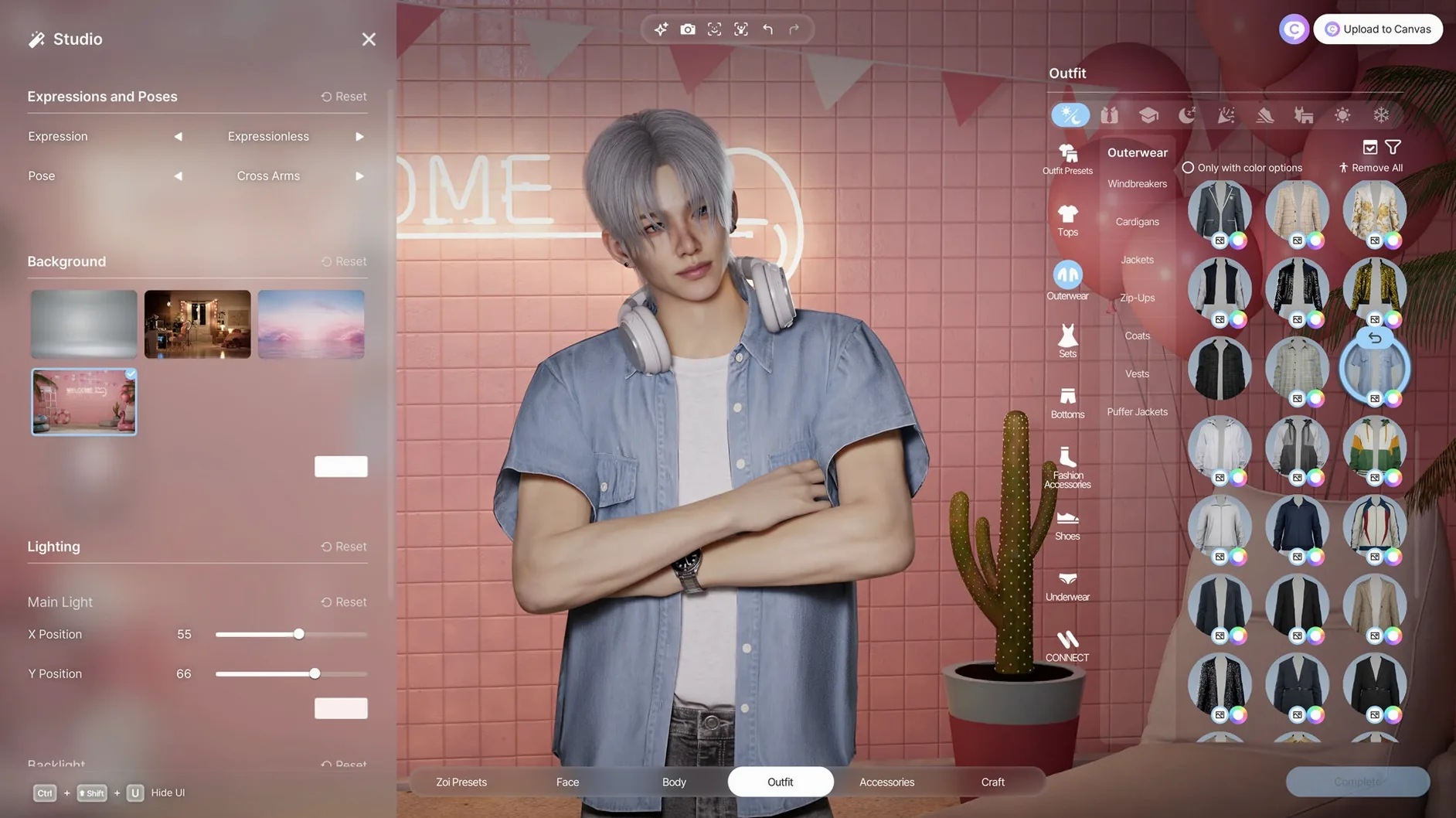
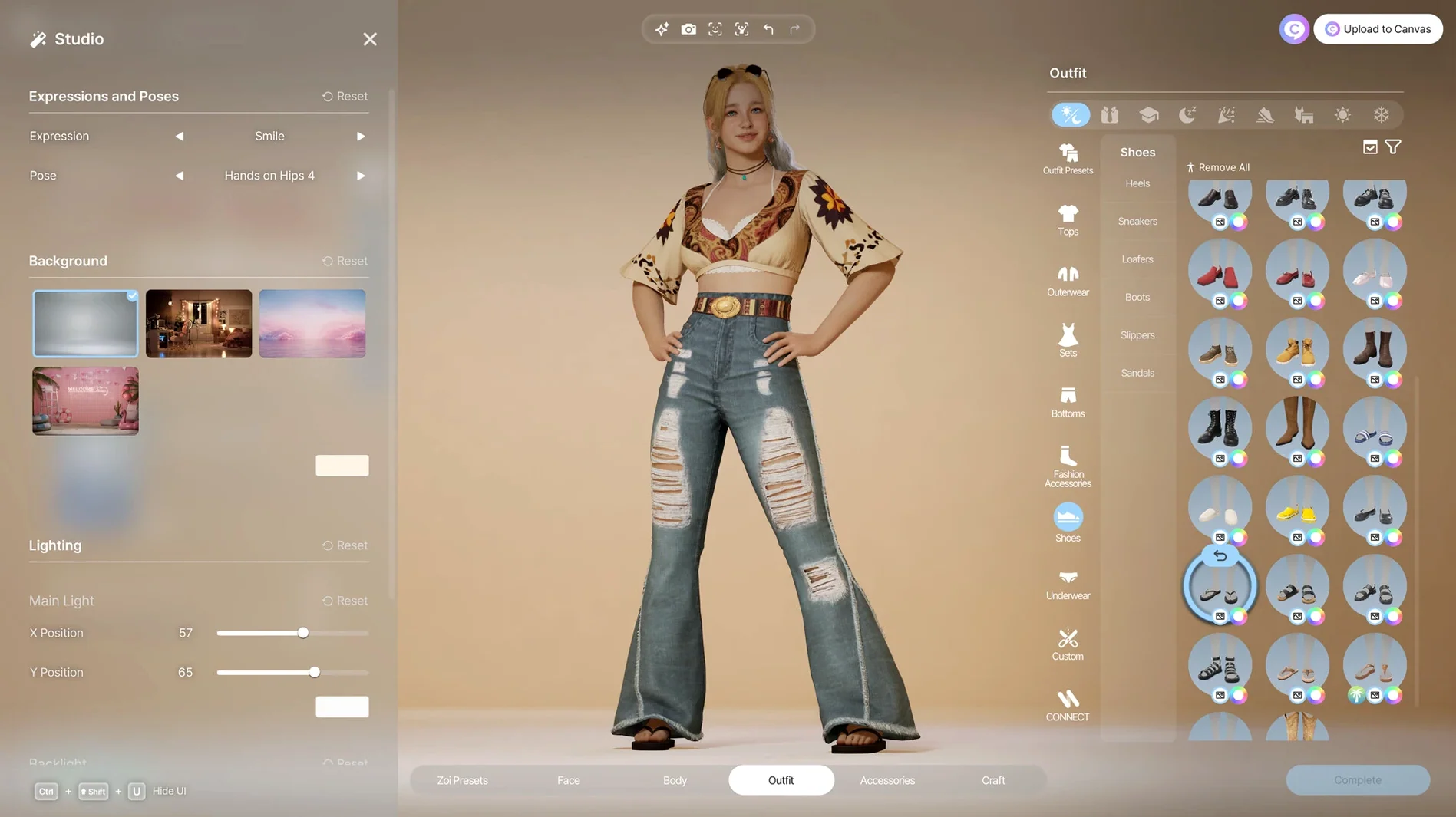
Version 0.10.4 lands on Apple Silicon Macs as an early-access build, bringing the full character studio and city-management tools to macOS Tahoe. The update stabilises the local generative AI pipeline—players can now produce clothing patterns and furniture textures from text prompts with shorter generation times and fewer artefacts. Motion capture from uploaded video also sees tighter calibration on Apple Silicon.
Character Creation and Performance Capture
The character studio ships with over 250 sliders and morph targets, but its real job is translating intent into motion. Facial capture uses the built-in camera to map expressions directly onto a custom avatar. For body movement, the tool ingests short video clips and reconstructs skeletal animation—no marker suits, no external hardware. Text-to-texture generation then handles the surface detail: describe a fabric weave or a wallpaper pattern, and the local AI model produces tileable maps for clothing and interior items.
City Simulation and World Building
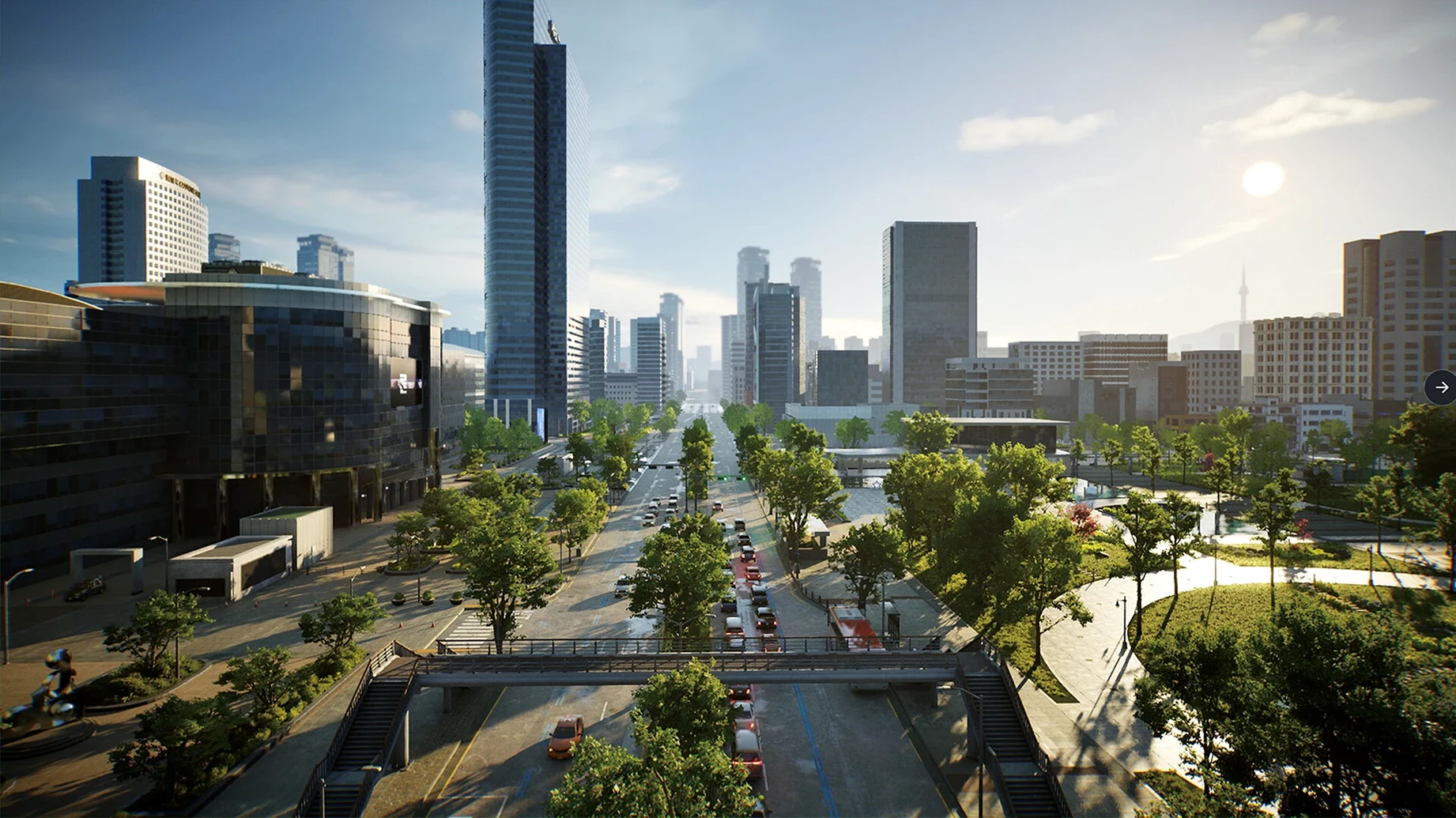
Cities are modelled after real-world layouts, with active weather systems, editable street grids, and re-zonable lots that house a simulated community. The building toolset treats every interior item as a canvas—furniture materials, wall finishes, and decor all accept AI-generated textures. Unreal Engine 5 handles global illumination and geometry streaming, so dense districts with hundreds of props remain navigable during live simulation. Players act as both planner and director, adjusting public spaces while the population follows daily schedules shaped by those changes.
Resource Draw and Everyday Stability
On an M4 Mac mini with 16 GB of unified memory, the 0.10.4 build sits at around 28–32 GB of disk space after a clean install. Memory pressure stays moderate during character creation and light building sessions—Activity Monitor reports 9–11 GB used by the process alone when generating textures or processing motion capture. The GPU hangs around 70–85 % utilisation during those moments, with the Neural Engine kicking in for the local AI tasks and dropping back to near-idle once a prompt completes.
Frame pacing in a dense city lot with 30 active Zois hovers between 28 and 35 fps at 1440p on the High preset. Dropping shadow resolution and post-process quality to Medium bumps that to a steady 45–52 fps without noticeably softening character models. The sim tick rate—how often relationship states, rumours and disease vectors update—feels consistent, and I haven't seen script stalls that freeze a household mid-interaction. One crash over a dozen hours of play, traced to a corrupted texture cache after generating 18 fabric patterns in quick succession. Clearing the cache folder brought it back.
Coastal City Build in Three Acts Without Leaving the App
A typical afternoon with the current build unfolds in three acts, none of which require leaving the app.
- Load the city. The save I'm working from is a modified version of the coastal template—narrow streets, a central plaza, and 14 residential lots. The weather engine rolls in fog within the first two minutes. Frame time dips once during the initial geometry stream, then settles.
- Open the character studio for a new Zoi. I pull in a 15‑second video of someone walking across a courtyard. The motion‑capture parser takes 23 seconds to reconstruct the gait and arm swing, then offers a preview loop beside the source clip. Three sliders adjust stride length, shoulder sway and head tilt before I bake the animation into the character rig.
- Generate a jacket texture. The prompt reads "worn denim jacket with embroidered beetles on the collar, 4k tileable". The local AI model returns six variants in 11 seconds. I pick the third, tweak the colour temperature with the in‑studio slider, and apply it directly to the clothing layer. No export round‑trip, no external editor.
- Place the Zoi into the city. She moves into a two‑storey lot I'd previously zoned as mixed‑use. The sim engine assigns her a daily routine within 90 seconds—job at the bakery, afternoon walk, evening socialising at the plaza. I adjust the plaza layout, widening the seating area, and watch three existing residents reroute around the changed geometry in real time.
- Let the simulation run. Over the next 20 minutes, a rumour about a food shortage spreads from the grocery district, triggered by a supply‑chain modifier I'd set last session. Two Zois with the Anxious trait show visible stress animations. I check the relationship map and see new connections forming around the bakery, exactly where the new character works.
Native Apple Silicon Support and Finder Drag-and-Drop Imports
The build respects standard macOS conventions without leaning on them heavily. It runs natively on Apple Silicon and shows up in the Launchpad with a clean icon. Drag‑and‑drop from Finder works for importing video clips into the motion‑capture panel, though you can also use the built‑in file picker. The game saves to the user's ~/Documents/inZOI folder by default—no sandboxing that hides files inside the container, so backups and manual cache wipes are straightforward.
Screen recording via the Screenshot tool captures gameplay at full resolution, and the microphone passthrough picks up the ambient city audio without glitching. If you use a drawing tablet for texture work, Sidecar extends the texture paint view onto an iPad; pressure sensitivity maps to brush opacity inside the in‑game editor, which is useful for blending AI‑generated base layers with hand‑painted detail. The app also responds to the system Dark Mode setting, swapping its UI chrome to a charcoal palette when the Mac switches over at sunset.
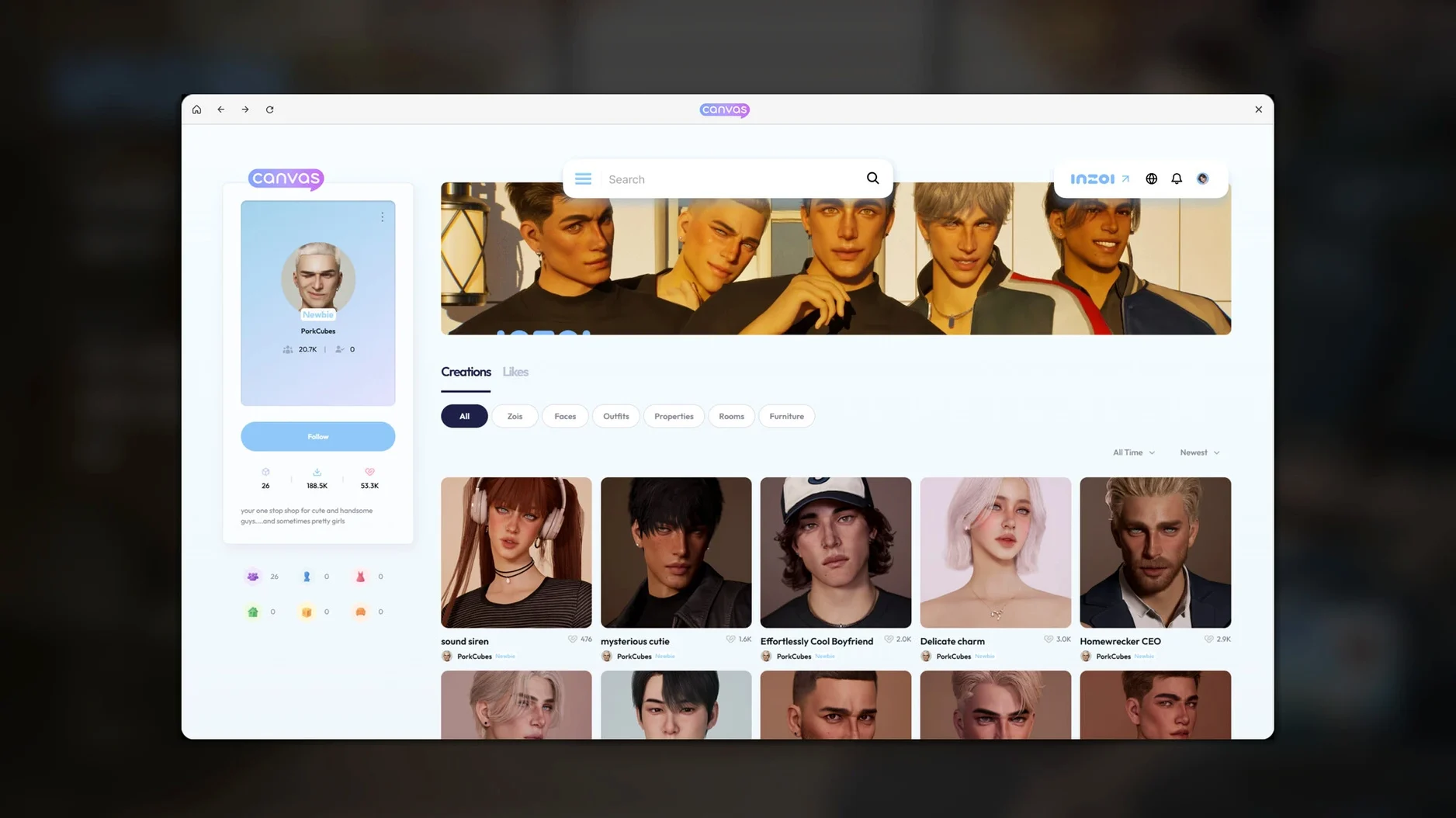
For sharing, the character‑export function writes a .zoi package that bundles the mesh, textures and trait data into a single file. That file can be dragged into Messages or AirDropped to another Mac running the same version. Importing it on the receiving end places the Zoi directly into the character library, ready for placement.
Texture Generation Now Twice as Fast on M4 Hardware
- AI generation speed — Texture and pattern generation dropped from roughly 18–22 seconds to 9–13 seconds on the same M4 hardware between the initial macOS build and 0.10.4. Tile alignment on fabric seams also improved; fewer visible repeats where the generated map wraps.
- Motion capture calibration — Earlier builds produced a slight hip‑sway exaggeration on walking clips shot at 30 fps. The 0.10.4 calibration pass tightened the skeletal solver so that gait reproduces closer to the source video without manual correction.
- Zoi relationship stability — Patch notes for the 0.10.x series mention fixes for relationship decay rates. In practice, friendships formed over shared activities in public lots now persist across multiple sim days instead of resetting after a single negative social roll. Rivalries still escalate quickly, but that appears intentional.
- City save size — Save files shrank by about 15 % after the texture‑caching rewrite in 0.10.3. The game now references generated assets by hash rather than storing full duplicates in the save bundle, which speeds up cloud sync if you keep the
inZOIfolder inside an iCloud Drive path.
Life-Sim Rivals on macOS and Their Build Mode Trade-offs
Three other life‑sim or character‑driven titles on macOS offer useful points of comparison, each with a different emphasis.
The Sims 4 lives in the same genre but runs through Rosetta 2 on Apple Silicon, and its build mode treats surfaces as preset swatches rather than AI‑generated textures. Character customisation has more curated content packs, but no text‑to‑texture pipeline and no motion capture from video. City‑scale editing doesn't exist—lots sit on a fixed map. Performance on M‑series chips is adequate but not native, and loading times stretch longer as expansion packs accumulate.
Second Life offers a shared online world with user‑built content, and its in‑world building tools let you model, texture and script objects. The creative scope is vast, but the engine dates back two decades; rendering quality and avatar fidelity sit well below Unreal Engine 5 standards. It lacks offline simulation, persistent AI‑driven NPC behaviour, and local generative tools. The Mac client runs on Apple Silicon but draws heavily on network latency for every interaction.
Stardew Valley shares the life‑routine and relationship mechanics but executes them in a pixel‑art, single‑developer framework. It simulates a small town with fixed schedules, not a dynamic city with emergent rumours and diseases. Building is limited to farm layout; character customisation is preset‑based. Its strength is hand‑crafted narrative, not systemic simulation. It runs natively on Apple Silicon with negligible resource draw.
Where inZOI 0.10.4 carves out space is in combining a real‑time 3D city simulation with local AI texture generation and video‑based motion capture—all running natively on Apple Silicon. No other life sim on the platform currently ties those three threads together in a single early‑access package. The trade‑off is the maturity gap: The Sims 4 has a decade of polish, and Stardew Valley is a finished work. inZOI is still raw, but the toolset it puts in front of a creative player is unusually broad.
- Architecture: Apple Silicon (native)
Questions on file
Does inZOI support motion capture without special equipment?
Yes, character movements can be generated from uploaded video clips, and facial expressions are captured using a standard camera.
How does the generative AI work in inZOI?
A local AI model runs on your Mac to generate patterns and images from text prompts, which you can apply to clothing, furniture, and decorations.
What stage of development is inZOI in?
The game is currently in early access, with version 0.10.4 representing a work-in-progress build.
Sign in · Create an account to add a field note.
No field notes yet. A measurement, a version, a machine — they appear after moderation.