Photo
Aiarty Image Matting 2.7
PhotoUpdated
| Requirement | On file |
|---|---|
| macOS | macOS 11 or later |
| CPU | Apple Silicon, Intel 64-bit |
| Download | 197 MB |
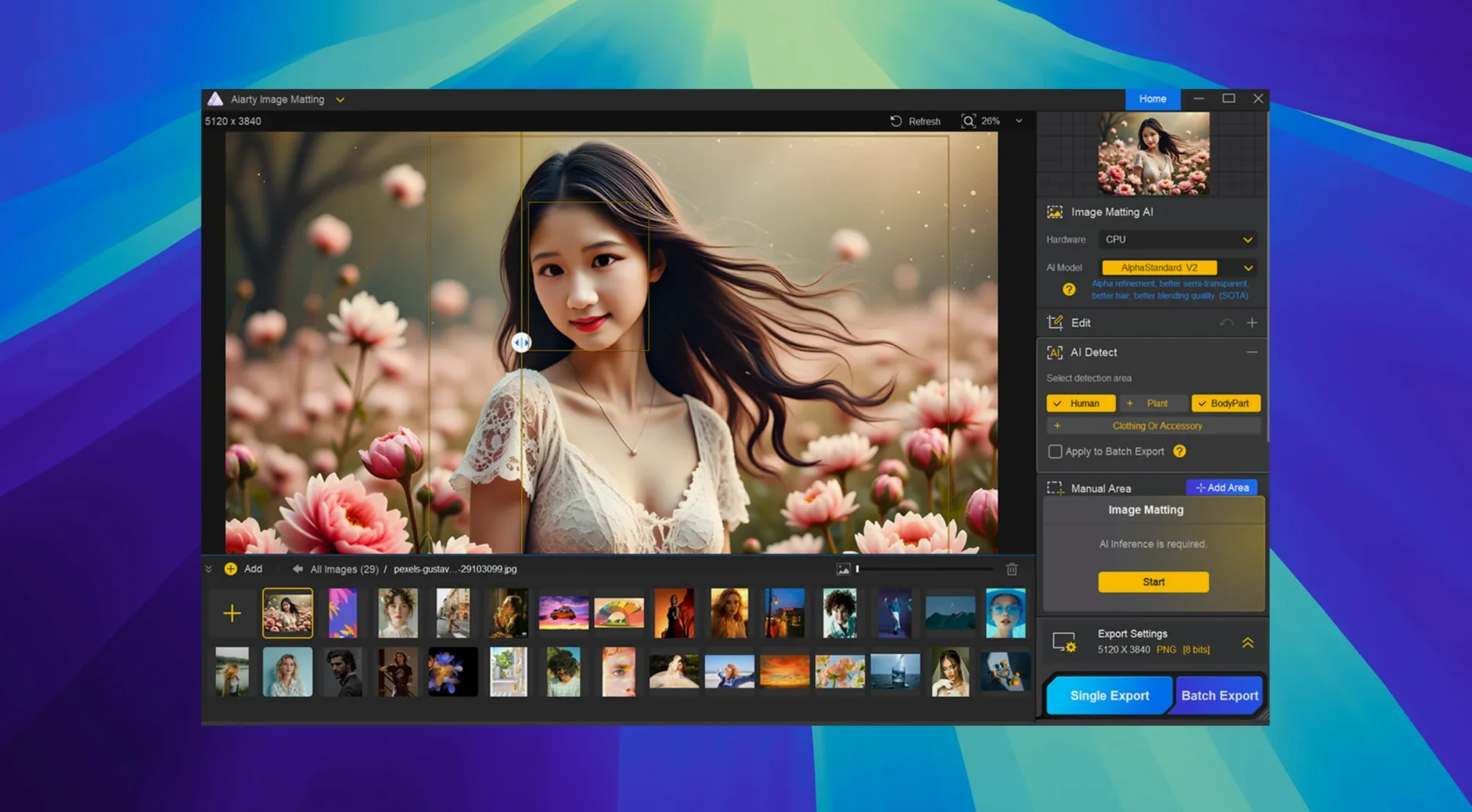
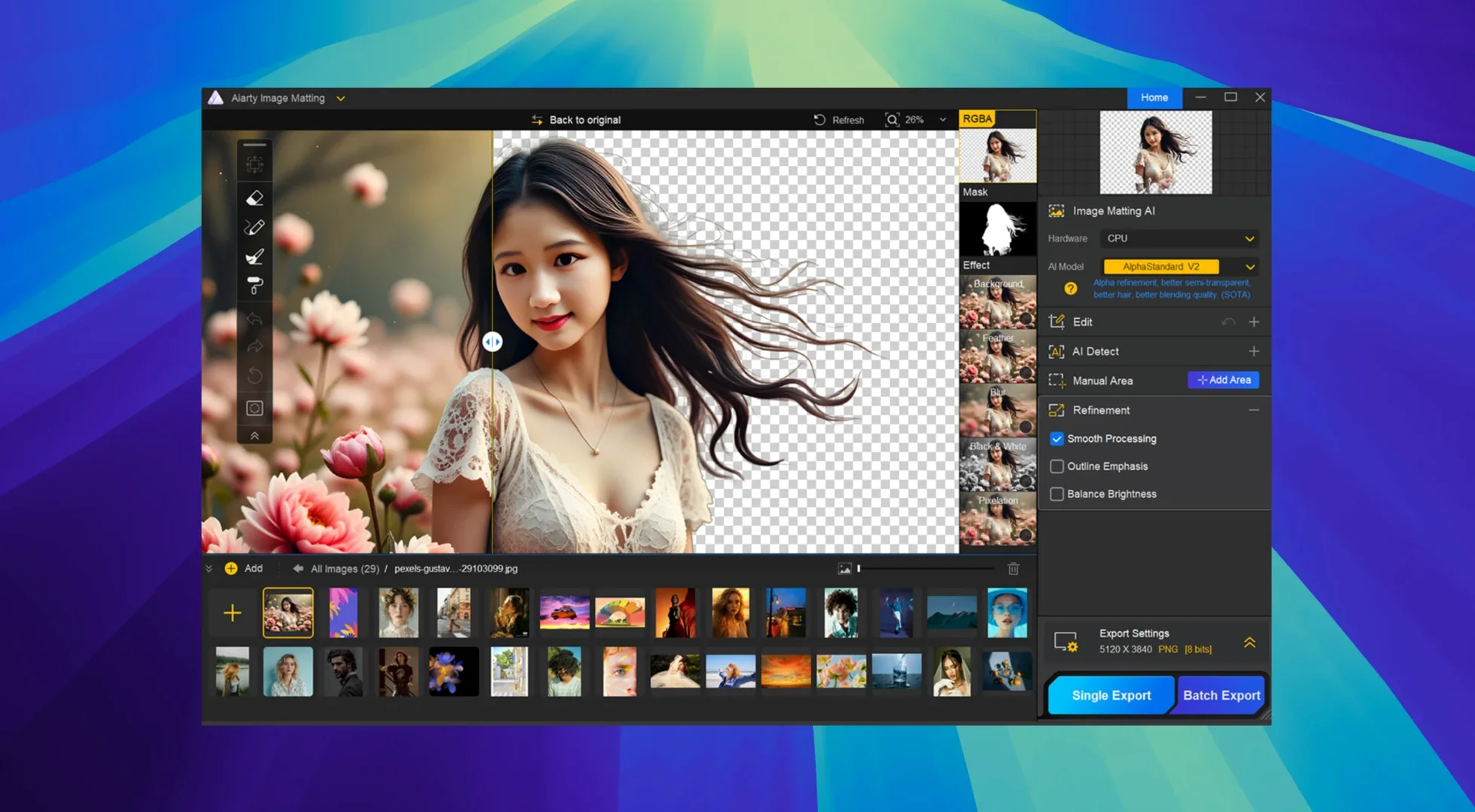
Alpha Matting is the feature to watch when a subject has hair finer than a brush stroke. Aiarty Image Matting treats edges as data rather than a cut-out boundary, so the result holds up whether the foreground is a wedding dress, a glass, or a cat against a hedge.
The workflow is short:
- Open an image and let the detection pass isolate the subject.
- Use Eraser or Brush to correct any misread areas.
- Apply Dodge or Burn where the edge needs more or less opacity.
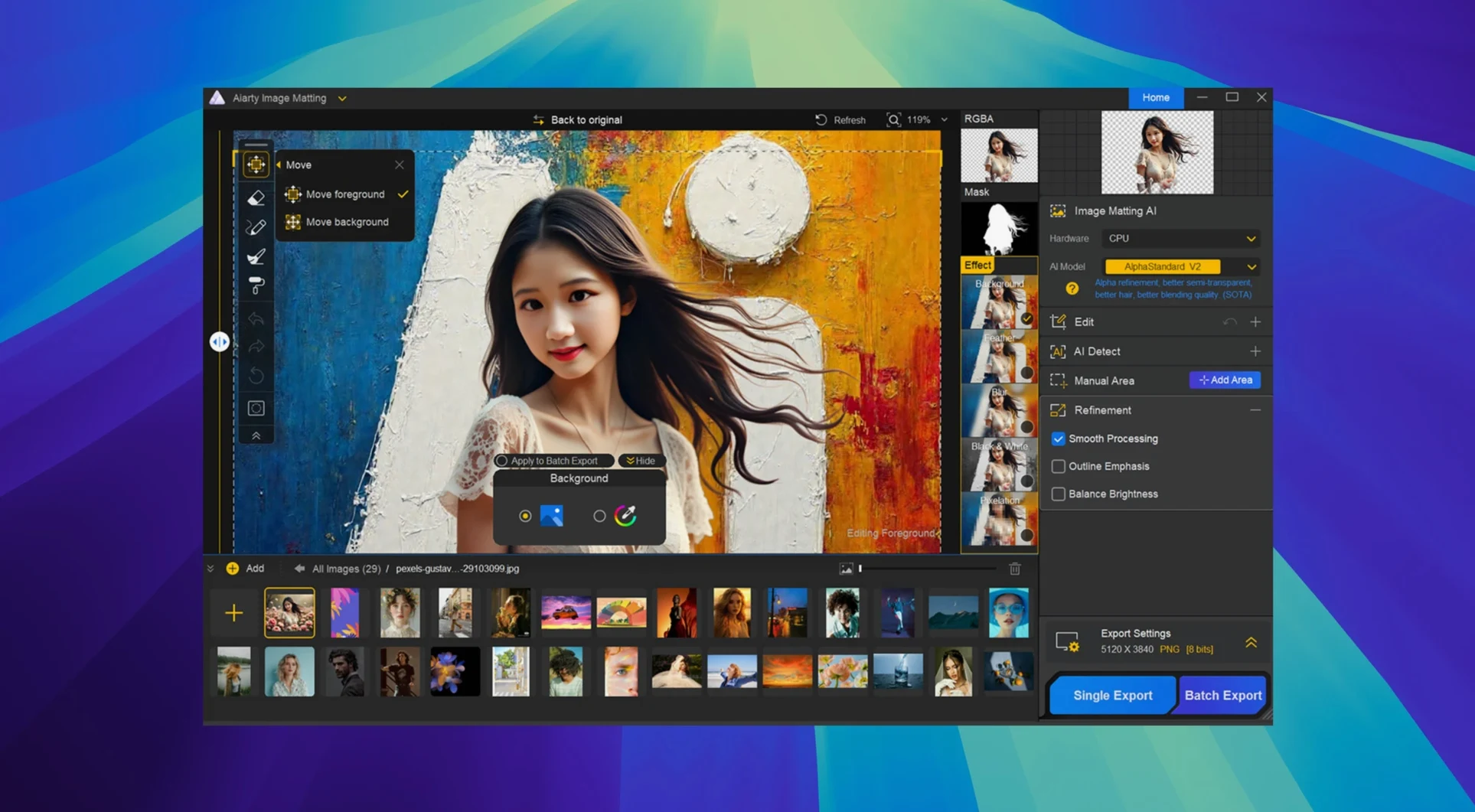
- Place the cut-out over transparency, a solid color, blur, or another image.
The app targets users who regularly handle semi-transparent material — lace, tulle, water drops — where a hard cut-out fails. Since the matting model preserves partial opacity, the foreground blends into a new background without looking pasted.
E‑commerce, One Afternoon
A jewellery seller on a tight deadline opens 180 product shots taken against a grey sweep. The light caught the gemstones well, but the background is uneven across the batch. Loading the folder into Aiarty Image Matting takes seconds. The detection pass runs without prompting — each image gets a soft-edged subject mask in under a minute on an M1 MacBook Air. The seller clicks through the thumbnails, spots two earring photos where a jump ring blurred into the background, and paints the area back with a few strokes of the Brush tool. Thirty minutes later the whole batch sits on a pure white canvas, ready for the storefront. The transparency stays consistent from image to image, so nothing looks hand‑cut when the thumbnails line up side by side.
Stress‑Test on Five Hard Images Before You Trust the Edges
Spend the first hour on five difficult images rather than fifty easy ones. The matting model learns nothing from you — it does not adapt — but you learn where it trips. Glassware with a bright rim, dark fur against a dark sofa, and net fabric over skin are the kinds of edge cases that teach you when to reach for the Dodge tool instead of the Eraser.
Second habit: set the output format and canvas colour before running a batch. Changing the background after processing 300 images means rendering them again. Aiarty Image Matting lets you pick transparency, a hex colour, Gaussian blur, or a replacement image ahead of time — use that switch early.
Third habit: keep the original and the matted version in side‑by‑side folders, not overwritten. The app does not alter the source file, but good housekeeping stops you from hunting for the transparent PNG when the client asks for a white‑background JPEG two days later.
Hold Option to Preview the 5% Transparency Danger Zone
- Dynamic transparency slider. Hold
Optionwhile dragging the opacity control to see a real‑time overlay of the matte channel. It shows exactly where the edge transparency falls below 5 %, which is where halos tend to appear later. - Space‑drag to pan. When zoomed in on a hair edge at 400 %, holding the spacebar turns the cursor into a hand. Combined with the scroll‑wheel zoom, you can chase a single stray strand across the frame without touching the tool palette.
- Double‑click to reset tools. A fast double‑tap on the Eraser or Brush icon returns the size and hardness to their defaults. Helpful after you have been micro‑painting and need a broad stroke for the next image.
- RAW engine details. Version 2.7 improved colour accuracy for CR3 files and fixed a low‑quality preview issue with some TIFFs. If you pull images straight from a Canon body or a scanned‑TIFF archive, the on‑screen preview now matches the output more closely than it did in earlier builds — especially noticeable in the deep reds of velvet or garnet.
- Quick background blur. The blur slider applies a lens‑style Gaussian falloff in one move. For a catalogue shot where the product needs to pop but the scene should read as a real room, dialling in 8–12 px of blur often looks more natural than swapping in a completely different backdrop.
- RAW decoding engine — broader compatibility with mainstream RAW formats
- CR3 files — improved color accuracy
- RW2 images — refined rendering logic
- TIFF previews — fixed low-quality display on some files
- macOS 11 or later
- Apple Silicon or 64-bit Intel
- Interface languages: English, German, Traditional Chinese, Simplified Chinese, Japanese
Questions on file
Which macOS versions does Aiarty Image Matting support?
It runs on macOS 11 and later, on both Apple Silicon and 64-bit Intel Macs.
Can it handle semi-transparent objects?
Yes. It processes fine detail including wedding dresses, lace, tulle, glass, and water drops.
Sign in · Create an account to add a field note.
No field notes yet. A measurement, a version, a machine — they appear after moderation.