VST Plugins
Plugin Alliance Brainworx Bundle 2025.06.16
VST PluginsUpdated
| Requirement | On file |
|---|---|
| macOS | macOS 11 or later |
| CPU | Apple Silicon, Intel 64-bit |
| Download | 2.1 GB |
A tracking session wraps up and you have dry stems to shape before the client hears them. The Brainworx Bundle gives you a few quick stations to pass that audio through.
Build a console-style channel
Insert bx_console SSL 4000 E on a drum or vocal track and work the EQ and dynamics as you would on a physical desk. The TMT channel variance means neighbouring instances behave slightly differently, so a 16-track layout picks up subtle stereo spread without extra routing.
Glue a drum bus in one plug-in
Place bx_glue on your drum group and drive the compressor until the needles move together. The built-in sidechain filter keeps the low end from pumping the gain reduction, which helps preserve kick weight while the cymbals and room mics tighten up.
Finish a rough mix for reference
Drop bx_masterdesk Pro on the stereo out, set the loudness target and let the dynamic profile do the levelling. It is not a replacement for a mastering engineer, but it hands you a polished reference to send alongside the raw multitracks.
Surprise Behaviors That Trip Up New Users
The bundle covers a lot of ground, and a few recurring friction points show up in forums and user groups. Most are not bugs — they are just behaviours that catch people off guard the first time.
Validation scans that stall the DAW
After installing the bundle, your DAW will crawl through every plug-in during the first scan. With this many Brainworx titles, that scan can look frozen — especially in Logic Pro or Ableton Live on an Intel Mac. Let it run. Cancelling mid-scan often leaves half-validated components that the DAW then refuses to load. If you do end up with a hung scan, remove the individual .component files from /Library/Audio/Plug-Ins/Components/, clear the DAW's AU cache, and re-scan in smaller batches of five or six.
TMT channel assignments that double up
Every Brainworx console emulation uses Tolerance Modelling Technology to mimic channel-to-channel variance. The default behaviour picks a random channel number per instance. If you reload a session on a different machine or after a plug-in update, the random seed sometimes shifts and channels get reassigned. You will hear a stereo image drift or a vocal EQ that no longer sits the same way. The fix is to manually set the TMT channel number on every instance you care about. Treat channel 01 to channel 32 as fixed hardware slots and write the assignments into your session notes.
High CPU on bx_console AMEK 200 with oversampling
The AMEK 200 model is heavier than the SSL 4000 E. Engaging 4× oversampling on a busy session with a small buffer size will trigger dropouts, even on Apple Silicon. You have two paths: freeze or commit the track before enabling oversampling, or run the plug-in at 1× during tracking and switch to 4× only when you print stems. The difference is audible on high-frequency material, but it is not worth a stuttering timeline.
bx_townhouse compressor stereo link confusion
The Townhouse Buss Compressor defaults to stereo-linked operation, which works for most mix bus duties. If you insert it on a dual-mono drum room track where the left and right mics captured very different dynamics, the link pulls both channels toward the louder side. Switch to dual mono mode in the plug-in header and set each channel's threshold independently. The meters will show separate gain reduction for left and right, which makes it easier to spot if one side is doing all the work.
One Afternoon Setup to Avoid Future Guesswork
A bundle this large benefits from a short orientation period before you drop plug-ins into paying projects. Spend an afternoon on the following and you will skip most of the guesswork later.
Create a dedicated "Brainworx" folder in your DAW's plug-in manager. Throw every plug-in from the bundle into it. When you reach for a compressor or EQ, browse by category first, but knowing where the full Brainworx list lives saves hunting through flat manufacturer menus on a deadline.
Print a handful of test stems. Take a 30-second snippet of raw drums, a DI bass, a vocal, and a full mix. Run each through a different console emulation — bx_console SSL 4000 E, bx_console AMEK 200 — with all bands flat and the compressor bypassed, just driving the line stage. Bounce them and blind-test the results. You will learn which desk colour you actually hear before you ever touch an EQ knob.
Set your loudness reference once. bx_masterdesk Pro has a target loudness slider. Match it to your typical delivery spec (-14 LUFS for streaming, -9 LUFS for club refs, whatever your clients expect) and save that as the default preset. Future sessions open with the correct ceiling already set, and you adjust from a known point rather than guessing each time.
Check plug-in latency and compensate manually if needed. Most DAWs handle plugin delay compensation automatically, but bx_digital V3 in mid/side mode and bx_masterdesk Pro with the full chain engaged can report latency values that some hosts misread. In Reaper, right-click the track panel and verify the reported samples match what the plug-in says in its header bar. If they drift, nudge the track by the difference.
90-Minute Rock Mix with the Brainworx Rack
Picture a Tuesday afternoon. A client has sent over a four-piece rock track: drums, bass, two guitar tracks, lead vocal, and a rough stereo room mix they bounced from their rehearsal space. You have about ninety minutes to turn it into a listenable draft.
You open the project in your DAW at 48 kHz, 24-bit. Gain-staging comes first. Every channel hits the Brainworx plug-ins with peaks around -18 dBFS, because the analogue modelling expects a sensible operating level. You trim the clips with the DAW's clip gain before any insert slot sees the signal.
On the kick and snare channels, you insert bx_console SSL 4000 E. The gate tightens the ring on the snare; the compressor catches the peaks at 4:1 with a medium attack. You boost 60 Hz by 3 dB on the kick and pull 400 Hz by 2 dB on the snare. The TMT channel numbers are set to 01 and 02, locked.
The drum bus gets bx_glue. Threshold is set so the needle moves 3–4 dB on the loudest hits, attack at 10 ms, auto release. The sidechain filter high-passes at 80 Hz so the kick drum body does not yank the compressor down and make the cymbals duck.
Bass goes through bx_bassdude. You treat the plug-in like an amp head: drive the gain until the tone thickens, blend the DI and amp signals with the mix knob, and add a touch of the onboard EQ at 800 Hz to bring out pick attack. The bass sits in the track without additional channel-strip processing.
Guitars each get an instance of bx_rockrack V3. Left guitar uses the Brit Modern amp model with a 4×12 cab impulse. Right guitar gets the US Clean model pushed just to the edge of breakup. You high-pass both at 120 Hz to keep the low end clear for the bass and kick.
On the vocal, you insert bx_console AMEK 200. The EQ is more surgical than the SSL: a narrow cut at 2.5 kHz removes a nasal resonance the rehearsal room mic picked up, and a shelf at 12 kHz adds air without sibilance. The compressor runs at 2:1, shaving 2 dB.
The stereo out receives bx_masterdesk Pro. You load the preset you saved during setup, confirm the target is -14 LUFS, and engage the dynamic EQ to tame a 200 Hz buildup from the room mics. The loudness meter reads -13.8 LUFS integrated after the first pass. You print the file and send it to the client before the kettle has boiled.
Workflow: Tightening a Live Drum Recording with Brainworx Tools
A live drum multitrack from a small venue arrives with an excess of bleed and an undefined low end. The goal is to make the kit punch without losing the room sound that gives the recording its character. Here is a start-to-finish path using four plug-ins from the bundle.
Step 1: Clean the close mics with bx_console SSL 4000 E. Insert an instance on kick, snare top, and each tom track. Engage the expander/gate section on every channel. Set the kick gate threshold so it opens only on hits, with a 50 ms hold to let the body through. For toms, use a faster release and link the sidechain filter to the tom's fundamental frequency so cymbal bleed does not false-trigger the gate. TMT channels are set and locked per mic.
Step 2: Shape individual tones with the onboard SSL EQ. On kick: +3 dB at 60 Hz, -2 dB at 300 Hz to pull out cardboard resonance. Snare: +2 dB at 200 Hz for body, +3 dB at 5 kHz for crack. Toms: a narrow boost at the fundamental of each drum, cut the low-mids below that to remove boxiness. Keep the EQ moves small — the desk character does a lot of the work by itself.
Step 3: Bus the drums and apply bx_townhouse Buss Compressor. Send all close mics and overheads to a stereo drum bus. Insert the Townhouse compressor. Set ratio to 4:1, attack to 10 ms, release on auto. Drop the threshold until gain reduction hits 4 dB on snare backbeats. The mix knob at 70% wet parallels the compression, keeping the transients sharp while the compressed signal adds density. The stereo link stays engaged because the overheads are balanced.
Step 4: Add low-end weight with bx_glue. After the Townhouse, insert bx_glue in series. Set the sidechain filter to high-pass at 80 Hz, ratio at 2:1, attack at 30 ms. The compressor now reacts to the midrange and top end, leaving the kick and floor tom low end untouched. Drive the make-up gain until the overall drum bus level matches the uncompressed bypassed signal, then push it 1 dB hotter. The kit breathes without the low end collapsing.
Step 5: Check with bx_digital V3 in mid/side mode. Insert bx_digital V3 on the drum bus after compression. Solo the side channel and listen for harsh cymbal frequencies — a narrow -2 dB cut at 8 kHz often cleans up budget condenser overheads. In the mid channel, a gentle 2 dB shelf boost at 100 Hz reinforces the kick and snare body without affecting the stereo width. Bypass the plug-in to confirm the drums still sound like a single instrument rather than a processed collection.
Fitting Brainworx Plug-ins Into a Larger Setup
The Brainworx Bundle does not live in isolation. It slots into a Mac-based production environment alongside stock DAW tools, third-party instruments, and macOS system features that speed up daily work.
With your DAW's native routing: Most Brainworx console plug-ins respond well to being placed inside track stacks or folder tracks. If you use Logic Pro, create a summing stack for drums, place bx_glue or bx_townhouse on the stack master, and insert channel-strip EQs on the individual sub-tracks. The DAW handles the routing; the plug-ins handle the sonics. In Ableton Live, group the drum tracks and drop the buss compressor on the group — the sidechain filter on bx_glue works with Live's external sidechain routing if you want to key the compressor from a separate ghost kick trigger.
With macOS Audio MIDI Setup: If you run aggregate devices or multi-channel interfaces, the Brainworx plug-ins see whatever I/O configuration the DAW reports. No special mapping is required. For standalone use — less common, but some people open bx_masterdesk Pro inside a host like AU Lab for system-wide audio processing — make sure the sample rate in Audio MIDI Setup matches the rate the plug-in expects. Mismatched rates produce no error message, just a sample-rate conversion that dulls the top end slightly.
With Quick Look and file management: The installer package for the bundle uses a standard disk image. After mounting and running the installation,
- macOS 11 or later
- Apple Silicon or 64-bit Intel processor
Questions on file
Does the bundle run natively on Apple Silicon Macs?
Yes. The Brainworx Bundle supports Apple Silicon and 64-bit Intel Macs running macOS 11 or later.
Which Brainworx plug-ins are included in this bundle?
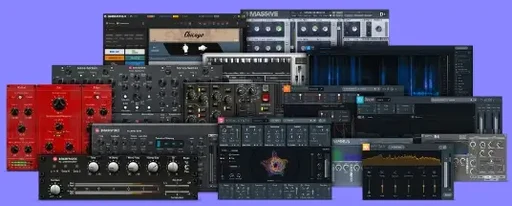
The bundle includes bx_console SSL 4000 E, bx_glue, bx_masterdesk Pro and bx_bassdude, among others.
Sign in · Create an account to add a field note.
No field notes yet. A measurement, a version, a machine — they appear after moderation.