VST Plugins
Output Portal 1.2.1
VST PluginsUpdated
| Requirement | On file |
|---|---|
| macOS | See the sheet |
| CPU | Apple Silicon, Intel 64-bit |
| Download | 319 MB |
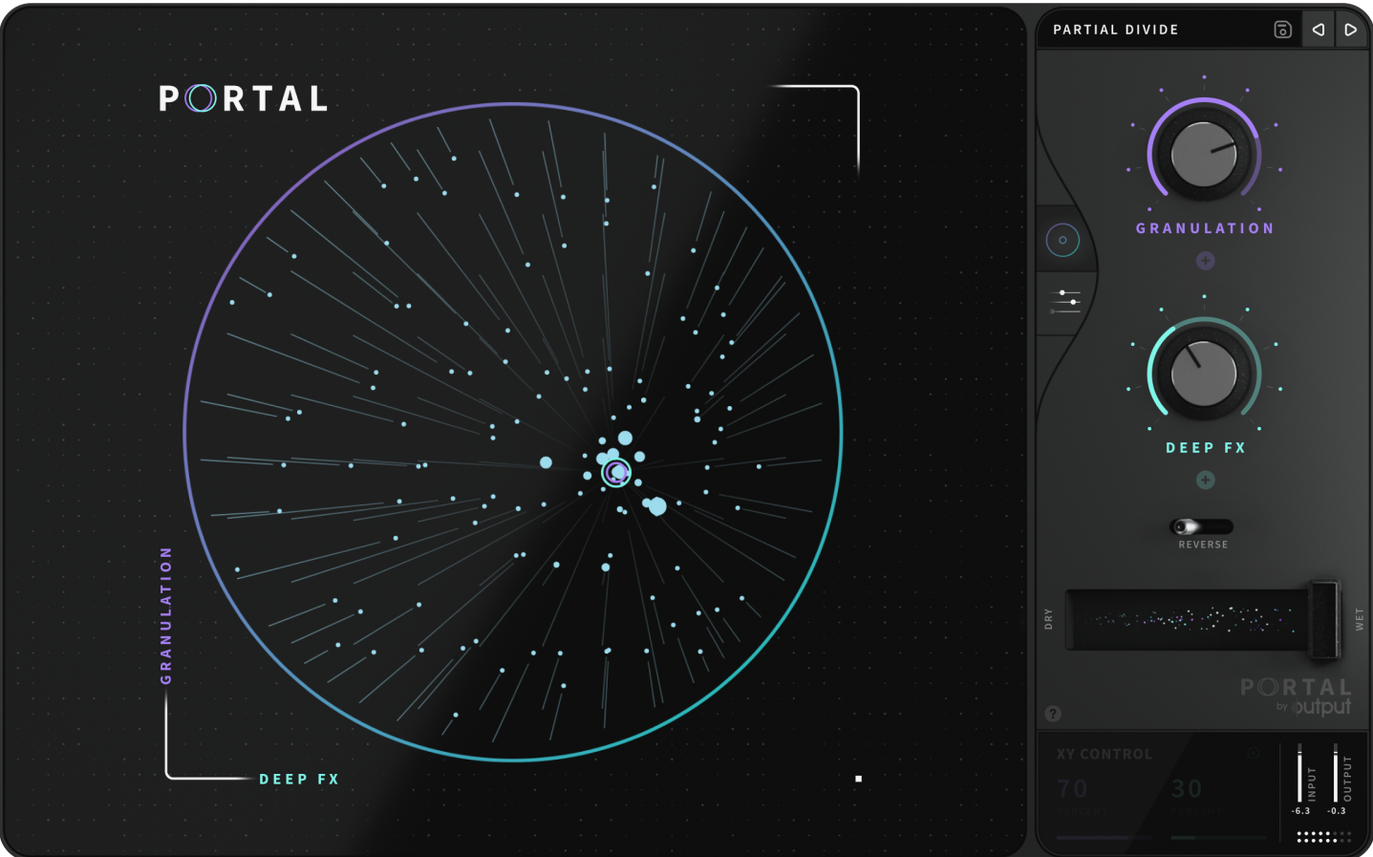
Workflow: Sculpting a Signal Through its Grains
- Set the clock source. Decide whether the grain playback follows your DAW tempo or runs free. Synced mode locks rhythmic repeats; unsynced lets you drag a vocal into smeared, asynchronous textures.
- Size the grains. Narrow grains produce a stuttery, pointillistic effect. Wider values blur transients into pads, effectively stretching a hi-hat into a long metallic wash.
- Adjust density and spacing. Dense clouds layer overlapping grains for a thick, reverb-like smear. Sparse settings leave the dry signal mostly intact, adding only occasional micro-bursts around the original audio.
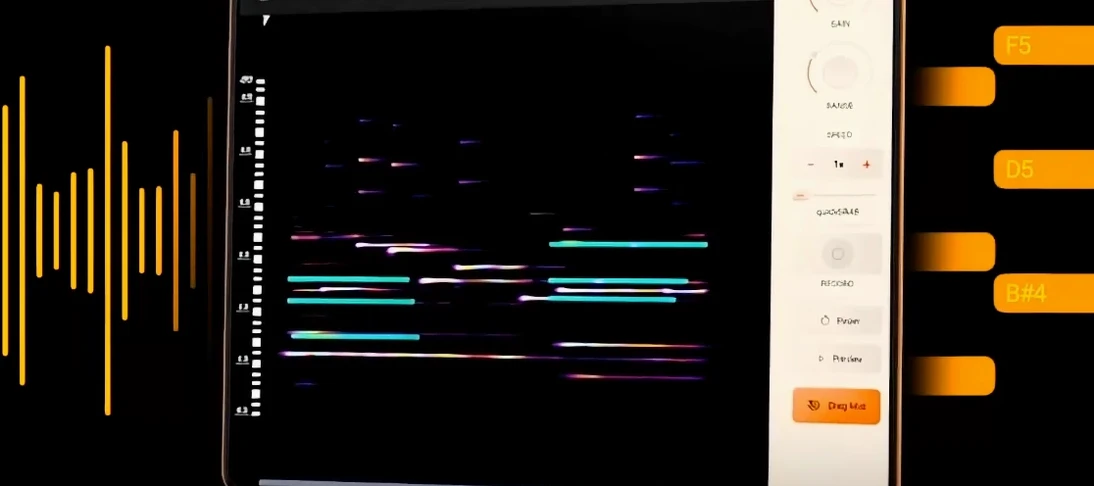
- Lock pitch to a scale. Feed Output Portal a monophonic guitar line and constrain its grains to a minor pentatonic map. The plugin retunes each grain, turning an ordinary bend into a cascading, in-key run.
- Dial in the dry/wet mix. Since the engine processes VSTs, drum samples and live inputs identically, the fader determines whether you get a subtle doubling or a 100% granular reconstruction.
The Mac version runs natively on Intel and Apple Silicon. A single install—mount the disk image, run the installer, pick your components folder—drops the AU, VST3 and AAX formats onto your system.
Five Missteps New Users Make (and How to Sidestep Them)
Portal’s immediacy means a producer can open it, sweep a few macros and land on something ear-catching within seconds. That same speed hides a handful of habits that turn promising sessions into muddy, click-ridden exports. These are the ones I notice most often.
Feeding It a Stereo Signal Without Checking the Sum
Grains panned hard left and right create lovely width—until they phase-collapse in mono. Portal’s engine processes each channel independently, so a lush stereo pad can cancel itself to near-silence on a phone speaker. The fix is quick: insert a utility plugin before Portal, reduce the input to mono or narrow the stereo spread, then widen the output afterwards with a dedicated stereo tool. Your club PA will thank you.
Ignoring the Grain Window
Sliding the grain size to its shortest value and wondering why everything sounds like a buffer underrun is a rite of passage. Grains below roughly 15–20 ms start behaving like oscillators rather than audio snippets, introducing a synthetic, ring-modulated edge that fights the source material. If you want something glitchy that still reads as a voice or a guitar, keep size above 20 ms and use offset to scrub through the waveform instead.
Piling Density on an Already-Busy Arrangement
Portal generates dozens of grains per second at high density settings. Layered over a full mix, that grain cloud becomes indistinguishable from muddy reverb—worse, one that flickers unpredictably. On a dense track, cut density to around 20–30% and use the dry/wet fader below 40%. Reserve the 80–100% density range for sparse breakdowns, solo vocal moments or sound-design sessions where the cloud is the arrangement.
Leaving the Pitch Scaler Unconstrained on Polyphonic Material
Locking pitch to a scale works brilliantly on monophonic inputs. Drop a four-note piano chord through the same snapshot and Portal retunes each grain individually, often producing discordant semitone clashes as grains from different notes fight for the nearest scale degree. Either print the chord to a single monophonic element first, or set pitch quantisation to chromatic and handle tuning with a separate harmoniser downstream.
Expecting It to Replace a Reverb or Delay
Portal can smear transients into a tail that resembles a reverb, but it does not model a room, a plate or a spring. That tail moves with the source; it does not sit behind it. If you want a vocal to occupy a physical space, send it to a conventional algorithmic or convolution reverb after Portal. Use the plugin for texture and motion, not for ambience.
When the High‑Frequency Fizz Appears in Your Signal
A few friction points surface regularly in forums and user groups. None are bugs—they are design choices that bite when assumptions collide with how the engine actually works.
Problem: The plugin introduces a high-frequency fizz that was not present on the dry track.
Cause: Individual grains have hard start and stop boundaries. At short sizes those boundaries repeat rapidly, creating a buzzing overtone series.
Fix: Raise the grain envelope amount. A gentle fade-in and fade-out on each grain—even 10–15 ms—smooths the boundaries without softening the overall texture much.
Problem: Rhythmic patterns drift slightly against the grid even in synced mode.
Cause: Portal reads grains from a moving playhead. When the host tempo fluctuates (which it does more often than most DAWs admit), grain timing can slip by a few samples per beat.
Fix: Print the effect to audio early if tight grid alignment matters. For live playback, nudge the printed region manually, or set the clock source to unsynced and time-stretch the result in your DAW for complete control.
Problem: The dry/wet fader seems to reduce overall level at 50% rather than maintaining unity gain.
Cause: Portal does not use an equal-power crossfade law on the dry/wet control. The centre position dips by approximately 3–6 dB depending on source correlation.
Fix: Route Portal to a send and keep the plugin 100% wet. This also lets you EQ the granular layer independently from the dry track—a much cleaner workflow for mixing.
Problem: The UI lags or stutters during heavy automation.
Cause: The visualiser draws grain clouds in real time. Rapid parameter changes force a redraw that can tax integrated GPUs, particularly on older Intel MacBook Airs.
Fix: Close the plugin window during playback-heavy sessions, or switch your DAW’s generic editor view. The audio engine keeps running; only the visual feedback pauses.
Where Portal Sits in a Mac Producer’s Toolbox
Portal is not a self-contained instrument, and it works best when it has something to talk to. Understanding its neighbours clarifies how far it stretches and where you should reach for something else.
Alongside Output’s Own Lineup
Thermal handles distortion, saturation and dynamics; Movement adds rhythmic filtering and modulation. Portal occupies the granular middle ground. A common chain on a vocal: Movement ducks or gates the dry signal rhythmically, Portal stretches the gaps into a grainy wash, then Thermal adds harmonic grit to the wash. Each plugin treats one dimension—rhythm, texture, colour—without overlapping.
With macOS Audio Tools
AUHost (Apple’s built-in plugin host, accessible via auval in Terminal) recognises Portal as a valid Audio Unit, so you can process audio files outside a DAW for quick sound-design bounces. Combine it with QuickTime Player’s screen recording to capture automated parameter sweeps as reference videos for a collaborator. Apple’s Aggregate Device feature also lets you route a hardware synth’s output directly into Portal via any AU-compatible host, bypassing an analogue mixer entirely.
Plugin Format Flexibility
An install that writes AU, VST3 and AAX means Portal slots into Logic Pro, Ableton Live, Bitwig, Pro Tools and REAPER without bridge software. On an all-Intel Mac or the latest M-series machine, the native binary loads the same preset library. If you grab the Output Portal Mac torrent to test its CPU profile on a project before committing, the universal binary will run on either architecture without Rosetta translation overhead.
Who Wins the Most from Portal—and Why
Granular effects are not a universal seasoning. They warp pitch, smear transients and add movement that can fight a tight arrangement. The users who extract the most value tend to fall into three camps.
Sound designers working to picture. Portal’s ability to slow and stretch a single impact into a 30-second evolving drone—without altering pitch when you lock it—makes it a quick path from a field-recording snippet to a sci-fi ambience bed. A car door slam becomes a metallic groan; a glass clink becomes a shimmering texture. No multi-sample mapping, no complex chains, just a source file and a few macro moves. Someone building a library of user-interface sound effects or creature vocalisations will reach for it before a sampler.
Mix engineers dealing with stale stems. A verse vocal that repeats the same phrase two bars later can be given a subtle granular double that shifts formants or timing just enough to sound like a second take. Drum overheads that feel too static gain natural variation by running them through low-density, synced grains that introduce randomised envelope offsets. These are not radical transformations—they are the half-dB moves that keep a listener engaged across three minutes.
Electronic producers who treat effects as compositional tools. When the synth hook is done but the arrangement needs a bridge, sending a snippet through an unsynced, wide-grain instance of Portal yields a textural pad that carries the same harmonic DNA as the main riff. That pad can then be printed, reversed, filtered and dropped into the arrangement as a completely new section. Several presets in the factory bank are starting points for exactly this resampling workflow—grab the portal torrent to audition them against your own material and pull the ones that match your tempo range.
Users who want a set-and-forget glue effect or a transparent short reverb are better served elsewhere. Portal rewards deliberate automation, printed audio and a willingness to treat grains as raw material rather than a magic button. Set up
- macOS (native Intel and Apple Silicon support)
- AU, VST3 and AAX plug-in formats
Questions on file
Does Output Portal generate its own sounds or process an input?
It is an effects plugin, not a software instrument. It reshapes any incoming audio—VSTi outputs, drum samples, or live vocals and guitars—through granular synthesis.
Sign in · Create an account to add a field note.
No field notes yet. A measurement, a version, a machine — they appear after moderation.