VST Plugins
noteGRABBER 2.0.0
VST PluginsUpdated
| Requirement | On file |
|---|---|
| macOS | macOS 10.12 or later |
| CPU | Apple Silicon, Intel 64-bit |
| Download | 35 MB |
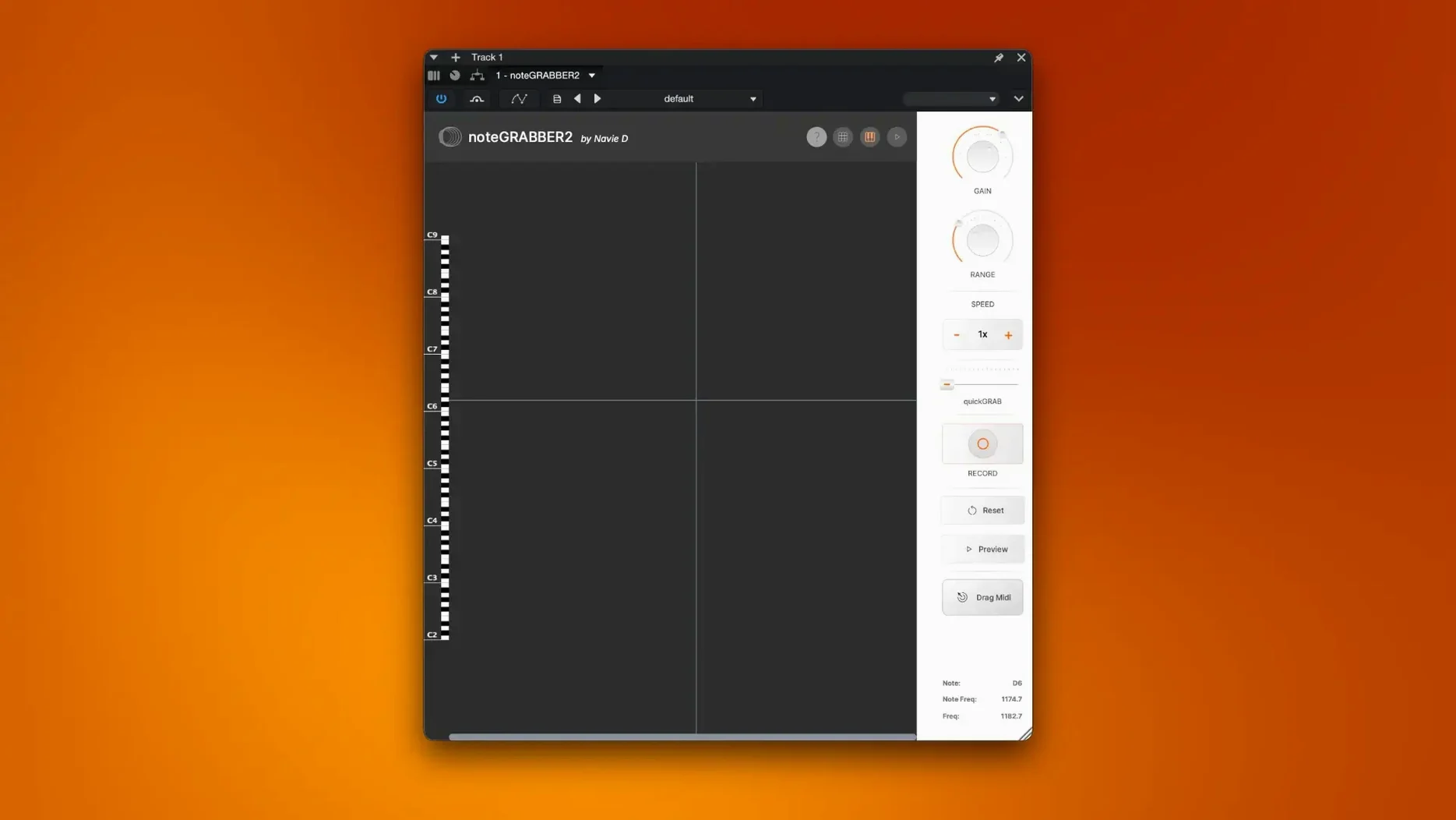
noteGRABBER 2.0.0 runs on Intel and Apple Silicon Macs from macOS 10.12 onward. The plugin analyses monophonic audio and extracts pitch and timing data as MIDI, ready to feed a sampler or synthesiser.
Extract a bassline from a dusty loop
Drop a sample into your DAW, insert noteGRABBER on the track, and let it listen. The plugin transcribes the fundamental pitch, giving you a MIDI clip you can mass-age into a fresh rhythm.
Layer a synth over a vocal chop
Feed a vocal phrase through the analysis engine and route the resulting MIDI to an instrument track. You get the exact melodic contour of the original—double it, harmonise it, or replace the sample entirely.
Trigger drum sounds from a rhythmic recording
Run a percussive loop through noteGRABBER and use the transient-triggered MIDI to fire a drum rack. It turns found sound into programmable hits without manual tap-to-MIDI work.
Spend the first hour with a clean signal. noteGRABBER works on monophonic material — a single bass note, a vocal line, a flute phrase — and the cleaner the source, the fewer rogue MIDI notes end up in your clip. A touch of high-pass filtering before the plugin can strip out low-end rumble that confuses pitch detection, especially on vinyl-sourced loops.
A short test run saves time later. Load a sample you know well, run the analysis, and drag the resulting MIDI clip to a piano instrument. Listen through at half speed. The notes that matter will be there; any stray short notes near transients tell you where the detection threshold needs tightening.
Build a small library of template tracks. One track with noteGRABBER and a muted instrument, another with the source audio. When you find a loop you like, drop it in, grab the MIDI, and you have the melodic skeleton ready before you reach for the keyboard. Producers who work with crate-digging samples often keep a session like this as a scratchpad.
Raising the threshold to reject bleed from nearby instruments
The default detection threshold suits most clean recordings, but on material with bleed — a drum overhead that caught a guitar amp, for instance — knocking the threshold up by 10-15% rejects quieter spill that the plugin might otherwise interpret as intentional notes.
Minimum note length is the other dial worth your attention straight away. The factory setting passes through short transient flutters that can clutter a MIDI clip. Lengthening the minimum to 60-80 ms cleans up the output without losing real musical phrasing. If you later need those micro-details for a glitchy remix, drop it back down.
MIDI output routing lives in your DAW's plugin wrapper, not inside noteGRABBER itself. Before you start, confirm the plugin is sending to the correct MIDI channel and that the receiving instrument track is armed or set to monitor. A quick test with a piano sound confirms the route in under 30 seconds.
Why a full-mix extraction claim points to a fake download
People searching for a note grabber free download or a note grabber 2 crack usually have the same underlying question: does this thing actually pull notes out of a full mix? The answer is no — and no pitch-to-MIDI tool does. Polyphonic material with stacked harmonies, thick pads, or a full band will produce jumbled results. noteGRABBER excels on one voice at a time. Isolate the element you want before you feed it in.
Another common hesitation is whether the plugin handles low-frequency content reliably. Bass guitar lines down to around 40 Hz track cleanly, provided the recording is reasonably dry. Heavy reverb or chorus on a bass part confuses the fundamental detection, so process the dry DI signal where possible. If all you have is a wet mix, try band-pass filtering around the bass region before the plugin sees the audio.
Latency concerns come up often. The analysis is not real-time in the strict sense; noteGRABBER processes a chunk of audio and outputs MIDI after a short processing window. This is standard for offline-style pitch detection inside a DAW. You will not play through it live and hear instant output, but the delay is small enough that the workflow still feels immediate — hit play, let a bar or two run, and the MIDI appears.
Clearing ghost notes caused by harmonic overtones
The most frequent stumble is a MIDI clip full of short, high-pitched ghost notes. This almost always traces back to harmonic overtones that the detection engine reads as separate pitches. The fix is to reduce the detection sensitivity and apply a gentle low-pass filter at 4-5 kHz before noteGRABBER. That strips the harmonics without touching the fundamental you want.
Another classic problem: the plugin analyses a region, but the resulting MIDI is shifted up an octave or down an octave relative to the source. This happens when the fundamental frequency is weak compared to the first harmonic. A narrow EQ boost at the suspected fundamental — try 80-100 Hz for a bass, 200-300 Hz for a male vocal — gives the detector a stronger reference and usually corrects the octave without further tweaks.
Some DAWs require you to record the MIDI output to a separate track rather than routing it directly. If you see the plugin processing audio but no notes appear on your instrument track, check whether your host treats noteGRABBER as a MIDI source or an audio effect with a sidechain output. In Logic Pro, for example, you need to place the plugin on an audio track and use the External Instrument route or record-arm a software instrument track set to receive from that channel.
Users occasionally hit a wall where the plugin seems to stop responding after prolonged use. This is usually a buffer-size mismatch between the DAW and the plugin's internal processing window. Increasing your audio buffer to 512 or 1024 samples while analysing gives noteGRABBER more room to work, especially on older Intel machines with less CPU headroom.
What the shift to version 2.0.0 changed day to day
The jump to version 2.0.0 brought native Apple Silicon support, which matters more than a bullet point on a spec sheet. On an M-series Mac, the plugin loads without Rosetta overhead, shaving a noticeable chunk off the analysis time on longer samples. A 16-bar bass loop that took roughly four seconds to process on an Intel build completes in under three on an M1, purely from running natively.
The detection algorithm itself was retuned in 2.0.0. The most practical difference is better handling of material with slow pitch slides and portamento. Earlier builds sometimes interpreted a slide as a chromatic run of semitones, producing a staircase of MIDI notes rather than one pitch-bent note. Version 2.0.0 is more likely to recognise a glide and represent it as a single sustained note, which saves heavy MIDI editing after the fact.
Transient rejection improved as well. Percussive attacks on plucked strings — a muted guitar, a palm-muted bass — used to generate a short spike note at the attack frequency before settling on the body of the note. The current version suppresses that spike more reliably, so you get a cleaner MIDI part with fewer manual deletions. This shows up most on funk basslines and staccato string parts.
The user interface stayed structurally the same, so muscle memory transfers directly, but the waveform display gained higher-resolution rendering on Retina screens. That is a small thing until you spend an afternoon zooming in on transient markers; the sharper readout makes it easier to see exactly where the detection boundaries fall relative to the waveform peaks.
- macOS 10.12 or later
- Apple Silicon or Intel 64-bit processor
- AU or VST3 host DAW
Questions on file
Does noteGRABBER handle polyphonic audio?
No. The plugin is designed for monophonic source material such as vocals, basslines and single-note phrases; chords will produce unpredictable MIDI output.
Sign in · Create an account to add a field note.
No field notes yet. A measurement, a version, a machine — they appear after moderation.