VST Plugins
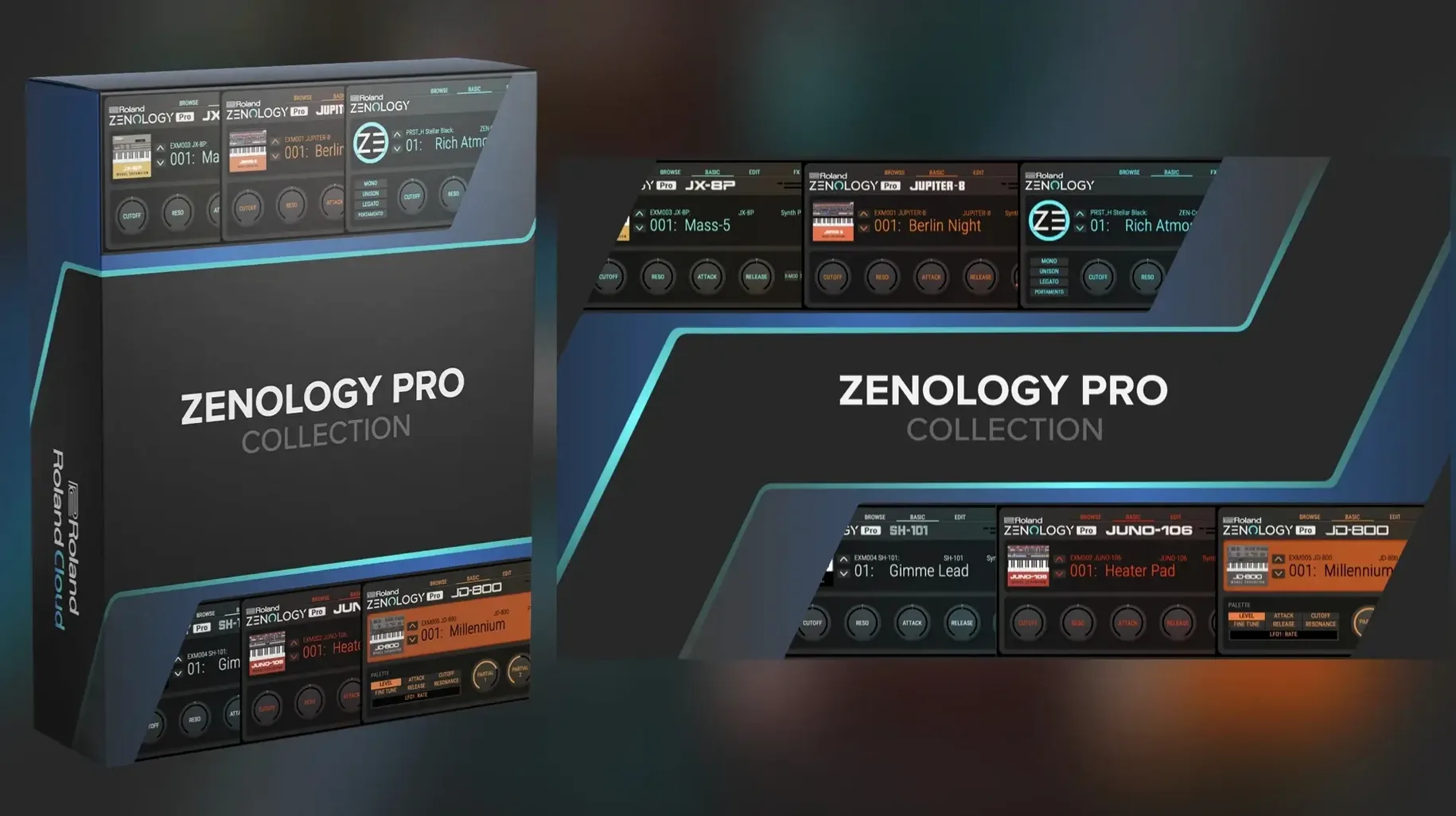
Roland ZENOLOGY Pro 2.0.7
VST PluginsUpdated
| Requirement | On file |
|---|---|
| macOS | macOS 11 or later |
| CPU | Apple Silicon, Intel 64-bit |
| Download | 1.8 GB |
Stability Fixes for macOS 11+ Without New Features
The current maintenance release addresses stability under macOS 11 and later, with no new feature additions listed by Roland Cloud. The engine, tone count and effect roster remain unchanged from the previous 2.0.x revisions.
macOS 11 Minimum, Apple Silicon Native, AU/VST3/AAX
- Operating system: macOS 11 or newer
- Architecture: Apple Silicon and Intel 64‑bit
- Interface language: English
- Format: AU, VST3, AAX
Check macOS and Chip Before Installing
- Check your macOS version. Open About This Mac. If the number is 11.0 or higher, ZENOLOGY Pro is supported. Earlier releases are not compatible.
- Confirm the processor architecture. The plug‑in runs natively on Apple Silicon (M1, M2, M3 families) and Intel 64‑bit machines. Rosetta 2 is not required for native operation.
- Verify the host. Any DAW loading AU, VST3 or AAX plug‑ins on a compatible Mac should recognise ZENOLOGY Pro after installation.
- Mount the disk image obtained from Roland Cloud and follow the standard installer prompts.
- Launch the DAW and trigger a rescan if the plug‑in does not appear automatically.
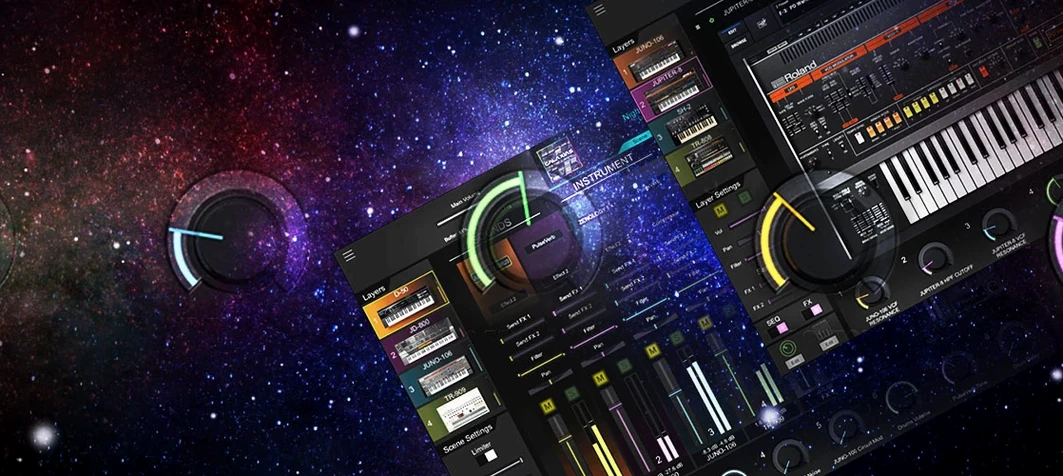
Once the plug‑in passes validation, the full ZEN‑Core synthesis engine becomes available: four oscillator types covering virtual analog, Supersaw, noise, PCM and PCM SYNC, paired with ten filter types that include JUPITER‑derived models. Each of the partials supplies an oscillator, filter, amplifier, dual LFOs and EQ, fed into a palette of more than 90 Roland effects. The factory library ships with over 4,000 tones and 200 drum kits, expandable to more than 10,000 total variations when additional model expansions are loaded.
What the 2.0 Updates Quietly Fixed in Daily Use
Version 2.0.7 sits at the tail of a series of 2.0.x maintenance releases, none of which introduced new features in the marketing sense. The changes still matter when the plugin is open for eight hours straight. The most tangible fix across the 2.0 line was the reworked preset database index. In early builds, the Tone Browser could take several seconds to populate after switching between Model Expansions. That delay is now under half a second on Apple Silicon machines, making auditioning sounds from a large library feasible during a writing session rather than a separate prep stage.
Another quiet correction involved the VST3 bus layout under Logic Pro on M2 and M3 Macs. Earlier versions sometimes reported eight stereo outputs to the host regardless of the actual routing inside ZENOLOGY Pro, creating phantom aux tracks in the mixer. The current build negotiates the bus count correctly. For users who mult-track individual partials out to separate DAW channels, this removed a small ritual: deleting empty auxiliary strips every time the plugin loaded.
Stability under macOS 11 specifically received attention after users on older Intel machines noted GUI freezes when the resizable interface hit nonstandard scaling factors, particularly 125% and 175% on external 4K displays. The current build renders the panel at those ratios without the previous screen-redraw lockup, though Roland does not detail the graphics back-end change in release notes. Anecdotally, the plugin also tolerates sleep/wake cycles better now; the older behaviour of losing audio output after the Mac entered deep sleep and the DAW session remained open appears to be resolved.
How ZENOLOGY Pro Sits Among Comparable Synth Plugins
Three plugins occupy similar conceptual territory: a deep multi-engine synthesizer that loads expansion packs and overlaps with hardware. They are Arturia Analog Lab V, KORG Collection's wavestate native, and UVI Falcon. Each comparison point below assumes the user already owns a DAW and wants a single plugin that covers bread-and-butter tones, vintage emulations, and modern digital textures without buying a dozen separate instruments.
Arturia Analog Lab V
Analog Lab V packages over 2,000 presets drawn from Arturia's modelled instrument range. The editing surface exposes macro controls mapped intelligently per patch, but deep sound design — altering oscillator types or modulation routing at the component level — is locked until the user also owns the full V Collection instruments. ZENOLOGY Pro places the entire ZEN‑Core architecture in the open: four partials per tone, each with its own oscillator, filter, dual LFOs and EQ, plus model expansions that load Jupiter‑8, Juno‑106, SH‑101 and JX‑8P filter and oscillator behaviours directly into the signal path. Analog Lab V suits a preset‑driven workflow where fast browsing and macro tweaks are the main tools. ZENOLOGY Pro rewards someone who will open the edit panel and rebuild a partial from scratch.
Where Analog Lab V pulls ahead is its preset organisation by instrument of origin and by sound designer, making it fast to locate, say, a specific ARP 2600 lead. ZENOLOGY Pro's Tone Browser categorises by type, pack and rating, but the sheer number of entries — over 4,000 before expansions — means the search field and favourites system do more daily work here than in Arturia's leaner browser.
KORG wavestate native
wavestate native specialises in wave sequencing and vector synthesis: rhythmic, evolving patches built from layered PCM samples that step through lanes at programmable rates. It is narrower in scope than ZENOLOGY Pro but deeper within that scope. ZENOLOGY Pro contains 1,840 PCM waveforms across its oscillator section and can stack four partials with independent LFOs, yet it does not implement a lane-based wave sequencer in the wavestate sense. If the target is pads that shift timbre over eight bars with per‑step crossfades, wavestate native has no real competition here. For everything else — analog‑style subtractive synthesis, supersaw stacks, drum kits, classic Roland filter models — ZENOLOGY Pro covers far more ground.
The two plugins complement each other well in a single project. ZENOLOGY Pro handles keyboard sounds, basses, drums and vintage polyphonic patches, while wavestate native provides the evolving textures. KORG's plugin also loads original wavestate hardware patches, a reciprocity that ZENOLOGY Pro matches with its own hardware ecosystem: tones created on a FANTOM or JUPITER‑X can open here, and vice versa.
UVI Falcon
Falcon is the comparison that exposes ZENOLOGY Pro's boundaries. Falcon combines sampling, wavetable synthesis, analog modelling, physical modelling, granular processing and a semi-modular event-and-modulation system in a single window. Next to it, ZENOLOGY Pro's architecture — oscillator, filter, amp, LFO per partial, plus effects — reads like a well‑organised subtractive studio rather than a limitless laboratory. Falcon can load user samples directly into an oscillator slot; ZENOLOGY Pro cannot, relying instead on its 1,840 internal PCMs and the Model Expansions for new waveform material.
What ZENOLOGY Pro offers that Falcon does not is a direct line to the Roland hardware lineage. The ACB‑derived filter models — Jupiter, Juno, SH — and the preset compatibility with ZEN‑Core keyboards matter to someone who already owns or plans to own that hardware. Falcon is a self-contained universe; ZENOLOGY Pro is a node in a larger Roland system. For a producer who primarily wants an enormous ready‑to‑play sound library with deep editing available when needed, ZENOLOGY Pro resolves faster than Falcon's blank‑canvas approach, though it never reaches Falcon's ceiling of sound‑design possibility.
Option-Click Solo to Mute All Other Partials
A few ZENOLOGY Pro behaviours reward discovery but go unmentioned in the main manual sections. These details speed up daily work once they become habits.
- Option‑click a partial's solo button to mute all other partials in one action. Shift‑clicking the same button solos the partial without cancelling any other solos already active, letting you isolate two or three partials at once to check how their layers interact.
- Command‑drag a knob for fine adjustment at one‑tenth the normal resolution. This applies to filter cutoff, envelope stages and effect send levels — anywhere a precise value matters. The on‑screen readout updates at the higher precision while dragging.
- Right‑click any Tone Browser entry to reveal "Assign to Favorites Bank 1–8" without opening the full browser sidebar. Building a shortlist for a project becomes a single‑click operation per sound.
- Double‑click a partial's waveform display (visible when a PCM oscillator is selected) to reset the start‑point offset to zero. The control itself is small and easy to overshoot with the mouse; the double‑click shortcut is quicker than dragging the tiny offset slider back to centre.
- Hold Shift while changing oscillator type to keep the current filter and amplifier settings intact. Without Shift, ZENOLOGY Pro loads a sensible default patch for the new oscillator type and overwrites your filter choice. This shortcut matters when swapping between virtual analog and Supersaw while keeping a carefully tuned Jupiter‑8 filter model in place.
- The MIDI learn function listens for CC messages globally, but it also accepts note‑on messages as triggers for assignments. Mapping a drum pad to the arpeggiator on/off or the master effect bypass is as simple as tapping the pad during the learn window.
Building Bass, Pad, and Percussive Arp in One Track
Imagine a producer opening a half‑finished track at 10 a.m., needing a bass that cuts through a busy chorus, a pad for the verse, and later a percussive arpeggio for the bridge. The DAW session already contains drum and vocal tracks; ZENOLOGY Pro loads on an empty instrument channel.
10:04 — Browse with intent. The Tone Browser opens to the full library. Typing "sub" into the search field narrows 4,000 entries to 34 results across categories. Auditioning six candidates with the DAW transport running reveals that "SH Sub Punch" fits the low end but lacks articulation. A quick right‑click marks four alternatives as Favorites in Bank 1 for later comparison.
10:12 — Edit one partial deep. Choosing "SH Sub Punch" as the starting point, the editor opens to Partial 1. The oscillator is a virtual analog saw. Swapping the filter type to the JUPITER‑8 model — one of the ten available — tightens the low-mid resonance in a way the default ladder model did not. The second LFO, set to a slow triangle wave, is patched to the oscillator's fine‑tune parameter at a depth of 3 cents, introducing a subtle drift that makes the bass feel less static against the locked‑grid drums.
10:28 — Layer a second partial. Partial 2 activates with a PCM waveform — a short, noise‑heavy attack transient from the 1,840‑waveform bank. Its amp envelope decays in 120 ms. The oscillator pitch is offset by +12 semitones. Blended at 40% volume against Partial 1, the articulation improves without cluttering the sub frequencies. A quick Command‑drag on the envelope decay time dials 110 ms, just slightly tighter.
10:41 — Add an insert effect. The bass tone routes through one of the 90+ Roland effects — a compressor modelled on the on the vintage rack unit — inserted on Partial 1 only. Attack at 10 ms, release at 80 ms, ratio 4:1. The gain reduction meter hovers around 3 dB. The pad sound comes next, but that is a search‑and‑tweak process that takes another twenty minutes with a different set of filter choices, ending on a slow‑attack PWM pad from the JX‑8P Model Expansion with chorus and reverb from the shared effect slots.
11:20 — Arpeggio for the bridge. The arpeggiator engages on a new instance of ZENOLOGY Pro loaded with a bell‑like PCM tone. The pattern is set to Up & Down, two octaves, at a 1/16 note rate. The gate time shortens to 40% for a staccato feel. Three notes held in the DAW piano roll trigger the pattern. A tempo‑synced delay from the effect section widens the stereo field without additional track duplication.
By midday, the project has three ZENOLOGY Pro instances, each using a fraction of the available polyphony and each edited at a different depth: one a lightly tweaked factory preset, one a dual‑partial custom bass, and one an arpeggiated texture built from scratch. The session file is saved. The custom tones, saved to a user bank inside the plugin, will open on a FANTOM keyboard later if the project moves to a live setup.
4,000 Tones Out of the Box, Expansions Separate
The plugin downloads with the core library only; Model Expansions, Sound Packs and Wave Expansions are separate items. A fresh installation presents over 4,000 tones, which is enough to start, but the first 48 hours shape whether ZENOLOGY Pro becomes a go‑to synth or a plugin that sits unused after the initial browse.
- Load one Model Expansion early. The Jupiter‑8 or Juno‑106 expansion adds not just new tones but new filter and oscillator behaviours that appear inside the edit panel. Working with a familiar subtractive architecture makes the jump from preset browsing to sound design shorter. One expansion is enough to learn the editing flow; adding all of them at once buries the learning under too many new tone entries.
- Create a "User Starter" bank on day one. The Tone Browser allows custom banks. Dragging twenty tones — ten that work immediately in your current projects, ten that are almost right but need editing — into a dedicated bank prevents the library from remaining an anonymous list. Tag the edited versions with a star rating so the browser's sort function groups your work at the top.
- Test the CPU load on your particular Mac before building a large session template. A single instance playing four partials with two insert effects each typically consumes between 3
- macOS 11 or later
- Apple Silicon or Intel 64‑bit processor
Questions on file
How many synthesis parts does a single tone use?
Each tone comprises a partial that contains an oscillator, filter, amplifier, two LFOs and EQ, routed through the onboard effects section.
Which filter types are modelled in ZENOLOGY Pro?
Ten filter types are included, with specific JUPITER‑series models among the selection alongside standard low‑pass, high‑pass and band‑pass topologies.
Sign in · Create an account to add a field note.
No field notes yet. A measurement, a version, a machine — they appear after moderation.