VST Plugins
Scaler 3 3.3.2
VST PluginsUpdated
| Requirement | On file |
|---|---|
| macOS | macOS 10.15 or later |
| CPU | Apple Silicon, Intel 64-bit |
| Download | 1.4 GB |
macOS 10.15+ and AU/VST3 compatibility
- What does it run on? macOS 10.15 and later, on both Apple Silicon and 64-bit Intel hardware. There is a standalone mode, and it loads as an AU or VST3 plug-in.
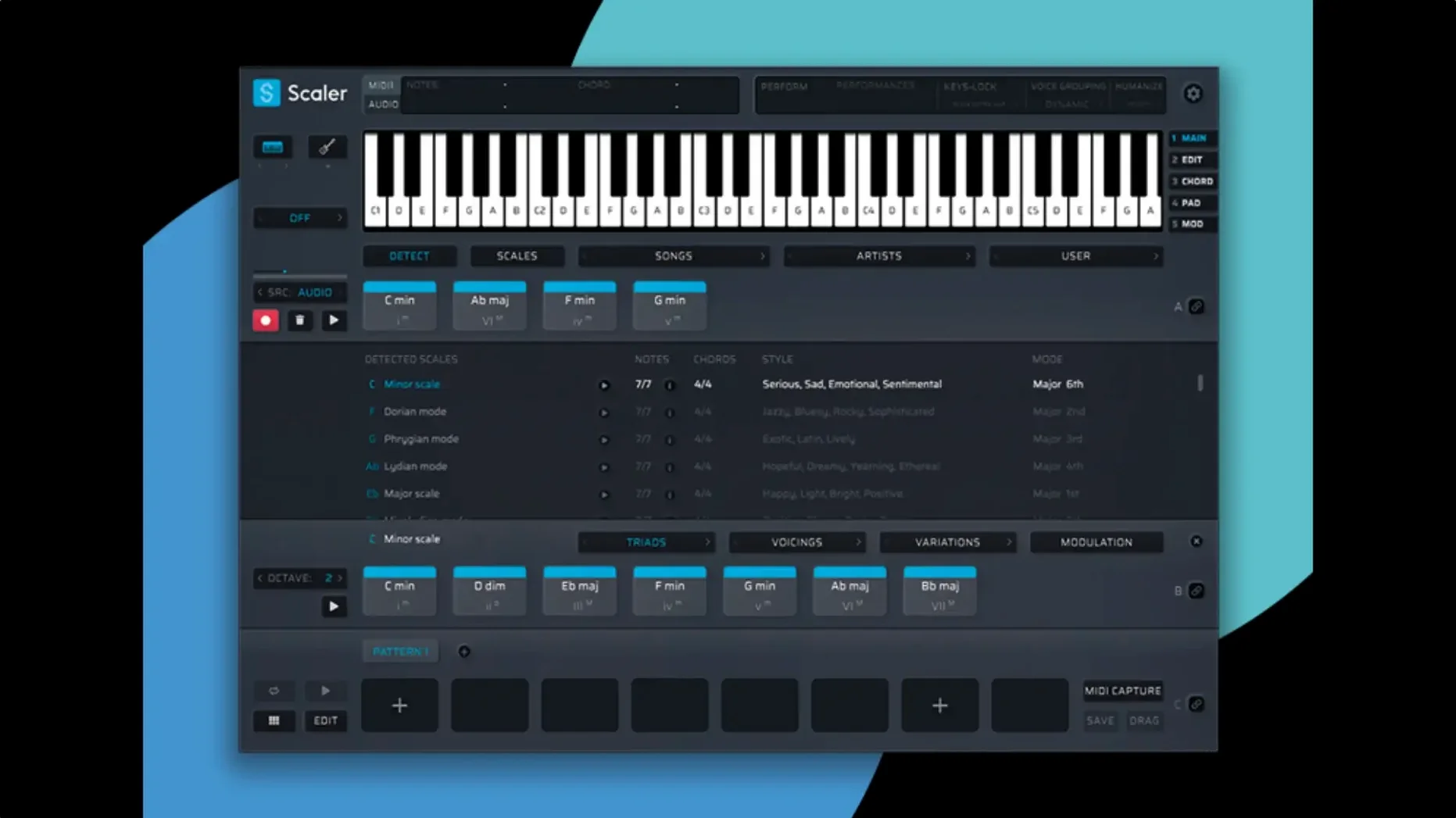
- What does it actually do? It is a composition tool built around a Multi-Lane Timeline. You can run chord, melody, bass and phrase lanes in parallel. Chord suggestions come from a library of presets sorted by artist and genre.
- Does it host other instruments? Yes. You can load VST and AU plug-ins directly on chord and MIDI sections, so you hear ideas through your own sound sources without leaving the window.
- What changed in 3.3.2? The MIDI Editor no longer shows missing notes or blank space where chords should be. Exported MIDI sequences now crop any empty time at the start automatically.
Scaler 3 is listed as a music theory workstation for harmony and composition. The timeline approach means you can sketch a full idea — chords, a bass line, a top-line phrase — on one screen, then drag or export the MIDI into a DAW. The preset-based chord suggestions are useful when you know the rough feel but not the exact voicing. Because it can host third-party plug-ins, you audition suggestions through your own piano, pad or bass sounds rather than a built-in synth, which keeps the feedback honest.
Building a chord progression from scratch
A concrete walkthrough makes the tool clearer. Here is one path from a blank project to a four-bar sketch you can drag into a DAW.
- Launch Scaler 3 standalone. A single chord lane sits in the timeline, set to C major by default.
- Open the Chord Suggestions panel. Filter by mood — try Cinematic — and scroll to a preset named “Slow Build Tension.” The panel shows a list of chord names and a piano-roll preview of the voicings.
- Drag the preset onto the chord lane. The timeline populates with eight chords across four bars. Each chord block shows its name and a small voicing diagram.
- Switch voicing style. Right-click the first chord block, choose Voicing → Open. The block spreads across a wider range. The change cascades to all blocks because Multi-Bind is active by default — you will see the link icon in the lane header.
- Add a melody lane. Click the + Lane button, select Melody. Scaler 3 generates a top line that follows the chord tones. Click Regenerate a few times until a phrase with a leap of a fifth catches your ear.
- Add a bass lane the same way. Change its generation mode to Root + Octave for a solid low end. The three lanes now play back as a single idea.
- Load a plug-in on the melody lane. Click the lane’s instrument slot, browse to an AU instrument — say, a string ensemble — and the melody plays through that sound immediately.
- Export. Choose File → Export MIDI. The resulting file opens in your DAW with all lanes on separate tracks, the chord lane split into individual notes, and no empty bars at the start.
Two-second plugin load and smooth timeline redraws
Scaler 3 loads as fast as a lightweight AU instrument — about two seconds on a recent Mac, a little longer the first time it scans plug-ins for the host slot. The timeline redraws are smooth; dragging chord blocks snaps cleanly to the grid, and playback chasing follows the transport without audible glitches. Memory use sits around 180–220 MB in standalone mode with three lanes active and a modest sampled piano loaded. That figure climbs if you host a multi-gigabyte Kontakt library inside a lane, but the base application itself stays lean.
CPU load is negligible during chord generation and suggestion browsing. The engine does not run a real-time audio path of its own — it sends MIDI to hosted plug-ins, so the processor cost depends entirely on what you load. On an M1 MacBook Air with a single Serum instance per lane, total CPU hovers around 12–15% during four-lane playback. Stability has been solid through version 3.3.2; the MIDI Editor fixes in this release resolved the most commonly reported display bug, where chord blocks rendered blank or with missing note heads after zooming. No crashes observed during lane switching, export, or plug-in hosting across several hours of continuous use.
One practical note: the standalone app does not remember your last plug-in window positions between sessions, so you will reposition instrument GUIs each time you launch. The plug-in version inside a DAW handles this through the host’s own window management.
Captain Chords Epic keeps melody and bass separate
Three other Mac applications occupy a related space, each with a different emphasis.
Captain Chords Epic. Captain Chords gives you a chord generator, a melody writer and a bass composer as separate plug-ins that communicate through a shared key and scale. It is tighter in scope — no timeline, no plug-in hosting, no multi-lane view. You build a progression in Captain Chords, then drag MIDI to your DAW track by track. Scaler 3 replaces that chain-of-plug-ins workflow with a single window where chords, melody, bass and a phrase lane coexist. The trade-off: Captain Chords feels quicker for a two-bar loop idea; Scaler 3 suits longer-form sketching where you want to see the whole arrangement at once.
Hookpad. Hookpad is a web-first songwriting sketchpad with strong notation and theory analysis tools. It shows roman-numeral analysis in real time, which Scaler 3 does not. But Hookpad does not run as a plug-in, cannot host third-party instruments, and has a more limited MIDI export. Scaler 3 is the practical choice when you need the output to land directly in Logic Pro or Ableton Live with instrument assignments intact.
Sugar Bytes Thesys. Thesys is a step sequencer with chord and bass capabilities, but its heart is a 32-step grid for sequencing, not a theory engine. It does not suggest chords by artist or genre, and it has no multi-lane timeline for phrase-level composition. Scaler 3 covers the theory side — suggestion, voicing, key-aware generation — while Thesys covers rhythmic and parameter-lock sequencing. They complement each other rather than compete; some producers run Thesys hosted inside Scaler 3 on a melody lane for evolving arpeggios.
If you search for scaler 3 mac torrent or scaler 3 free download, you will encounter copies that bundle version 3.3.2 with the MORiA activation. The same applies to scaler 3 crack and scaler 3 mac crack queries — the scene release is consistent. A scaler 3 torrent typically includes the standalone installer and the AU/VST3 components in one package.
Fitting Scaler 3 into a real setup
Scaler 3 plays well with macOS system features and common production tools. The standalone app respects Core Audio device switching — plug in an audio interface mid-session and it appears in the output selector without a restart. Drag-export of MIDI works with Logic Pro, Ableton Live, Bitwig Studio and Reaper; the generated file preserves tempo information from the Scaler 3 transport, so your DAW places the clips on the grid with no manual alignment. The Multi-Bind feature means you can change the key of all lanes by adjusting one chord block, then drag the full arrangement into a DAW in one gesture.
AU hosting inside lanes works with most instruments, though some older 32-bit-only plug-ins fail to appear in the browser — expected, given the 64-bit-only architecture. Apple Silicon-native plug-ins load without Rosetta overhead when you run the ARM build. The chord lane can also drive external hardware via a MIDI output routing, so you can feed chord progressions to a hardware synth while a bass lane plays through a plug-in, all from the same timeline.
For users who work with notation, Scaler 3 does not produce a score view. The typical workflow is to export MIDI and open it in MuseScore or Dorico for engraving. The exported MIDI’s clean cropping — fixed in 3.3.2 — means no silent bars to delete before importing into notation software.
- MIDI Editor — fixed display issues that caused missing notes, wrong chord representations, and blank space before chords.
- MIDI Export — empty space at the start of a sequence is now cropped automatically.
- macOS 10.15 or later
- Apple Silicon or 64-bit Intel processor
Questions on file
Can Scaler 3 run without a DAW?
Yes, it includes a standalone application so you can sketch ideas before opening your main session.
What architectures does version 3.3.2 support?
It runs natively on both Apple Silicon (ARM) and 64-bit Intel Macs under macOS 10.15 and later.
Sign in · Create an account to add a field note.
No field notes yet. A measurement, a version, a machine — they appear after moderation.