Mac Apps
AppZapper 2.0.3
Mac AppsUpdated
| Requirement | On file |
|---|---|
| macOS | OS X 10.9 or later |
| CPU | Intel 64-bit |
| Download | 4 MB |
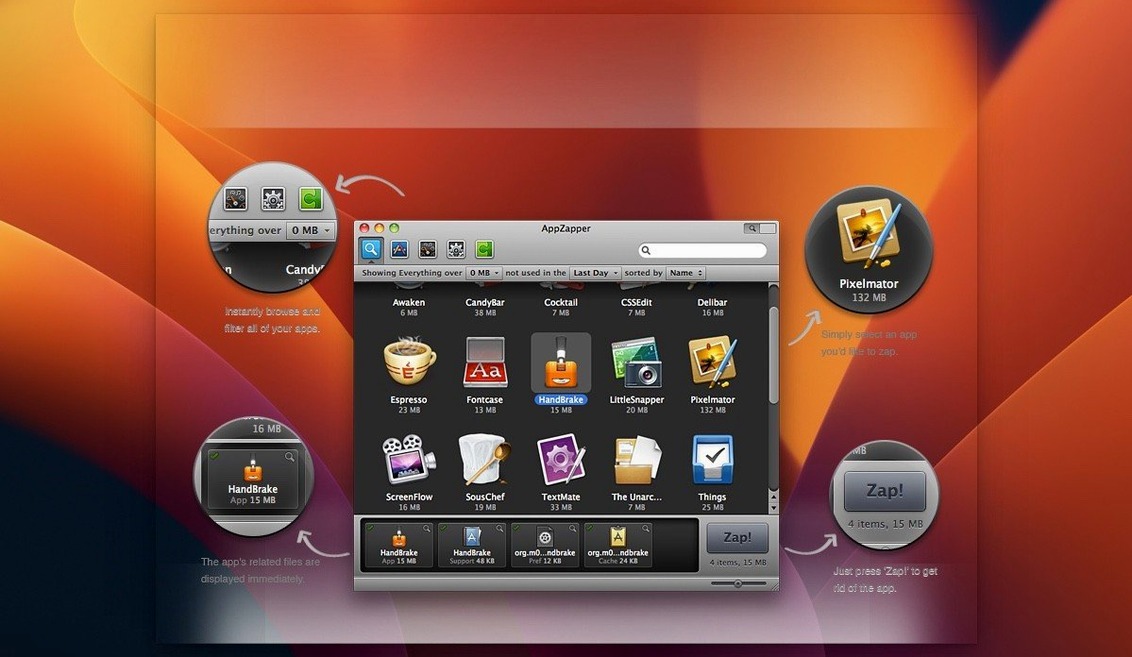
You drag an app you no longer need into AppZapper, and it lists the support files scattered across Library folders. The first session is mostly about getting a feel for what the uninstaller considers related, and which items you actually want to remove.
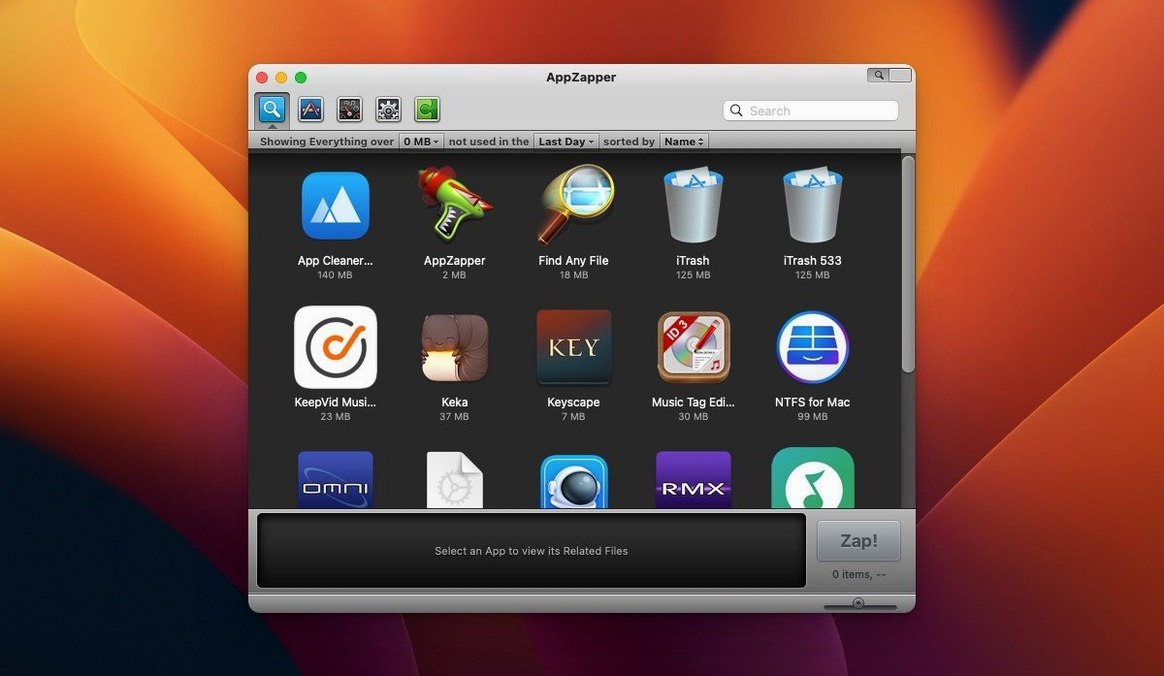
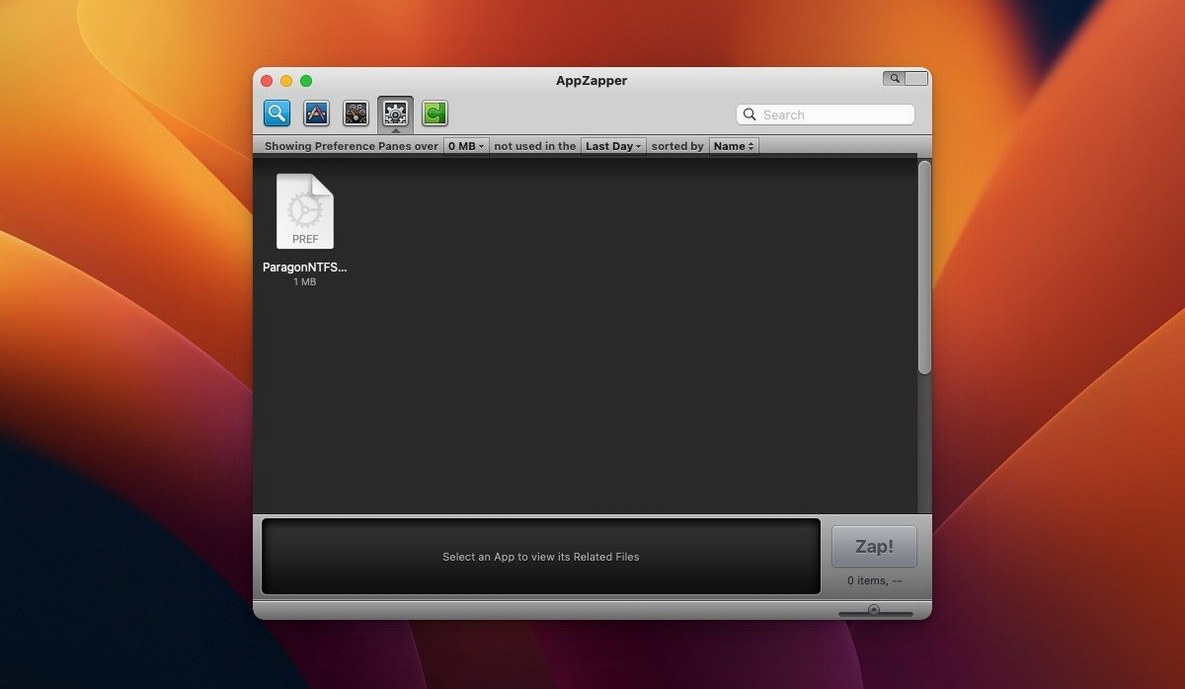
- Switch to the grid view using the button in the upper-right corner. Large icons arranged by rows and columns make it easier to spot an app you recognise.
- Browse with ZapGenie, the feature added in version 1.5.0, and filter installed apps by name or by date last used.
- Uncheck any related file you want to keep. A checked item is included in deletion; an unchecked one is excluded.
- Export an app and its related files as a single package, a feature introduced in version 1.7.0.
- Restore a deleted file from the Trash if you remove something too quickly.
AppZapper runs on 64-bit Intel Macs with OS X 10.9 or later. Version 2.0.3 is the current release, and the second version brought the grid-style app browser with large icons. Start with a small, familiar app and work through the list before you commit to deletion.
Mac Users Who Get the Most from It
AppZapper suits people who treat their Mac as a workspace, not a storage locker. The core audience splits into a handful of distinct groups, each with a specific reason to reach for an uninstaller that hunts down related files.
Users who trial a lot of software. Designers testing three wireframing tools in a week, developers evaluating IDEs, writers sampling Markdown editors — this crowd installs and discards apps constantly. Each trial leaves behind preference files, caches, and support folders. AppZapper turns a 10-minute manual hunt through ~/Library into a two-click routine.
People migrating from Windows. The macOS habit of dragging an app to the Trash feels incomplete to someone accustomed to the Add/Remove Programs panel. AppZapper gives them a visual confirmation that the uninstall reached beyond the .app bundle, which matches the mental model they brought from the other platform.
Mac owners on smaller internal drives. A 128 GB or 256 GB SSD fills quickly when orphaned support files accumulate from 18 months of app turnover. The grid view helps these users audit their installed apps by sight, and ZapGenie's date-last-used filter surfaces items they forgot were taking up space.
Anyone who shares a Mac. A household machine with multiple user accounts collects apps installed by different people. Each user may have left remnants in their own Library folders. AppZapper's per-app file listing makes it clear what belongs where before deletion.
Does AppZapper Reach Files Outside Your Own Account?
A few concerns come up regularly in discussions around app zapper mac tools. The answers are straightforward once you understand what the software does and does not touch.
Does it remove files from other user accounts? No. AppZapper operates within the scope of the current user. Files in another account's ~/Library are not scanned or presented for deletion. If you need to clean an app that was installed machine-wide, an authentication prompt appears — a behaviour added in version 1.8.0 for non-admin accounts.
How is this different from dragging an app to the Trash? Dragging an .app bundle leaves behind preferences, caches, saved application states, logs, and sometimes licence files or plugins. AppZapper identifies these items before you commit to deletion. Whether the extra step matters depends on the app: a small utility may leave kilobytes; a large creative suite can leave hundreds of megabytes.
Can I get files back after a mistake? Yes, within the limits of macOS itself. Files AppZapper removes go to the Trash, not into a permanent delete. You can restore them exactly as you would any other trashed item, provided you have not emptied the Trash in the meantime.
Does it need to run in the background? No. AppZapper has no background agent, no login item, and no daemon. It runs when you open it and quits completely when you close it. The Sparkle update mechanism added in version 1.6.0 checks for new releases only when the app is running.
Why Dragging Without Reading the File List Causes Regret
Most early missteps with AppZapper come from treating it as more automatic than it actually is. The interface is simple, but a few habits cause unnecessary trouble.
Zapping without reading the file list. The list of related files appears for a reason. Some apps store templates, custom presets, or exported data inside their support folders. A photo editor's presets, a text expander's snippets, or a code editor's colour themes can all appear as related files. Uncheck anything you want to keep before hitting the delete button.
Assuming every file is safe to remove. A few older apps share support folders with other software — plug-in directories, for example, or shared frameworks. AppZapper shows what it finds; it does not know whether another app depends on a given file. If a support folder name looks generic, keep it or research it before deletion.
Using it as a general disk cleaner. AppZapper is not a duplicate finder, a cache scrubber, or a system maintenance tool. It does one thing: remove apps and their associated files. Pointing it at system applications or components you did not install yourself is a poor idea and likely to cause problems.
Skipping the ZapGenie date filter. New users often scroll through the full app list looking for candidates to remove. Filtering by date last used surfaces the apps you probably forgot about, which are the most sensible removal targets.
Clearing Seven Forgotten Tablet Utilities After a Project Ends
A freelance illustrator finishes a project and realises she has installed seven drawing-tablet utilities over the past year, testing drivers and calibration tools. Three of them are still in her Applications folder. She opens AppZapper, switches to the grid view, and spots the icon for a tablet configurator she last used in March. Dragging it into the main window pulls up 14 related files: a preference plist, two caches, a kernel extension, and several support items in Application Support. She unchecks the folder that holds her custom pressure-curve presets — she might use those with another tool — and lets AppZapper handle the rest. A second app has only four related files; she deletes all of them. By the time she closes AppZapper, she has reclaimed just under 400 MB and removed two launch daemons that were loading at startup.
- Interface — added a grid-style app browser with large icons, activated from the upper-right corner of the window.
- OS X 10.9 or later
- 64-bit Intel Mac
- Interface language: English
Questions on file
Does AppZapper work without an admin account?
Since version 1.8.0, AppZapper shows authentication prompts when you are not using an admin account, so it can still handle deletions that need elevated permissions.
Can I update AppZapper from inside the app?
Yes. Version 1.6.0 added Sparkle integration, so the app can check for and install updates in-app.
Sign in · Create an account to add a field note.
No field notes yet. A measurement, a version, a machine — they appear after moderation.