Mac Apps
CCleaner Pro 1.18.30
Mac AppsUpdated
| Requirement | On file |
|---|---|
| macOS | OS X 10.10 or later |
| CPU | Intel 64-bit |
| Download | 6 MB |
Version 1.18.30 ships with Russian, English, German, Spanish, Italian, Dutch, Polish, Portuguese, French, Czech, and Japanese localisation. A newcomer staring at the interface for the first time can cut straight to three practical actions that show what the tool actually does.
Three first-run moves
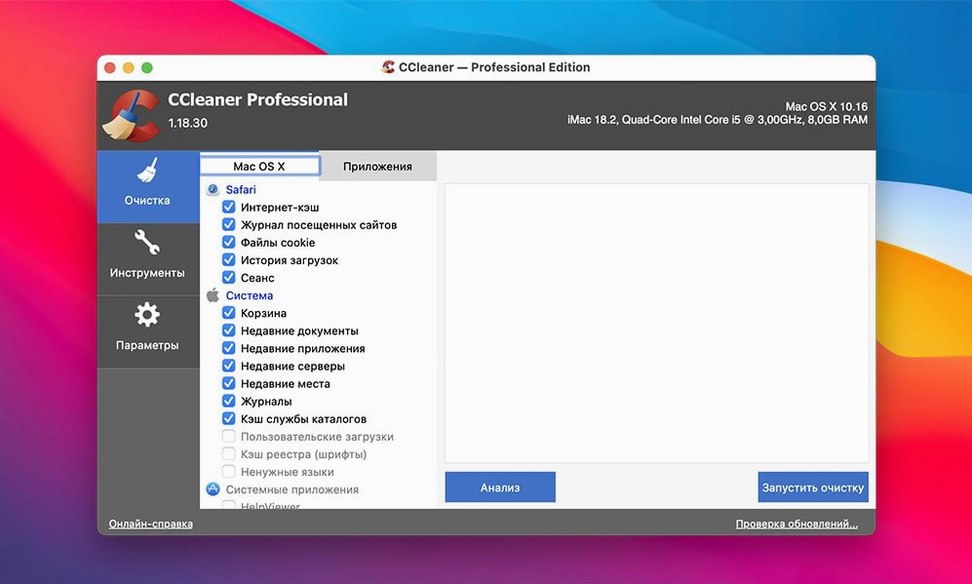
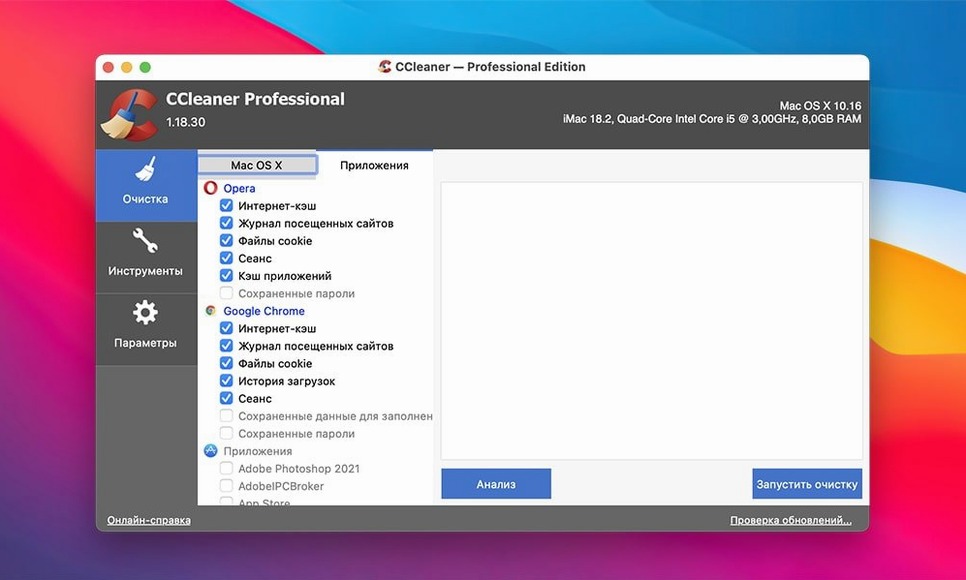
- Clear browser traces in bulk. Open the Cleaner tab and tick Opera, Firefox, Chrome, and Safari. The multi-step verification logic checks what it is about to remove before you commit — a sensible guard for a first pass.
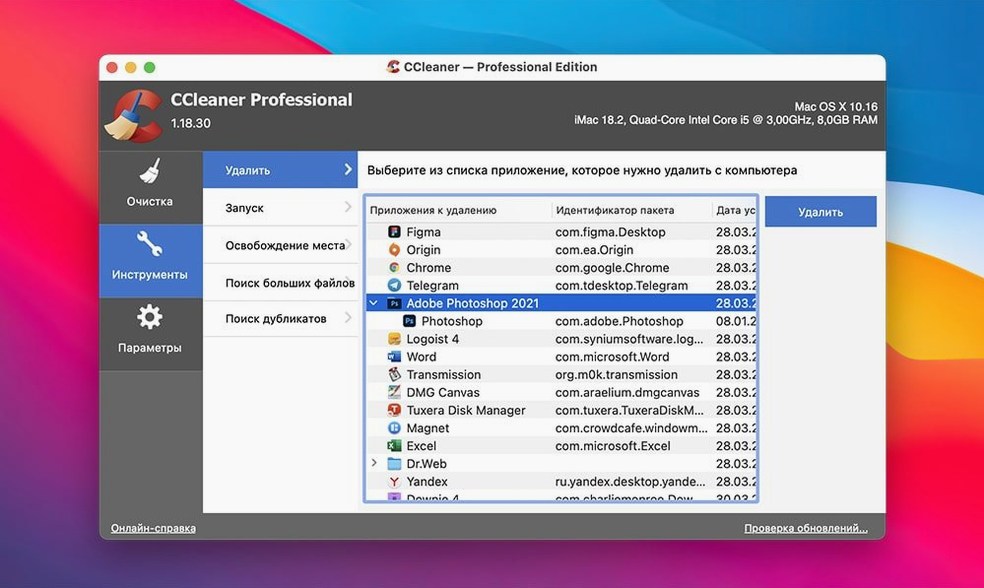
- Run a single-pass wipe on a junk folder. Navigate to the Tools section and pick a test directory of old downloads. The file wiper offers multiple overwrite cycles; start with a single pass to understand the speed on your drive.
- Check the app-version lineage. If you moved from an older build, note that versions before 2.3 sit on a separate code path. The current interface under 1.18.30 shows the classic layout many long-time users still prefer.
What the official Mac line looks like now
While this build targets OS X 10.10 and Intel 64-bit, the broader CCleaner for Mac family has since moved forward. The current public release sits at v2.11.194, dated 19 Jun 2026, and lists explicit support from macOS 13 Ventura back to 10.12 Sierra. The 1.18.30 installer remains a familiar entry point for older hardware.
Manual scans first: learning what it flags before you automate
Don't schedule automatic cleaning on day one. Run the Cleaner manually a few times first and watch what it flags in each category. The verification logic pauses before deletion — use that window to scroll through the file list and learn what your Mac accumulates. One user on a 2015 iMac found 14 GB of browser cache across two profiles that had never been touched.
Three things worth doing inside the first hour:
- Run a size audit. Open the Cleaner tab, tick all categories, and click Analyse without cleaning. Note the top three space eaters. On a machine that has run Sierra or High Sierra for years, the System section often surfaces language packs and old log files that macOS never purges.
- Check the Recent Files lists. The Applications tab cleans recents from non-browser apps — media players, office suites, archive tools. If you share a machine, wipe those lists early so you know what the tool considers sensitive.
- Duplicate the default wipe profile. Under Tools, create a test folder of expendable files and run a single-pass wipe. Bump it to three passes on a small set of text files to gauge speed on your drive. The multi-pass overwrite is not something you want to discover the timing of when you actually need it.
A common early mistake: ticking the Free Space wipe box before understanding it. That operation writes and discards large temporary files to overwrite unused clusters, and on a spinning disk it can take hours. Leave it unchecked during your first week unless you are decommissioning the drive.
Settings to change out of the gate
The defaults in 1.18.30 are conservative, but three preferences reward an immediate tweak.
Cookie whitelist. Before the first browser clean, open the Cookies section under the Cleaner tab and move your banking, email, and two-factor authentication domains to the keep list. The tool treats all cookies as removable by default. Re-logging into a dozen services teaches that lesson quickly.
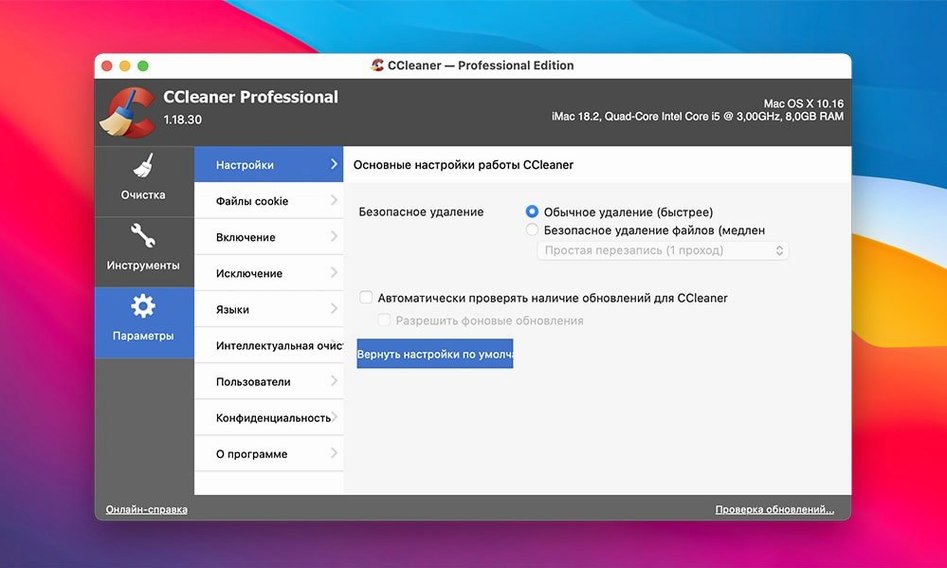
Wipe method for secure deletion. The file wiper defaults to a single overwrite pass, which is fine for routine junk but not for tax documents or client data. Set it to at least three passes for anything you delete through the secure path. The Mac interface respects the same overwrite standard the Windows build has used for years.
Scheduled cleaning — off, initially. The option to run on a timer appears in the Preferences pane. Resist turning it on until you have run half a dozen manual cycles and confirmed nothing you need gets caught in the net. When you do enable it, set the frequency to weekly rather than daily; most macOS cruft does not regenerate fast enough to warrant a daily sweep.
Interface fork: classic three-tab layout before the 2.3 rewrite
The 1.18.30 build sits on the older architecture that predates the 2.3 rewrite. Everyday behaviour differs from the current v2.11.194 line in a few concrete ways:
- Interface layout. The classic three-tab structure — Cleaner, Tools, Options — remains intact here. Later builds reorganise the feature set into a single-window dashboard, which some long-time users find less direct for jump-in-and-clean workflows.
- Startup impact. Version 1.18.30 loads no background daemon unless you explicitly enable scheduled cleaning. The newer branch installs a lightweight helper that runs regardless, which adds a small but measurable process to Activity Monitor.
- Browser coverage scope. This build handles Opera, Firefox, Chrome, and Safari. The 2026 releases add Brave and Edge to the supported list, along with Chromium-based variants that did not exist when 1.18.30 was current.
- Verification steps. The multi-level prompt before deletion works the same way in both branches, but the 2.x line adds a summary screen that groups items by size. In 1.18.30 you scroll through a flat list, which some prefer for granular control.
If you use a Mac stuck on Sierra or High Sierra with an older chip, the 1.18.30 branch remains the cleaner that matches your OS without feature bloat. The later versions target Ventura and Monterey, and they bring compliance updates — the v2.11.194 changelog mentions EU regulatory adjustments — that do not affect cleaning logic but modify how the tool reports what it removes.
Caches vs. clutter: where Onyx and DaisyDisk pull apart from CCleaner
Three tools occupy roughly the same space, each with a different angle on the cleanup problem.
Onyx (Titanium Software). A free maintenance utility that rebuilds system caches, runs filesystem checks, and exposes hidden macOS parameters. Where CCleaner focuses on user-facing junk — browser traces, app recents, temp files — Onyx reaches into system-level maintenance tasks that most users never touch. The trade-off: Onyx updates are tied to specific macOS point releases, so a Sierra user needs a different build than a High Sierra user. CCleaner 1.18.30 works across a band of older OS versions with a single installer.
CleanMyMac (MacPaw). A heavier tool with a more polished interface, malware scanning, and a system-health dashboard. It indexes your drive on install and runs a background monitor. The footprint is larger — both in disk space and in always-on processes. CCleaner 1.18.30 stays quiet until launched, which suits anyone who wants a cleaner that does not animate itself. CleanMyMac also bundles uninstaller and updater modules that overlap with what macOS already handles through Launchpad and the App Store.
DaisyDisk (Software Ambience). A visual disk analyser, not a cleaner. It draws a sunburst map of your drive so you see what consumes space, then expects you to delete things manually. Pairing DaisyDisk with CCleaner is not uncommon: DaisyDisk finds the bulk, CCleaner handles the scattered temp files and browser cruft that visual mappers miss. DaisyDisk has no secure-wipe function and does not touch browser data at all.
Where CCleaner 1.18.30 differentiates itself is the combination of browser and app cleaning under one small installer, a multi-pass file wiper, and zero background overhead unless you ask for it. On an older Intel Mac with a 128 GB SSD, that compactness matters more than a sleek dashboard.
Some users look for a ccleaner for mac crack or a ccleaner mac torrent to explore the installer outside the standard channel, and the image available for 1.18.30 mounts cleanly with the activation path documented. Others searching for a ccleaner torrent or a ccleaner pro download torrent often arrive expecting the Windows feature set — the Mac build is slimmer by design. No version of CCleaner has ever shared code with Adobe products, so an adobe ccleaner query typically signals confusion between the Creative Cloud cleaner tool and Piriform's system cleaner.
- OS X 10.10 or later
- Intel 64-bit processor
Sign in · Create an account to add a field note.
No field notes yet. A measurement, a version, a machine — they appear after moderation.