Mac Apps
Commander One PRO 3.18.0
Mac AppsUpdated
| Requirement | On file |
|---|---|
| macOS | macOS 10.13 or later |
| CPU | Apple Silicon, Intel 64-bit |
| Download | 53 MB |
Commander One PRO runs on any Mac with macOS 10.13 or newer, on both Intel and Apple Silicon machines. It needs about 53 MB of free space and sits alongside Finder as a more direct way to move files, reach cloud storage, and connect to remote servers without opening half a dozen separate apps.
Two-Pane Power for FTP, S3, and Cloud Mounts
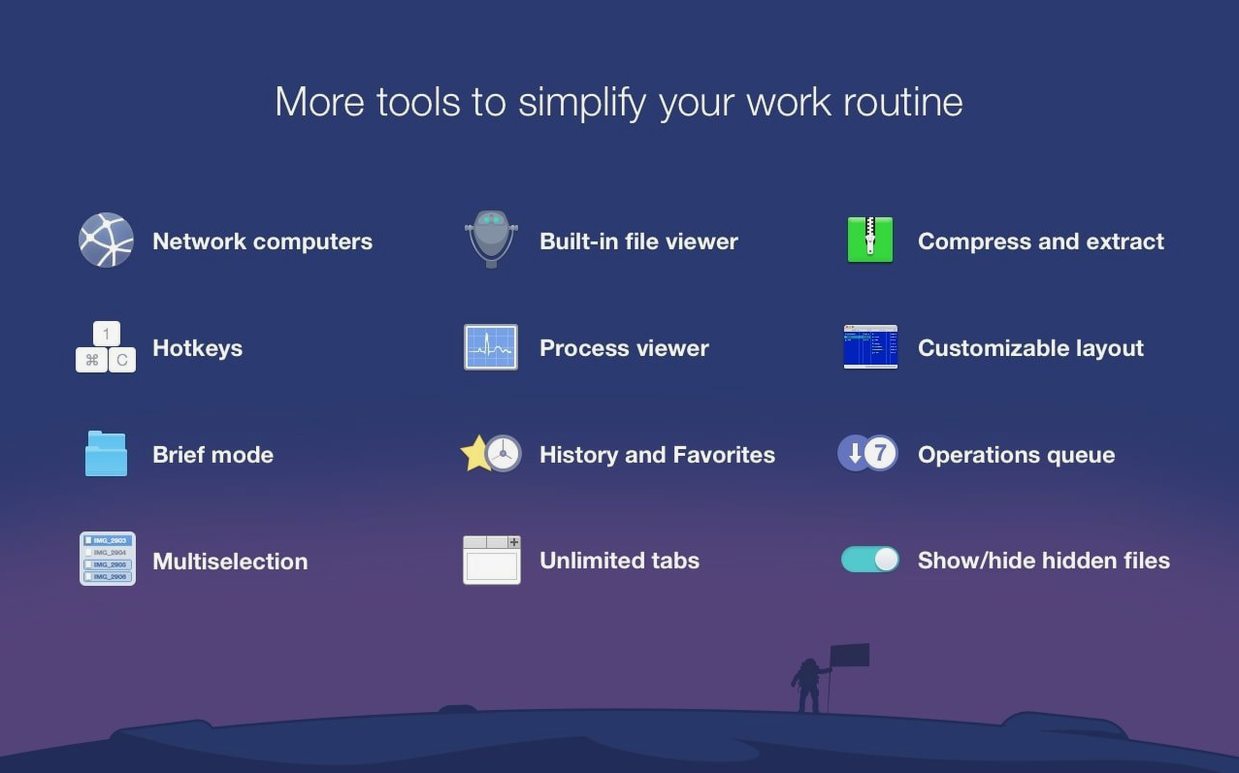
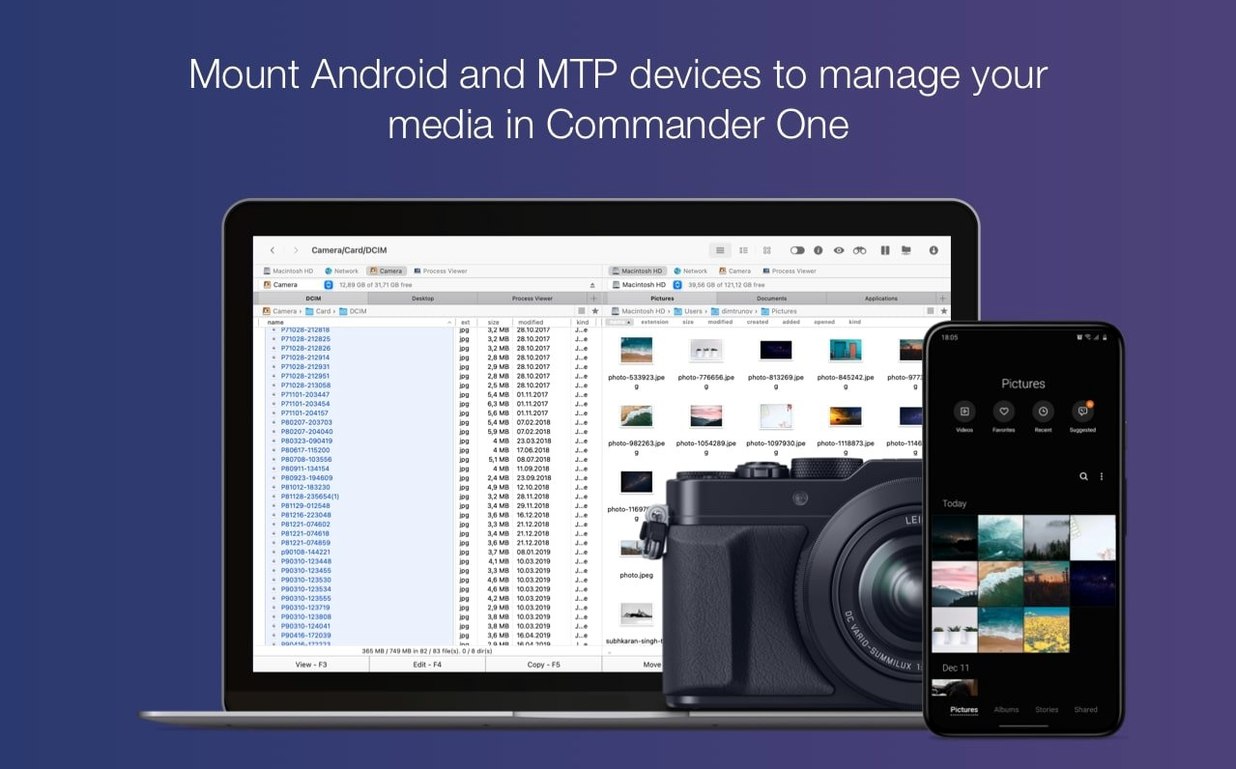
A stock Mac handles local files well enough, but things slow down when you add an FTP server, an S3 bucket, and a couple of cloud drives to the mix. Commander One PRO gives you a two-pane view that puts a local folder on one side and an FTP, Google Drive, Dropbox, or Amazon S3 location on the other. You can also plug in an iOS or Android device over USB and browse its files through the MTP connection, which Finder still does not do on its own. The built-in archive tool unpacks ZIP, RAR, 7z, TBZ, and TGZ files without a separate utility, and a toggle for hidden files means you see everything in a folder — useful when editing config files or cleaning up application support directories. The Process Viewer lists active processes on the Mac, which is unexpected in a file manager but saves a trip to Activity Monitor when you simply want to spot a runaway task.
How It Works Day to Day
Commander One PRO is not a Finder skin. It uses its own keyboard shortcuts and queue-based file operations, so copying a large folder to an FTP server does not lock up the interface. The dual-pane layout follows the classic commander pattern, and once you set the left and right panes to the locations you use most, switching between local folders and remote storage becomes a single keystroke. The app supports twelve interface languages, and the latest build tidied up hotkey behaviour with non-English keyboard layouts, which keeps muscle memory intact regardless of the input source.
Bypassing the ‘Unidentified Developer’ Block on First Launch
A few rough edges show up soon after install, and most trace back to how macOS handles unsigned software. If the app refuses to open, you will see the standard “unidentified developer” warning. Mount the disk image, right-click the app, choose Open, and confirm the dialog. That is usually enough. Some Macs still block it anyway, and a quick Terminal command clears the quarantine flag: xattr -cr /Applications/Commander\ One.app. After that the app launches without complaint.
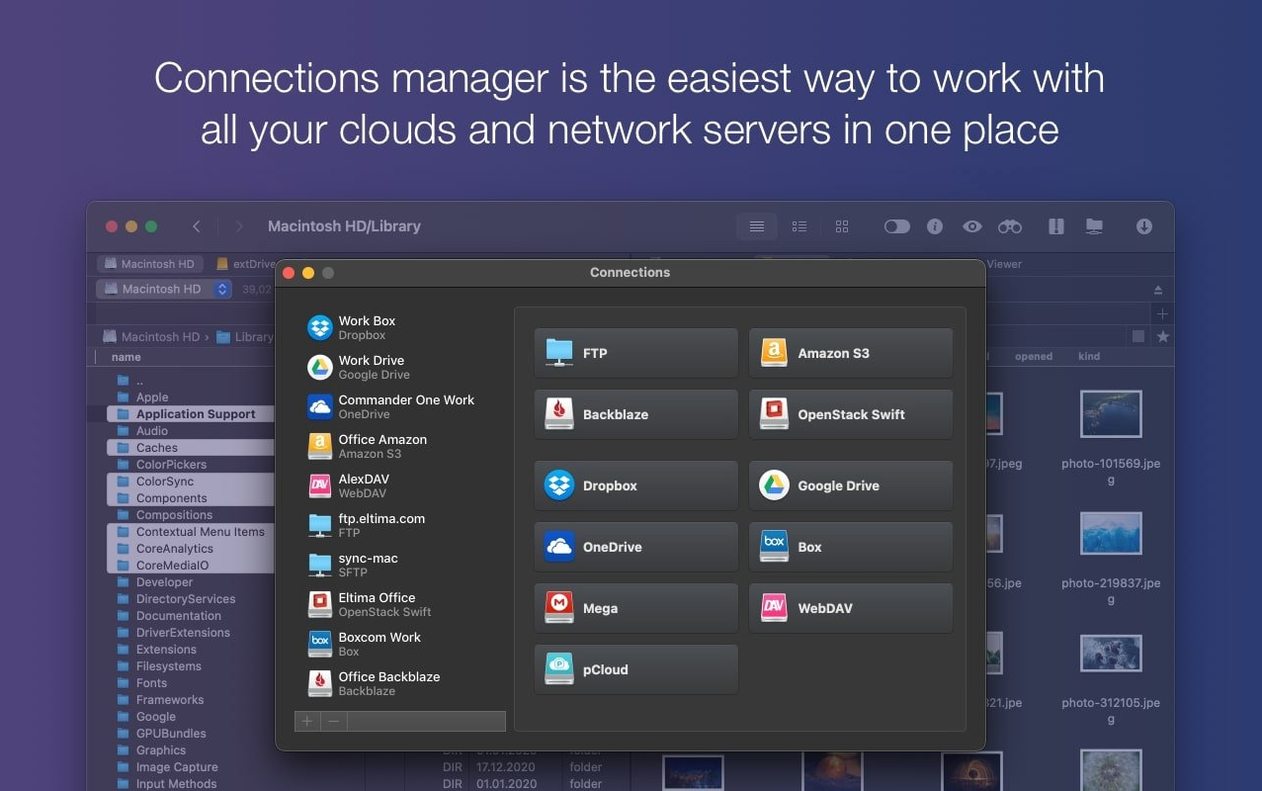
Cloud account connections sometimes stall after a macOS update. The fix is to remove the connection from the Connections Manager and re-add it — Commander One PRO re-authorises through the browser, and the token refresh sorts itself out. For S3 buckets, double-check that the endpoint string in the connection window matches your region exactly. A trailing slash or a missing https:// prefix causes a silent timeout.
MTP device access trips people up because the Mac does not automatically mount an Android phone. Unlock the phone screen first, then plug in the cable. If the device pane stays blank, switch the USB mode on the phone from “Charging only” to “File transfer.” The same applies to older iOS devices: the device must be unlocked before Commander One PRO can read its media folders.
Brief Mode is a useful way to see many files at once, but the compact rows hide file extensions. Toggle the mode off, check which file you need, and switch back. Hotkeys occasionally conflict with system shortcuts on non-English keyboards, and version 3.18.0 addressed the worst of those. If a shortcut still misfires, you can remap it under Preferences → Hotkeys.
Drag-and-Drop Fix for FTP and Cloud Panes
Version 3.18.0 tightened macOS 27 compatibility. The drag-and-drop fix means you can now pull a file from the desktop into an FTP pane or a cloud folder without the ghosted-cursor bug that appeared in earlier builds. Handling of non-English keyboard layouts improved as well, so hotkeys like Cmd+F5 for copy and Cmd+F6 for move work properly on German, French, and Russian input sources. Earlier releases added the Process Viewer and Brief Mode; 3.18.0 is a stability release that makes existing features work smoothly on the current macOS.
Workflow: Moving a Batch of RAW Photos from an Android Phone to an S3 Bucket
A photographer comes back from a shoot with a few hundred DNG files on an Android phone. The goal is to get those files into an Amazon S3 bucket for backup, keep the phone storage clear, and rename the folder on S3 with a date stamp.
Step 1: Unlock the phone, set USB mode to File Transfer, and plug it into the Mac. In Commander One PRO, press Cmd+2 to open the Connections Manager, select MTP Devices, and connect. The left pane now shows the phone’s file tree.
Step 2: Navigate to DCIM/Camera on the phone. Switch to Brief Mode if you need to scan filenames quickly. Enable hidden files with Cmd+Shift+Period to check for stray thumbnails or metadata sidecars.
Step 3: In the right pane, open an S3 connection. If the bucket is in the Frankfurt region, the endpoint must read exactly https://s3.eu-central-1.amazonaws.com. Enter the access key and secret key, then connect.
Step 4: On the S3 side, create a folder with Cmd+N and name it shoot-2025-03-17. Select all DNG files on the phone side, press F5 to copy, and set the queue to run in the background. The operation does not lock the panes, so you can keep browsing other folders while the upload runs.
Step 5: Verify the file count matches in both panes, then delete the originals from the phone with F8. Eject the MTP device from the Connections Manager before unplugging the cable.
A user looking for a setup like this may search for commander one pro full mac to confirm the feature set before committing, or check commander one pro mac discussions for S3 configuration tips. Some searches bring up commander one pro crack results, and if you go that route, just verify the build's code signature and grant Full Disk Access manually so the app runs smoothly.
- macOS 27 compatibility — improved.
- Drag and drop on macOS 27 — fixed.
- Hotkey handling with non-English keyboard layouts — fixed.
- macOS 10.13 or later
- Apple Silicon and Intel 64‑bit
Questions on file
Can Commander One PRO connect to cloud storage?
Yes, it supports Dropbox, Google Drive, and Amazon S3 connections directly in the file panes.
What archive formats can it unpack?
It handles ZIP, RAR, 7z, TBZ, and TGZ archives without needing a separate extraction tool.
Does it let me browse files on an iPhone or Android phone?
Yes, it can access iOS and Android devices via MTP when connected over USB.
Sign in · Create an account to add a field note.
No field notes yet. A measurement, a version, a machine — they appear after moderation.