Mac Apps
EdgeView 5.9.7
Mac AppsUpdated
| Requirement | On file |
|---|---|
| macOS | macOS 11.5 or later |
| CPU | Apple Silicon, Intel 64-bit |
| Download | 143 MB |
Photographers sifting through mixed deliveries and anyone who keeps image libraries inside ZIP or RAR archives will find EdgeView built around a specific frustration: having to extract an archive just to see what's inside. It removes that step entirely.
Browse archives as if they were folders
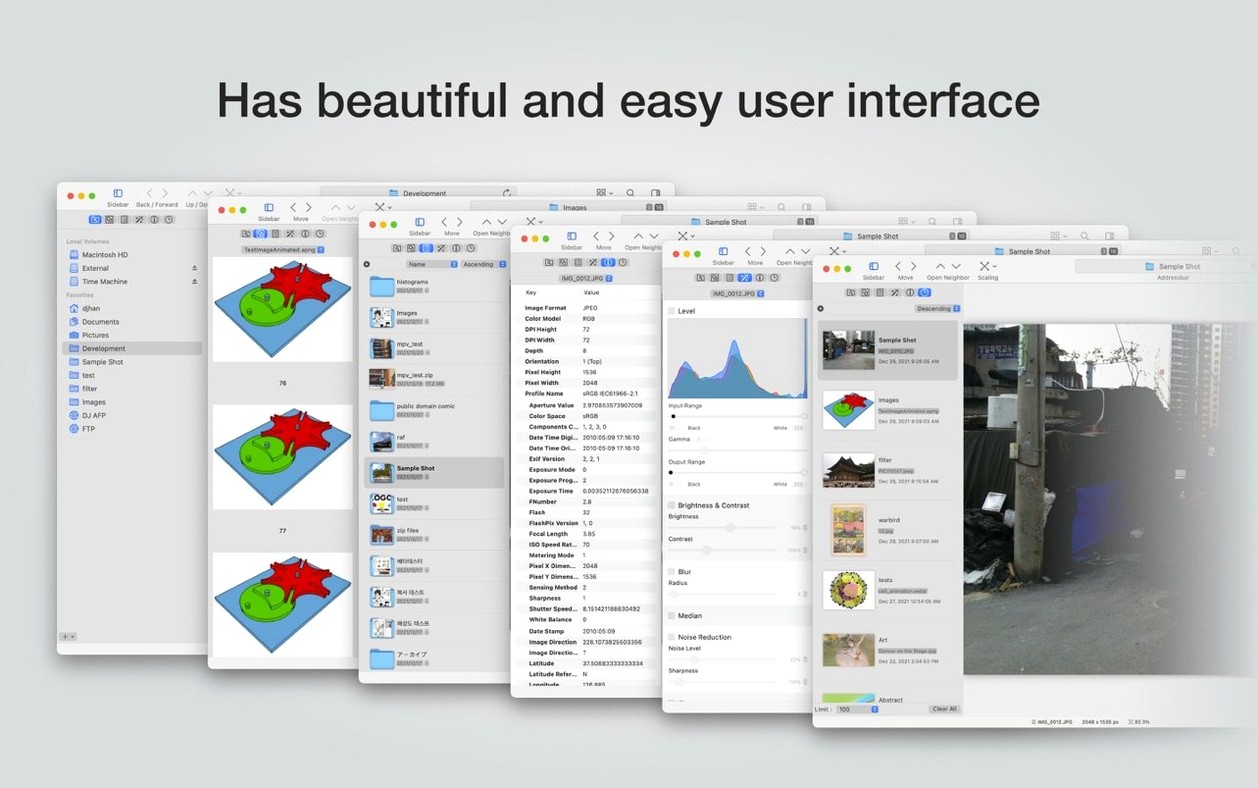
EdgeView opens image files directly from inside ZIP, RAR, 7z, and other archive formats without extracting them first. The file browser panel shows folder and archive previews inline, so a compressed project looks the same as a loose directory of images.
Check exposure with a histogram
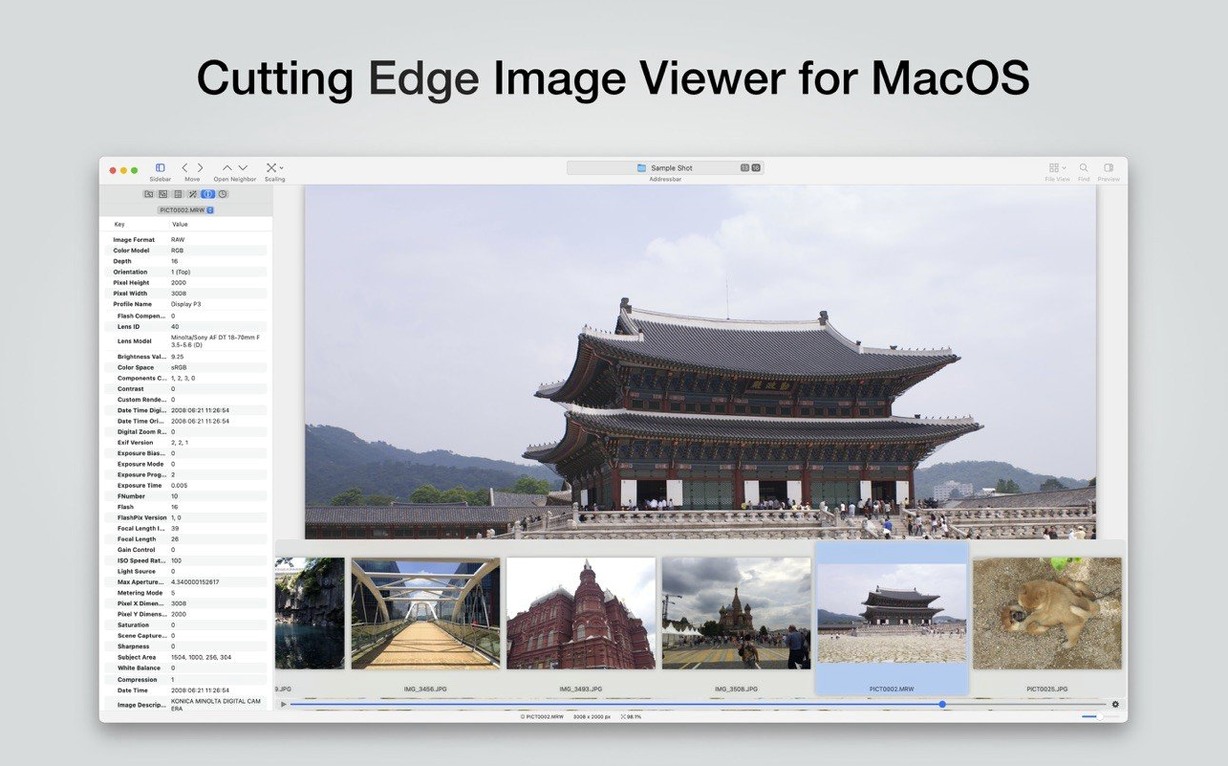
A built-in histogram display lets you evaluate tonal distribution while reviewing shots. Formats covered include JPEG, PNG, TIFF, BMP, RAW, EPS, PDF, AI, WebP, PSD, OpenEXR, HDR, and TGA.
Sort, rotate, and animate without switching tools
File management sits inside the viewer: sort by name, date, size, or type in list or icon view. Rotation and flipping are one-click actions, and animated GIF, PNG, and WebP files play back at their native frame rates without opening a browser.
Switch to icon view with folder previews before your first real browse
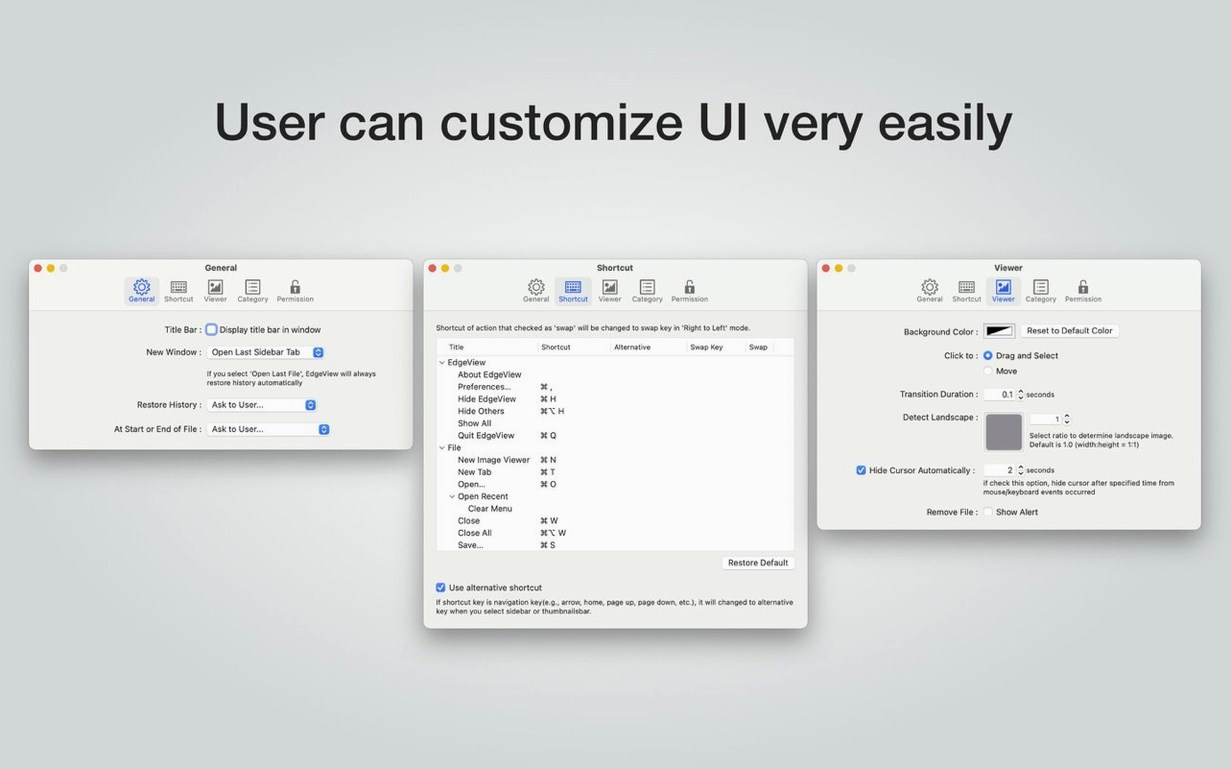
A few defaults are worth changing before you start any serious browsing. Open preferences and set the file list to icon view with folder previews — the list view is fast, but icon view turns the browser panel into a proper light table when you are skimming through a shoot. Under the General tab, switch mouse wheel behaviour from zoom to next/previous file if you move through images more often than you inspect details. It saves a modifier key on every scroll.
Turn on Keep last file state in the History pane. EdgeView will remember zoom level, rotation, and the exact frame you left an animation on. Reopening a file drops you straight back into that state — useful when you are working through a multi-day edit pass and do not want to reorient every time.
If you browse network volumes over SMB or AFP, lower the thumbnail cache size under the Advanced tab. The default is generous on local SSD, but pulling previews across a slow NAS connection can stall the file list. A smaller cache forces on-demand loading and keeps the browser responsive on remote mounts.
How EdgeView fits alongside other Mac apps
The Quick Look extension is the quiet integration that changes daily use. Once enabled, Finder shows thumbnail previews and full Quick Look for archive files — CBR, CBZ, RAR, 7z, and encrypted ZIPs all get previews without launching the app. This means you can press Space on a downloaded comic archive or a zipped set of RAW files and skim contents right in the Finder. No other image viewer on macOS ties archive reading into Quick Look this tightly.
EdgeView also plays well with clipboard workflows. Select a portion of an image with the marquee tool, copy it, and paste straight into a Pages document or a Slack message. The copy carries the resolution of the source file, not the screen. For design work, you can drag an opened AI or EPS file out of EdgeView and into a layout app — the viewer renders the vector preview, but the dragged file remains the original, editable format.
Network volume support means you can treat a folder on a NAS or FTP server as a local library. The file browser lets you rename and delete files on those volumes directly, so culling a remote shoot does not require Finder or a separate FTP client. EdgeView reads the image, you delete the reject, and the list updates in place.
Apple Silicon-native archive parsing opens 2 GB CBZ files in seconds
The move to version 5.9.x brought Apple silicon-native performance across all archive formats. On M-series Macs, opening a 2 GB CBZ file now takes roughly the same time as opening a folder of extracted images — the archive parsing runs on the efficiency cores without blocking the interface. Fast file switching under keyboard shortcuts also improved; holding the right arrow no longer queues up a backlog of decode requests that the app has to work through after you stop.
Encrypted archive support became more practical. Earlier builds would prompt for a password on every access; the current version caches the credential for the session, so browsing a password-protected RAR set of 50 images asks once, then opens everything as normal. The recursive archive feature — archives inside archives — also gained stability on deeply nested structures that used to time out on the first read.
The histogram display received a per-channel view toggle, making it easier to spot a clipped red channel in skin tones without the luminance-only readout masking the problem. EXIF data now surfaces lens model and focus distance where the metadata exists, which helps when you are comparing sharpness across shots taken with different glass.
Instant page spreads and per-file reading position for comic archives
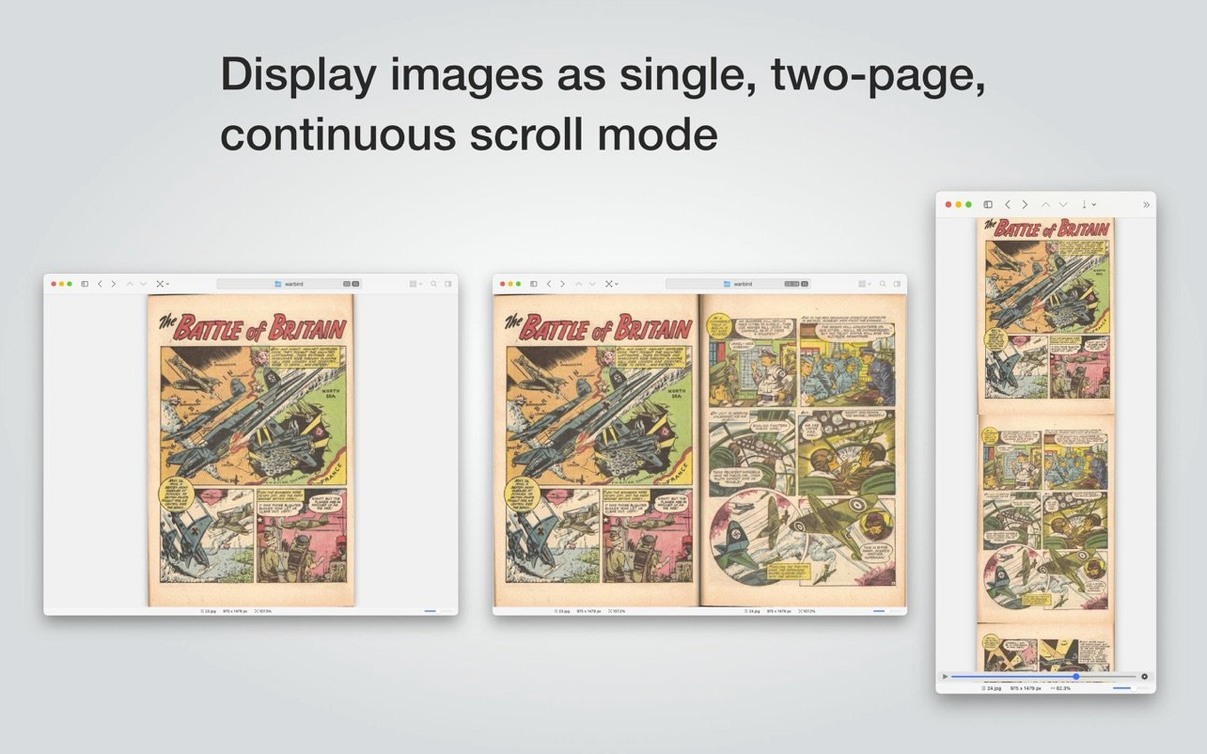
Comic book readers on Mac have long needed something that handles CBR and CBZ files like a dedicated reader but does not stop there. EdgeView loads page spreads instantly, remembers where you left off per-file, and the trackpad pinch-to-zoom feels fluid on Retina screens. The recursive archive feature means a zipped collection of zipped issues opens as a single browsable shelf.
Photographers who deliver contact sheets inside archives will use the histogram and EXIF display more than any other feature. The ability to open a client's ZIP of RAW files, check exposure with the histogram, cull by rating, and rename the keepers — all without extracting anything — collapses several steps into one session. Network volume users working off a NAS will appreciate that the file operations are real, not simulated: delete a file in EdgeView and it is gone from the server.
Designers and illustrators who deal with mixed-format asset dumps benefit from the long format list. AI, EPS, PSD, PDF, WebP, and OpenEXR all open in the same window with the same navigation keys. There is no switching between Preview, Photoshop, and Illustrator just to figure out which file is the final version — EdgeView renders them all as viewable images and lets you sort by date to find the latest export quickly.
Anyone downloading an edgeview crack mac archive or an EdgeView download package that comes compressed will see the value immediately: double-click the archive, the app opens, and every image inside is ready to browse. No extraction step, no leftover folders to clean up.
- File Browser — Fixed a crash triggered when connecting and disconnecting a network drive in quick succession.
- Extension — Reduced CPU usage during thumbnail generation.
- macOS 11.5 or later
- Apple Silicon or Intel 64-bit processor
Questions on file
Does EdgeView add previews to Finder?
Yes. Its Quick Look extension generates thumbnails and previews for archive contents directly in Finder, so compressed image sets are visible without opening the app.
Sign in · Create an account to add a field note.
No field notes yet. A measurement, a version, a machine — they appear after moderation.