
Mac Apps
HitPaw Watermark Remover 2.4.7
Mac AppsUpdated
| Requirement | On file |
|---|---|
| macOS | macOS 10.13 or later |
| CPU | Intel 64-bit |
| Download | 290 MB |
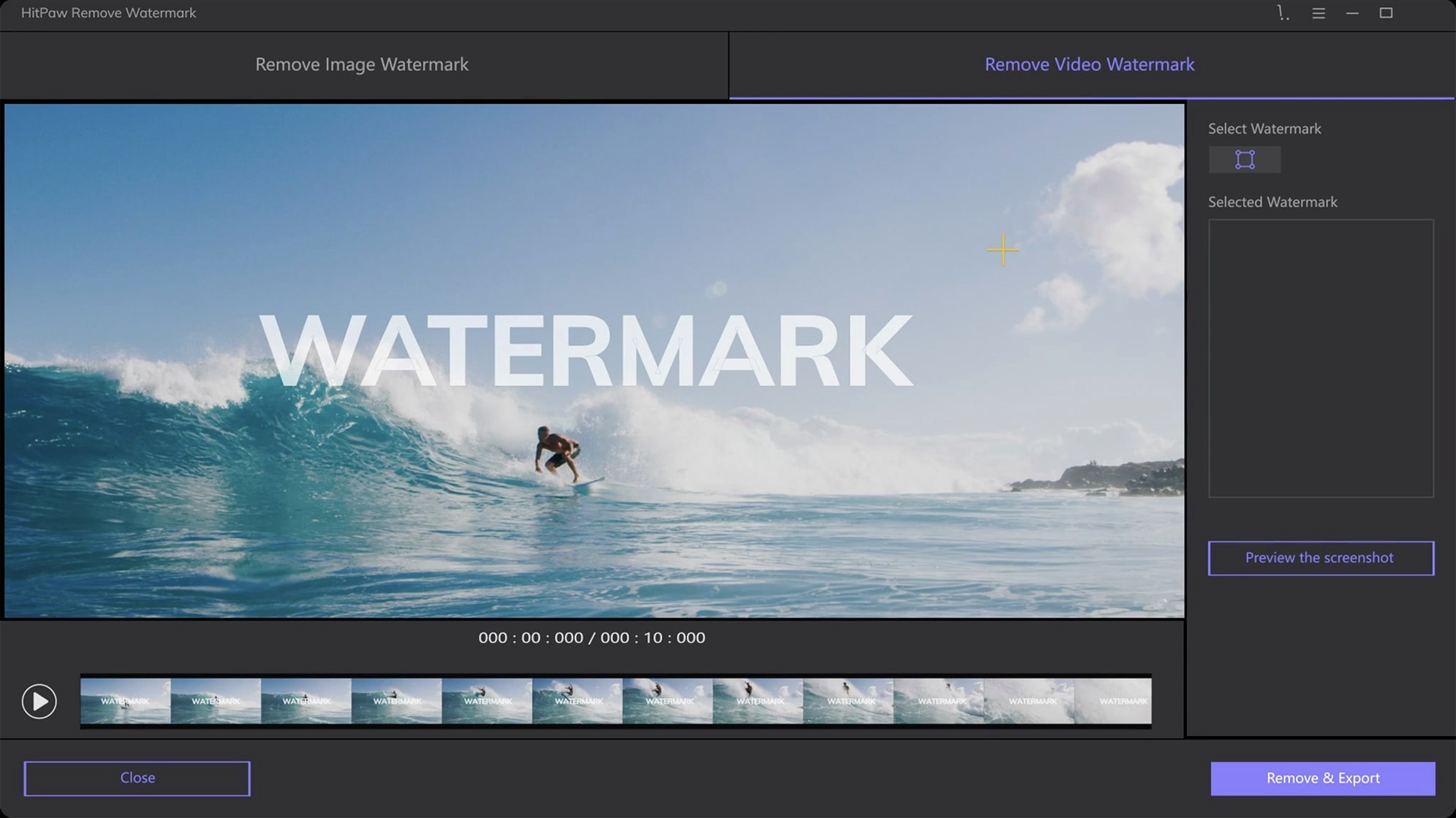
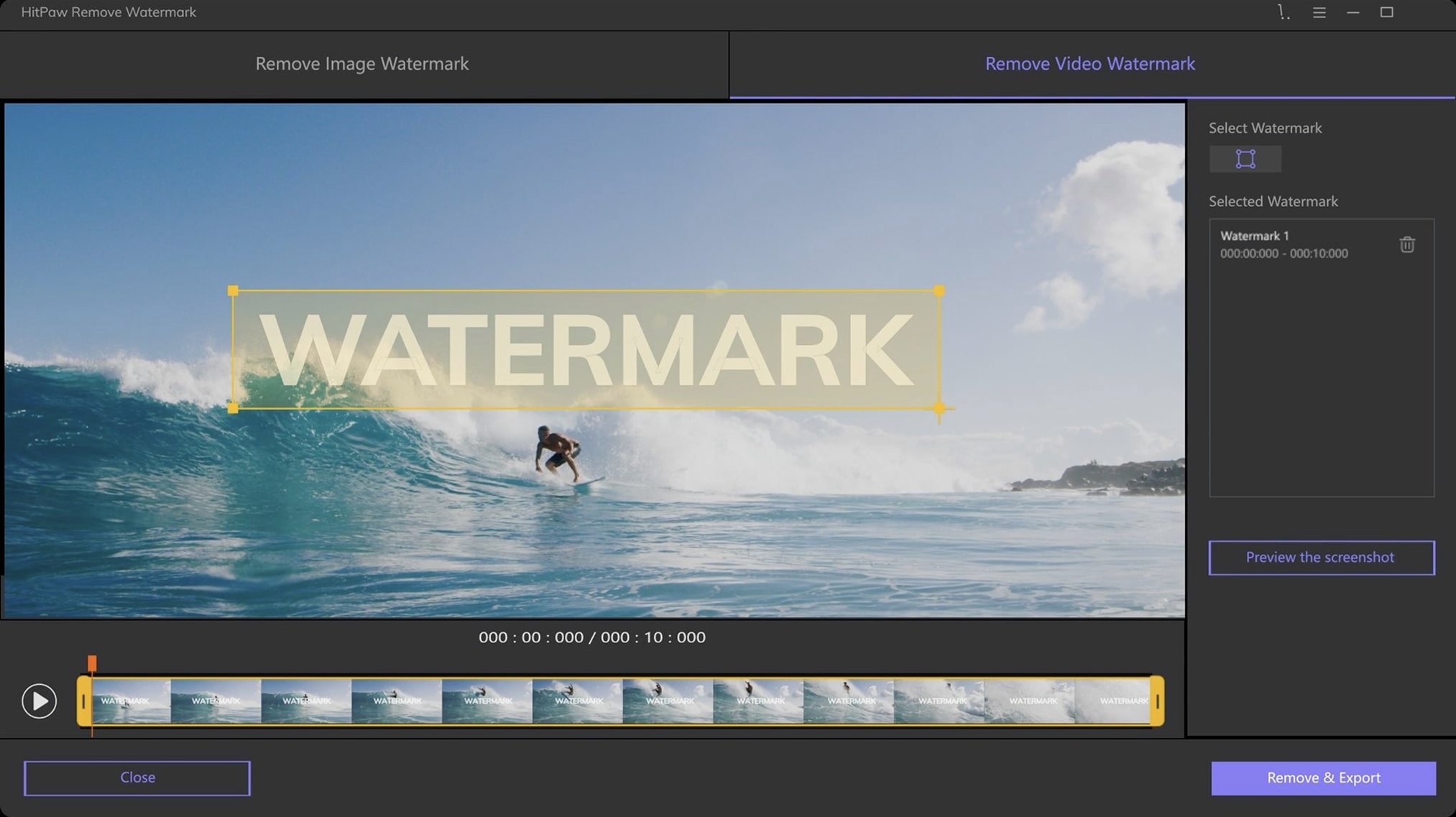
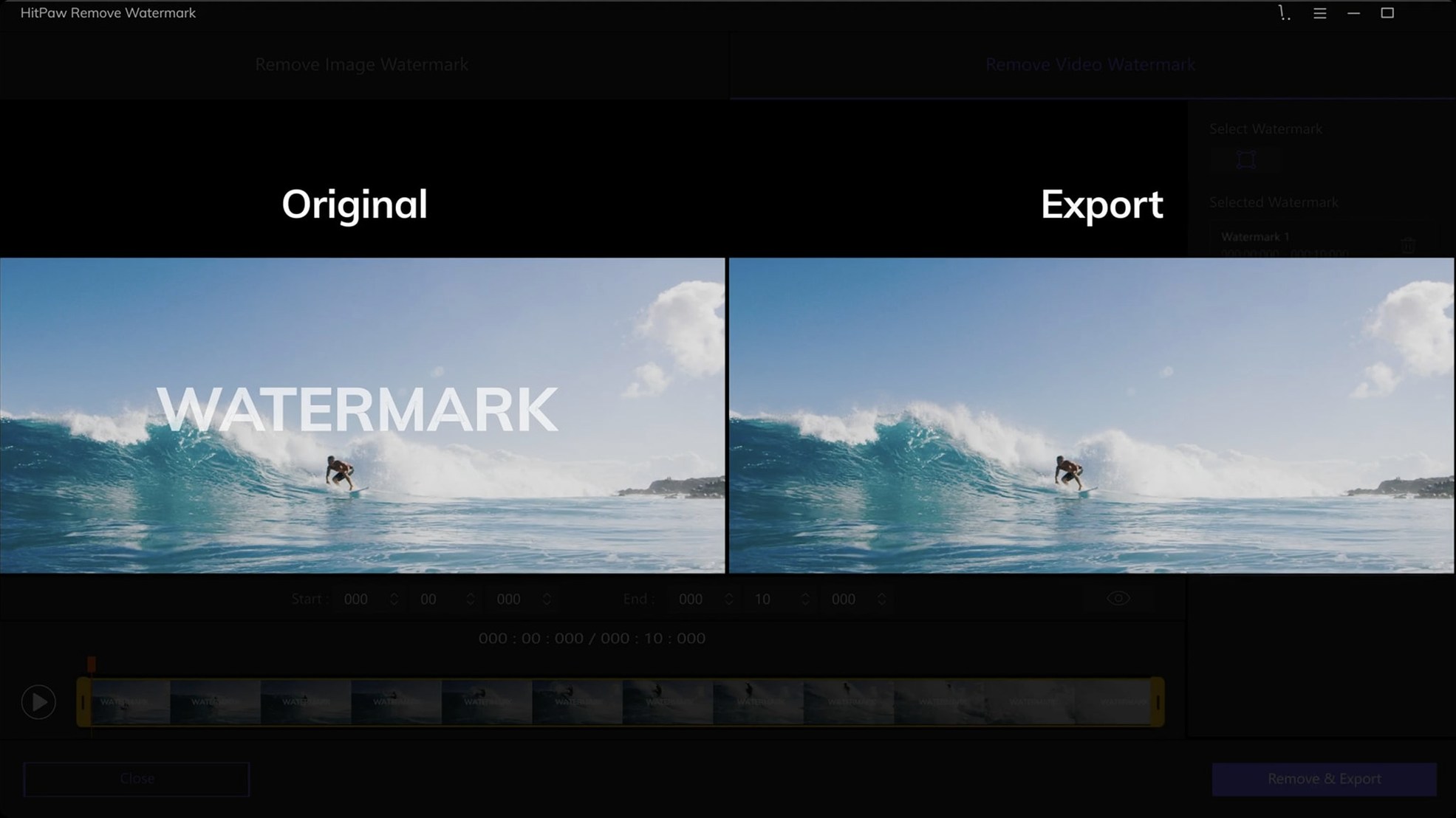
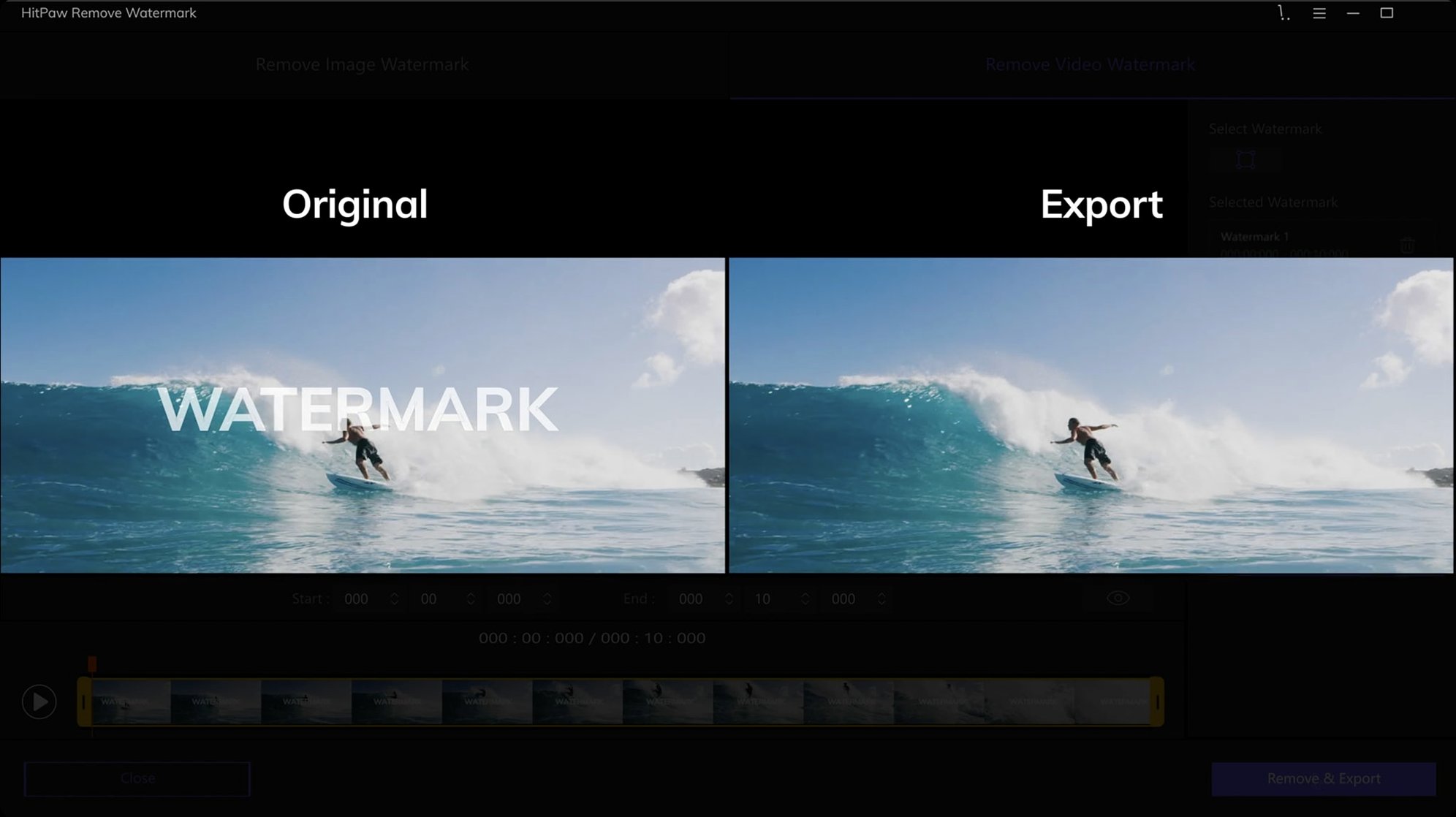
The freeform selection tool is a sensible place to begin. It traces irregular outlines that a rectangle or triangle cannot capture, which makes it the most practical option on a first run. Load an image via drag-and-drop or open a video file—AVI, MKV, MP4, MOV, and the other listed containers all work—and draw a loose boundary around the object you want gone. The app processes the frame and fills the area with surrounding pixel data.
Erasing date stamps and logos on clean backgrounds
- Removing date stamps, channel logos, and small overlaid text from stills and footage
- Quick clean-ups where the watermark sits on a reasonably uniform background
- Working with common camera and screen-record formats, including TS, WebM, and 3GP
No Apple Silicon support and repair artefacts on complex shots
- Runs on 64-bit Intel Macs only; no Apple Silicon build in version 2.4.7
- Results vary with complex or moving backgrounds behind the watermark
- Heavily compressed source files can show repair artefacts
A portable tool with no background helpers or Launch Agents
HitPaw Watermark Remover does not install a Launch Agent, a background helper, or a kernel extension. It behaves like a portable toolbox that you open when a specific frame needs cleaning, then close again. That keeps the app unobtrusive in a production chain.
On the macOS side, the app respects the standard pasteboard for images: you can copy a still from Preview or a screenshot utility, switch to HitPaw, and drop it straight in. Export destinations follow the last-used folder, so if you are feeding cleaned frames into Final Cut Pro or DaVinci Resolve, you can point the save dialogue at the project media folder once and it sticks for the session. Video exports use a standard H.264 container, which every NLE on the Mac reads without conversion.
There is no plug-in bridge for Adobe Premiere or After Effects; the workflow is file-in, file-out. For short sequences that is quick enough. For longer projects it means planning: mark timecode of the frames you need to treat, export just those stills or clips, process them, and re-import. Some editors keep a dedicated “clean plate” bin for exactly that purpose.
The app also sits well alongside the Finder’s Quick Actions. You can set up a folder where watermarked originals land, open HitPaw in the adjacent Space, and work through a batch of stills without touching a timeline. If you use the hitpaw watermark remover mac build in a two-display setup, the second screen holds the preview at full resolution while the main display shows the selection tools.
Three support-thread fixes you can spot by the pattern
Three issues account for most of the support threads, and each has a straightforward fix once you spot the pattern.
Video file opens but shows a black preview
The app relies on macOS video decode hardware, which means formats that play in QuickTime Player should work. If a file appears black, check whether it uses the HEVC codec inside an MKV wrapper—an uncommon combination that can trip the decoder. Remux to MP4 with a tool like Subler or HandBrake, then reload. Also worth checking: files stored on exFAT volumes occasionally read as blank until moved to APFS or HFS+.
Repair patch flickers on moving footage
When the background behind a watermark shifts—camera pan, tree branches, water—the fill algorithm samples only the current frame. The result looks correct as a still but pulses during playback. The workaround is to treat each problem frame individually, or to export the segment as an image sequence, clean the worst frames in HitPaw, and re-assemble. It is labour-intensive, but that is the nature of a single-frame tool applied to motion.
App quarantined after download
Because the disk image is unsigned, macOS flags it. The terminal step during installation clears the quarantine flag, but if you skip that step and drag the app straight to Applications, launching it shows the “damaged” dialogue. Run xattr -cr /Applications/HitPaw\ Watermark\ Remover.app in Terminal, or re-mount the disk image and follow the Gatekeeper-friendly launch sequence properly.
Stripping copyright bugs from sold property proofs
Cam, a property photographer in Brisbane, shoots six listings a morning. His agency overlays a semi-transparent copyright bug on every proof image before client review, and once a property is sold, Cam pulls the clean shots for the portfolio. He has thirty minutes between the last shoot and the first edit.
He opens HitPaw Watermark Remover, drags in twelve JPEGs from the morning’s SD card dump, and works through them in sequence. Each proof has the same watermark in the bottom-right corner against sky, brick, or pool water. On uniform areas—the sky shots—he uses the rectangle selection and smooth filling mode; the patch is invisible at 100% zoom. On the textured brick shot, he switches to texture repair, draws a freeform shape that hugs the logo, and gets a result that needs only a light clone-brush pass in Pixelmator Pro afterward. Two images where the watermark crosses a pool’s rippled surface take the longest: he exports those as cleaned PNGs, then blends the patch edge with a soft eraser in an external editor. The whole batch takes eighteen minutes. He drops the cleaned files into the portfolio folder on iCloud Drive and heads to the next appointment.
Leave a 10–20 pixel margin instead of tracing the watermark edge
A newcomer tends to trace the watermark exactly along its edge, which starves the fill algorithm of surrounding context. Leaving a generous margin of ten to twenty pixels of clean background on all sides gives the repair modes more data to sample from, and the output blends noticeably better.
Another pattern: ignoring the mode selector and sticking with whatever default the app opens. Smooth filling works well on flat colour—skies, studio backdrops—but on fabric, foliage, or gravel it smears detail. Texture repair is the right choice for those surfaces, even though it takes a second or two longer to render. Cycling through all three modes on a single selection before committing often reveals which one suits the scene best.
With video, beginners sometimes scrub to a random frame, mark the watermark, and expect the removal to hold across the entire clip. The app processes the frame you see, not the whole timeline. For a logo that stays static over a locked-off shot, you can often copy the cleaned frame and composite it in your editor as a freeze-frame patch. But if the watermark moves—think of a channel bug that tracks a subject—each position needs its own treatment.
Lastly, some users reach for HitPaw to strip a watermark from a stock preview and assume the result will be production-ready. The tool removes the graphic, but it cannot reconstruct detail that was never in the source file. If the watermark sits over fine text or a face, the filled area will look soft. That is a signal problem, not a tool problem, and a beginner learns quickly to assess the background before marking the selection.
- macOS 10.13 or later
- 64-bit Intel processor
Questions on file
Which video formats does HitPaw Watermark Remover accept?
It imports AVI, MKV, MP4, FLV, F4V, MOV, WMV, WebM, 3GP, RMVB, MPEG, TS, and MTS files.
What selection shapes are available for marking a watermark?
You can use rectangular, triangular, and freeform selection tools to outline the area you want to remove.
Sign in · Create an account to add a field note.
No field notes yet. A measurement, a version, a machine — they appear after moderation.