Mac Apps
iExplorer 4.6.0
Mac AppsUpdated
| Requirement | On file |
|---|---|
| macOS | OS X 10.10 or later |
| CPU | Intel 64-bit |
| Download | 30 MB |
Version 4.6.0 added iOS 16 compatibility on 14 October 2022. That patchwork of ongoing maintenance is the real story for a tool that has spent years mapping Apple’s changing file structures, and the current build still opens up call histories, message archives and app data bundles on a connected device without routing the user through a sync process.
Export Contacts, Messages & iCloud Files Locally
- Exporting discrete datasets — contacts, notes, messages and call history — into standard file formats backed up locally.
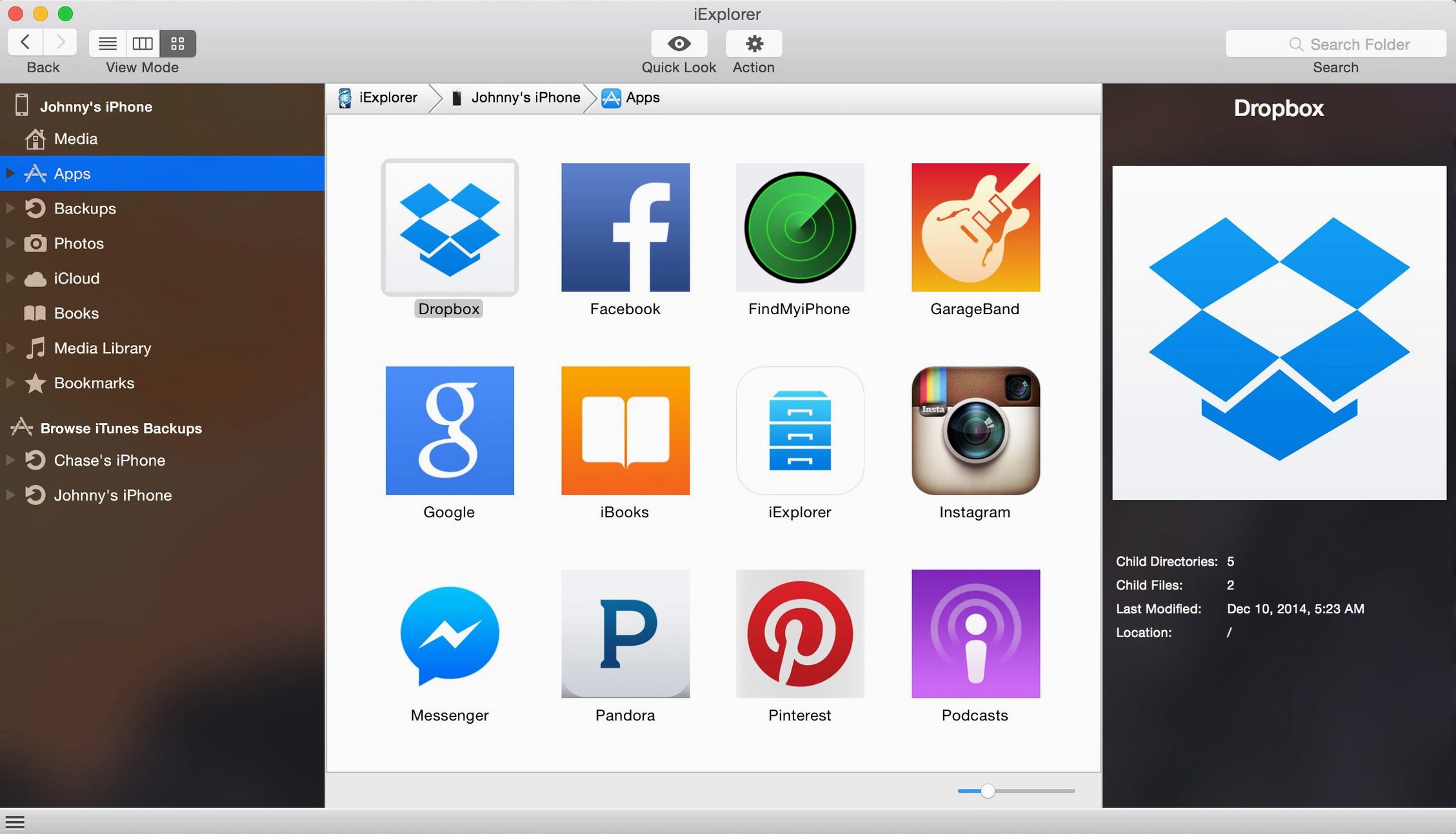
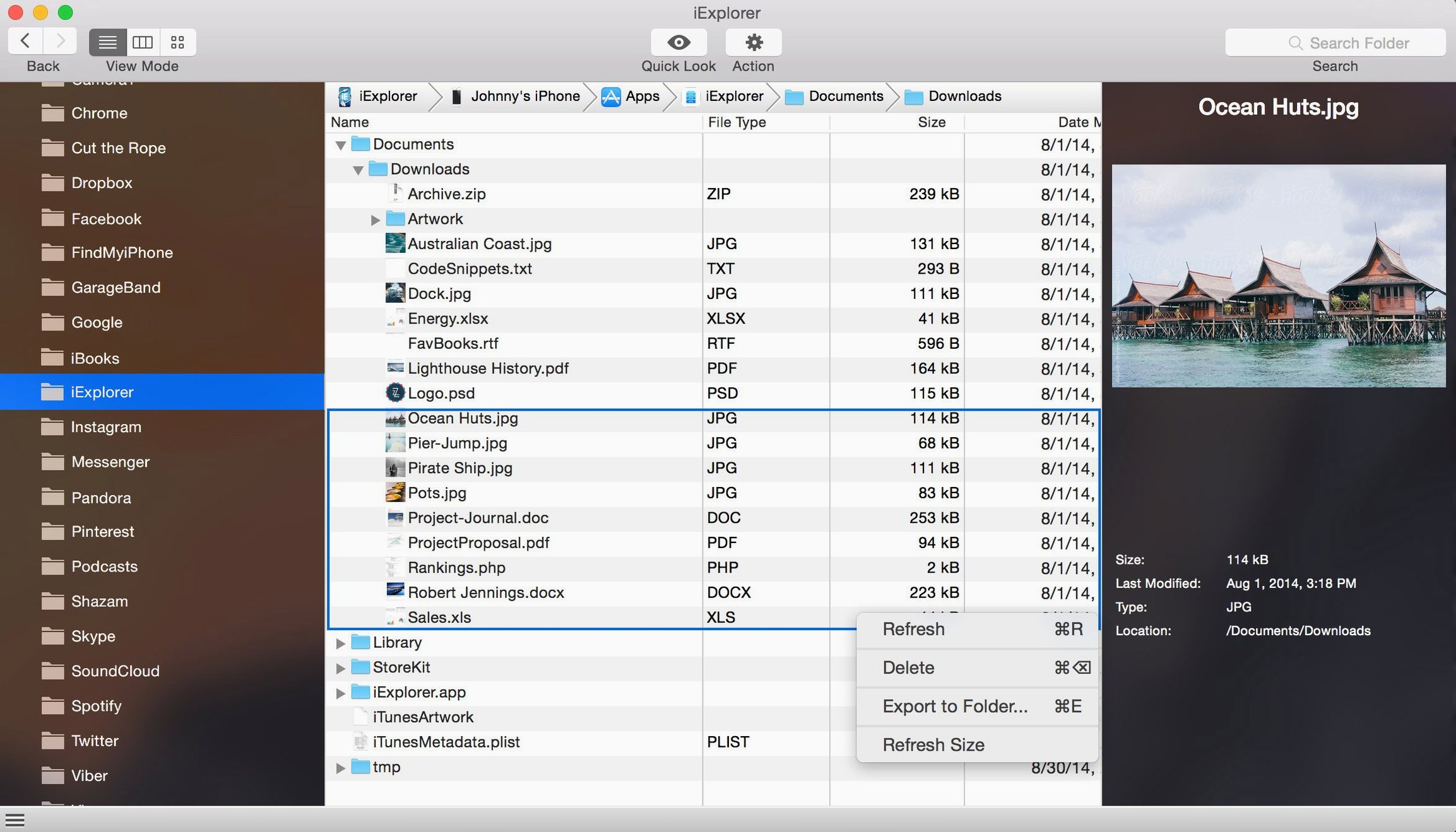
- Inspecting app containers, including bundled icons and document folders, that Finder and Music hide by default.
- Mounting iCloud storage and local backups as browsable volumes, giving access to data outside the current device.
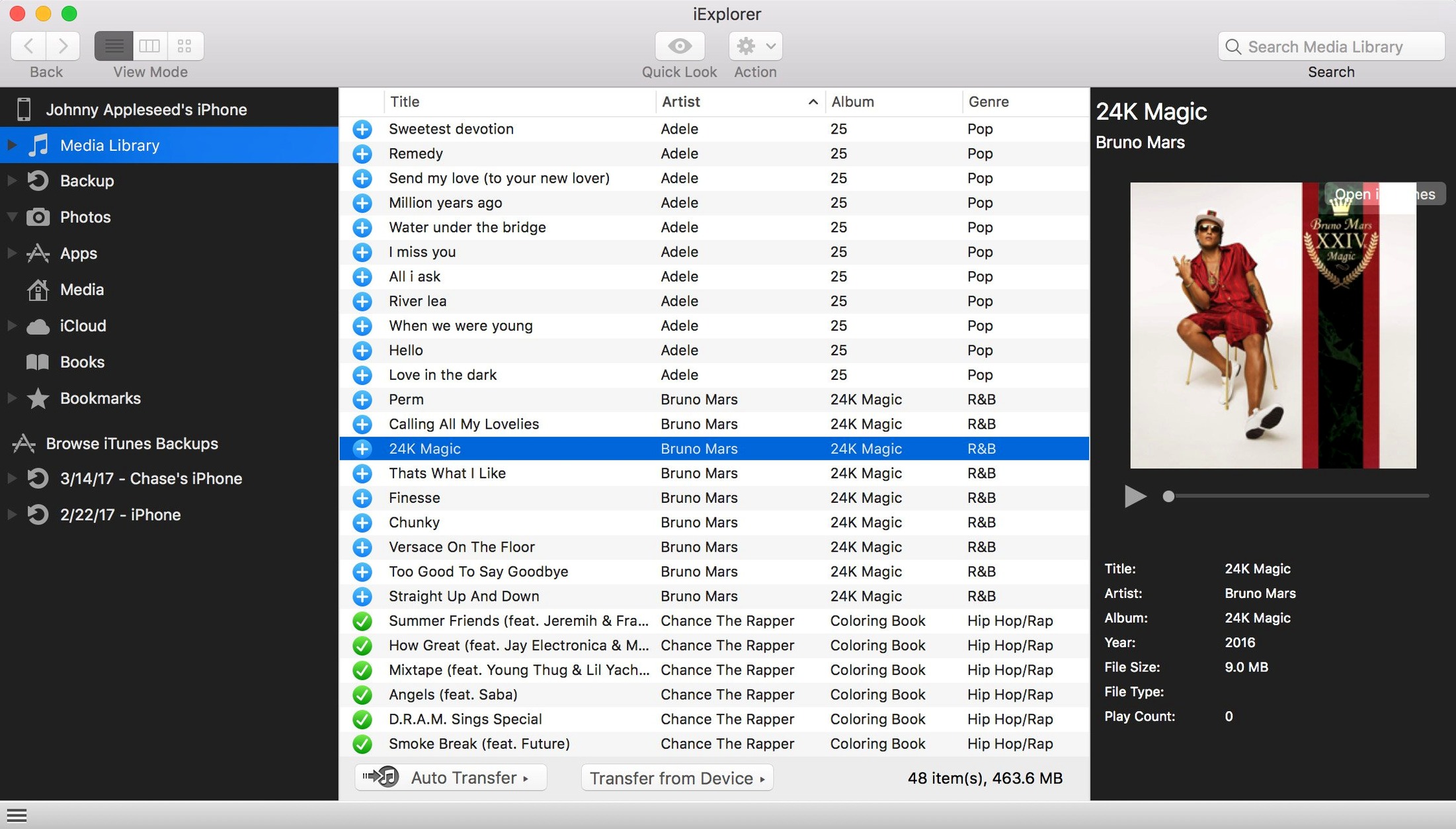
- Adding files to a device without launching iTunes, useful when the media library isn’t the point of the transfer.
Requires iTunes and Lacks Apple Silicon Support
- iTunes must be present on the Mac; the app leans on its system-level services even when iTunes itself stays closed.
- Intel 64-bit only — no native Apple Silicon build is shipping in 4.6.0.
- The interface surfaces raw file-system views that assume a working knowledge of iOS backup structures.
Exporting a complete message thread to PDF
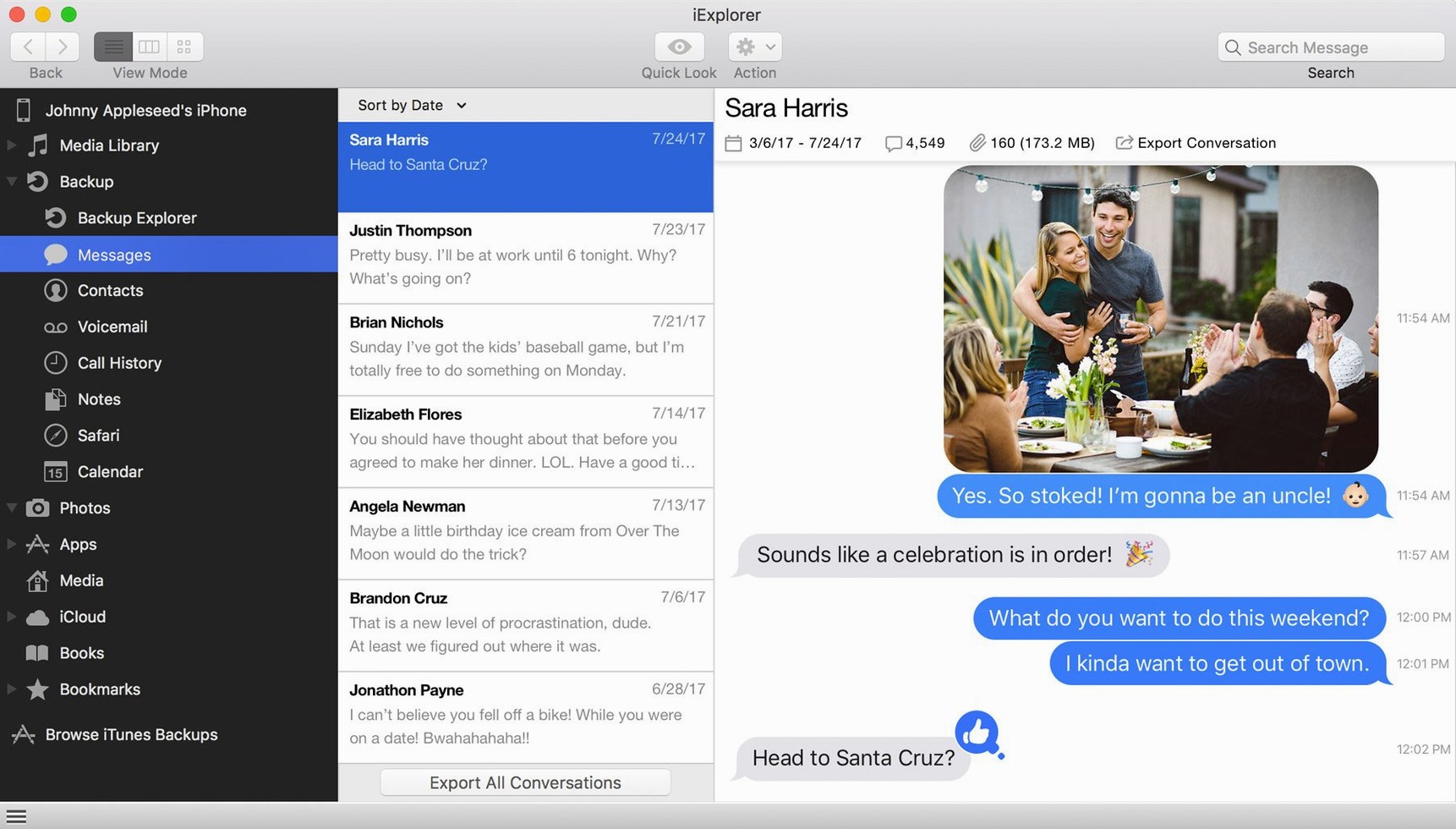
Start with the device connected via USB and unlocked. iExplorer takes a few seconds to read the device tree, then lists it in the left sidebar. Expand the device name, select Data → Messages. The centre pane populates with conversation threads sorted by contact or phone number. Choose a thread — say, a long-running group chat — and the right pane shows every message with timestamps and attachment thumbnails.
Select all entries in the thread (Command-A), then File → Export → Export as PDF. A save dialog appears. Pick a folder, name the file, and the app renders the whole thread as a paginated PDF with sender labels, dates and inline images. The export bypasses the screenshot-and-stitch dance that users resort to when Messages on the Mac won't archive threads older than a certain date. The same selection can go to CSV or plain text from the same menu, which matters when the destination is a discovery tool or a case file.
For threads with dozens of attachments, switch to the Attachments tab inside the Messages section first. Filter by type — images, videos, contacts — and drag the filtered set straight to a Finder folder. That decouples media extraction from the text export and keeps the PDF from ballooning to hundreds of megabytes.
A field researcher grabbing voice memos off an iPad
Consider a biologist who records field notes as voice memos on a Wi-Fi-only iPad. iCloud sync isn't available until the device reaches a network, but the data needs to land on a MacBook for transcription that evening. The iPad connects over USB, unlocks, and iExplorer mounts the device. The researcher drills into Media → Voice Memos, sees the day's recordings sorted by date, and drags the .m4a files to a project folder on the desktop. The transfers happen in the background while transcription work begins on the first file — no sync, no Photos library import, no waiting for the device to appear in Finder's sidebar as a media source.
The same user keeps a habit of pulling the Notes dataset at the end of each trip. Selecting the device's Notes section and exporting to CSV gives a flat file of all note bodies and modification timestamps that slots directly into a field report template. That single export replaces the tap-and-share workflow that would otherwise take an afternoon.
Unlock the Device First or Face a Blank Screen
The most common misstep is launching iExplorer without unlocking the device first. The app shows a prompt to "Trust This Computer," but if the device was already unlocked and the trust dialog dismissed days earlier, iExplorer sits at a blank device pane with no explanation. The fix is simple: unplug, unlock, replug, and tap "Trust" when it appears. No amount of restarting the app helps until the trust handshake completes.
Another recurring problem: users looking for a comprehensive "Backup" button that clones the device in one click. iExplorer can back up a device and can open existing backups, but the backup function lives under Tools → Backup and produces a standard iTunes-style backup, not a browsable disk image. People who skip the documentation click around the device tree expecting a one-button clone and conclude the feature doesn't exist.
New users often drill into the raw Apps folder and start moving .plist or .sqlite files between app containers, assuming the target app will recognise the new data on next launch. Most iOS apps sandbox their documents tightly; dropping a foreign database into an app's Documents folder rarely works without an accompanying import mechanism inside the app itself. The safer path is to export data to the desktop first, then use the app's own import feature — iExplorer handles the file transfer, not the data migration logic.
Finally, the search phrases iexplorer mac crack or iexplorer torrent circulate on forums where users hunt for a version that skips the iTunes requirement or unlocks Apple Silicon support. The build architecture is what it is: Intel 64-bit with an iTunes dependency. No patched copy changes those fundamentals, so to get the device communication layer working properly for iOS 16 compatibility on 4.6.0, you'll want to verify iTunes is installed and authorized.
Field Scientists, Audio Journalists and Insurance Assessors
The tool suits three groups in particular. First, anyone who treats their iPhone or iPad as a data capture device first and a communications device second: field scientists, surveyors, audio journalists, insurance assessors who photograph damage onsite. These users generate files in the field that need to land on a Mac before any cloud sync cycle completes, and iExplorer's direct file-system access cuts out that waiting period. The ability to pull voice memos, photos and note text as separate bulk exports — not as a monolithic media import — maps to how they already organise project folders.
Second, people managing iOS devices for family members. A parent who wants a local archive of a teenager's messages before wiping a handset, or someone extracting call histories and contacts from a relative's old iPhone that no longer holds a charge long enough for an iCloud backup. The app reads what's on the device right now, no backup required, and the CSV exports feed directly into a spreadsheet for record-keeping. The iexplorer full search phrase often surfaces in this context — users who simply want the complete data-export capability without routing through multiple Apple services.
Third, Mac users comfortable with file-system thinking who find Finder's device-handling too opaque. These are people who want to see an Apps folder, open it, and understand which app stores what. The raw tree view that confuses some users is exactly what this group came for. They appreciate that iExplorer doesn't wrap the device in a media-management abstraction; it shows directories as directories and lets them decide what to copy.
- iOS compatibility — Added support for iOS 16.
- macOS 10.10 or later
- Intel 64-bit processor
- iTunes
Questions on file
What kind of data can iExplorer pull from an iPhone?
It can export contacts, messages, notes and call history, and it can browse app data, photos and other documents stored on the device or in iCloud.
Does iExplorer require iTunes to be installed?
Yes — the system requirements list iTunes as a dependency, even though you can add files without opening the iTunes application itself.
Sign in · Create an account to add a field note.
No field notes yet. A measurement, a version, a machine — they appear after moderation.