Mac Apps
PyCharm 2026.2.3
Mac AppsUpdated
| Requirement | On file |
|---|---|
| macOS | macOS 11 or later |
| CPU | Apple Silicon, Intel 64-bit |
| Download | 1.4 GB |
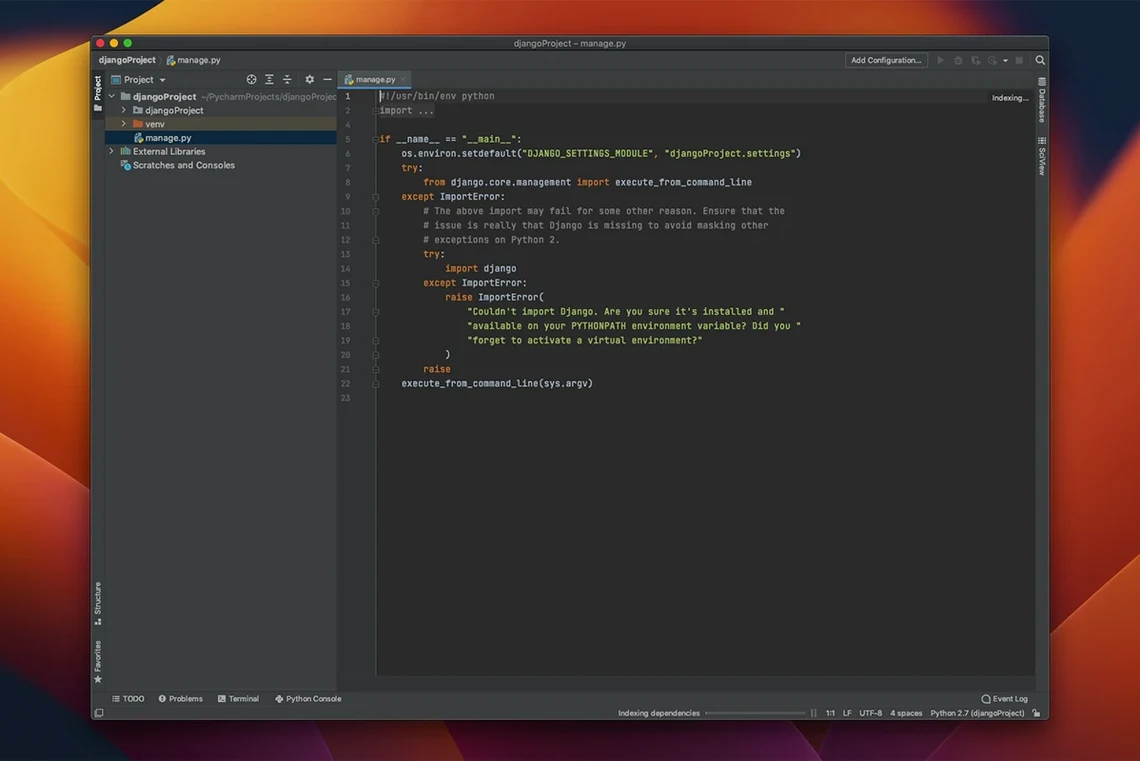
If you have spent enough time in a terminal with pdb and cProfile, you know where a command-line workflow starts to lose resolution. PyCharm moves those same facilities into a connected editor where a breakpoint is a click on the gutter and a profile result is a flame graph you can navigate without regex-parsing a .prof dump. The 2026.2.3 release, build 262.10968.92, landed on 18 September 2026 and sharpens several of the inspections that experienced teams configure in their CI pipelines.
Tools that go past autocomplete
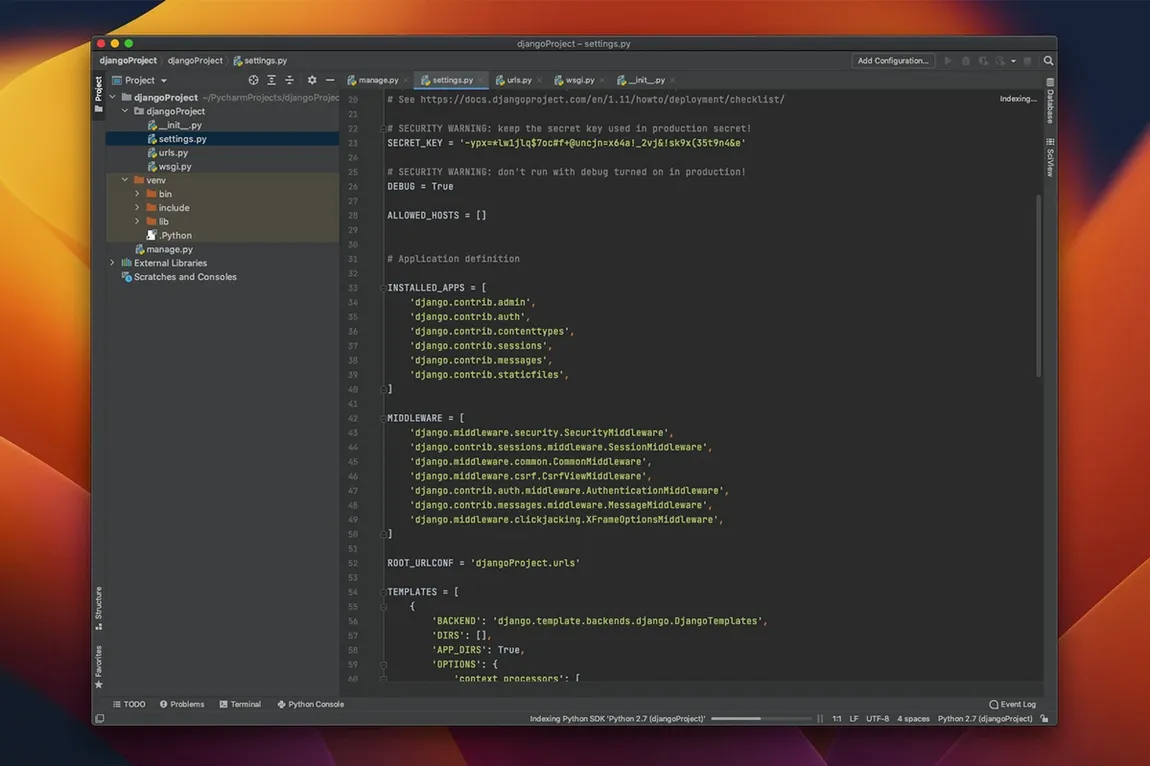
Code completion is table stakes. What keeps a senior developer in PyCharm are the deeper diagnostics. The bundled Python profiler captures call counts and timing data per invocation, not just per function, so hot paths inside a loop show up clearly. The interactive console runs inside the same interpreter as your project, which means you can test a Django queryset or a NumPy reshape against live objects without leaving the IDE. For web work, the framework support for Django, Flask, Pyramid, and web2py gives you template-aware navigation and route resolution that a generic text editor cannot offer.
Inspections, notebooks and the scientific stack
The inspection engine runs hundreds of checks — unused imports, unreachable code, argument mismatches — and the 2026.2.3 update fixes several type-checking false positives and improves type inference from Numpy-style docstrings. If your workflow mixes .py files with Jupyter notebooks and Anaconda-managed environments, PyCharm treats the notebook as a first-class editor with cell output rendered inline, not as a separate web view. The same debugger that works on a script steps through a notebook cell, and the variable pane shows the full state of your data frames.
When conda packages stay invisible
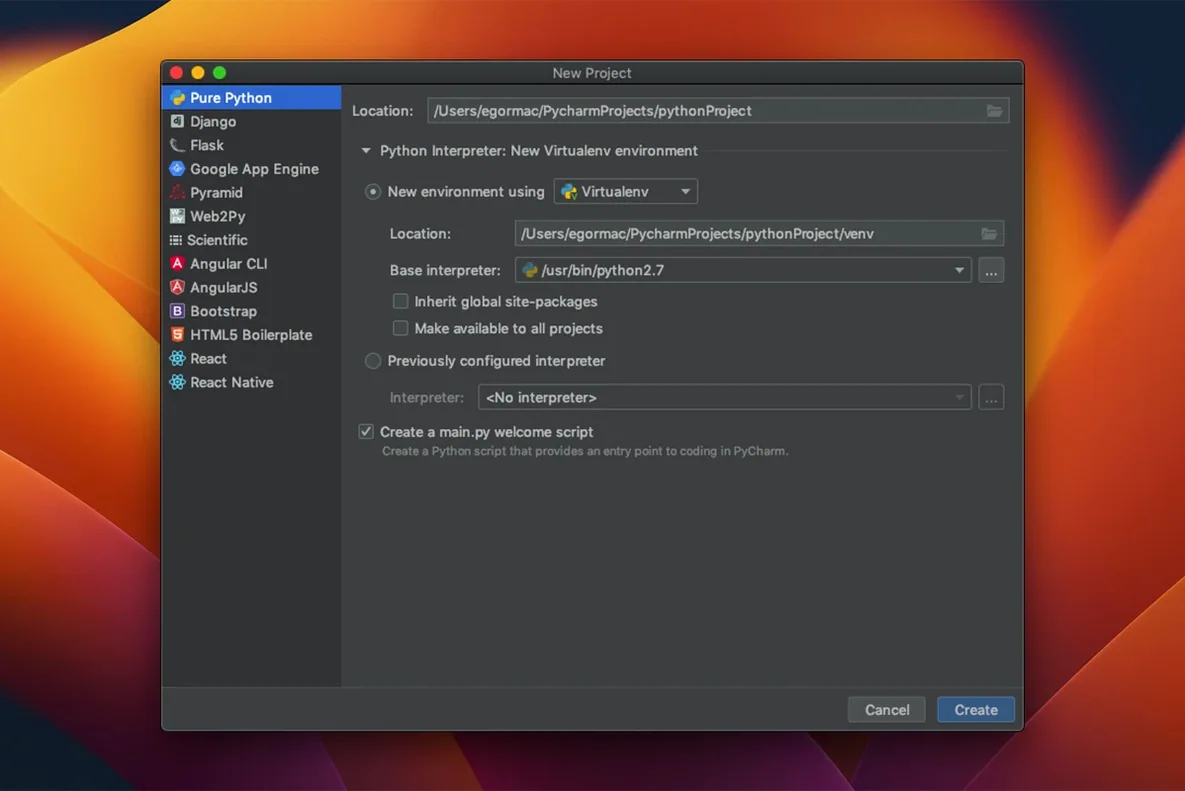
A frequent support ticket involves the IDE refusing to see packages that are demonstrably installed in a conda environment. The fix is rarely a pip install rerun. Check Preferences → Project → Python Interpreter and confirm the path points to the environment's bin/python, not the system Python. When the interpreter selector shows a stale list, click the gear icon and choose Show All, then remove entries that point to virtual environments you deleted months ago.
Another sticking point is memory pressure during long notebook sessions. PyCharm stores cell output and variable state in memory; a notebook that renders a 200 MB NumPy array inline will eventually slow the editor. The quick remedy is to right-click the notebook tab and select Clear All Outputs. For profiling runs, limit the captured frames in Run → Profile → Edit Configurations if the default snapshot exceeds your available RAM.
Interpreter setup after a macOS upgrade
macOS security policy can strip executable permissions from Python binaries after a system update, producing a cryptic "error=2, No such file or directory" dialog. The symptom looks like a missing interpreter, but the binary is present and simply not executable. Open the terminal inside PyCharm (View → Tool Windows → Terminal) and run xattr -d com.apple.quarantine /path/to/python on the interpreter binary. Alternatively, delete and re-add the interpreter through the preferences pane — PyCharm will re-index the environment correctly.
Resolving that phantom import error
New users often configure a project interpreter, install packages through the macOS terminal with pip, and then wonder why the IDE marks imports as unresolved. That terminal session typically resolves to a different Python. PyCharm's terminal (View → Tool Windows → Terminal) inherits the project interpreter's environment, so running pip install there ensures the package lands where the IDE expects it.
A related habit is ignoring the Event Log icon at the bottom-right of the window. When PyCharm detects a pyproject.toml or requirements.txt with packages not yet installed, it posts a notification. Clicking the notification installs them into the active environment in one step, but many beginners dismiss it and manually re-create the environment from scratch.
Type checking — Fixes several false positives and improves type inference from Numpy-style docstrings.
Tooling fixes — Resolves issues with Ruff, Jupyter notebooks, Databricks connectivity, and Python interpreter setup.
- macOS 11 or later
- Intel or Apple Silicon Mac
Questions on file
Does PyCharm 2026.2.3 support Jupyter notebooks natively?
Yes, it includes an integrated notebook editor where you can run cells, view inline output, and debug code using the same debugger available for Python scripts.
Which Python web frameworks does PyCharm provide specific support for?
PyCharm offers dedicated support for Django, Flask, Pyramid, and web2py, including template-aware navigation and route resolution.
Sign in · Create an account to add a field note.
No field notes yet. A measurement, a version, a machine — they appear after moderation.