Mac Apps
Raycast Pro 2.5.1.0
Mac AppsUpdated
| Requirement | On file |
|---|---|
| macOS | macOS 12 or later |
| CPU | Apple Silicon, Intel 64-bit |
| Download | 100 MB |
Version 2.6 logs a pair of specific memory reductions: the host process draws about 50% less, and each extension process uses roughly 30% less at startup. Those are developer-reported figures, not lab readings, but they signal a round of performance housekeeping that keeps the launcher light.
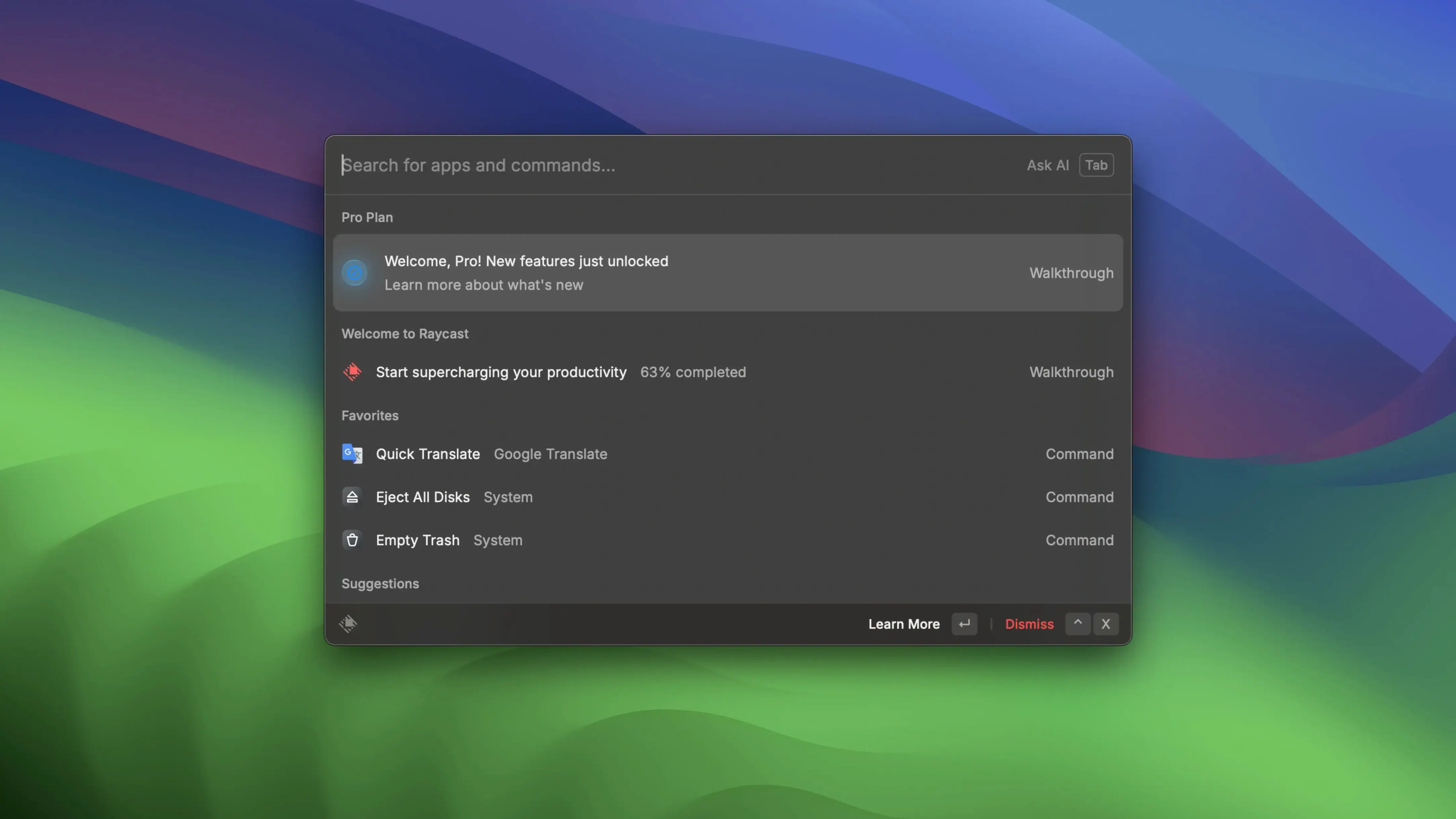
- Call it with Option+Space. The command palette appears over whatever you are doing—no dock click, no menu hunting.
- Type a tool name or a Mac task. Built-in shortcuts hand you system commands, file searches, and quick links that open in a chosen browser or app.
- Connect a third-party service. Zoom integration lets you schedule, start, and view upcoming meetings from the bar. Google Drive and Google Docs respond to custom commands the same way.
- Extend through the catalogue. Each extension stays in its own process, and that per-process memory trimming in 2.6 keeps the collection snappy even with several active.
The launcher works as a productivity hub only in its online-connected form; offline functions are not part of this build. The interface ships in English, with no additional localisations.
Halved Memory Footprint After the October Update
Version 2.6 arrived on 2026-10-05 with a clear focus on resource economy rather than feature expansion. The host process that underpins the launcher now claims roughly half the memory footprint it carried before. In practical terms, that means Raycast settles into the background with less weight, leaving more room for the apps you actually launched it to reach.
The per-extension change is similarly measurable. Each extension process uses approximately 30% less memory at startup, which adds up quickly for anyone running half a dozen integrations. A developer with extensions for GitHub, VS Code, a Docker helper, and two cloud services sees a lower combined baseline before any command fires.
The most consequential fix addresses a memory leak that grew progressively the longer Raycast stayed open. Before 2.6, leaving the launcher running across a full workday could see its footprint swell noticeably—not from active use, just from uptime. That leak is now closed. For users who reboot rarely and keep their Mac running for weeks, the improvement removes a slow drain that was easy to overlook until the numbers climbed.
The current build offered here, 2.4.1.0, predates those optimisations. Everyday use on this version still benefits from the core speed and ergonomic design the launcher is known for, but it does not include the memory trimming or the leak fix. Users who value a lean background process may weigh that against the version they install.
Activation-Free Launch Right Out of the Box
Offline-Ready Commands Without an Account
This build does not require activation. You drag the app to Applications, launch it from Launchpad, and the command palette is ready. Online functions—extension browsing, cloud service connections, shared quick links—are not operational. Local commands, file search, floating notes, and script execution work without any sign-in step.
How much of macOS does it touch?
Raycast hooks into Option+Space globally, reads the file system for search queries, and can hand off actions to system apps like Calendar or Notes. It does not alter Launchpad, replace Spotlight, or modify system-level shortcuts. You can keep both Spotlight and Raycast active on different hotkeys if you prefer redundancy.
Memory Impact on Intel Macs Versus Apple Silicon
On version 2.4.1.0, the launcher is efficient but lacks the specific memory reductions baked into 2.6. On Apple Silicon machines the impact is barely perceptible. On an Intel Mac running macOS 12, the process list will show a modest footprint—noticeable only if the system is already tight on RAM. Floating notes and file search are lightweight; heavy extension use adds per-process overhead.
Can I write my own commands without developer experience?
Custom script commands accept Bash, Python, AppleScript, and a handful of other runtimes. You do not need a full developer toolchain—a text editor and basic scripting knowledge are enough to wire up a command that opens a project folder, toggles a setting, or pipes clipboard text through a filter. The community catalogue offers templates to adapt.
A Writer’s Morning: File Search, Floating Notes, and Two Displays
A technical writer—call her Nadia—keeps Raycast on Option+Space across two displays. Her morning starts with a quick file search: three keystrokes pull up the spec sheet PDF she needs, bypassing Finder entirely. She has a floating note pinned with the day's revision numbers; a single shortcut copies the latest build ID to her clipboard before she pastes it into a documentation header.
When a colleague pings her for a Zoom call, she types the meeting name into the palette and jumps straight in without opening the Zoom client manually. Later, she runs a custom script that formats a raw changelog into table markup—something she wrote in twenty minutes and bound to a keyword. The launcher fades between each task, never pulling her out of the document she is editing. None of that sequence involves a mouse, a dock, or a context switch longer than a second.
Design Philosophy Split Among Alfred, Raycast, and Spotlight
Three launchers sit in roughly the same space on macOS, and they split along different design philosophies.
Alfred. The closest relative in concept and muscle memory. Alfred offers a command palette, file search, workflows, and clipboard history. Its Powerpack unlocks deeper automation, but out of the box it covers launcher basics with a polished preferences pane. Compared with Raycast, Alfred feels more self-contained—its extension ecosystem is smaller, and it leans less on a community catalogue. Raycast's extension model is more modern and process-isolated, which matters for stability when several are active. Alfred's UI sticks closer to macOS conventions; Raycast's palette is more visually dense and keyboard-driven.
LaunchBar. Older, leaner, and built on abbreviation-based navigation. LaunchBar learns your shortcuts over time instead of requiring explicit keywords. It indexes deeply—file metadata, bookmarks, clipboard history, and AppleScript dictionaries are all reachable through a few letters. Where Raycast puts extension discoverability front and centre, LaunchBar expects you to build your own muscle memory. Its interface is spartan, and its third-party integration lags behind both Raycast and Alfred. Users who want a launcher that adapts to them rather than one they configure may prefer it; users who want a plug-in catalogue will find it sparse.
Quicksilver. The open-source pioneer that defined the category. Quicksilver is still capable but shows its age in interface and integration depth. It can trigger shell scripts, manipulate files, and chain actions in ways that feel familiar to anyone who used it in the Tiger era. Compared with Raycast, it lacks the polished extension marketplace, the cloud service connectors, and the active development cadence. It remains a solid choice for tinkerers who value an open-source core, but its community has thinned and its macOS 12+ compatibility depends on community builds.
Raycast's differentiator is its extension architecture and the pace of its updates. The per-process model means a misbehaving extension does not take down the whole launcher, and the catalogue lowers the barrier to adding capabilities without scripting. The trade-off is an online dependency for browsing and installing those extensions—something Alfred and LaunchBar avoid. For users comfortable with that model, Raycast rewards them with breadth. For those who prefer a launcher that stays entirely local and self-contained, Alfred or LaunchBar may fit more naturally.
Raycast 2.5.1.0 applies a short series of stability patches and small performance adjustments across the launcher.
- macOS 12 (Monterey) or later
- Apple Silicon or Intel 64-bit processor
Questions on file
What are the memory improvements in version 2.6?
The host process uses about 50% less memory, and each extension process uses roughly 30% less at startup.
Which third-party services can Raycast Pro connect with?
It can connect with Zoom for meeting management and Google Drive and Google Docs for custom commands.
What shortcut opens the command palette?
The default shortcut is Option+Space.
Sign in · Create an account to add a field note.
No field notes yet. A measurement, a version, a machine — they appear after moderation.