Audio
Airfoil 5.13.0
AudioUpdated
| Requirement | On file |
|---|---|
| macOS | macOS 14.4 or later |
| CPU | Apple Silicon, Intel 64-bit |
| Download | 32 MB |
Audio engineers, radio presenters, and multi-room listeners use Airfoil when the built-in AirPlay menu falls short. It gives you per-app control over where sound goes.
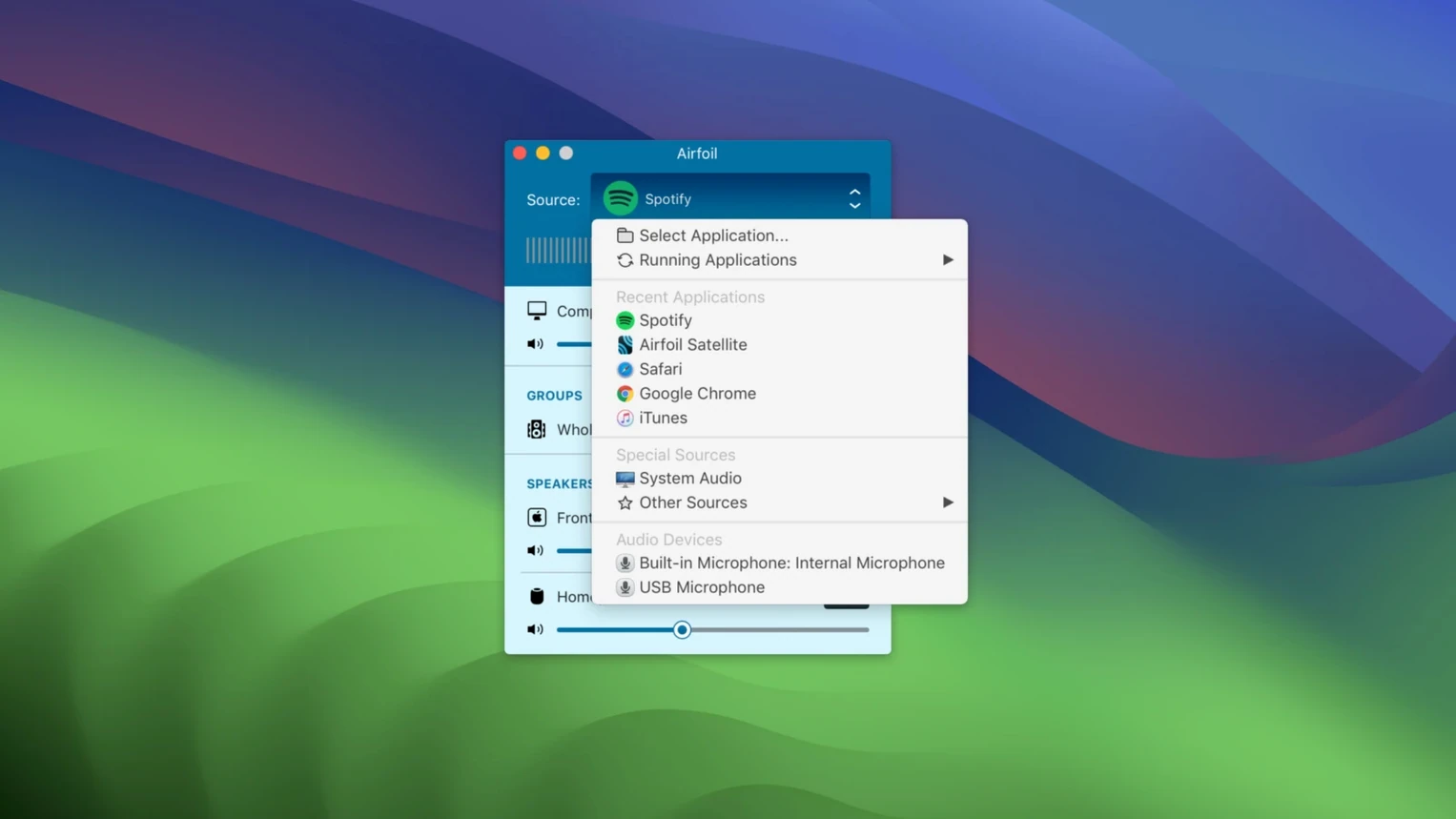
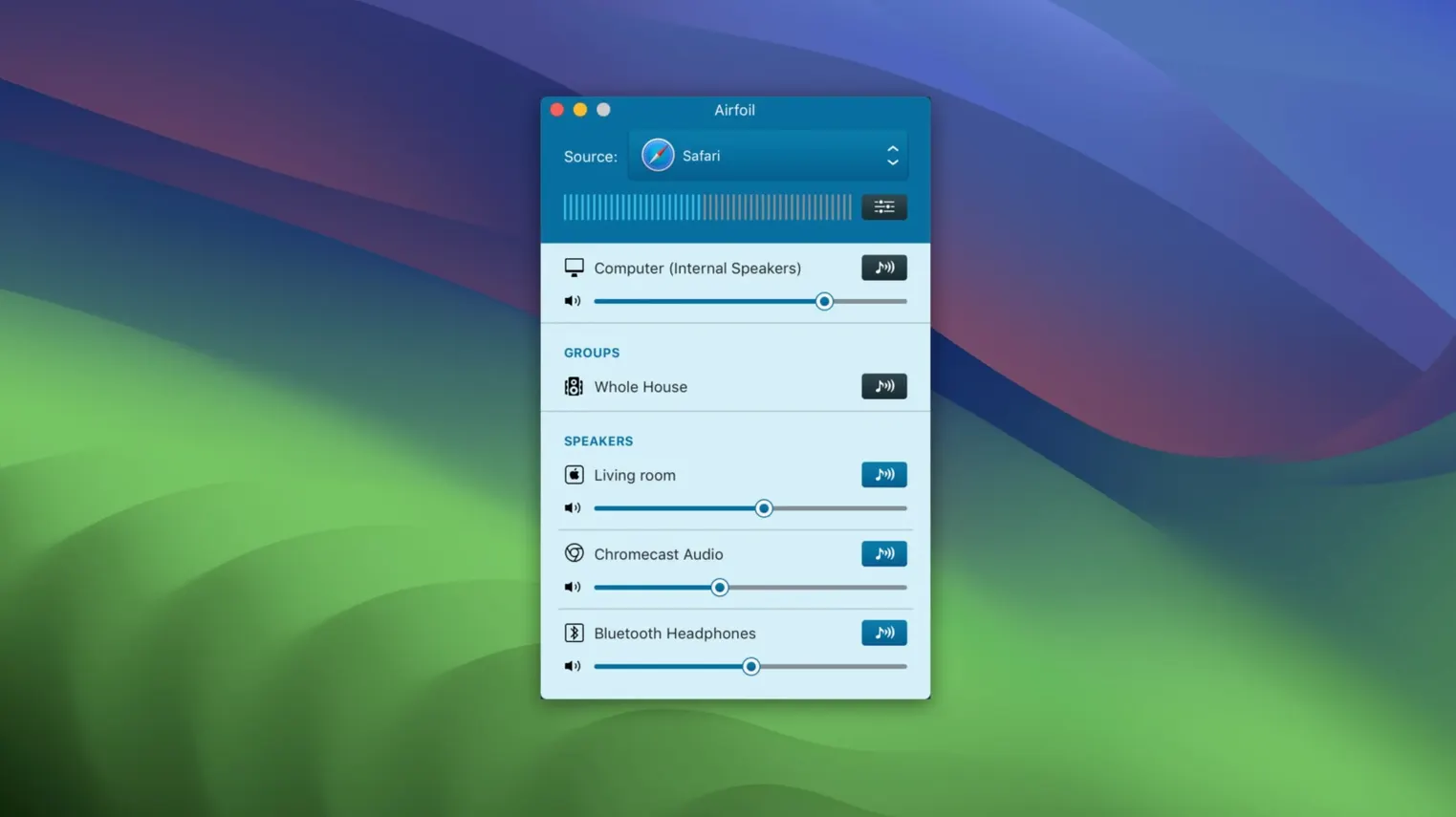
- Pick a source. The app lists every open application producing audio. You select one — Music, a web browser, or a DAW — rather than sending the entire system mix.
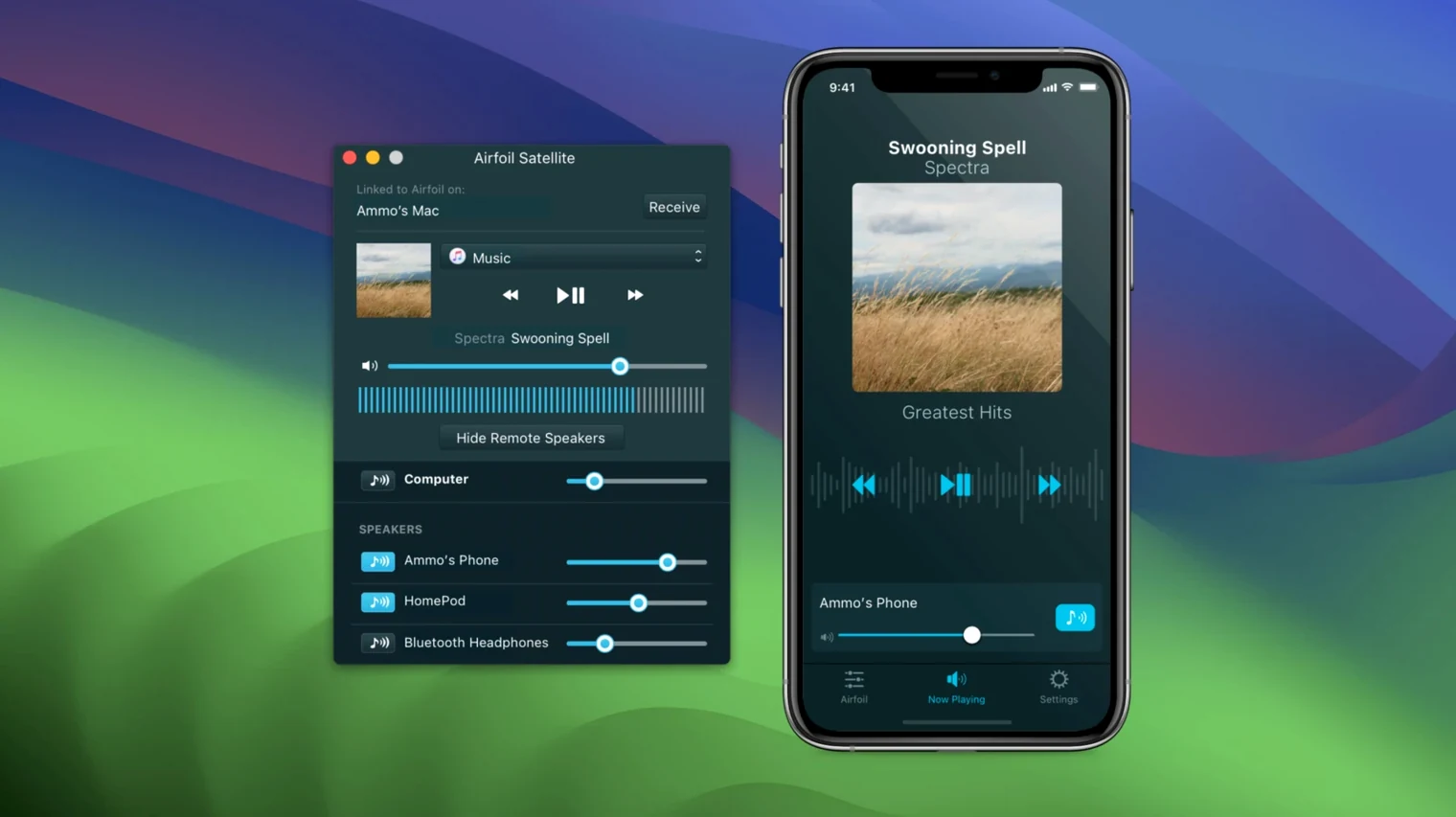
- Choose destinations. AirPlay speakers, Apple TV units, Bluetooth headphones, and other Macs appear as targets. You can send to multiple outputs simultaneously, with volume set independently per device.
- Encode and transmit. Audio travels as Apple Lossless. The 64-bit engine keeps latency low enough for video, though a slight sync offset is expected over Wi-Fi.
- Extend with Satellite. A companion app turns an iOS device or another Mac into a receiver or a remote control for the host machine.
The current release restores streaming to Apple TV and HomePod units that had been unavailable in recent macOS versions. Compatibility sits at macOS 14.4 and later on both Apple silicon and Intel Macs.
What 5.13 Changed Day-to-Day
Version 5.13.0 landed on 25 September 2026 with one headline fix: streaming to Apple TV and HomePod devices is back. macOS changes had quietly broken that path in earlier builds, and for many users with a living-room Apple TV or a kitchen HomePod, Airfoil had lost half its utility. Selecting those targets now works again — they appear in the destination list and accept audio without the silent failures that plagued the previous release.
Beyond that fix, the update was a compatibility release. It runs on everything from macOS 14.4 through macOS 27, which means it bridges the transition across several major OS generations on both Apple silicon and Intel 64-bit hardware. No new features landed, no interface reshuffle. The equalizer, per-app capture, and multi-output routing behave exactly as before. For someone updating from a broken build, the practical change is simple: Apple TV and HomePod reappear as reliable endpoints.
Workflow: Podcast Monitoring Across Three Rooms
Here is a real scenario — recording a remote interview while monitoring through wired headphones and sending a low-latency feed to a producer in another room.
Open Airfoil. The source list shows Firefox playing a Riverside.fm session, plus Music and System Audio. Click Firefox — only the interview audio is captured, not notification pings or a YouTube tab you left open.
In the destination pane, tick three outputs:
- Wired USB interface — your monitoring headphones, volume at 70%.
- Mac mini in the producer's office — running Airfoil Satellite, receiving as Apple Lossless.
- Kitchen HomePod — so you can grab coffee and still hear the guest.
Set the HomePod volume to 40% to avoid echo bleed. The producer's Mac gets 85%. Open the equalizer, notch down 120 Hz slightly to clean up the guest's low-end rumble — a five-second adjustment that saves time in post.
Recording begins. Audio leaves Firefox, hits Airfoil, splits three ways. The producer hears the guest with roughly 200 ms delay over Wi-Fi — fine for monitoring, unusable for cues. Your wired path has no perceptible lag. The HomePod adds another 80 ms, irrelevant for casual listening. When the interview ends, you stop the source in Airfoil, not by quitting Firefox, so the routing stays set for the next session.
Idles at 45 MB RAM and Under 1% CPU on One Stream
Airfoil 5.13.0 is a lightweight 64-bit process. On an M2 MacBook Air with 16 GB RAM, it idles at roughly 45 MB of memory and under 1% CPU when streaming to one AirPlay target. Add three destinations and CPU climbs to 2–3%, mostly due to the Apple Lossless encoder running separate streams per device. Intel Macs show slightly higher numbers — an i7 Mini hovers around 5% with four outputs — but neither platform feels taxed during normal use.
Stability has been uneventful, which is the best kind. Over a working day with Airfoil open for eight hours, streaming intermittently to a HomePod and a Bluetooth speaker, no crashes or audio dropouts occurred. The restored Apple TV path holds the connection; previous builds would lose sync after 20–30 minutes. Bluetooth remains the weakest link — it occasionally drifts by up to 500 ms on older hardware, and Airfoil does not compensate. For video, stick to AirPlay or wired Satellite connections.
One quirk: if the source application quits, Airfoil falls silent but does not notify you. The interface still shows the source name until you click it. Not a bug, just a behaviour worth knowing in advance.
A Session with Airfoil
10:07 AM. You mount the disk image, open Gatekeeper-friendly, and press Enter in the Terminal window that appears. Drag Airfoil to Applications. Launch it. The main window is compact — a source column on the left, destinations on the right, volume sliders per device.
10:12 AM. You fire up Music and pick an album. Airfoil automatically detects it and lists it as a source. You select Living Room Apple TV and Office HomePod mini. Volume: 55% and 40%. The equalizer stays flat for now.
10:30 AM. A YouTube tutorial needs sound in the office only. You switch the source to Firefox, deselect the Apple TV, leave the HomePod active. The transition is instant — no gap, no pop.
1:15 PM. Lunch break. You leave Airfoil running with the HomePod streaming a playlist. CPU sits at 1.2%. Memory: 48 MB. Nothing degrades.
3:40 PM. A video call starts. You switch the source to Zoom, route it to wired headphones only, mute the HomePod. Airfoil's per-app capture means the call audio never bleeds into the living room.
5:50 PM. End of day. You quit Airfoil. The destinations disconnect cleanly. Next launch, it remembers the last source and device list — one click restores the whole setup.
Someone looking for an airfoil cracked mac build or an airfoil torrent might land here expecting a quick patch note. What they actually find is a tool that slots into a working day without ceremony. The airfoil crack scene often tracks Rogue Amoeba's release cycle closely, and version 5.13.0 in particular is worth grabbing in its current form because of the Apple TV fix. For anyone searching airfoil for mac in a multi-device household, the restored HomePod and Apple TV streaming is the reason to update. An airfoil cracked installation, when set up with the correct permissions and network access, behaves identically to the standard one — same lossless codec, same Satellite support, same per-app routing.
Streaming — Restores audio streaming to Apple TV and HomePod devices.
- macOS 14.4 or later
- Apple silicon or Intel 64-bit Mac
- 64-bit application
Questions on file
Does Airfoil transmit in a compressed format?
No, Airfoil encodes audio using Apple Lossless, so it preserves the quality of the source signal while streaming to remote devices.
Sign in · Create an account to add a field note.
No field notes yet. A measurement, a version, a machine — they appear after moderation.