Design
ColorSquid 1.2.2
DesignUpdated
| Requirement | On file |
|---|---|
| macOS | OS X 10.10 or later |
| CPU | Intel 64-bit |
| Download | 4 MB |
If you've ever struggled to build a cohesive colour palette for a design project, you know the pain of switching between apps and guessing at harmonies. ColorSquid 1.2.2 for Mac is a focused tool that tackles exactly that: it lets you create, store, and export colour schemes using colour theory, all from one window.
Before you install, check the requirements. ColorSquid runs on macOS 10.10 or later and supports 64-bit Intel architecture only — there's no native Apple Silicon version at this stage.
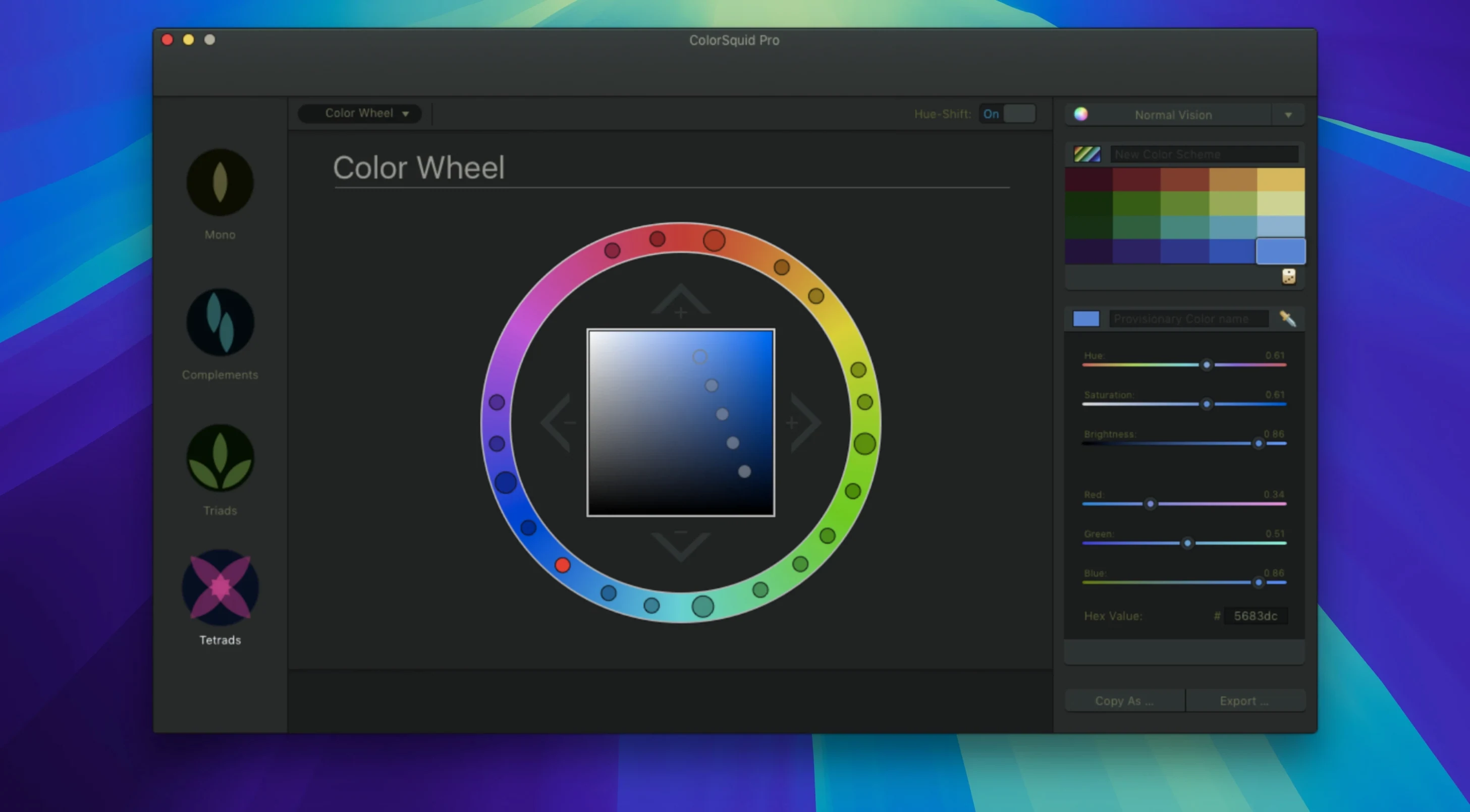
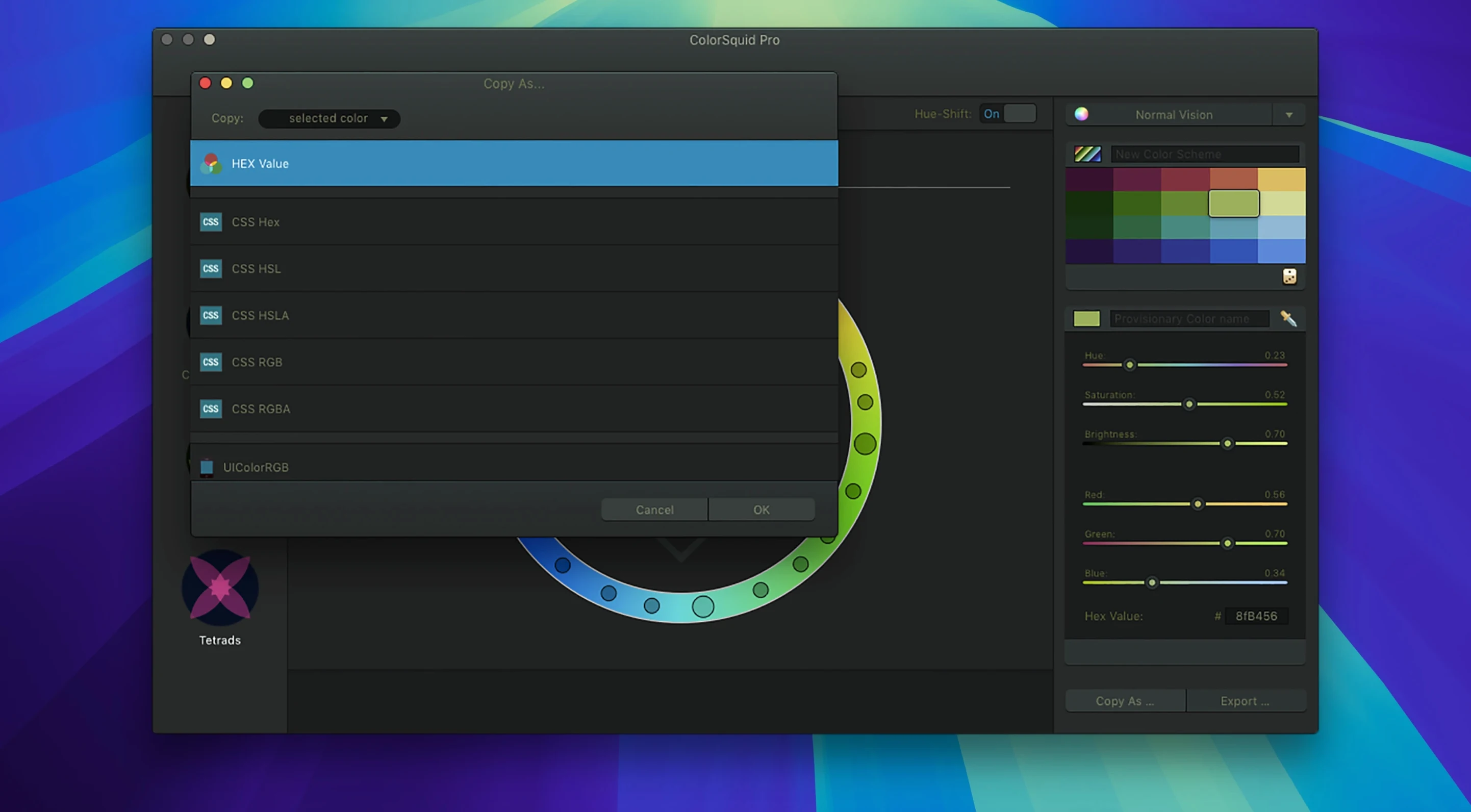
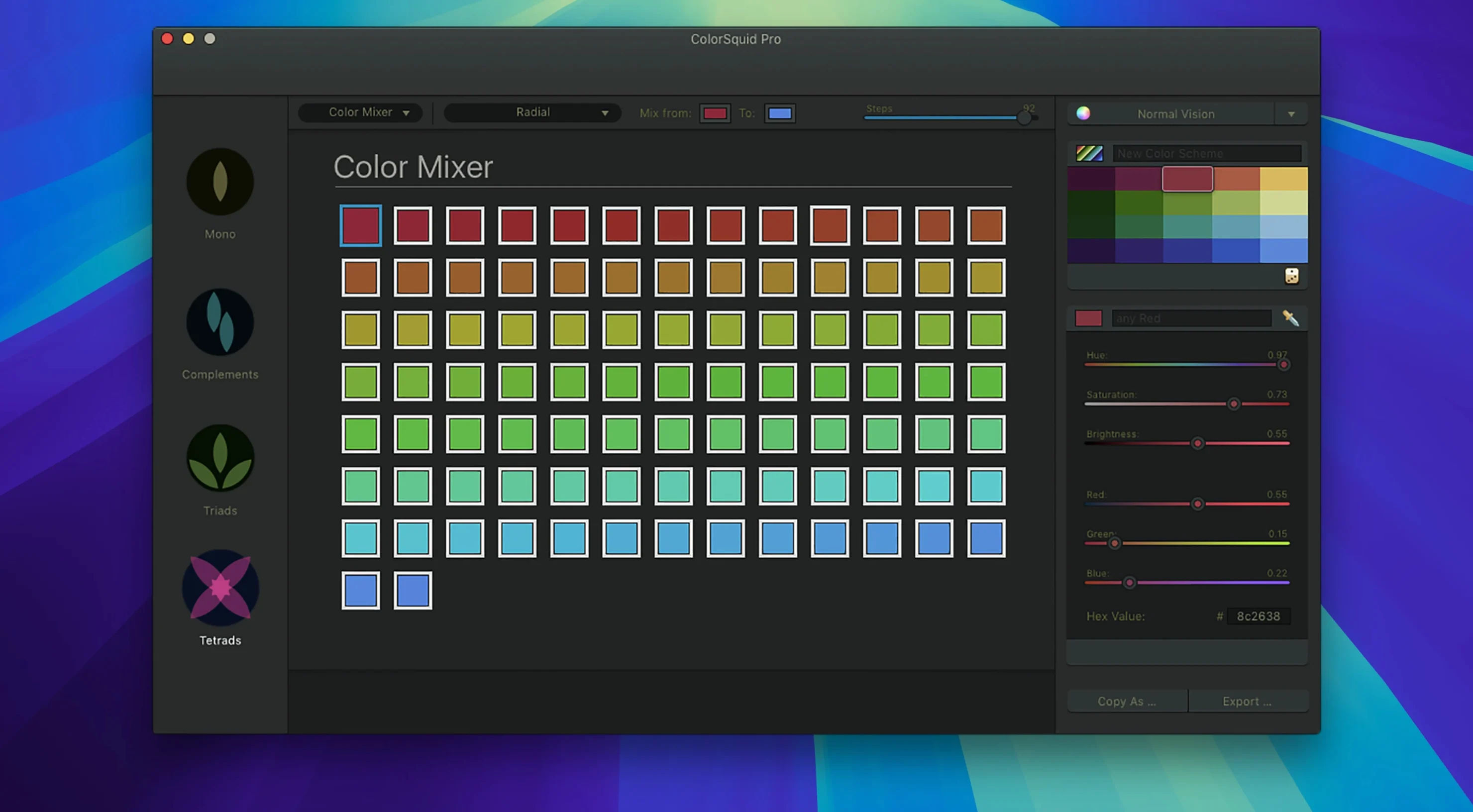
Inside, you get three main modes: Color Wheel, Color Mixer, and Color Variants. You can apply hue shifting to improve contrast and readability, check contrast against accessibility standards, and simulate colour-blindness to see how your palette holds up. Multi-selection with Shift or Cmd lets you edit several colours at once. Palettes export as .clr files for the macOS colour picker or as .aco files for Adobe apps. The recent 1.2.2 update fixed a bug where the UI could stop working after closing and reopening the window, and corrected opening of .clr files from the Recent Documents menu.
Workflow: Building a UI Palette from a Brand Colour
Pick a brand colour — say, #2B6B9E. Open ColorSquid and type that hex into the Color Wheel mode. The wheel lights up and shows you the complementary colour (on the opposite side) and the analogous neighbours. Leave the wheel for a moment.
Switch to Color Variants mode. The base colour sits in the centre; the app generates a grid of lighter tints, darker shades, and a few muted greys. Select three variants: one for backgrounds, one for hover states, one for borders. Shift-click to grab them all.
Now check contrast. Highlight your base colour and the lightest variant, then open the contrast-checking panel. The numbers should pass AA standards. If they don't, drag the brightness slider up a notch and re-check.
Finally, export. Click the export icon, choose .clr, and save it. Open System Preferences > Color Manager, import your .clr file, and it appears right in the native colour picker. You can also export as .aco if you're moving the palette into Photoshop later.
The whole loop — pick, vary, check, export — takes about two minutes once you're used to the layout. It replaces the old routine of jumping between a colour-wheel website, a contrast checker, and a hex editor.
Finalising a Dashboard Palette from a Client’s Blue
Tuesday morning, I opened ColorSquid to finalise a palette for a dashboard mock-up. The brief called for four colours: a primary, a secondary, an accent, and a neutral. I had a base blue from the client's logo, but the accent kept looking wrong.
I started in Color Wheel, dropped the blue at 210° on the wheel, and let the app suggest a triadic scheme. The wheel spat out three more hues. One of them, a warm orange at 30°, looked promising for the accent. I clicked it to lock it in.
Then I moved to Color Variants. For each of the four wheel colours, I generated five shades — one darker, two lighter, one desaturated. I shifted-clicked the ones I wanted and checked the list: sixteen colours in total, but only eight distinct ones after I removed duplicates.
Halfway through, I used the colour-blindness simulator. The orange accent vanished against the lighter blue for the deutan view. I nudged the orange saturation up by 15 points using the slider. The accent stayed visible across all three simulation modes.
I copied the final set as CSS variables — one click — and pasted them straight into the mock-up's stylesheet. No hex conversion, no typing. If you know what you want, it's more like ten.
Fixing Mismatched Hex and CMYK Values
Snag: The UI freezes after reopening the window
This bug was fixed in 1.2.2. If you're still seeing it, check that you're running version 1.2.2 — earlier builds had a known issue where the interface would stop responding after closing and reopening the window. The fix in the current release addresses that exact behaviour. No workaround needed if you're up to date.
Snag: .clr files don't appear in the Recent Documents menu
Another 1.2.2 fix. Earlier versions of ColorSquid could open .clr files from the file system but didn't list them correctly in the Recent Documents menu. The current release corrects that. If you're still having trouble, try opening the .clr file directly via File > Open rather than from the menu.
Snag: Export colours look different in other apps
ColorSquid works in the sRGB colour space, the same as most web and UI work. If your palette shifts in Photoshop or Illustrator, check that those apps are also set to sRGB. The .aco export uses the same space, so the issue is usually a mismatch in the receiving app's colour settings, not in ColorSquid itself.
Snag: Can't select multiple colours at once
Hold Shift for a consecutive range, or Cmd (or Control on a PC keyboard) for non-adjacent selections. This works in both the palette list and the Color Variants grid. If nothing happens when you click, make sure you're clicking on the colour swatch, not the hex label.
For anyone who needs a reliable, spec-first colour tool without the bloat of a full design suite, ColorSquid 1.2.2 is worth a look.
- UI crash after closing and reopening the window — fixed.
- Opening .clr files from the Recent Documents menu — corrected.
- macOS 10.10 or later
- 64-bit Intel processor
- English interface language
Questions on file
Does ColorSquid work on Apple Silicon Macs?
No. ColorSquid 1.2.2 supports 64-bit Intel architecture only. It will run on Apple Silicon Macs under Rosetta 2, but there is no native version.
What file formats does ColorSquid export?
ColorSquid exports palettes as .clr files for use in the macOS colour picker and as .aco palettes for Adobe software.
What colour theory features does ColorSquid include?
It includes a Color Wheel, Color Mixer, and Color Variants modes, plus hue shifting for contrast and readability, and colour-blindness simulation.
Sign in · Create an account to add a field note.
No field notes yet. A measurement, a version, a machine — they appear after moderation.