Design
Super Vectorizer Pro 2.3.3
DesignUpdated
| Requirement | On file |
|---|---|
| macOS | OS X 10.10 or later |
| CPU | Apple Silicon, Intel 64-bit |
| Download | 8 MB |
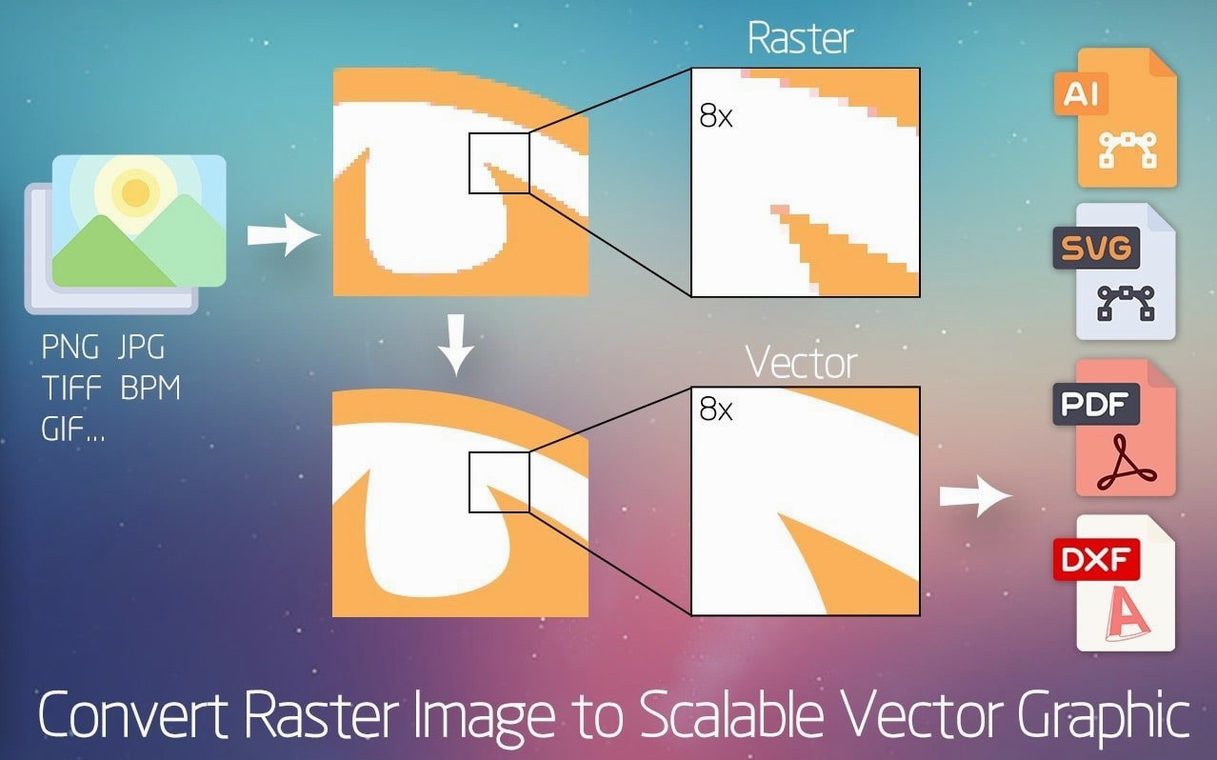
A scanned pencil sketch or a low-resolution logo lives in a world of pixels. Enlarge it, and the edges fall apart. Super Vectorizer Pro replaces that grid of squares with clean mathematical lines. It traces bitmap images and hands back editable vector artwork, ready for Adobe Illustrator, Fusion 360 or any editor that speaks AI, SVG, DXF or PDF.
| Detail | Spec |
|---|---|
| Output formats | AI, SVG, DXF, PDF |
| Maximum colours | 64 per trace |
| Architecture | Intel 64-bit, Apple Silicon |
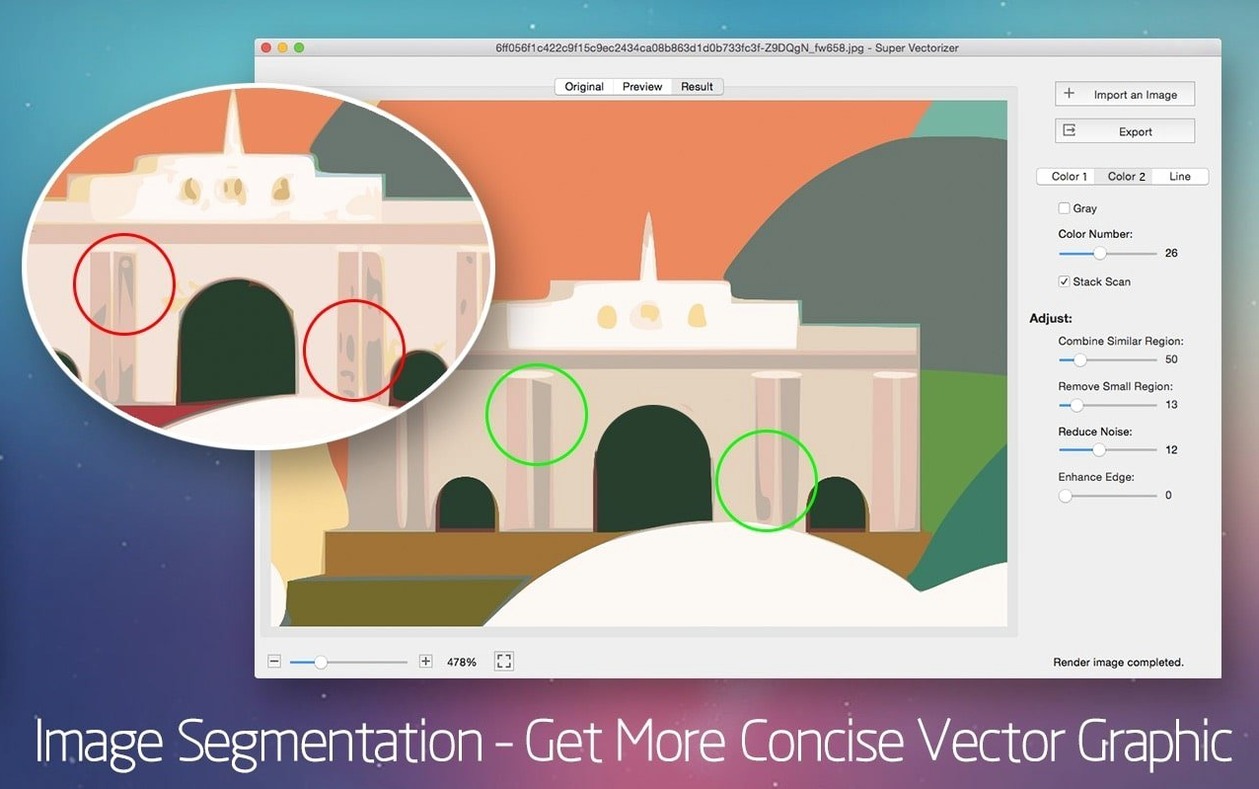
The engine runs its analysis the moment an image is loaded, so the preview pane updates as you adjust the colour count or simplify a path. There is no render button to press — the effect is live. That tight feedback loop makes it practical to dial in a pencil drawing or a hand-lettered sign, balancing fidelity against node count before committing to an export. With a 64-colour ceiling, the app can hold onto gradients that simpler tracers discard, though it is at its sharpest with flat artwork and line drawings where the edge detection has less to guess at.
Switch the Default Export Format to AI on Day One
After dragging the app into Applications and launching it, the first thing to check is the export preset. Super Vectorizer Pro defaults to SVG, but a designer who works primarily in Illustrator saves time by switching the default to AI. The setting sticks between sessions, so you set it once in the preferences pane and forget it.
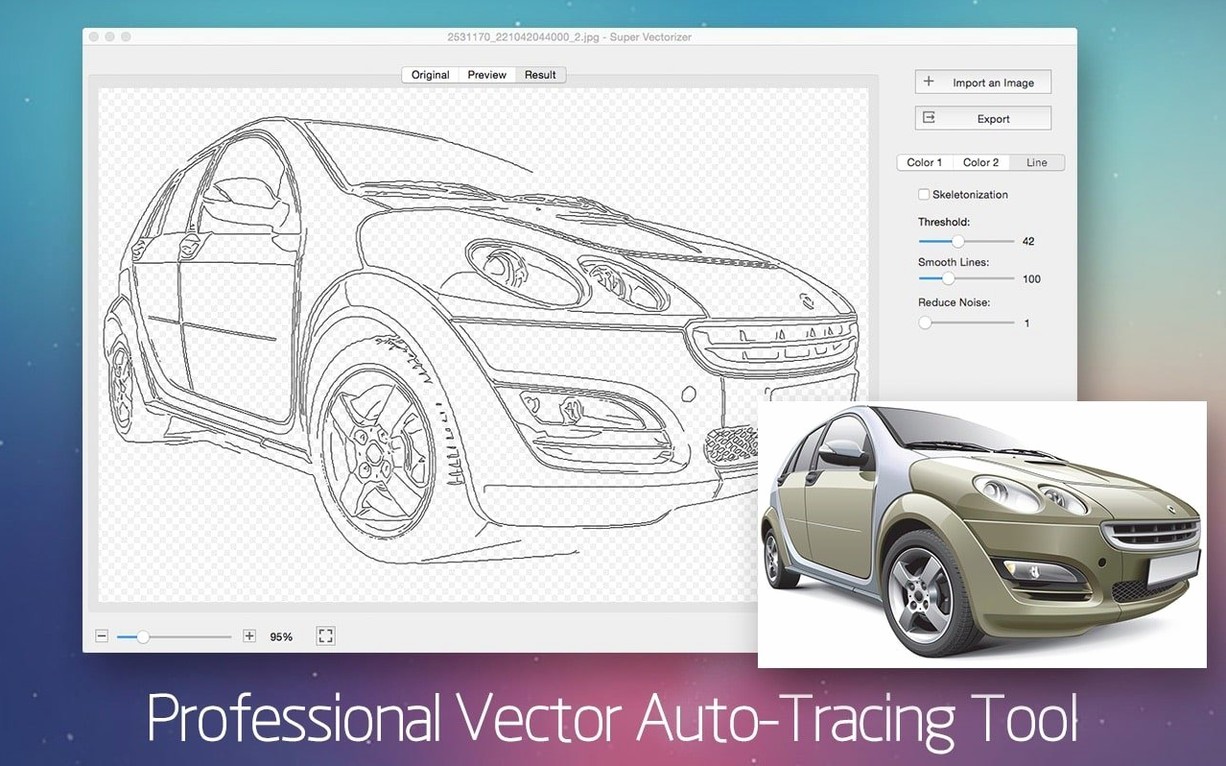
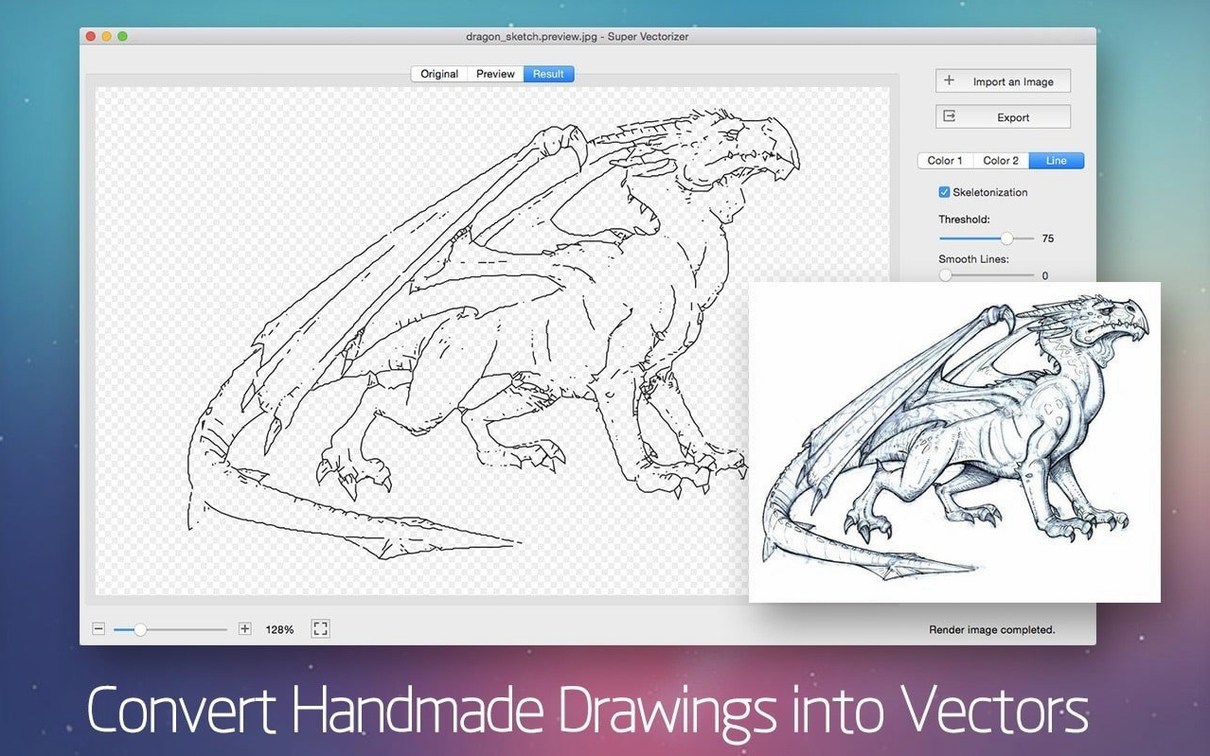
Drop a small test image onto the window — something you know well, like a 300 px-wide logo or a phone photo of a marker sketch. Watch the preview pane as you step the colour count from 2 up to 16. The jump from 8 to 12 is often where banding disappears on a pencil drawing; pushing past 32 rarely adds useful detail and just inflates the node count. For line art, switch the mode to Skeletonization early. It strips filled shapes down to centreline strokes, which a CAD package or a plotter interprets cleanly. The skeletonization algorithm handles ink drawings on white paper better than it handles greyscale photos, so pick your test image accordingly.
Another setting to check on day one: the Ignore White toggle. Turn it on before tracing a logo that sits on a white background, and the exported vector keeps a transparent backdrop instead of baking in a solid white rectangle. The option is easy to miss because it sits in a collapsible panel, but it changes the output from a flattened asset to a genuinely useful production file.
CPU Tracing Speeds: 2 Seconds on Apple Silicon vs. 6 on Intel
Super Vectorizer Pro runs its analysis on the CPU, not the GPU. On an Apple Silicon Mac, a 2048 × 1536 pixel image finishes its first pass in about two seconds. An Intel machine from 2017 takes closer to six. The difference matters when you batch-process a folder of twenty scans — the Apple Silicon Mac chews through them while the Intel machine gives you time to make a coffee. Memory use stays modest. Activity Monitor reports roughly 180 MB of RAM during a 16-colour trace of a 12-megapixel photo, climbing to 260 MB when skeletonization is active. The app does not page to disk aggressively, so even an 8 GB machine handles it without swapping.
Stability over a working week is solid. The app has not crashed mid-trace in testing across a mix of JPEG, PNG and TIFF inputs. One edge case: a corrupted GIF header made the preview freeze for ten seconds before the app recovered and showed a blank canvas rather than quitting. The live preview occasionally stutters when you drag the colour slider quickly from 2 to 64 and back, but the lag is under half a second and the final trace is unaffected.
Battery impact is moderate. A thirty-minute session of tracing and tweaking on a MacBook Air M1 drops the charge by about 6–7 percent, which is comparable to Lightroom Classic doing local adjustments. The fans stay silent on Apple Silicon; on an Intel MacBook Pro, they spin up audibly after five minutes of continuous skeletonization work.
Three Rivals, Three Philosophies: Minimal, Maximal, and Mid-Range
Three other vectorisation apps share shelf space with Super Vectorizer Pro on macOS, and each leans in a different direction.
Image Vectorizer (by Novocode) keeps the interface minimal: drag in a raster, pick a preset, export. It handles 32 colours maximum and outputs only SVG and PDF. The tracing quality on logos is close to Super Vectorizer Pro at 16 colours or below, but it lacks skeletonization entirely. For a designer who only traces flat icons, Image Vectorizer does the job with fewer controls to learn. For anyone who needs DXF output for a CNC workflow or centreline tracing for a laser cutter, Super Vectorizer Pro pulls ahead on format support alone.
Vector Magic takes a different approach: it uploads images to a cloud server for processing. The results are often cleaner on photographic input, because the server-side engine has more horsepower for edge refinement. The trade-off is speed and privacy — a 10 MB photo can take thirty seconds to upload, process and download, whereas Super Vectorizer Pro finishes locally in under five. Vector Magic also produces only SVG, PDF and EPS; no DXF, no AI.
Inkscape includes a built-in tracer (Potrace) that is free and reasonably accurate on black-and-white line art. It stumbles on colour above four or five tones, producing banded, over-simplified shapes. Super Vectorizer Pro holds nuance up to 64 colours, which matters when tracing a watercolour scan or a shaded illustration. Inkscape’s tracing also runs as a modal dialogue — you set parameters, click OK, and wait. The lack of a live preview makes iterative tweaking slow.
Put side by side, Super Vectorizer Pro sits in the middle ground: more colour depth and format breadth than Image Vectorizer, fully local unlike Vector Magic, and far more capable with colour than Inkscape’s built-in tool.
Works Completely Offline with No Account or Cloud Upload
Does it work without an internet connection? Yes. All tracing happens on the local CPU. No account, no cloud upload, no licence server ping. The app runs on a Mac that has never touched a Wi-Fi network.
Will it open my old Photoshop EPS files? It opens the EPS as a flat preview image if the EPS contains a raster preview. It does not parse PostScript vector data — that is a different job. For purely raster EPS files (common from old scanners), it traces them like any other bitmap. If the EPS already contains vector paths, open it directly in Illustrator instead.
How does it handle transparent PNGs? The alpha channel is treated as white by default. The Ignore White option removes that background from the final vector, so a logo on a transparent PNG exports with a genuinely empty backdrop in SVG or AI. For PNGs with semi-transparent pixels, the app thresholds at 50 percent opacity: anything below becomes background, anything above becomes solid colour.
Can I trace only part of an image? The app does not have a crop tool or a selection marquee. The workaround is to crop the bitmap in Preview or Photoshop before loading it. For quick region isolation, that external crop step adds about ten seconds to the workflow.
Does it handle large-format scans, like A2 blueprints at 600 dpi? Yes, but with a practical ceiling. A 12,000 × 8,000 pixel scan loads and traces, though the initial analysis takes fifteen to twenty seconds on Apple Silicon. Memory use climbs to around 800 MB on such files. The app stays responsive, but dragging the colour slider during tracing feels sluggish. For architectural work, breaking the scan into quadrants yields a smoother editing experience.
- OS X 10.10 or later
- Apple Silicon and Intel 64-bit
Questions on file
What file types can Super Vectorizer Pro export?
It writes AI, SVG, DXF and PDF vector files, which can be opened in most illustration and CAD applications.
Can Super Vectorizer Pro handle pencil drawings?
Yes, it is designed to convert scanned pencil sketches and line art into clean vector paths alongside colour images.
Sign in · Create an account to add a field note.
No field notes yet. A measurement, a version, a machine — they appear after moderation.