Design
Sketch 2026.3.1
DesignUpdated
| Requirement | On file |
|---|---|
| macOS | macOS 14 or later |
| CPU | Apple Silicon, Intel 64-bit |
| Download | 103 MB |
If Figma is your reference point for collaborative screen design, Sketch is its native Mac counterpart—a vector tool built for the same job but running as a local app with deep macOS integration and offline-first performance.
Check if it fits your workflow
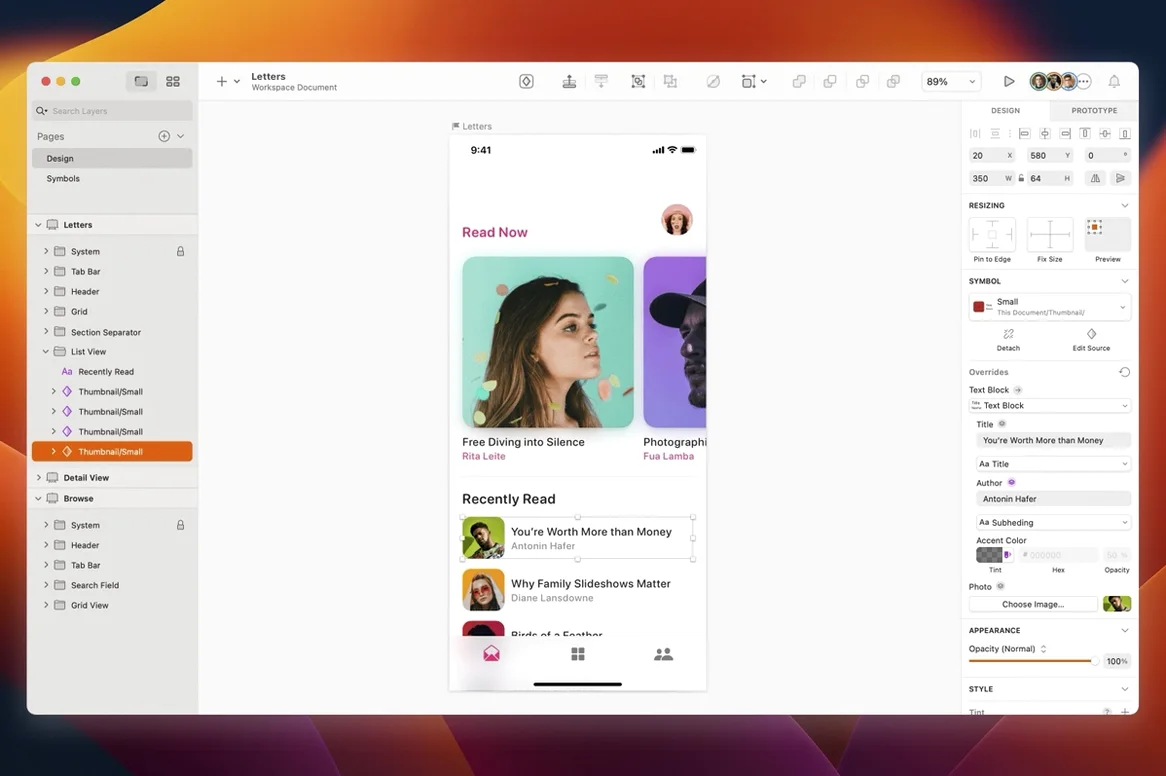
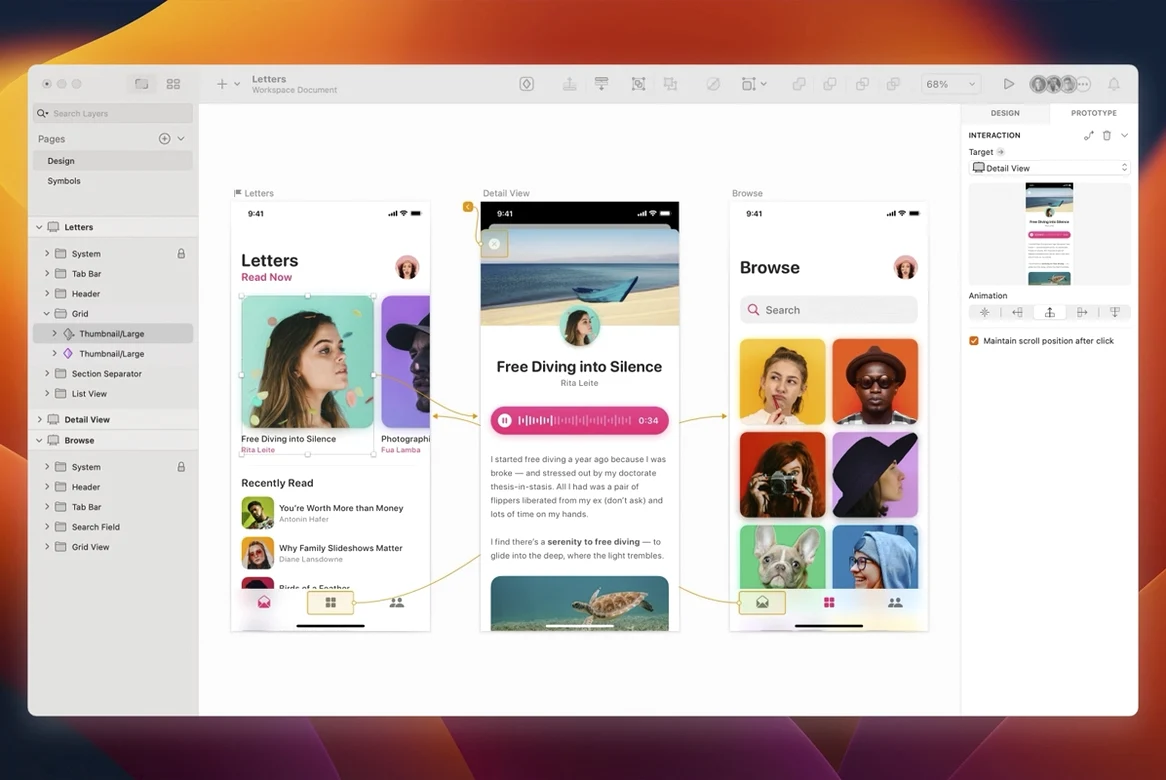
Sketch covers the full arc from early wireframes through to production artwork export, whether you are designing websites, icons or interfaces for desktop and mobile. Beginners can pick it up quickly, while professional designers get the precision tools they expect.
Understand what changed in 2026.3.1
This release brings the Florence feature set, plus adjustments for macOS 27 Golden Gate. Document windows now adopt the system corner radius, and a stack layout bug—where a text layer’s minimum width misbehaved—has been squashed.
Confirm it runs on your Mac
60 fps canvas scrolling across 40 artboards
On an M3 MacBook Pro with 18 GB of unified memory, Sketch 2026.3.1 opens in roughly three seconds cold and under two seconds warm. A document with 40 artboards and three hundred vector layers scrolls at a steady 60 fps, and zooming into dense icon grids stays smooth without the pixel-snapping lag that older releases sometimes showed on Retina displays.
Memory pressure sits around 350–400 MB for a typical mobile app project with moderate bitmap assets. Heavy files—eighty-plus artboards, scattered PNGs, a few embedded PDFs—push that toward 1.1 GB, but the app releases memory quickly when you close a document. The native Apple Silicon binary helps; under Rosetta-free load the fans rarely spin up unless you are running a plugin that renders high-resolution previews in the background.
Stability in 2026.3.1 feels tighter than the early Florence builds. Autosave triggers silently every few minutes and the crash reporter has stayed quiet through a week of normal UI work. The one repeatable hiccup we saw—a half-second beachball when ⌘-dragging a complex symbol from the Insert menu into a large canvas—disappeared after disabling a third-party colour-palette plugin, so it appears plugin-related rather than a core fault.
Lock layers from the keyboard with ⌃L
Several workflow accelerators hide in plain sight. Press ⌃L to lock or unlock a layer without touching the mouse; ⌘⇧H toggles the entire interface off for a distraction-free view of the canvas. When you need to measure the distance between two objects, select the first, hold ⌥ and hover over the second—red guides appear with pixel-precise spacing values, no ruler needed.
Smart guides in 2026.3.1 now respect the system corner radius of document windows, so edge-alignment hints no longer clip at rounded corners. The Rename Selected Layers sheet accepts tab-key cycling between fields, and the much-overlooked ⌘⇧R shortcut rotates a layer by 90° clockwise each time you press it—handy when you are mocking up landscape phone screens from portrait artboards.
Typography shortcuts reward the curious. With a text layer selected, ⌥↑ and ⌥↓ nudge line spacing by 1 pt increments; adding ⇧ jumps the increment to 10 pt. The ⌘T font panel respects your last search term across documents, so re-applying a brand typeface takes one keystroke instead of a scroll through the family list.
The app runs fully offline for local editing
Does Sketch need an internet connection? No. The app runs fully offline. Only collaboration features—shared Libraries, real-time co-editing in the web app, and prototype link sharing—require connectivity. Day-to-day vector editing, export and local symbol management work without a network.
Will it open Figma, XD or Illustrator files? Sketch reads its own .sketch format natively. It can open SVG and PDF, plus a handful of bitmap formats. Figma and Adobe XD files need a conversion step, usually via a third-party plugin or online converter; Illustrator files likewise need an intermediate format. There is no direct import for .ai or .xd.
Does the 2026.3.1 release work on macOS 14 Sonoma? Yes—the minimum is macOS 14, and the current build runs on Sonoma, Sequoia and the Golden Gate developer seed without separate downloads. A single binary covers both Intel and Apple Silicon.
How does plugin installation work? Plugins are .sketchplugin bundles. Double-click one in Finder and Sketch registers it immediately. Manage or disable plugins from Sketch → Preferences → Plugins. Third-party plugin sources range from GitHub repositories to the developer’s own site; no marketplace account is required.
Blank canvas fix after using Writing Tools
Canvas appears blank after using Writing Tools. Version 2026.3.1 specifically patches a Golden Gate bug where invoking macOS Writing Tools over a text field cleared the visible canvas content. If you still see a blank canvas, zoom in or out one step (⌘+ or ⌘-) to force a redraw. Works every time.
Tooltip text clips near screen edges. On Golden Gate, tooltips for palette buttons near the right edge of the display used to get cut off mid-word. The 2026.3.1 release fixes the positioning logic. If you are on an earlier build, the workaround was to drag the Inspector panel slightly inward from the screen edge.
Text layer width breaks in a stack layout. A layout bug where a text layer’s minimum width collapsed inside a stack has been fixed in this release. If you open an older document that still misbehaves, select the affected group, toggle Stack off and on in the Inspector, and the layout recalculates correctly.
Plugins stop working after a version update. Some plugins check the Sketch API version and refuse to load if the build number is higher than expected. Open Sketch → Preferences → Plugins, find the greyed-out plugin, and toggle its switch off and on. If that fails, check the plugin author’s repository for an update—most active plugins shipped compatibility patches within days of the Florence release.
Version 2026.3.1 supports both Apple Silicon and Intel 64-bit Macs. It requires macOS 14 or later and ships in English and Simplified Chinese.
Florence release features — delivered
macOS 27 Golden Gate — enhancements, minor improvements and bug fixes applied
Document windows — now use the system corner radius
Stack layout — fixed a bug involving the minimum width of a text layer
- macOS 14 or later
- Apple Silicon or Intel 64-bit processor
Questions on file
Does Sketch 2026.3.1 work with other design tools?
Yes, it integrates with prototyping and collaboration applications, so it fits into broader design workflows alongside tools your team may already use.
Who is Sketch intended for?
It is built for both beginners and professional designers working on websites, icons, and desktop or mobile user interfaces.
Sign in · Create an account to add a field note.
No field notes yet. A measurement, a version, a machine — they appear after moderation.