Design
QuarkXPress 22.0.1
DesignUpdated
| Requirement | On file |
|---|---|
| macOS | macOS 12 or later |
| CPU | Apple Silicon, Intel 64-bit |
| Download | 2.4 GB |
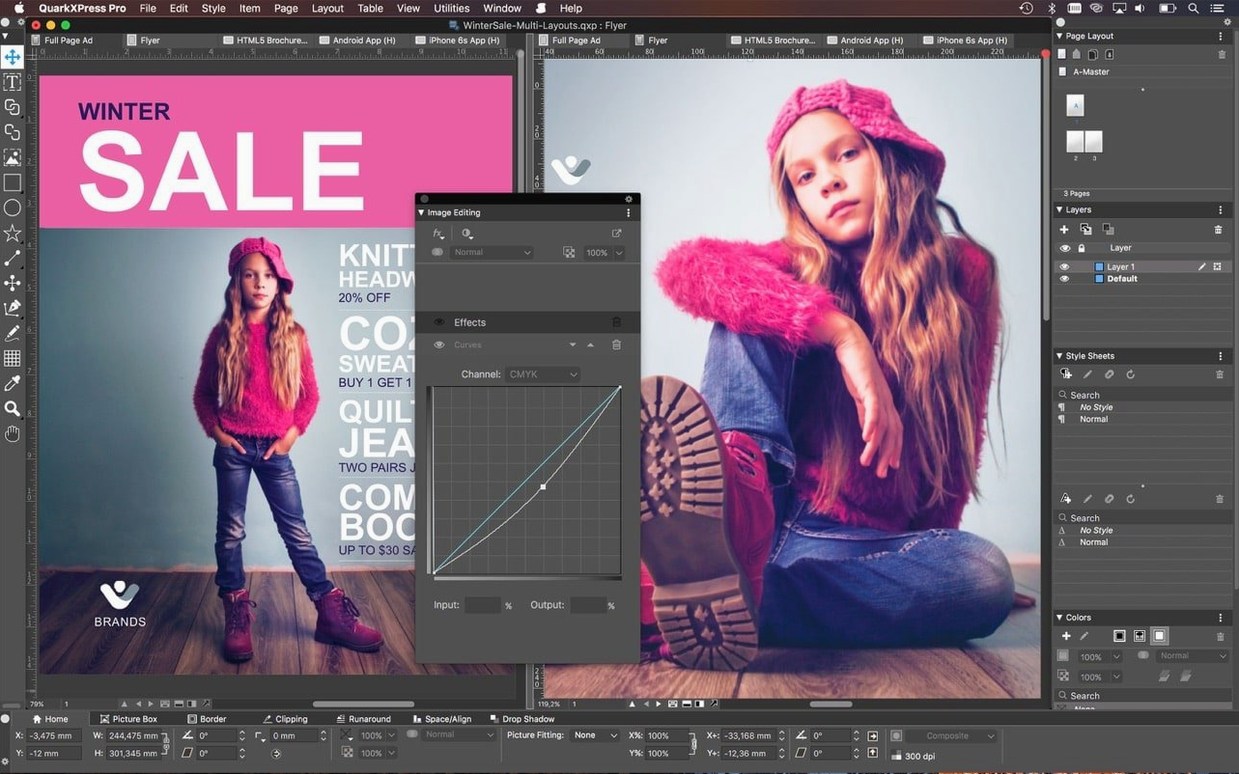
QuarkXPress is a desktop publishing application for designing print and digital layouts. Version 22.0.1 runs on macOS 12 and later, with native support for both Apple Silicon and Intel 64-bit Macs. The interface is localised into 18 languages, including English, German, Japanese and Simplified Chinese.
| Detail | Spec |
|---|---|
| Current version | 22.0.1 |
| macOS compatibility | macOS 12 and later (including Sequoia and Tahoe) |
| Architecture | Apple Silicon, Intel 64-bit |
| Interface languages | 18, including CJK and right-to-left scripts |
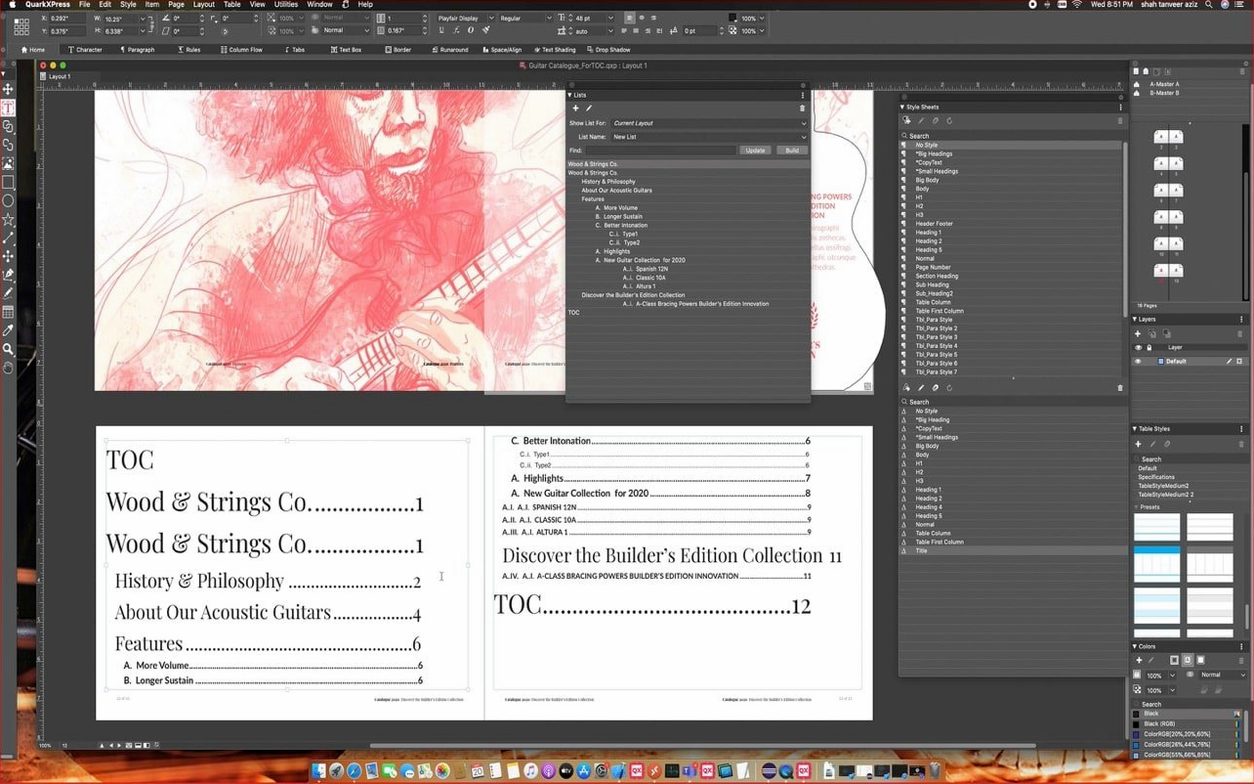
Under the hood, the 22.0 release added native equation tools for setting mathematical notation without external plug-ins. The ImageGrid feature was tightened up so master page elements hold their position across auto-generated pages. A redesigned welcome screen rounds out the 22.0.1 update. Earlier foundations remain: OpenType and Unicode support, conditional styles that apply layout rules automatically, Reflow View for checking how content adapts to different screen sizes, and an ePub export utility for creating ebooks for iBooks, Kindle and Nook. Projects use a single file format that opens and prints across regional editions, and the cloning tool still handles repetitive element placement in long documents.
Built-in tutorials teach equation tools and ImageGrid
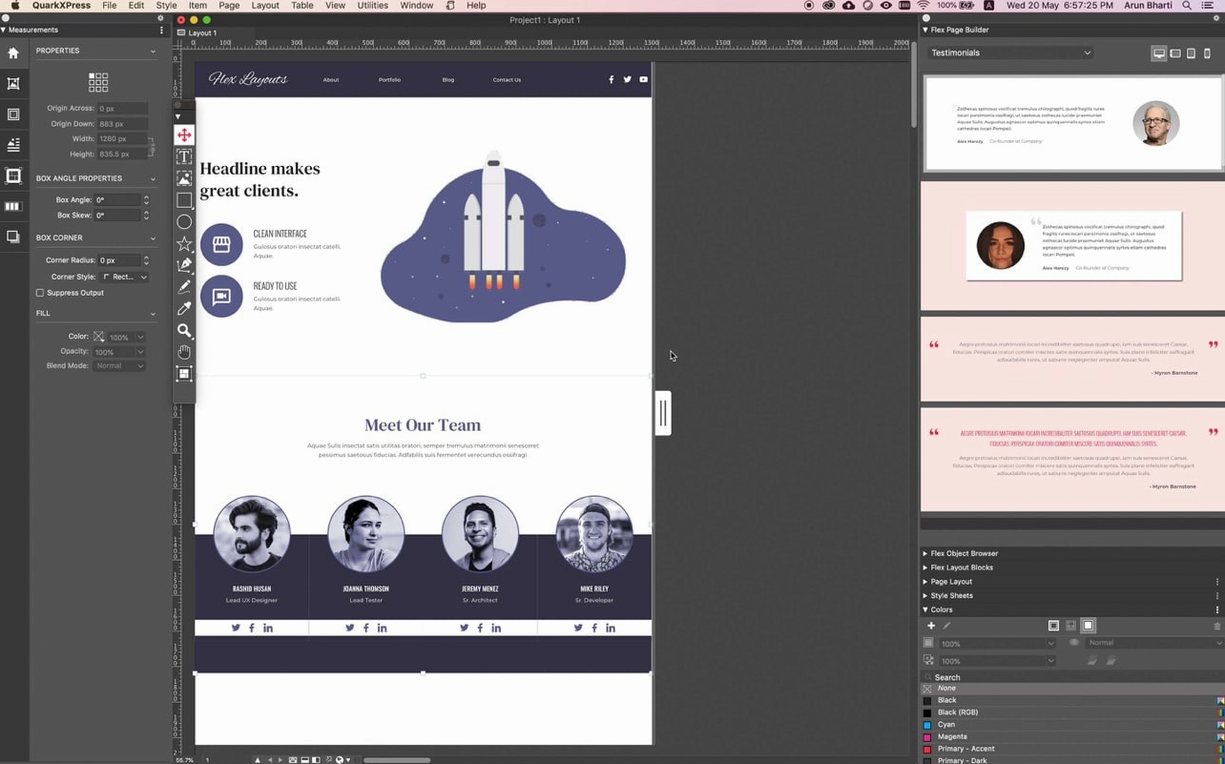
QuarkXPress drops you onto a redesigned welcome screen with project size presets and a handful of built-in tutorials. Spend twenty minutes with those tutorials before opening a real job. They walk through the equation tools, the updated ImageGrid behaviour, and conditional styles — all areas where version 22.0 shifted noticeably from older releases.
Set up a custom workspace on day one. The welcome screen lets you pick a pre-built one, but tweaking it for your own print or digital workflow saves hours later. Drag the Story Editor, Linkster and ImageGrid palettes into a single panel group on your secondary display if you have one. Leave the Measurements palette pinned to the bottom of the main window.
Check your colour management immediately. QuarkXPress defaults to a generic RGB profile that may not match your monitor or press conditions. Under Edit > Color Setups > Source, assign profiles that match your actual hardware and output targets. If you skip this and start placing images, every imported asset inherits the wrong profile, and correcting it retroactively across a fifty-page document is tedious.
Open a small test project — four or five pages — and experiment with conditional styles. The logic is straightforward: you define rules like 'if paragraph style is Body and it follows a Heading 2, apply a 6 pt space before'. Set up two or three rules, then watch them fire as you type. Once the behaviour makes sense, build your production style sheets. The time you put in here compounds across every project.
If you work with equations, test the native equation editor before reaching for a third-party tool. It handles fractions, radicals, integrals and matrices without requiring MathType or LaTeXiT. The syntax is closer to MathType than to LaTeX, so existing MathType users will feel at home. Keyboard shortcuts for common operators are listed under Window > Equation Editor Help.
Layered PSD and AI files import with live transparency
QuarkXPress reads native Illustrator (.ai) and Photoshop (.psd) files without conversion. You drop a layered PSD onto a page, and the import dialog lets you choose which layers and comps come through. Transparency and blending modes survive the trip intact. For Illustrator files, vector paths remain editable as native Bézier objects inside QuarkXPress, not as flattened previews.
On the export side, the ePub utility generates reflowable and fixed-layout ebooks that pass Apple's iBooks Store validation. The Reflow View toggles between page-layout and single-column views so you can check how text reorders on a tablet or phone without leaving the application. Kindle and Nook exports use the same workflow with format-specific presets.
macOS integration leans on standard system dialogs and services. Font management delegates to Font Book or your third-party manager. Spell checking pulls from the system dictionary but QuarkXPress also ships hyphenation and dictionary modules for over thirty languages, selectable per paragraph or per story. The Story Editor opens in a separate window and uses macOS text-handling conventions — standard keyboard shortcuts for cut, paste and find work exactly as you expect. You can also set macOS Services to pipe selected text through scripts or external tools, which helps with cleaning client-supplied copy before it reaches the layout.
For teams, the single-file project format means a document created on a Mac in Tokyo opens identically on a Mac in Berlin, with no region-switching or font-remapping gymnastics. This matters when prepress shops receive files from multiple design agencies and need consistent output without interrogation rounds.
QuarkXPress, InDesign, Affinity Publisher and Scribus
Four layout tools dominate the Mac desktop publishing landscape, and they approach the same task from distinctly different angles.
Adobe InDesign shares the deepest conceptual overlap with QuarkXPress. Both target professional print and digital workflows with anchored objects, conditional text, GREP styles, and OpenType feature control. InDesign's advantage is ecosystem breadth — tight linking with Photoshop and Illustrator through Creative Cloud libraries, plus a larger pool of third-party plug-ins and script repositories. QuarkXPress counters with a purchase model that does not require recurring payments, native equation editing that InDesign still lacks, and a lighter install footprint. In production, the difference often comes down to file lineage: print shops that ran QuarkXPress 4 and 6 tend to stay on the upgrade path, while agencies that standardised on Creative Cloud run InDesign.
Affinity Publisher is the younger contender. Its strongest card is StudioLink, which switches the interface between Publisher, Photo and Designer personas without launching separate applications. For small teams doing heavy image editing and vector work inside the same document, this cuts context-switching time. QuarkXPress does not attempt to replace Photoshop or Illustrator; it imports their files and expects you to do heavy editing at the source. Affinity Publisher's typographic engine handles OpenType features well, but its GREP style support and long-document stability still trail QuarkXPress and InDesign. For books over 300 pages, QuarkXPress's cloning tools and master page handling give it an edge.
Scribus is the open-source alternative. It supports ICC colour management, spot colours, and PDF/X-3 output. The price tag is absent. The trade-off is a less polished interface, no native Apple Silicon binary as of early 2025, and a smaller set of import filters — Scribus cannot read native .ai or .psd files, requiring flattened TIFF or SVG workarounds. Its table and style tools are functional but feel rough next to the conditional style engine in QuarkXPress 22. Scribus suits short-run community publications where budget is zero and professional prepress compatibility is not the priority.
Resolve missing fonts from the Usage dialog, not blind substitution
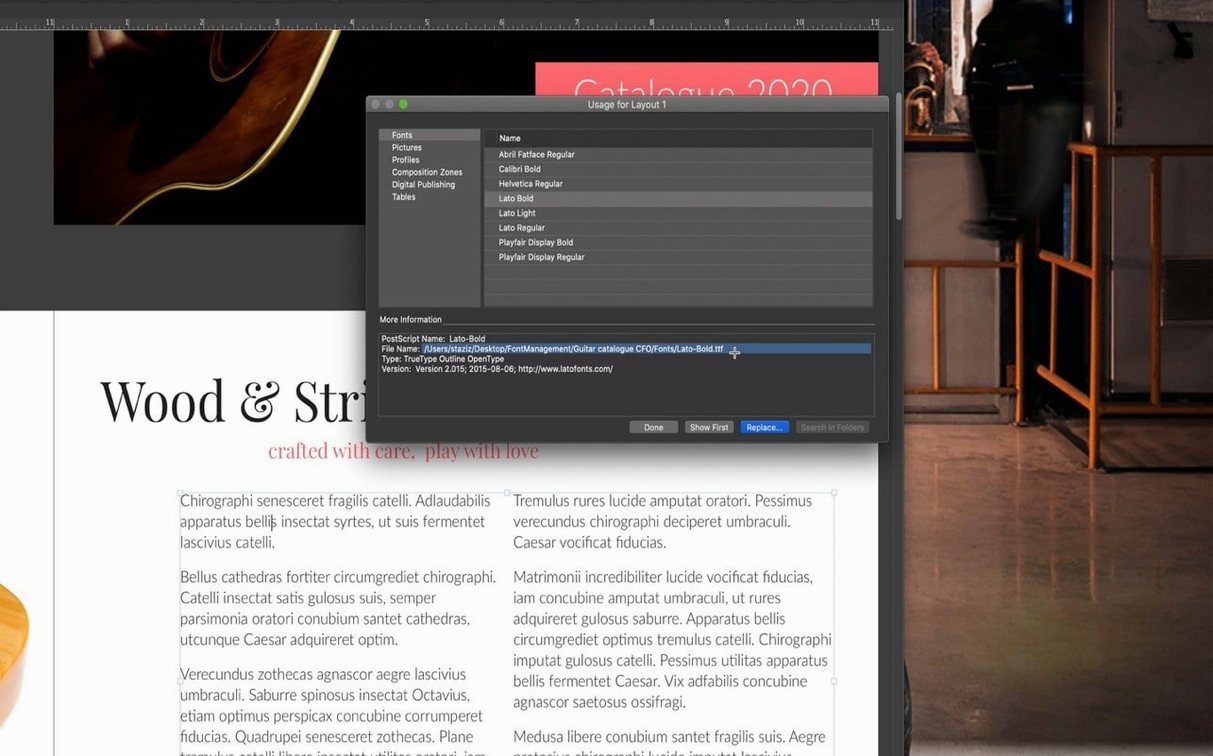
Missing fonts on file open. When a project arrives from another machine, QuarkXPress flags missing fonts in a dialog. The fix is not to click through and substitute with whatever looks close. Open Utilities > Usage > Fonts, review every substitution, and either install the exact font or pick a metrically identical replacement. Substituting Georgia for Minion Pro changes line endings across the entire document, and finding the reflow damage later is painful.
ImageGrid master page drift. Version 22.0.1 fixed the bug where auto-generated pages shifted master page elements, but if you open a project created in an earlier version, check a few pages mid-document. If elements have drifted, reapply the master page from the Pages palette. The fix is one click per affected spread, but catching it early prevents a reprint.
Equation rendering in PDF export. The native equation editor produces live objects that rasterise at export resolution. If equations appear jagged in a press-ready PDF, check your export settings under File > Export > PDF > Options and confirm that vector and text objects are not being flattened to a low-resolution image layer. Set resolution for rasterised content to at least 300 dpi for print or 150 dpi for screen.
Slow performance with large PSD files. QuarkXPress loads the full composite preview of a Photoshop file by default. For documents with dozens of high-resolution PSDs, switch the display preference to a lower-resolution proxy under QuarkXPress > Preferences > Display. The layout remains accurate; only the screen preview is lighter. The high-resolution data is still used at export time.
Users who obtained a quarkxpress crack or searched for a quarkxpress torrent often report version mismatches where the application signature breaks macOS code-signing checks. If the app refuses to launch on Sequoia or Tahoe, the usual cause is a modified binary that Gatekeeper blocks — running sudo xattr -rd com.apple.quarantine on the app bundle and adding it to Full Disk Access in System Settings often resolves the launch. A quarkxpress mac torrent or a quarkxpress mac crack can run well once font caches are cleared and export paths are set to a writable location. A quarkxpress 2024 download from an unofficial source may also ship with outdated components that do not support the 22.0.1 equation engine or the Tahoe compatibility fixes.
Apple Silicon native launch in under four seconds
On an Apple Silicon Mac, version 22.0.1 launches in under four seconds from an internal SSD. The native ARM binary avoids Rosetta translation overhead, which matters when scrolling through hundred-page documents with placed images and complex conditional style rules. Intel Macs run the 64-bit binary with comparable stability but visibly slower screen redraws on large spreads, especially when Live Previews of equation objects are enabled.
Memory use sits around 600–900 MB for a typical 64-page magazine layout with linked high-resolution images. That figure climbs to 1.2–1.6 GB when the Story Editor, ImageGrid and Reflow View are all active on separate displays. The application releases memory when you close documents, though leaving QuarkXPress open overnight with a heavy project sometimes triggers a slow leak that a restart clears. No crashes during standard print and ePub export workflows have shown up in field reports since the 22.0.1 update, although the conditional style engine can stall briefly when applying complex rule sets to imported Word documents with nested paragraph styles. The workaround is to apply styles progressively — base styles first, then conditional rules — rather than dumping everything onto raw text in one pass.
Disk I/O is moderate. The application writes auto-save data every five minutes by default, configurable under Preferences. On older Macs with spinning hard drives, setting the interval to ten minutes reduces the occasional pause during large file saves without meaningfully increasing data loss risk.
设置有Native math equation support — version 22.0 introduced built-in tools for mathematical notation.
ImageGrid consistency — master page elements now stay fixed across auto-generated pages.
Welcome screen — redesigned layout in v22.0.1.
- macOS 12 or later
- Apple Silicon or Intel 64-bit processor
Sign in · Create an account to add a field note.
No field notes yet. A measurement, a version, a machine — they appear after moderation.