Design
TouchDesigner 2025.31550
DesignUpdated
| Requirement | On file |
|---|---|
| macOS | macOS 10.14 or later |
| CPU | Intel 64-bit |
| Download | 615 MB |
Point Operators, or POPs, are the most significant structural addition in build 2025.31550. These GPU-resident nodes create and modify 3D geometry data directly on the graphics hardware, sidestepping the CPU round-trips that used to define geometry workflows.
Mac hardware compatibility
The macOS build is compiled for Intel processors exclusively. A machine must run macOS 10.14 Mojave or later, but Apple Silicon is not supported natively. On M-series Macs, the application will only launch through Rosetta 2 translation, which means GPU-heavy TOP and POP networks are running inside an emulation layer. There is no ARM-native build in this release, so anyone building real-time installations on current Mac hardware should test performance critically before committing to a production pipeline.
- Intel CPU required; Apple Silicon runs via Rosetta 2 only
- macOS 10.14 Mojave minimum
- No native ARM build available
What ships in the current release
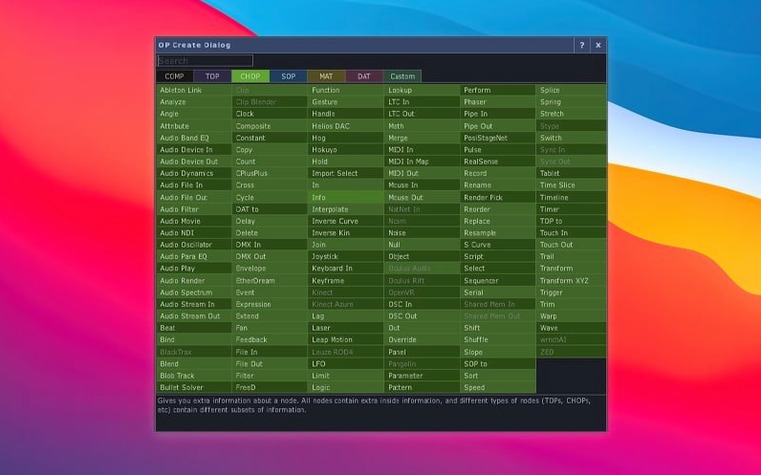
Beyond the POPs family, most Texture Operators now handle 3D textures and 2D arrays as first-class data types, which simplifies volumetric rendering and multi-layer compositing inside a single TOP chain. The Orbbec SDK upgrade to 1.10.16 improves depth-camera ingestion for installations that rely on body tracking or real-time point clouds. The environment retains its broad hardware integration layer for lighting rigs, audio systems, and show-control protocols, and it still bundles its own VR toolset for headset-driven work. Projection mapping, live performance logic, and UI construction all happen inside the same node graph, with no external compiler or separate interface builder required.
Gatekeeper blocking the unsigned app on first launch
First-launch Gatekeeper blocking catches a lot of people. macOS flags the application because it is not notarised, so a double-click from Finder does nothing useful. The fix is inside the disk image: mount it, run the Open Gatekeeper friendly script, and when Terminal asks for confirmation, press Enter. That clears the quarantine flag, and the app launches normally afterward. Skipping this step and digging into System Preferences to approve it manually works too, but the bundled script is faster.
Performance on Apple Silicon machines trips up users who expect the same frame rates they see on Intel Macs. Because the app runs through Rosetta 2, GPU-accelerated TOP chains and the new POP operators feel heavier than they would on native hardware. A practical workaround is keeping the node tree as shallow as possible on M-series machines — fewer intermediate renders per frame means less time spent inside the translation layer. For projection mapping jobs or live shows, an Intel Mac is still the safer bet, but a MacBook Air M2 can handle lighter TouchDesigner patches for prototyping if you keep the resolution modest and avoid stacking too many 3D texture operations.
Another recurring headache involves Orbbec and Kinect Azure depth sensors not showing up in the device list. On Intel Macs running 10.14 or 10.15, the upgraded Orbbec SDK 1.10.16 requires a one-time USB permission grant in Security & Privacy after the first plug-in. The pane does not always pop up on its own — check System Preferences manually if the sensor stays dark. For Kinect Azure, the wrapper bump to 1.10.3 fixed several disconnection bugs that plagued earlier builds, but the sensor still draws more bus power than a passive hub can deliver. Plugging it directly into a Mac port, not through a dongle chain, solves most dropouts.
Theatre artists replacing a tangle of apps with one node graph
Live-performance artists and installation designers are the core audience for good reason. A single node graph replaces the usual tangle of separate applications for compositing, 3D rendering, DMX lighting control, and audio analysis. Someone running a theatre show with synchronised projection, moving lights, and real-time sound input can patch all of it inside one file. The real-time constraint is baked into the architecture — there is no offline render queue, no export-to-playback step. That shapes the kind of work it suits: generative visuals that respond to performers, audience motion, or incoming sensor data.
VJs and club visualists get a lot out of it because the TOP family handles live video mixing natively. Feeding a camera signal through a chain of effects, blending it with procedural 3D geometry, and routing the result to an LED wall processor happens in the same workspace. The built-in support for Syphon and Spout means the output can feed other Mac applications or receive from them without extra plugins.
Programmers who lean toward visual tools rather than text editors appreciate the node graph's depth. TouchDesigner is not a simplified toy — the operator families map closely to graphics pipeline stages, and a developer comfortable with GLSL can drop custom shaders into GLSL TOP nodes for effects that go beyond the built-in operators. The extension system lets you write Python scripts that interact with the node graph at runtime, so a patch can reconfigure itself based on external triggers. That combination of visual wiring and scriptable logic makes it a solid middle ground between a creative coding framework and a turnkey media server.
Learn operator families one at a time, starting with TOPs
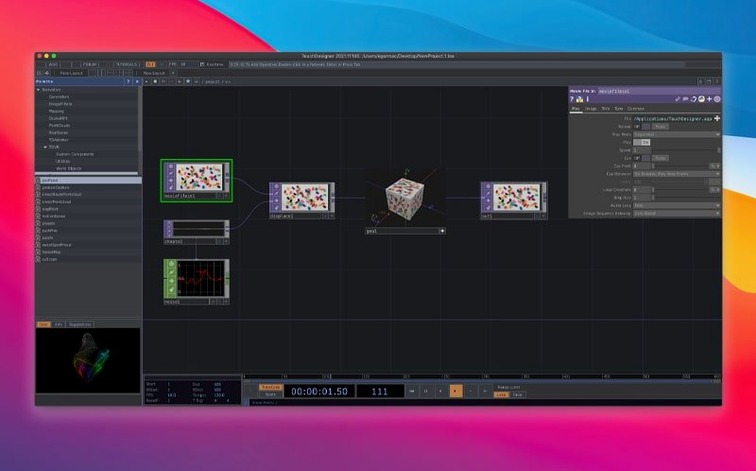
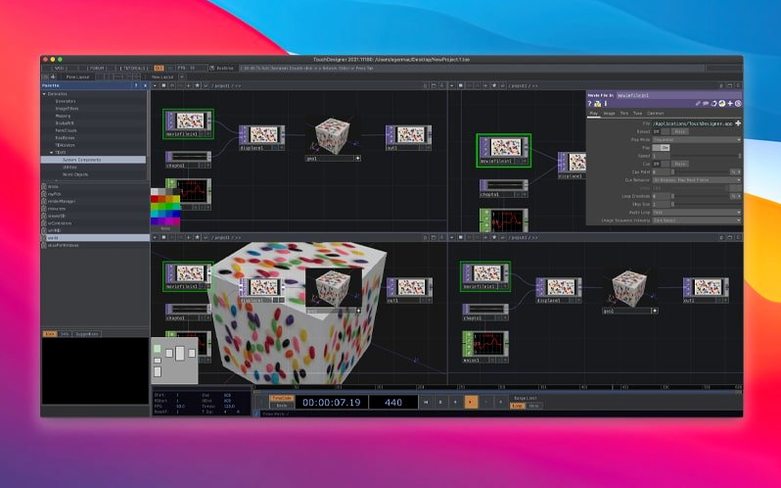
Start with the operator families one at a time rather than trying to build a complete project. Open a TOP, feed it a Movie File In node, and experiment with the parameters before wiring it into anything else. The parameter pane on the right updates immediately, and most controls are scrubbable with a drag, which makes exploring faster than typing values. Getting comfortable with the viewer pane — specifically the difference between the node viewer and the perform mode — saves confusion later. Perform mode is what an audience sees; the node viewer is the debugging view.
Set the real-time flag on the timeline early. The default timeline behaviour is frame-based and expects a fixed FPS, which works for pre-rendered content but fights against sensor-driven or audio-reactive patches. Switching to real-time mode tells the engine to process frames as fast as the hardware allows, which is almost always what interactive work needs.
Bookmark the OP Snippets palette. It contains pre-built operator chains for common tasks like edge blending, MIDI mapping, and OSC communication. Dragging a snippet into the graph and reading how it is wired teaches the idioms faster than the reference docs alone. The dev team ships tested, production-ready examples inside the palette, and they reflect current best practices for the 2025 build.
60 fps holds until VRAM overflows on the GPU
Frame rates depend almost entirely on the GPU. On a MacBook Pro with a discrete Radeon GPU, moderately complex TOP networks with 3D textures run at 60 fps without trouble. The moment a patch exceeds VRAM — common when piling 4K 3D textures into multiple TOPs — the frame time graph in the Performance Monitor spikes hard. TouchDesigner does not swap GPU memory gracefully; it stalls. Keeping an eye on VRAM usage via the built-in monitor is worth doing from day one.
CPU usage stays surprisingly low for most real-time work because the heavy lifting lives on the GPU. The exceptions are Python script operators and CHOP networks doing multi-channel audio analysis, which can saturate a single core. Spreading CHOP processing across multiple chains helps, but Python-heavy patches on a 4-core MacBook Air will eventually show their limits. For show-critical playback, pre-compiling Python expressions and avoiding per-frame script evaluation keeps the CPU quiet.
Stability has been the strongest point of this build. Over days of continuous operation — the kind of uptime an installation demands — the 2025.31550 build holds up without memory leaks or creeping frame-time degradation. Crashes, when they happen, trace almost always to third-party plugins or to pushing unsupported video codecs through Movie File In. H.264 in an MOV container is reliable; H.265 and AV1 still cause unpredictable behaviour on macOS. Transcoding footage to a mezzanine codec like ProRes before importing eliminates the most common crash trigger.
The Rosetta 2 translation on Apple Silicon adds overhead but does not introduce instability. The app runs without translation-related crashes, just slower GPU throughput. For prototyping a touchdesigner mac pipeline on an M1 machine, it is perfectly usable. Anyone searching for a touchdesigner crack or touchdesigner crack mac should know that altered binaries can affect the GPU operator stack in specific ways — the TNT build is a clean activation of the official release and sidesteps those quirks nicely. A touchdesigner torrent or touch designer torrent that ships a repacked app often includes the Gatekeeper workaround pre-configured, which saves you from the first snag described above.
- Point Operators — new GPU-based POPs family for creating and modifying 3D geometry data
- Texture Operators — most TOPs now natively support 3D textures and 2D arrays
- Depth cameras — Orbbec SDK upgraded to 1.10.16
- macOS 10.14 Mojave or later
- Intel processor (Apple Silicon supported via Rosetta 2 only)
- Interface language: English
Questions on file
Does TouchDesigner run on Apple Silicon Macs?
It runs through Rosetta 2 translation only. There is no native ARM build, and GPU-dependent networks may show reduced throughput under emulation.
What are Point Operators in the latest version?
POPs are a new GPU-based operator family for creating and modifying 3D geometry data directly on the graphics hardware.
Sign in · Create an account to add a field note.
No field notes yet. A measurement, a version, a machine — they appear after moderation.