Design
CorelCAD 2022.5 Build 22.3.1.4090
DesignUpdated
| Requirement | On file |
|---|---|
| macOS | macOS 10.14 or later |
| CPU | Apple Silicon, Intel 64-bit |
| Download | 293 MB |
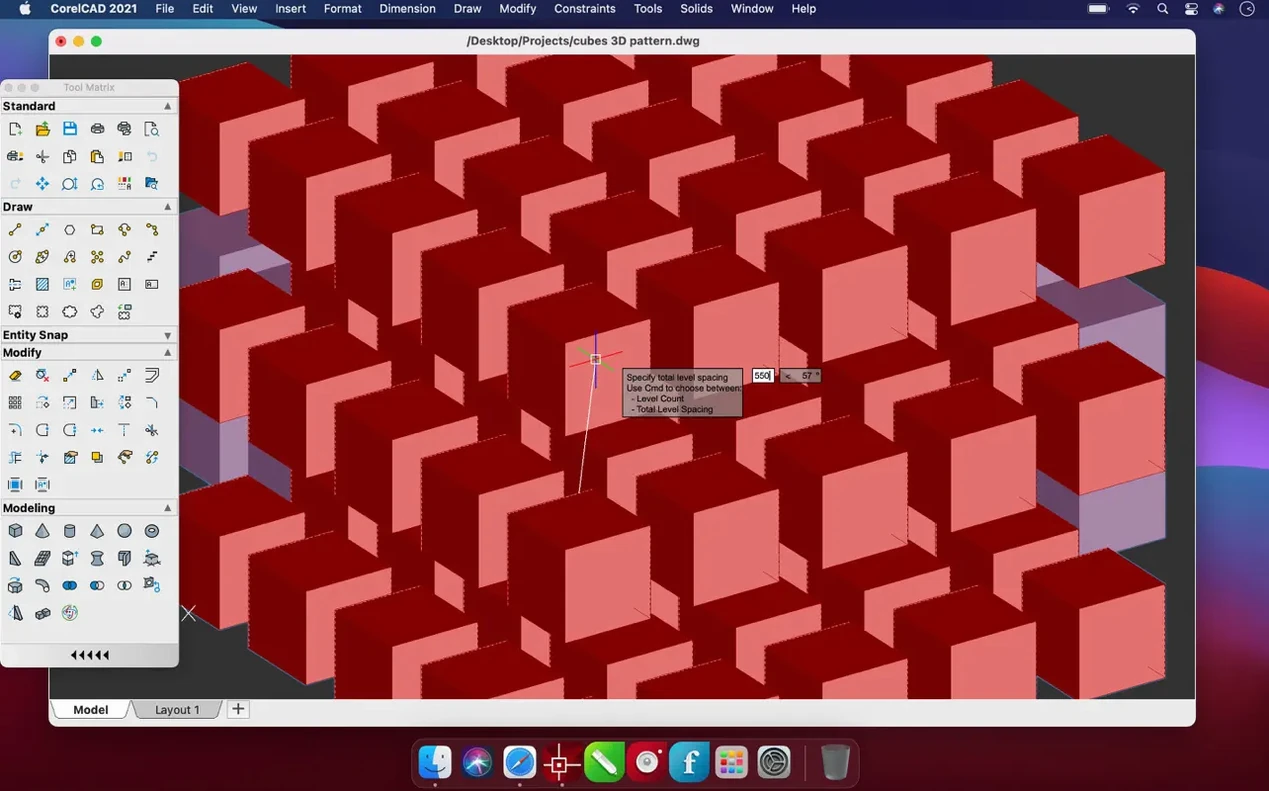
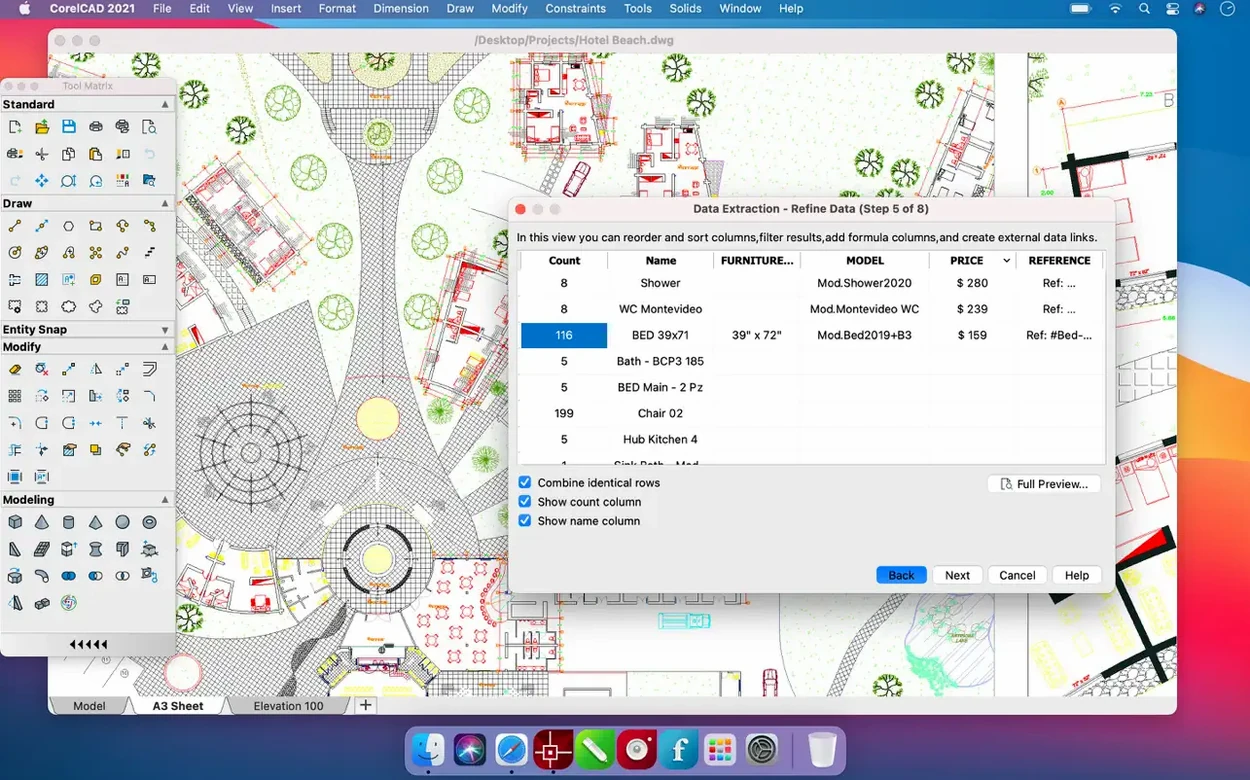
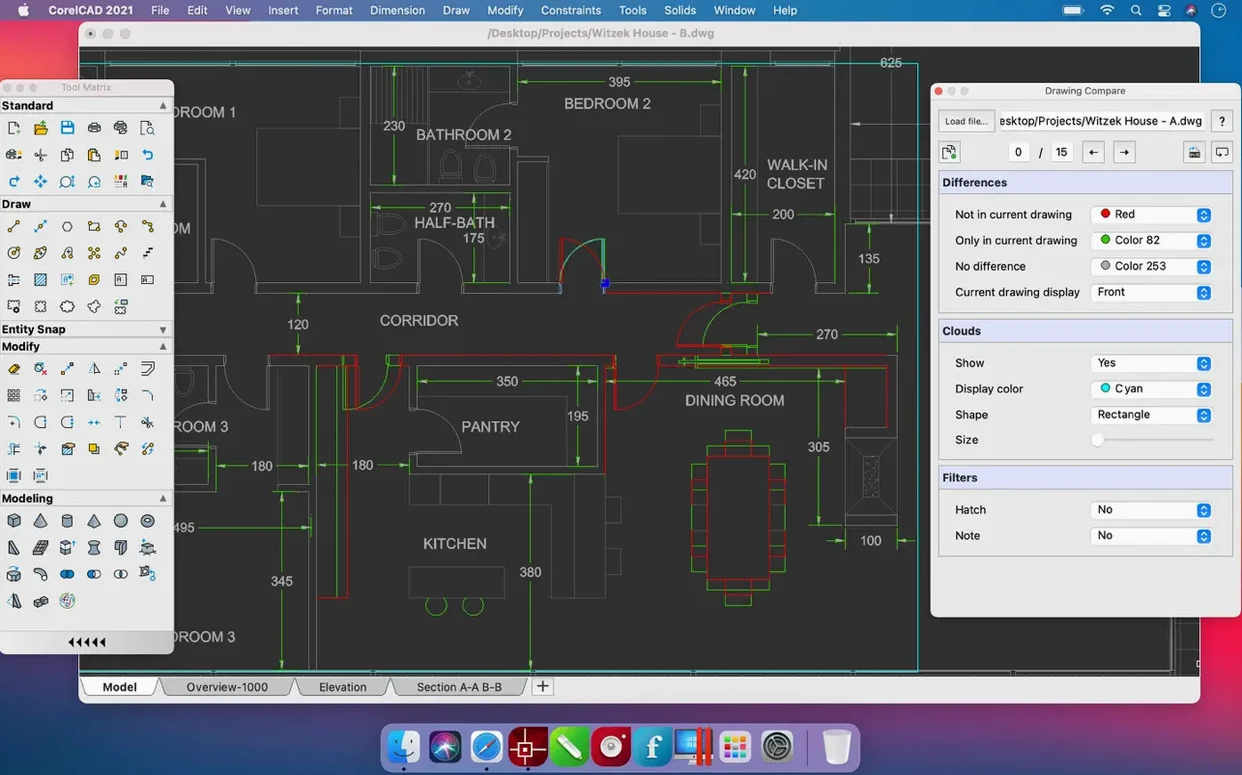
Precision engineering and architectural planning need a tool that speaks the native language of the industry without translation errors or broken geometry. CorelCAD handles this by operating directly with the AutoCAD DWG format, giving you a Mac-native workspace for technical drawings, layouts, and 3D concepts where layer fidelity and coordinate accuracy are non-negotiable.
Stability Fixes That Keep the DWG Engine Intact on macOS
- Performance and stability fixes. The 2022.5 update (build 22.3.1.4090) rolls up several enhancements focused on stability improvements, keeping the drafting engine consistent on current macOS releases.
- Native DWG stays central. The core reason for picking this tool remains unchanged — full read and write support for the AutoCAD DWG format without intermediate conversion.
- 3D printing via STL. The STL file export is still in place for sending 3D models directly to slicing software.
- Broad file compatibility. Support for PDF, SVG, EPS, DWF, SAT, SHP, and DWS files persists, covering markup, vector output, and GIS data exchange.
- Universal binary. The application runs on both Apple Silicon and 64-bit Intel Macs, requiring macOS 10.14 or later.
Workflow Integration with macOS and Other Tools
CorelCAD sits inside a broader toolchain, and how well it plays with the rest of your Mac determines whether it earns a permanent spot in the dock. The native DWG engine means files move between CorelCAD and AutoCAD on Windows without the layers shifting or text styles breaking down — a persistent headache with converters that translate geometry through intermediate formats. A drawing opened, edited, and saved here opens correctly on an engineer's Windows workstation running AutoCAD 2023, linetypes intact.
For PDF output, the built-in macOS Quartz rendering path produces vector PDFs that Preview and Skim handle without rasterisation artefacts. Markup workflows benefit: export a layout sheet as PDF, mark it up on an iPad with an Apple Pencil, and send it back — the coordinates stay referenceable because the export doesn't flatten everything to a bitmap. SVG and EPS output plug into Adobe Illustrator or Affinity Designer if presentation graphics need a polish pass, though you will want to check stroke scaling on export; the default sometimes thickens hairlines.
On the 3D side, STL export sends models straight to slicers like PrusaSlicer or Cura. CorelCAD doesn't check wall thickness or manifold geometry — that is the slicer's job — but it does let you set the angular tolerance for faceting before export, which matters if you are printing curved surfaces and want to avoid visible polygon edges. SHP file support connects to QGIS workflows for civil engineers pulling site boundaries into a drawing or exporting alignment data back out to GIS.
The collaboration options are file-based rather than cloud-synced. There is no live multi-user editing. What you get is DWG version control through standard file management — save as a specific DWG version if the recipient runs an older AutoCAD release, and lock files locally with macOS file permissions. Team workflows that use shared network volumes or a Synology NAS will find the file-locking behaviour predictable, though version conflicts rely on manual naming conventions.
Bypassing the Slow First Launch After Installation
A few friction points surface repeatedly across user forums and installation notes, and knowing them ahead of time saves an afternoon of troubleshooting.
Slow launch on first open after installation. macOS Gatekeeper performs an initial integrity check on the binary, and on Intel Macs with spinning disks this can take 20–30 seconds. The fix is patience — subsequent launches are normal. On Apple Silicon, the first launch is faster but still requires the one-time Rosetta-style signature verification even though the binary is universal.
UI scaling on 4K and 5K displays. CorelCAD does not fully respect the macOS display scaling setting in every panel. Tool palette icons can appear soft or slightly misaligned at non-integer scaling factors. Running at the display's native resolution with the UI set to a larger text size (through CorelCAD's own preferences, not the macOS accessibility zoom) produces sharper results than relying on system-wide scaling.
Importing DWG files with custom SHX fonts. If a collaborator sends a drawing that uses third-party SHX fonts not installed on your Mac, text objects render as rectangles or question marks. The workaround is to request that the sender set the AutoCAD text style to use a TrueType fallback, or to copy the Windows SHX font files into CorelCAD's Fonts directory inside the application package — the path is /Applications/CorelCAD.app/Contents/Resources/Fonts/.
Trackpad gestures interfering with pan and zoom. macOS three-finger drag and Mission Control gestures can collide with CorelCAD's middle-mouse-button emulation for panning. Disabling "Swipe between pages" and "Mission Control" three-finger gestures in System Preferences > Trackpad while working on intensive drafting sessions prevents the viewport from jumping when you intend to pan.
Hatching on dense drawings causes a beachball. Complex associative hatches with many boundary objects recalculate on every zoom change. Setting the hatch pattern to non-associative after finalising the boundary geometry, or toggling the Quick Text mode during navigation, keeps redraw times manageable on older Intel hardware.
Preserving Every Entity Type When Round-Tripping DWGs in Mixed-OS Offices
Architects who operate in mixed-OS offices get the clearest return. When the structural engineer runs AutoCAD on Windows and the MEP consultant uses Revit with DWG exports, having a Mac-native editor that preserves every entity type within a DWG file removes a round-trip conversion from the daily workflow. No DXF intermediates that drop dynamic blocks or strip annotative scaling — just open, revise, save, send. Smaller architecture firms where one or two principals prefer Macs while the drafting team stays on Windows fit this profile precisely.
Industrial designers doing 3D concept work with 3D-printed prototypes benefit from the STL pipeline, particularly when the modelling stays within the mechanical CAD space rather than moving to mesh modellers like Blender. CorelCAD's 3D tools are parametric enough for fit-test models of enclosures, brackets, and mounting plates — parts where Boolean operations on primitives and extruded profiles get the job done without surfacing tools. The STL facet tolerance control gives direct influence over print quality without requiring a separate mesh refinement step in Meshmixer.
GIS technicians and civil drafters handling shapefiles and survey data will appreciate the SHP import sitting alongside DWG editing, though the lack of a dedicated georeferencing panel means large coordinate systems need careful manual alignment. It works best for site plan overlays and utility mapping rather than full cartographic production.
Hobbyists who have outgrown 2D vector drawing apps and want true snaps, construction lines, and layer management without paying for a subscription gain a permanent-licence drafting environment. The interface rewards learning the command line — many operations are faster typed than hunted through menus — so tinkerers comfortable with keyboard-driven workflows adapt quickly.
Settings to Change After Installing
The defaults are tuned for a general drafting workflow, but a few adjustments in the first session align CorelCAD more closely with how most Mac users work.
Right-click behaviour. Open Preferences > User Preferences > Right Mouse Button and set it to "Enter" or "Repeat Last Command" rather than the default shortcut menu. Most CAD users expect a right-click to end a command or restart the previous one, and this single change brings CorelCAD in line with decades of muscle memory from other drafting applications.
Auto-save interval. The default auto-save timer is set cautiously long. Under Preferences > Open and Save, reduce the interval to 5 or 10 minutes and enable "Create backup copy with each save." The backup files accumulate in the same directory as the DWG, so periodically cleaning them with a Finder smart folder keeps the project directory tidy.
Snap and grid settings. The default grid spacing of 10 units is arbitrary. Set the grid and snap spacing to match the primary unit of your typical project — 1 mm for mechanical work, 50 mm for architectural floor plans, or 0.1 m for site layouts. Enable polar tracking at common angles (45°, 30°, 60°) from the status bar toggle; it stays off by default but is essential for angular construction lines.
Background colour. The model space background defaults to a mid-grey that some find tiring over long sessions. Changing it to full black (as in AutoCAD's classic dark mode) or a muted dark blue reduces eye strain and improves contrast with coloured layers. The setting lives in Preferences > Display > Model Space Background.
File format version for saves. CorelCAD defaults to its latest DWG version, but if collaborators run older AutoCAD releases, set the default save format to DWG 2013 or
Automation, customisation, and collaboration options remain part of the toolkit, though this release focuses on refinement rather than new feature modules.
- Performance — several enhancements rolled into the 2022.5 update
- Stability — stability improvements applied across the application
- macOS 10.14 or later
- Apple Silicon (ARM) or 64-bit Intel processor
Questions on file
What file formats does CorelCAD for Mac support for import and export?
It supports PDF, SVG, EPS, DWF, STL, SAT, SHP, and DWS files, alongside its primary native AutoCAD DWG format.
Does CorelCAD run on Apple Silicon Macs?
Yes, the current build supports both ARM-based Apple Silicon and 64-bit x86 Intel architectures.
Can I use CorelCAD for 3D printing?
Yes, the software includes STL file export, allowing 3D models to be sent to slicing applications for 3D printing.
Sign in · Create an account to add a field note.
No field notes yet. A measurement, a version, a machine — they appear after moderation.