
Video
Elmedia Player Pro 8.24
VideoUpdated
| Requirement | On file |
|---|---|
| macOS | macOS 10.12 or later |
| CPU | Apple Silicon, Intel 64-bit |
| Download | 157 MB |
The 'Prevent display sleep' toggle now works reliably during streaming sessions. That fix alone makes the 8.24 update worth grabbing for anyone who chromecasts a lecture or long concert and kept finding the Mac dozed off mid-playback.
Three things people check before installing
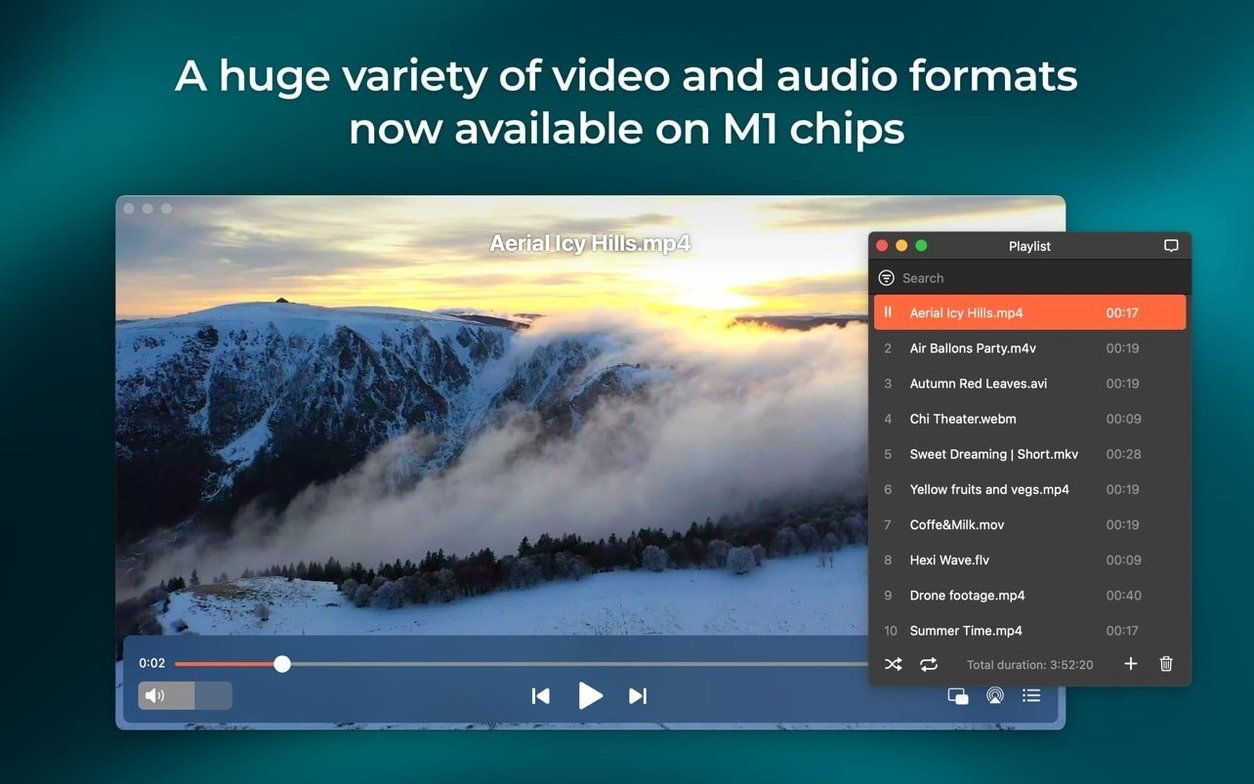
- Does it handle the odd formats? FLV, SWF, WMV, and MKV are all listed alongside the usual AVI, MOV, MP4, MPG, and M4V. Audio-only gets MP3, FLAC, DAT, and fresh M4B audiobook support.
- Can it grab online media? The player can download video and extract audio tracks from online sources, plus pull down RTMP streams. It also plays online video directly, no browser needed.
- What is the macOS cut-off? The stated minimum is macOS 10.12. The 8.24 release also improves compatibility with macOS 26.
A Swiss Army knife that stays sharp
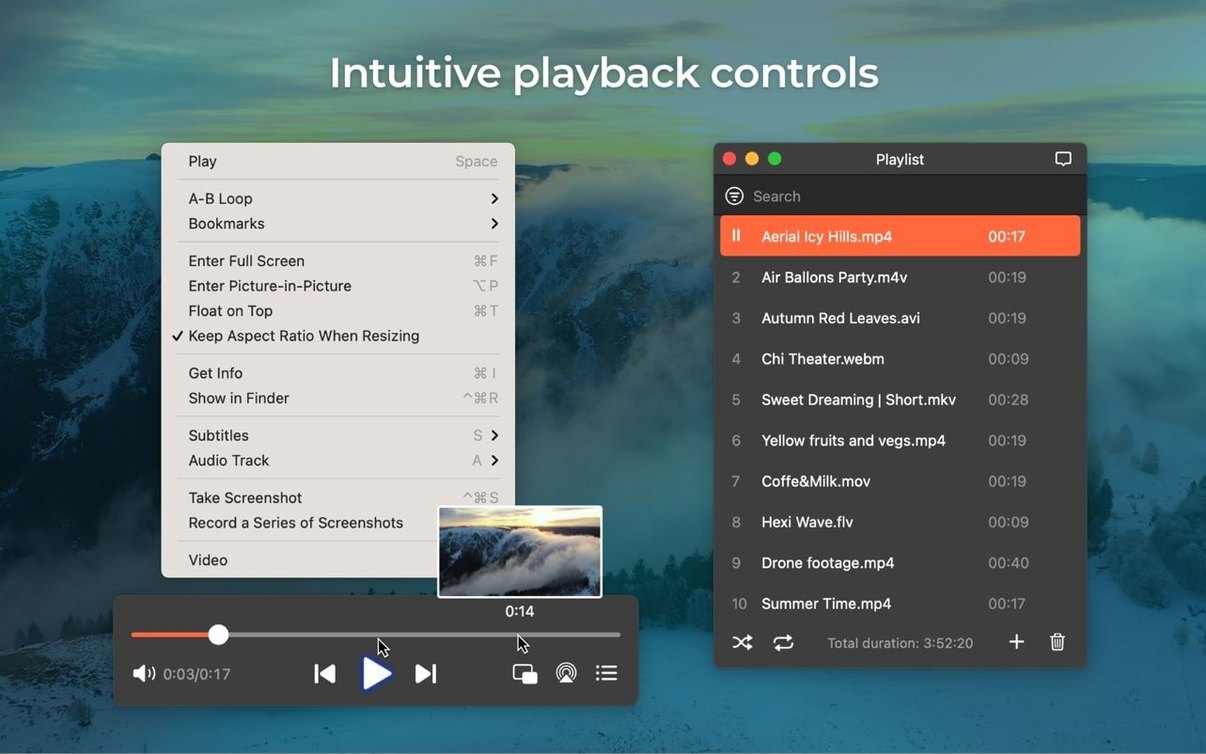
Beyond playback, the tools are genuinely practical. You can take a frame-accurate screenshot during video without reaching for a separate utility. Flash EXE projectors convert to SWF inside the app. The device streaming list, previously prone to errors when opened, got a fix here too. It is the kind of maintenance update that shores up the niche features while keeping the core playback steady on current and upcoming Apple silicon and Intel Macs.
AirPlay blocked by firewall or VPN
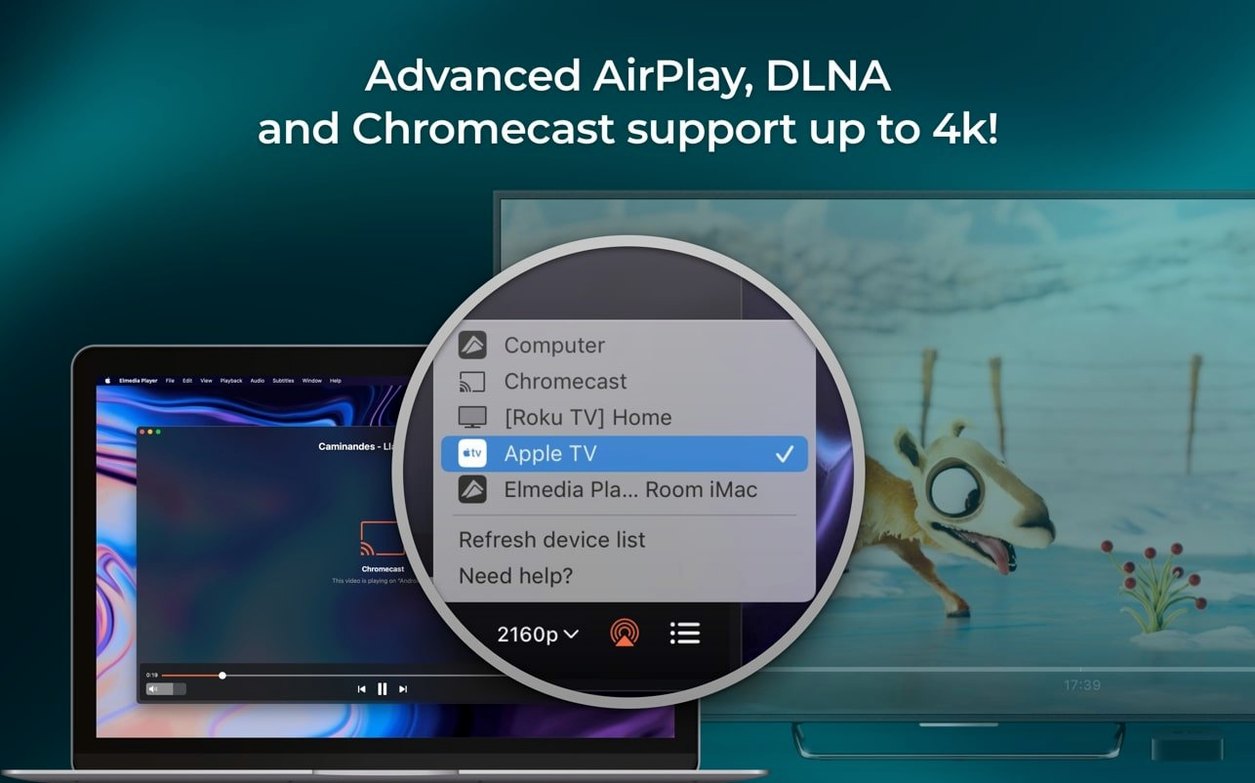
A few friction points crop up often enough to mention. The first: AirPlay discovery fails even though the target device shows in other apps. This almost always traces back to a local firewall rule or a VPN tunnel that strips Bonjour packets. Turning the VPN off for a moment while the player scans usually restores the device list within seconds. The 8.24 build also fixed a specific bug where the streaming device list threw an error on open, so updating alone resolves that one for many users.
Another recurring issue involves AC-3 passthrough over HDMI. The player supports it, but macOS occasionally grabs the audio device before Elmedia can claim exclusive mode. The fix is to open Audio MIDI Setup, select the HDMI output, and confirm the format reads "Encoded Digital Audio" rather than a PCM rate. If it shows 48 kHz stereo, toggle it manually, then restart playback. The difference is immediate — the receiver lights up with the Dolby or DTS indicator instead of falling back to silent or two-channel mixdown.
Downloaded RTMP streams sometimes arrive as zero-byte files. This happens when the source server switches to an alternate CDN midway through the grab and the player cannot renegotiate the handshake. The workaround is to start the download while the stream is actively buffering, not during a paused or pre-roll state. If the file still comes up empty, replaying the stream from the beginning and retrying usually forces a clean single-source connection.
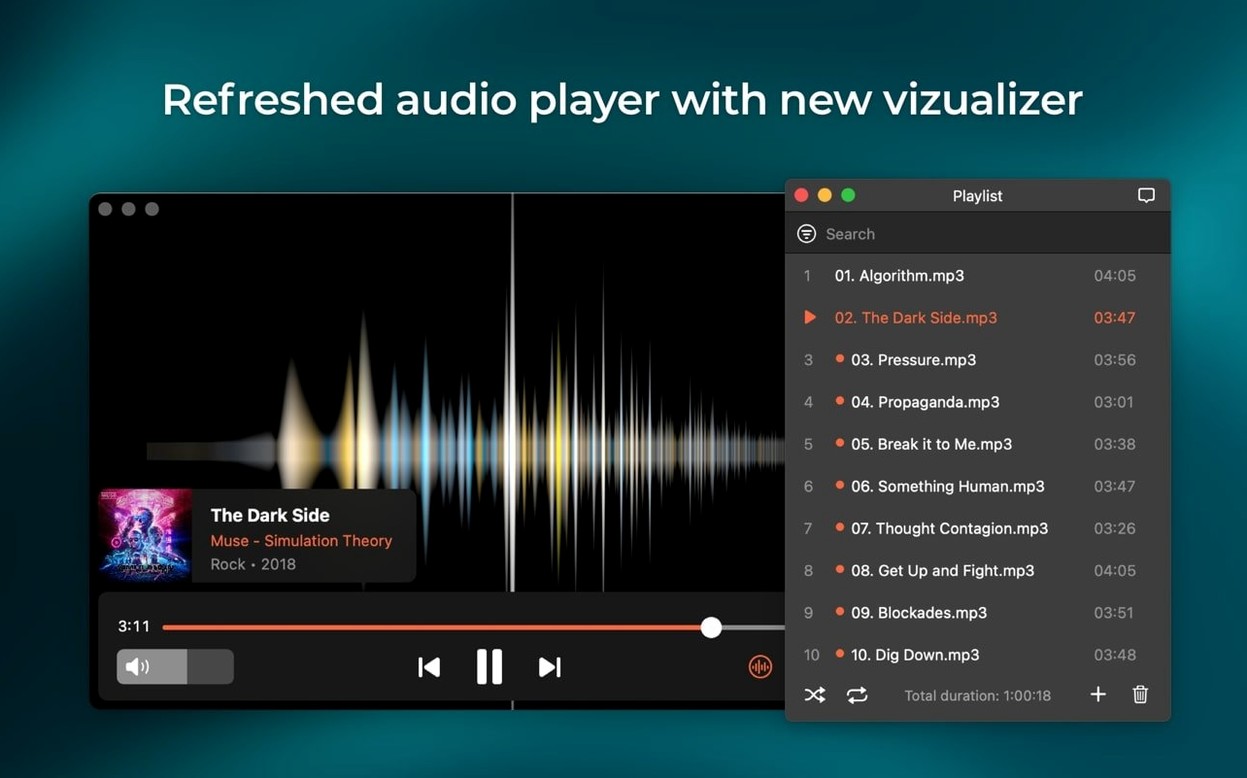
Lastly, M4B audiobook files with chapter markers longer than 90 minutes occasionally show incorrect total duration on first import. Restarting the app or toggling the playlist view forces a metadata re-read and corrects the timeline. The format support is new in 8.24, so edge cases with non-standard chapter encoding are still shaking out.
Running pre-show reels from an Intel Mac Mini
Consider a community cinema volunteer who runs pre-show reels and intermission loops from a Mac Mini tucked behind the projection booth. The machine is a 2020 Intel model, still on Monterey, connected via HDMI to a Denon receiver and then out to the projector. Their media arrives in whatever format the film society's members supply — old WMV trailers, MKV rips of short films, MP4 bumpers, even a few SWF animations someone built in 2008.
They open Elmedia, drop a folder of fifteen clips into the playlist, and set playback to loop. The player handles the format salad without a single conversion pass. During the interval, they pull an RTMP stream of a live Q&A feed from a remote guest, capturing it to disk for the archive while it plays. A quick screenshot of the guest's slide deck lands on the society's Twitter feed three minutes later. When the evening wraps, they stream a high-bitrate MKV over AirPlay to a monitor in the green room so the crew can review the final reel while packing up. One app covers the whole evening. The machine never sleeps mid-stream because the 8.24 fix holds the display awake during active playback.
4–6% CPU playing MKV on an M1 MacBook Air
Hardware-accelerated decoding keeps CPU load low on both Intel and Apple Silicon machines. Playing a 25 Mbps H.264 MKV on an M1 MacBook Air sits around 4–6% CPU, with the GPU handling the heavy lifting. HEVC 10-bit files push that to 8–10%, still well within comfortable bounds for multitasking. Memory use hovers between 180 and 240 MB for a single 1080p file, climbing toward 400 MB with a full playlist loaded and chapter thumbnails cached. These are unremarkable numbers for a modern media player — not the leanest on the block, but far from bloated.
Stability is where Elmedia earns its keep. Playback sessions lasting four to six hours, common for audiobook listeners or background music users, rarely trigger a crash. The one weak point historically was the device streaming module, which the 8.24 release specifically patched. Prior builds could hang for twenty seconds when scanning a congested network with dozens of Bonjour-advertised endpoints. The fix tightened the discovery timeout, and the list now populates in under three seconds on a typical home network.
App launch time is roughly two seconds cold, under a second warm. The built-in web browser for online video playback runs a lightweight WebKit instance that adds roughly 60 MB to the footprint when active. Closing the browser tab releases that memory cleanly, no leak accumulation over repeated open-close cycles. For users who keep the app running in the background with a paused playlist, resident memory drops to around 90 MB after macOS memory compression kicks in.
Frame-accurate scrubbing for language flashcards
Language learners and transcriptionists benefit from the format-agnostic playback combined with frame-accurate scrubbing. Dropping an FLV file from a language course into the player, slowing playback to 0.75× without pitch distortion, and grabbing screenshots of subtitle frames for flashcard creation is a workflow that requires three separate tools in most other setups. Here it is one app and a hotkey.
Users with mixed-media libraries — old Flash SWF files alongside modern MKV rips and M4B audiobooks — avoid maintaining two or three players for different eras of content. The SWF playback and Flash EXE-to-SWF conversion are particularly rare features. Most players dropped Flash support years ago. Someone with a decade of archived Flash animations or e-learning modules has almost nowhere else to turn on modern macOS.
Home cinema enthusiasts using S/PDIF or HDMI audio paths get value from the AC-3 and DTS passthrough support. This is not a given in macOS media players; many downmix to stereo by default. The ability to send a raw bitstream to a receiver without intermediate processing preserves the original surround mix, which matters for anyone who calibrated their speaker setup and wants to keep it that way.
SWF playback missing in IINA
Against IINA, the open-source player built on mpv, Elmedia trades some modern-codec agility for broader legacy format support. IINA handles HDR tone-mapping and 4K HEVC with more polish and offers a more customisable interface. But IINA does not play SWF files, cannot download RTMP streams, and lacks AirPlay streaming to other Macs running the same app. Elmedia covers those gaps while still offering hardware-accelerated HD playback for common contemporary formats.
VLC is the obvious heavyweight comparison. VLC plays almost everything and matches or exceeds Elmedia on codec breadth, subtitle handling, and platform availability. Where Elmedia pulls ahead is AirPlay device streaming, the integrated download tool for online video and audio extraction, and the Flash conversion utility. VLC can stream over a network but requires manual configuration of destinations. Elmedia surfaces available AirPlay targets directly in the playback controls. For a user who regularly sends content to an Apple TV or another Mac, the convenience difference is real.
Movist Pro sits somewhere in the middle — strong HDR support, a polished interface, and solid performance on Apple Silicon. It handles modern high-bitrate files beautifully but, like IINA, ignores Flash formats and does not include a downloader or RTMP capture. Someone choosing between these players is really choosing which niche matters most: legacy Flash and streaming convenience on the Elmedia side, or modern reference-grade playback and interface customisation on the IINA or Movist Pro side. None of the alternatives combine SWF playback, online video downloading, and AirPlay streaming in a single package the way Elmedia does.
- Audiobook support — Added playback for M4B files.
- macOS compatibility — Improved behaviour on macOS 26.
- Sleep prevention — Improved preventing the Mac from sleeping while streaming.
- Device streaming — Fixed streaming to certain devices.
- Device list — Fixed errors when opening the list of devices for streaming.
- macOS 10.12 or later
- Intel or Apple Silicon Mac
Questions on file
Can Elmedia Player Pro download audio from online video?
Yes, it can download both online video and extract the audio tracks as separate files.
Does version 8.24 support M4B audiobook files?
Yes, playback support for M4B audiobook files was added in this version.
What was fixed for streaming devices in this release?
Version 8.24 fixed errors that occurred when opening the list of devices for streaming and addressed streaming to certain devices.
Sign in · Create an account to add a field note.
No field notes yet. A measurement, a version, a machine — they appear after moderation.