VST Plugins
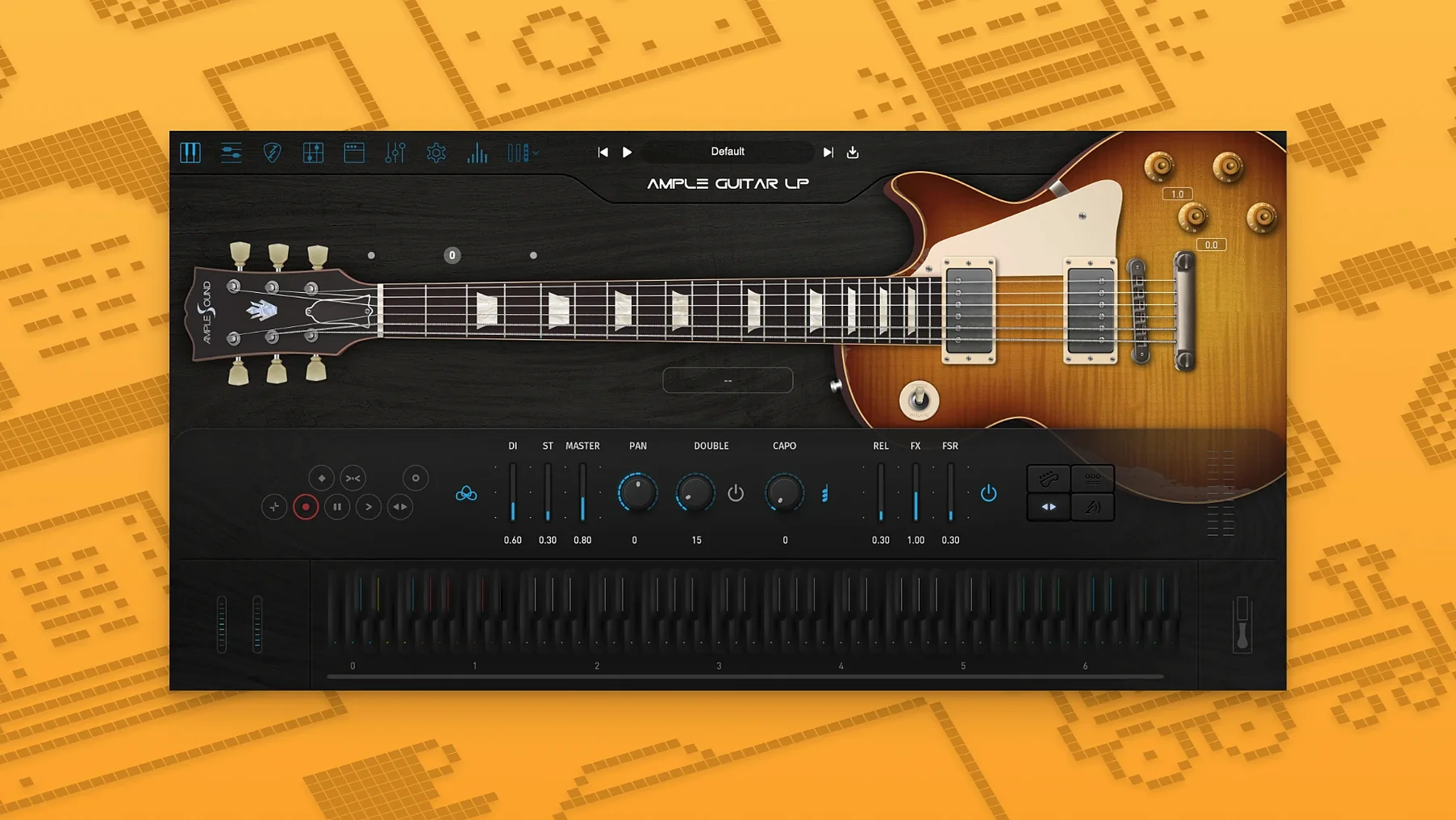
Ample Sound Ample Guitar LP III 4.0.1
VST PluginsUpdated
| Requirement | On file |
|---|---|
| macOS | macOS 10.13 or later |
| CPU | Apple Silicon, Intel 64-bit |
| Download | 9.2 GB |
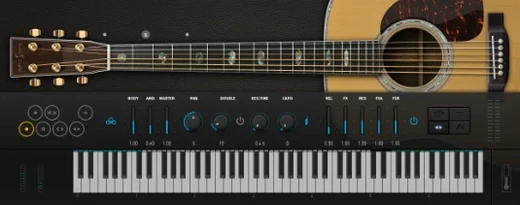
Session players and producers who need a convincing Les Paul double-track without booking studio time reach for Ample Guitar LP III. It handles rhythm crunch, singing lead lines, and clean jazz voicings with the same patch, responding to velocity and key switches like the real instrument.
| Spec | Detail |
|---|---|
| Base instrument | Gibson Les Paul 1958 |
| Version 4 addition | Fingerstyle library (1959 Reissue guitar) |
| Built-in processing | Amplifier and effects suite |
| Typical genres | Rock, blues, jazz |
On a song bus, the plugin sits behind a MIDI part and feeds the same amp chain you would use for a live guitar, or you can print the tone directly using its internal amp and stompbox models. The version 4 sample set adds a fingerstyle layer recorded with a 1959 Reissue, letting you switch from a pick attack to bare fingers on the same track without loading a second instance.
Option-Click Strum Speed Swap and Other Hidden Shortcuts
Several shortcuts in Ample Guitar LP III sit just outside the main panel and are easy to overlook during the first few sessions. The Strum mode has a velocity-to-strum-speed relationship that you can invert by holding Option while clicking the Strum button — slower velocities then produce faster strokes, which suits brushed ballad parts where you want a quick sweep at low dynamics.
The Capo and Transpose controls accept typed values directly. Double-click the number field next to the capo graphic, enter a fret position, and the engine remaps all articulations without shifting the sample start points. This avoids the formant artefacts you get from MIDI transpose in the DAW. Another small touch: right-clicking any articulation key switch on the virtual fretboard opens a menu to reassign it to a different MIDI note, so you can cluster your most-used switches around C1 on a 25-key controller.
The string detection logic has a hidden behaviour worth exploiting. When two notes overlap on the same string, the engine applies a subtle mute transient to the first note before sounding the second. You can exaggerate this by setting the String Force slider to a negative value in the Advanced tab — it pushes the algorithm toward single-string preference even when chord voicings would normally spread across strings. Useful for fast pentatonic runs where a real player would stay on two strings.
One Hour with a Blues-Rock Arranger
A producer working on a slow 6/8 blues for a television cue needs a verse part that sits behind a vocal, a chorus that doubles the bass rhythm, and a solo that peaks without shredding. They open Ample Guitar LP III in Logic Pro on an M1 MacBook Air, arm a single instrument track, and load the default LP patch.
The verse takes three passes. First, a fingerstyle part using the 1959 Reissue library — capo at fret 5, velocity under 70 for a muted pluck. The internal compressor with a 4:1 ratio and slow attack keeps transients consistent. Second, a doubled rhythm track with the pick articulation, palm-mute keyswitched at C#1, gain staged through the internal Tube Screamer model. Third, a clean chord stab on beats two and four using the neck pickup and tone rolled to 4.
For the chorus, they group the verse MIDI region and shift it up a fifth by dragging the Capo control — no re-recording, no transposition artefacts. The solo section uses the bridge pickup with the internal amp set to a Plexi model, gain at 6, and the wah pedal mapped to the mod wheel. Two takes: one straight, one with slide articulations triggered by the legato keyswitch. The whole session stays inside the box, no DI box, no re-amping, and the stems export clean enough for the mix engineer to treat like recorded audio.
Standalone Activation Before the First DAW Scan
After installing the plugin, run the standalone version once before opening your DAW. This triggers the Activation Manager and lets you complete the challenge-code process without a host scanning timeout. Once activated, open the Settings panel and do three things immediately.
- Set the Sample Rate to match your interface. The engine resamples on-the-fly if there is a mismatch, which adds latency and a subtle high-frequency roll-off.
- In the MIDI tab, choose Keyboard Mode: Poly (Realistic). The default Poly mode stacks overlapping notes on the same string; Realistic applies the mute-transient behaviour described earlier and produces cleaner chord voicings.
- Save a user default patch with your preferred amp chain bypass state. The factory patches load with the internal amp active, and if you already route to an external amp sim, you will spend the first ten minutes of every project disabling the built-in cabinet.
For producers coming from sample packs, the biggest adjustment is the vibrato system. Ample Guitar LP III uses an LFO-driven vibrato triggered by aftertouch or a CC assignment, not by baked-in sample loops. In the first few sessions, assign CC1 (mod wheel) to vibrato depth and set the LFO speed to 4.5 Hz — that sits close to a finger-wobble vibrato on a real Les Paul. Anything above 6 Hz sounds like a chorus pedal, which works for a specific late-80s lead tone but little else.
AUHostingService Sandbox Crash Protection on macOS
Ample Guitar LP III integrates with macOS at several points that are not obvious from the plugin window. The AU and VST3 versions support Apple's AUHostingService sandbox, so Logic Pro can isolate a crash without bringing down the session. The standalone app responds to Media Key Forwarding — pressing the play/pause key on a Mac keyboard starts and stops the built-in sequencer, which is useful when auditioning riffs before dragging MIDI to the DAW.
With other software, the plugin pairs naturally with Scaler 2 for chord generation. Drag a progression from Scaler into your DAW, route it to Ample Guitar LP III, and the strum engine interprets the voicings with guitar-appropriate inversions. For amp tones, running the plugin's DI output through Neural DSP Archetype: Nolly or IK Multimedia AmpliTube 5 gives a wider cabinet IR selection than the built-in module. The plugin also responds to MIDI Guitar 3 input — a producer can play phrases on a real electric guitar through an audio interface, convert the signal to MIDI, and double the part with a different pickup and articulation inside Ample Guitar LP III.
On the file-system side, the sample library lives in /Library/Application Support/Ample Sound/ by default. If you keep samples on an external NVMe drive, symlink that folder after installation — the plugin follows macOS aliases correctly. The user presets store as .agp files in ~/Documents/Ample Sound/Presets/, and you can share these between machines by copying the folder. For those setting up a new Mac, this means the entire Ample Guitar LP III configuration migrates with a Finder drag of two folders.
Some producers look for large sample collections elsewhere — searches like Ample Sound torrent or Ample Guitar torrent can lead to library sets where you should verify round-robin samples are complete, and check that the install survives a macOS point update. The official Activation Manager handles offline machines via Challenge Code and User ID, which works through a USB stick transfer if your studio machine stays off the network. Cracked builds that circulate under terms like Ample Guitar crack Mac or Ample Guitar L torrent may require you to manually restore the fingerstyle library added in version 4 so the 1959 Reissue samples load correctly. A clean install from the Ample Sound site keeps all articulations intact and avoids the sample-rate mismatch errors that appear when the installer cannot write its preference files properly.
- macOS 10.13 or later
- Apple Silicon and Intel compatible
Sign in · Create an account to add a field note.
No field notes yet. A measurement, a version, a machine — they appear after moderation.