VST Plugins
Arturia Emulator II V 1.6.2
VST PluginsUpdated
| Requirement | On file |
|---|---|
| macOS | macOS 11 or later |
| CPU | Apple Silicon, Intel 64-bit |
| Download | 700 MB |
Starting with an 8-bit voice
The signal path begins at a raw 8-bit sample. The Emulator II V loads the original 250 factory presets or user samples through a classic sampler front panel. Each voice carries the quantisation noise and bandwidth limits that defined records in the mid-1980s.
Shaping tone through the filter and envelopes
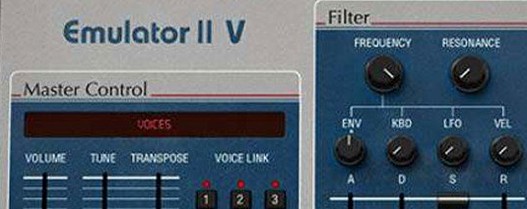
The resonant low-pass filter is the next control point. A few dB of emphasis on a bass sample pushes it forward without masking the kick. The ADSR envelope then tightens the transient — pulling back the decay on a choir patch from the curated library turns a long wash into a rhythmic stab.
Adding movement with modulation
An LFO routed to pitch gives a Synclavier-derived flute patch a warble that sits behind a lead vocal. The arpeggiator, running at 1/16 notes and locked to the project tempo, turns a simple sustained chord into a percussive sequence that would take hours to program manually.
Placing the sound in a mix
The modern effects section works as a placement tool. A short plate reverb on a snare sample pushes it to the back of a dense chorus, while the stereo delay widens a mono factory brass patch without changing its character. The 8 multitimbral parts let you stack a bass, a pad and a lead, each with independent processing, from a single plugin instance.
A complete sampling workflow: from waveform to phrase
Load an empty multi patch and map a single bell sample across C3–C5. Set the root key to C4, then open the sample editor to trim the start point until the transient clicks cleanly. The loop controls matter next — a short crossfade loop near the tail avoids a static hum when the note is held. Switch the voice mode to monophonic, set glide to roughly 80 ms, and route the mod wheel to filter cutoff. Playing a legato phrase now smears the bell into a melody that moves with the wheel.
With the phrase recorded, duplicate the part to a second multitimbral slot. Load a factory upright bass patch, drop its sample rate to 13.9 kHz in the engine settings, and nudge the attack up 12 ms. The bass lands slightly behind the bell, and the reduced fidelity gives the low end a grainy texture that glues the two sounds together without additional processing.
Fitting the instrument into a wider setup
The plugin reports 8 stereo outputs to a DAW, so routing each multitimbral part to a separate mixer channel is straightforward. In Logic Pro, a summing stack collects the kick, snare, hi-hat and percussion outputs from one Emulator II V instance, allowing group compression and a shared reverb send. The remaining four parts can run as independent tracks — a pad routed through an external amp sim on a bus, a lead processed with a third-party chorus, and two more slots kept free for one-shot hits dragged into the arrangement from the browser.
MIDI learn binds the arpeggiator rate and filter cutoff to a controller’s first two faders. The plugin reads the assignments globally, so switching presets keeps the hardware mapping intact. On an M-series Mac, the standalone app opens in under 4 seconds and passes audio through the system output, which makes it useful for noodling without a DAW session loaded.
Cyclic voice stealing vs. retrigger mode
Three parameters in the settings panel shape the instrument’s behaviour more than a first glance suggests.
- Voice allocation mode. The default reassigns voices cyclically. Switching to retrigger mode stops a sustained chord from stealing a new note’s voice, which keeps a pad bed stable when a lead enters.
- Output routing template. The global default sends all parts to outputs 1–2. Setting a custom template that maps part 1 to 1–2, part 2 to 3–4, and so on, saves re-routing every new multi.
- Sample rate override. The engine honours the original 27.7 kHz by default. Dropping it manually to 16 kHz on a hi-hat part introduces aliasing that works as a lo-fi exciter, while pushing a vocal sample to 44.1 kHz cleans up the top end noticeably — both changes are per-part and recallable with the preset.
Apple Silicon native load without Rosetta
Does it run natively on Apple Silicon, or does it need Rosetta? The package includes a universal binary. On an M1 Max machine, the plugin loads directly as an Apple Silicon Audio Unit without translation, and multiple instances stay responsive even at a 64-sample buffer.
Can it load original Emulator II floppy disks or Sound Designer files? It reads E-Mu bank files and a selection of common sample formats through the import dialogue. The browser also indexes the curated library included with the instrument, so you can mix factory sounds from the original hardware, Synclavier samples and newer material in a single multi.
Is the interface resizable on a high-DPI display? The GUI scales in steps from 60% to 200%. At 125% on a 27-inch 4K monitor, every label stays crisp, and the waveform editor is large enough for precise start-point adjustments without switching to a separate sample editor window.
How does the arpeggiator behave with external sync? It locks to host tempo and sends MIDI clock to the DAW’s transport. The rate division goes down to 1/32 triplet, and the latch button holds the pattern after releasing the keys — useful for building a drone sequence that runs while you tweak the filter in real time.
- macOS 11 or later
- Intel or Apple Silicon processor
Questions on file
What is the polyphony of the Arturia Emulator II V?
It supports 32-voice polyphony and can run up to 8 voices of multitimbral sampling.
Does it include the original E-Mu Emulator II samples?
Yes, the instrument includes 250 original factory presets alongside a curated library of Emulator, Synclavier and modern samples.
Sign in · Create an account to add a field note.
No field notes yet. A measurement, a version, a machine — they appear after moderation.