VST Plugins
Arturia FX Collection 2026.02
VST PluginsUpdated
| Requirement | On file |
|---|---|
| macOS | macOS 11 or later |
| CPU | Apple Silicon, Intel 64-bit |
| Download | 16.1 GB |
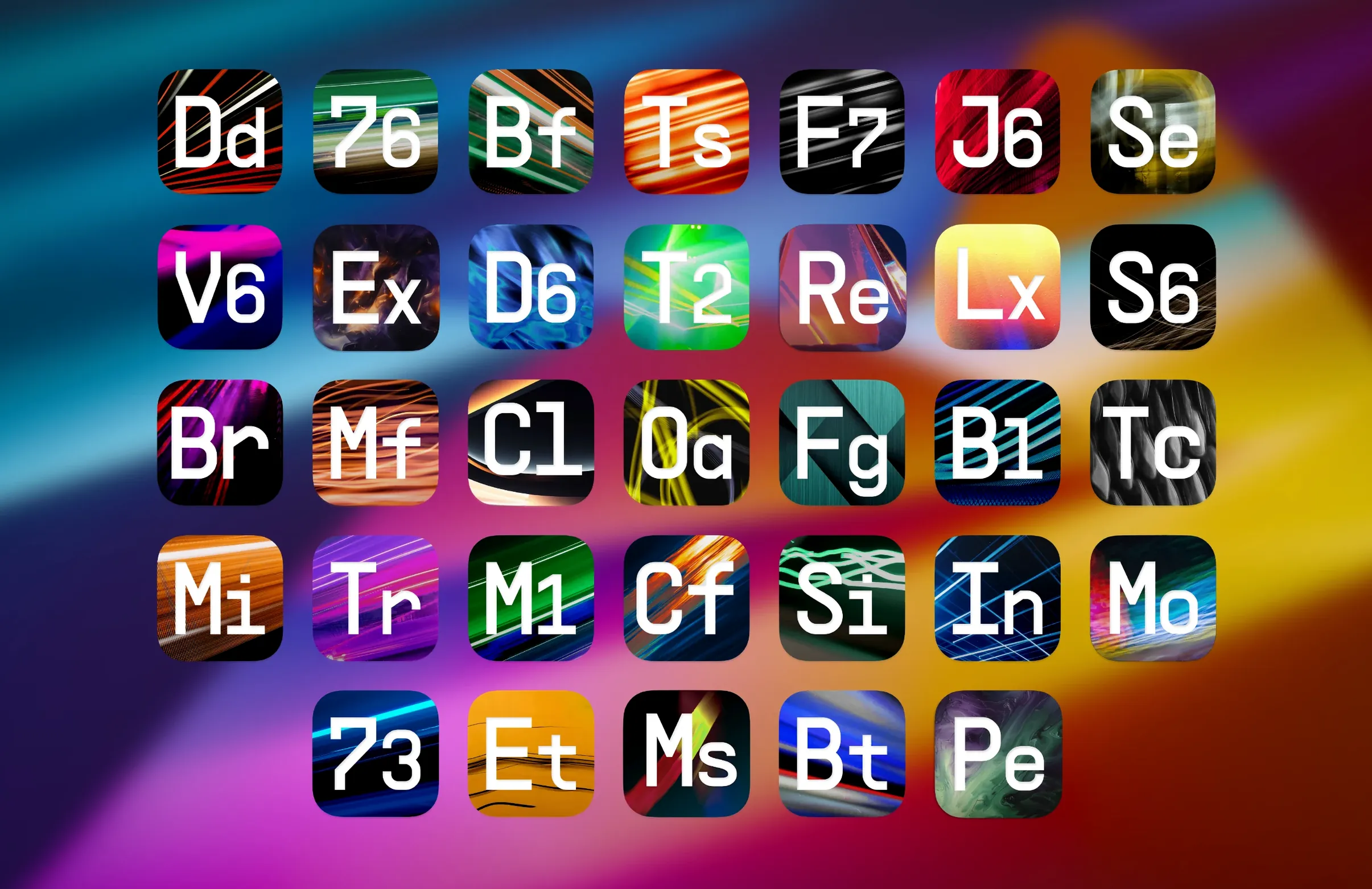
Tape J-37 lands in the 2026.02 package, bringing that specific reel-to-reel texture to a suite that already counts 39 effects. Before you get into tape saturation curves, the first question is whether your machine can run the collection. The developer states macOS 11 or later, with native support for both Apple Silicon and 64-bit Intel architectures. No more translating through Rosetta unless you are on an older path that predates the ARM builds.
The installer covers compressors, EQs, reverbs, delays, modulation units, distortion stages and filters — classic studio emulations sitting next to modern digital processors. Preset count sits above 1,400, so you are not starting from scratch on any module. The package bundles the activation instructions with the components; you install the lot in one pass and follow the included steps to authorise the plug-ins.
For mix work, the channel-strip style processors slot into a DAW chain without much fuss. Sound designers tend to lean on the modulation and filter blocks, where automation lanes open up movement that static EQ cannot deliver. The 2026.02 refresh does not rework the core engine — it adds Tape J-37 and keeps the format support aligned with current macOS builds.
If your system sits on macOS 11 or newer and you run a 64-bit host, the suite registers as a standard AU, VST or AAX set. No separate installers for silicon versus Intel; the same bundle detects the architecture at setup.
Authorising Alongside Analog Lab and V Collection
The first thing most producers check is whether this collection will co-exist with other Arturia software already on the machine. If you own Analog Lab or V Collection, the FX plugins share the same Software Centre authorisation layer. Install FX Collection 6 after those and the authorisation step picks up your existing Arturia account setup — no second activation routine, no conflicts in the components folder.
Another recurring question is about CPU load on older Intel machines. The tape and reverb emulations do analogue-modelled saturation maths that hits the processor harder than a clean digital EQ. On a 2018 MacBook Pro running an i7, a single instance of Tape J-37 adds roughly the same draw as two or three instances of the older Bus Compressor. The workaround is the built-in quality switch: drop the oversampling from 4x to 2x during tracking, then bump it back when you print stems. Apple Silicon Macs handle the same load without the quality toggle being necessary in most sessions.
People also want to know whether plugin formats have shifted in this version. The current build ships AU and VST3 as working formats. AAX support is not functional in the 2026.02 package — Pro Tools users on macOS need to keep the previous version installed alongside if AAX is essential to their workflow. The two versions sit in separate plugin folders and the DAW will list both, so you can toggle between them per session.
Finally, there is the question of whether the 1,400 presets are spread evenly or concentrated in the marquee processors. The busier modules — the plate reverb, the 1176-style compressor, the Roland-style chorus — each carry over a hundred starting points. More niche tools like the pitch shifter and the bus transient shaper hold fewer, usually between forty and sixty. The preset browser lets you search across the whole collection from any plugin window, so finding a sound does not depend on remembering which module it lives in.
Five New Processors Arrive Without Altering Existing DSP
The 2026.02 update does not touch the DSP core of existing plugins. All 34 processors that were present before behave identically in terms of parameter scaling and automation. The change that affects daily work is the addition of five new tools that fill gaps in the original lineup.
Efx Ambient arrived as a dedicated wash generator — less a conventional reverb and more a diffuse pad shaper that feeds on any input. In practice, it turns a dry hi-hat pattern into a three-minute texture without needing a chain of three plugins. Pitch Shifter-910 models an early digital harmoniser and brings formant-shifted feedback paths that sit somewhere between a chorus and a delay. Mix Drums is the first processor in the suite specifically voiced for drum bus duty, with per-band transient control and a clipper stage voiced to keep snare crack intact. Tape J-37 gives the suite a Studer-style machine model with adjustable tape formula, wow depth and crosstalk bleed. Bus Transient rounds out the set as a dual-stage transient shaper that splits attack and sustain into independent detection paths — useful on full mixes where a single threshold cannot catch both the kick transient and the snare body cleanly.
The practical result is that the collection now covers mix bus duties, drum stem processing, ambient sound design and vintage pitch effects without requiring third-party plugins for those roles. The plugin menu in a DAW now spans 39 entries where before it stopped at 34.
Glueing Drums, Bass, and Piano into a Warm Breathe Mix
Open a project with stems already bounced — drums on one track, bass on another, a synth pad, a vocal take and a rough stereo piano recording. The goal is a warm, glued mix that still breathes.
On the drum bus, drop Mix Drums. Pull the low-band attack down by 6 dB to tame the kick spike, then push the high-band sustain up 3 dB to let cymbal trails sit longer. Engage the clipper at +2 dB with a soft knee. The meters show 4 dB of peak reduction without audible flattening.
On bass, insert Bus Compressor — the FET-style model. Ratio at 4:1, attack at its fastest setting, release at 100 ms. Dial threshold until the needle moves 5 dB on the loudest notes. The low end gains density without losing the pluck at the note front.
On the vocal, place the plate reverb on a send. Set pre-delay to 40 ms, decay to 1.8 seconds, roll off below 300 Hz and above 8 kHz. The send level on the vocal channel sits at -12 dB. The voice gains space but the consonants stay intelligible.
On the synth pad, insert Efx Ambient. Switch the algorithm to Cloud mode, set size to 80, diffusion to full. The pad spreads across the stereo field but does not push the vocal out of the centre. Automate the freeze button at bar 32 to hold the wash while the next section drops in.
On the piano, try Pitch Shifter-910. Set the left channel to +7 cents and the right to -7 cents, mix at 30% wet. The detune widens the piano image without the phasing that a simple chorus would introduce. Feedback sits at zero — clean widening, no pitch spiral.
On the mix bus, insert Tape J-37 followed by Bus Transient. Tape formula set to 900 at 15 ips, input driven to +3 VU. The top end rounds off slightly and the low mids thicken. After the tape stage, Bus Transient pulls the overall attack up by 1.5 dB with a slow recovery — enough to restore articulation without undoing the tape glue. The master fader stays at unity; the balance holds across a laptop speaker check and a pair of studio monitors.
Double-Click Any Knob to Recall Its Default Value
Double-clicking any knob returns it to its default value. This works across every plugin in the collection and saves time when a parameter has drifted too far from a sensible starting point during tweaking. On the Efx Ambient interface, holding Option while dragging the size control locks the diffusion parameter, letting you scale the space without altering the texture density.
The preset browser supports typing partial words. Type "drum" into the search field while any plugin window is open and the results pull matches from the entire collection, not just the current module. Click a result and the plugin swaps to it — useful when you know the sound you want but not which processor holds it.
Right-clicking a modulation slot on any plugin that supports LFOs or step sequencers opens a copy-paste menu for modulation assignments. Set up a rhythmic tremolo on the filter cutoff in one plugin, copy the modulation shape, then paste it onto the reverb mix parameter in another. The timing and curve transfer exactly.
The output trim on the back panel of every plugin (accessible via the gear icon) offers a ±12 dB range. It does not interact with the modelled analogue stages — it is a clean digital gain stage placed after the processing. Use it to level-match wet and dry signals without touching the internal drive or makeup gain, which do colour the signal.
Shift-clicking a parameter while your DAW transport is running arms it for automation recording immediately, skipping the need to open the automation lane manually.
DAW Can’t Find Plugins After the System Folder Install
Plugin scan fails after installation. This usually means the DAW is looking in the default system folders but the installer placed the components elsewhere. On macOS, check that the .component files (for AU) sit in /Library/Audio/Plug-Ins/Components and the .vst3 files sit in /Library/Audio/Plug-Ins/VST3. If they landed in the user Library instead of the system Library, move them across and rescan. Logic Pro and Ableton Live both read from the system path first.
AAX plugins do not appear in Pro Tools. The 2026.02 package lists AAX as non-functional. Keep the previous FX Collection installer on hand and run it to restore the AAX versions. The earlier build installs AAX separately and those instances will work alongside the updated AU and VST3 plugins. Pro Tools sessions that reference the old AAX versions open without issue; new instances need to be the AU version hosted via a wrapper if your Pro Tools version supports it, or you keep the older build active.
Tape J-37 introduces latency in the monitoring path. The oversampling and physical modelling in the tape stage add a fixed 42-sample delay at 44.1 kHz. Most DAWs compensate for this automatically during playback, but during live tracking through the plugin, the delay is audible as a slight comb filter against the direct signal. Switch the quality mode to Eco during tracking — latency drops to 8 samples — and restore the full mode before mixing.
Presets do not load after an OS upgrade. macOS sometimes resets file permissions on the Arturia preset folder located in /Library/Arturia/Presets. If all presets show as empty after updating macOS, navigate to that folder, run Get Info, and ensure your user account has Read & Write access. Apply the permission to all enclosed items. The preset browser repopulates on the next plugin scan.
High CPU spikes when multiple tape or reverb instances are active. Group tracks that share the same processing needs and route them to a bus. Place one instance of Tape J-37 or the plate reverb on the bus instead of per-channel. The sound is identical to per-channel processing at matched drive levels, and the session CPU load drops significantly — eight tape instances become one. The only trade-off is that you cannot set different tape formulas per channel, which in most mix contexts you would not need to do anyway.
Package label — Arturia FX Collection 6 for macOS 11 and later.
Release date — Announced 2026-02-19.
- macOS 11 or later
- Apple Silicon or 64-bit Intel processor
Questions on file
Does Arturia FX Collection 6 run natively on Apple Silicon?
Yes, the 2026.02 release states native support for ARM (Apple Silicon) alongside 64-bit x86 Intel Macs.
What is new in the 2026.02 version?
The update adds the Tape J-37 effect to the collection, which already includes 39 processors and over 1,400 presets.
What effect categories are in the collection?
It covers compressors, equalizers, reverbs, delays, modulation effects, distortion stages and filters.
Sign in · Create an account to add a field note.
No field notes yet. A measurement, a version, a machine — they appear after moderation.