VST Plugins
UnderTone Audio UnFairchild 1.0.8
VST PluginsUpdated
| Requirement | On file |
|---|---|
| macOS | macOS 10.13 or later |
| CPU | Apple Silicon, Intel 64-bit |
| Download | 220 MB |
UnderTone Audio UnFairchild 1.0.8 runs on macOS 10.13 and later, with native support for both Apple Silicon (ARM) and 64-bit Intel (x86) architectures. It loads in any DAW that hosts VST3, AU or AAX plug-in formats. The installer package includes activation instructions, and the interface ships in English.
- Architecture — Universal binary for ARM and x86_64; no Rosetta translation layer required on Apple Silicon.
- Plug-in formats — VST3, Audio Unit (AU) and AAX Native.
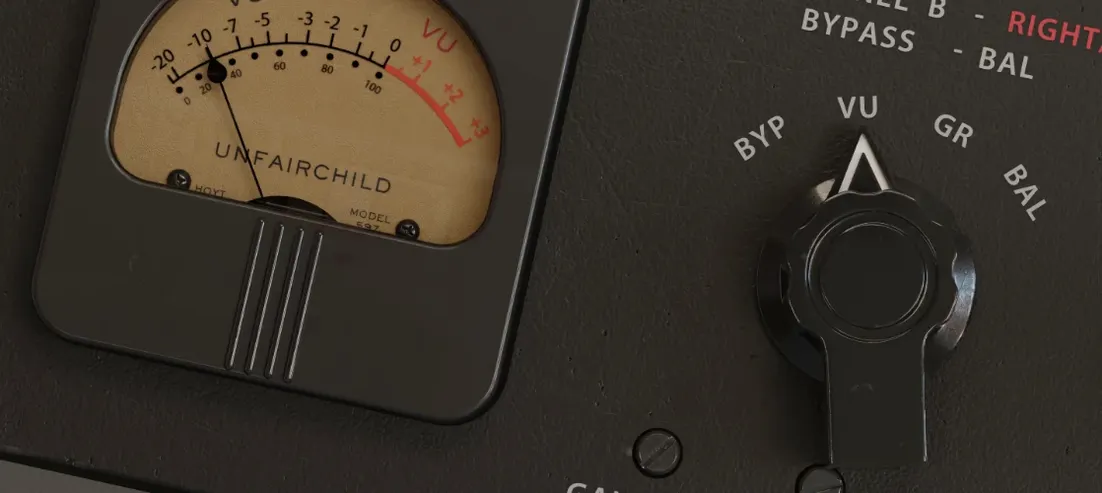
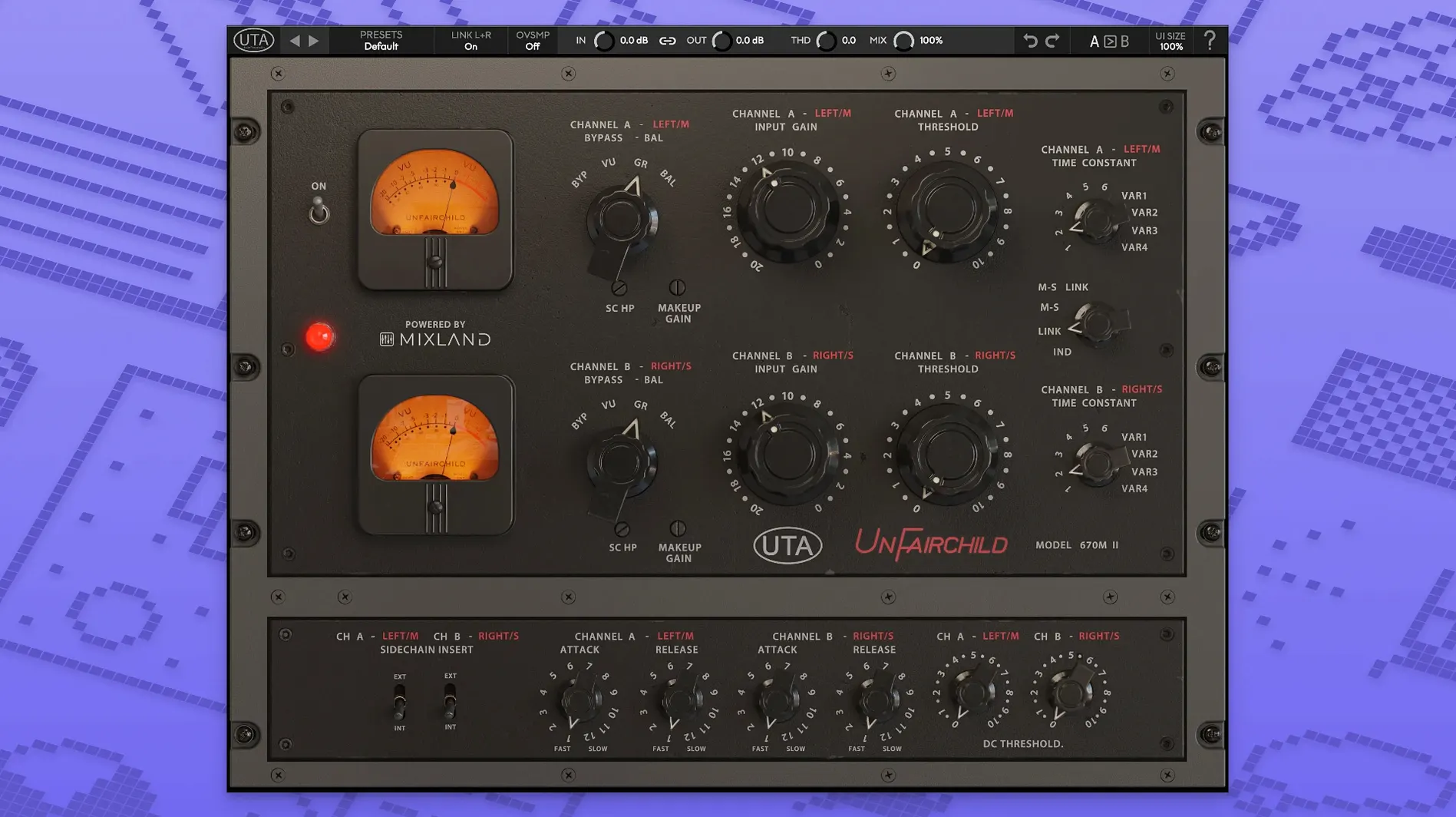
- Hardware lineage — A painstaking software recreation of the UnFairchild 670M mkII vari-mu compressor, built with MIXLAND and Eric Valentine.
- Stereo control — Fine left/right balance adjustment independent of the compression circuit.
- Saturation — Overall THD control to dial in harmonic colour without changing gain reduction.
- Side chain and output — Side chain processing input plus a dedicated output level control for gain staging after compression.
Sonically, the plugin inherits the mkII hardware’s behaviour on program material that benefits from vari-mu grab and release — drum bus processing and vocals sit near the top of that list. The THD control lets you push the unit into audible saturation while keeping the compressor’s knee and timing untouched, which makes it straightforward to add weight to a drum group without altering the dynamics envelope the hardware-style metering is already giving you.
Mu, DIODE-609, and UAD Fairchild Side by Side
A handful of vari-mu emulations now occupy the Mac plugin space. Three that come up regularly alongside UnderTone Audio UnFairchild are Pulsar Audio's Mu, the Arturia Comp DIODE-609 (a mu/diode hybrid in practice), and the Universal Audio Fairchild Collection. Each takes a different slice of the vari-mu idea.
Pulsar Audio Mu models a Manley Variable Mu with added modern controls — a full side-chain EQ section, mid/side matrix, and lookahead. Its topology stays closer to a mastering-style mu compressor: softer knee, gentler ratio, and a saturation character that leans toward transformer warmth rather than tube-driven aggression. Where UnFairchild opens up the DC Threshold and Feed-Back/Feed-Forward topology for per-signal sculpting, Mu concentrates on frequency-selective compression and stereo field manipulation. The THD control on UnFairchild is broader in range; Mu's saturation is more tightly coupled to the gain reduction circuit itself.
Arturia Comp DIODE-609 pulls from a Neve 33609 diode-bridge design, not a true vari-mu, but it sits in the same conversation because engineers reach for it on drum bus and vocal duties. Its time constants are fixed to the hardware original — no variable options, no DC Threshold, no THD knob independent of the compressor. The Arturia plug-in gives you transformer-style weight and a mid-forward punch, but the control set is narrower. UnFairchild's six preset plus four variable time constants and the wet/dry control make it more adaptable when a mix needs parallel squash without a separate bus routing.
Universal Audio Fairchild Collection covers the 660 and 670, and it runs on UAD hardware or the newer UADx native format. The modelling focuses on the original Fairchild 670 circuit, so you get the fixed six time constants and the classic DC Threshold behaviour baked into that design. UA's version does not expose Feed-Forward mode, the hardware mkII's adjustable THD, or the fine left/right balance trim found in UnFairchild. Where UA's emulation prioritises a faithful 670 replica, UnderTone Audio's plugin gives you the mkII hardware's extended feature set — which matters when you need to clean up low-end pumping with DC Threshold or run the compressor in Feed-Forward for a different envelope shape.
Drum Bus Chain Before UnFairchild Arrives
You open a mix session with a drum bus already routed. The channel strip has a gate, an EQ cutting 400 Hz by 2 dB, and a transient shaper adding 1.5 dB of attack. The bus peaks around −6 dBFS.
- Insert the plugin. Load the AU or VST3 version on the drum bus. The interface draws the hardware-style VU meter, the six preset time-constant buttons, and the large Input and Output knobs. Default state is no gain reduction, THD at zero, wet/dry at 100%.
- Set the time constant. Press preset position 3 (medium attack, medium release). On a rock drum bus this gives enough transient through before the mu stage clamps down, without the release hanging into the next kick hit.
- Dial in gain reduction. Raise the Input control until the VU needle swings between −3 and −5 dB on snare hits. The compression is audible but not obvious — the kick retains weight, the snare body stays solid, cymbals push slightly back.
- Add THD. Move the THD knob to around 11 o'clock. The low midrange thickens; the kick gets a rounded, almost tape-like bloom. Check in mono — no phase cancellation, the centre image holds.
- Blend with wet/dry. Pull the wet/dry control to roughly 70%. The original transient punch returns while the compressed signal adds sustain and density underneath. Parallel compression without an aux track.
- Adjust output level. Match the output to the input peak level so the fader position remains meaningful. The Output knob gives ±12 dB of range; a 4 dB boost brings the processed bus back to the original level.
By this point the drum bus sounds glued but not squashed. The move to mono reveals no low-end loss, and the cymbals retain enough top end to not need a separate high-frequency parallel path.
A Vocal Compression Workflow
A lead vocal track, already edited and gain-staged to around −18 dBFS RMS, needs smoothing without obvious compression artefacts. The performance has dynamic range — quiet verses, loud choruses — and a fast optical compressor earlier in the chain is catching peaks. UnFairchild handles the body.
- Insert UnFairchild after the peak compressor, before the de-esser.
- Select time constant 2 — a faster attack than position 3, fast release. Vari-mu circuits slow down as gain reduction increases, so this setting keeps the release quick on quieter phrases and lets it lengthen naturally on louder sections.
- Set left/right balance. On a mono track this normally stays centred, but if the vocal was recorded with a stereo room mic pair, a quarter-dB offset can correct a slightly skewed image.
- Push Input until the choruses show −4 to −6 dB of gain reduction on the VU. The verses sit around −1 to −2 dB. The transition between sections feels more even without automation.
- Enable the high-pass side chain filter — set around 90 Hz — to prevent low-frequency head movements or plosives from triggering compression. The vocal stays open in the low mids.
- Add subtle THD at 9 o'clock. This introduces a gentle second-harmonic lift that helps the vocal cut through a dense mix without EQ boosts in the 2–4 kHz range.
- Blend to 85% wet. The remaining dry signal keeps articulation crisp; the compressed signal adds body and sustain. Check sibilance — the de-esser downstream now works less hard because the compression is not emphasising esses.
The result places the vocal forward in the mix with a consistent level and a hint of analogue weight. No pumping on sustained notes, no breathiness lost.
Scenario: A Post-Production Mixer On A Tight Turnaround
A post-production mixer receives a 48 kHz, 24-bit dialogue stem for a 90-second commercial. The voiceover is well recorded but dynamic — quiet on introspective lines, louder on the call-to-action. The deadline is three hours.
She inserts UnFairchild directly on the dialogue bus, after a basic high-pass filter at 80 Hz. Time constant 1 — the fastest preset — catches plosives and sudden level jumps without overshoot. Feed-Back mode keeps the envelope musical, which matters when the VO rides under a music bed. Gain reduction hovers around −3 dB on the loudest phrases. She sets the DC Threshold slightly higher than default so low-frequency console rumble from the recording does not push the mu stage into unnecessary compression. THD stays at zero — broadcast deliverables need clean signal — and the wet/dry remains at 100%. Output level matches the original peak, and the mixer prints the stem. The dynamics now sit within the spec the client's loudness target requires,
- macOS 10.13 or later
- Apple Silicon (ARM) or 64-bit Intel (x86) processor
- VST3, AU or AAX-compatible host
Sign in · Create an account to add a field note.
No field notes yet. A measurement, a version, a machine — they appear after moderation.