VST Plugins
VocalNet 1.0.4
VST PluginsUpdated
| Requirement | On file |
|---|---|
| macOS | macOS 10.15 or later |
| CPU | Apple Silicon, Intel 64-bit |
| Download | 669 MB |
Shape a new timbre from a sample
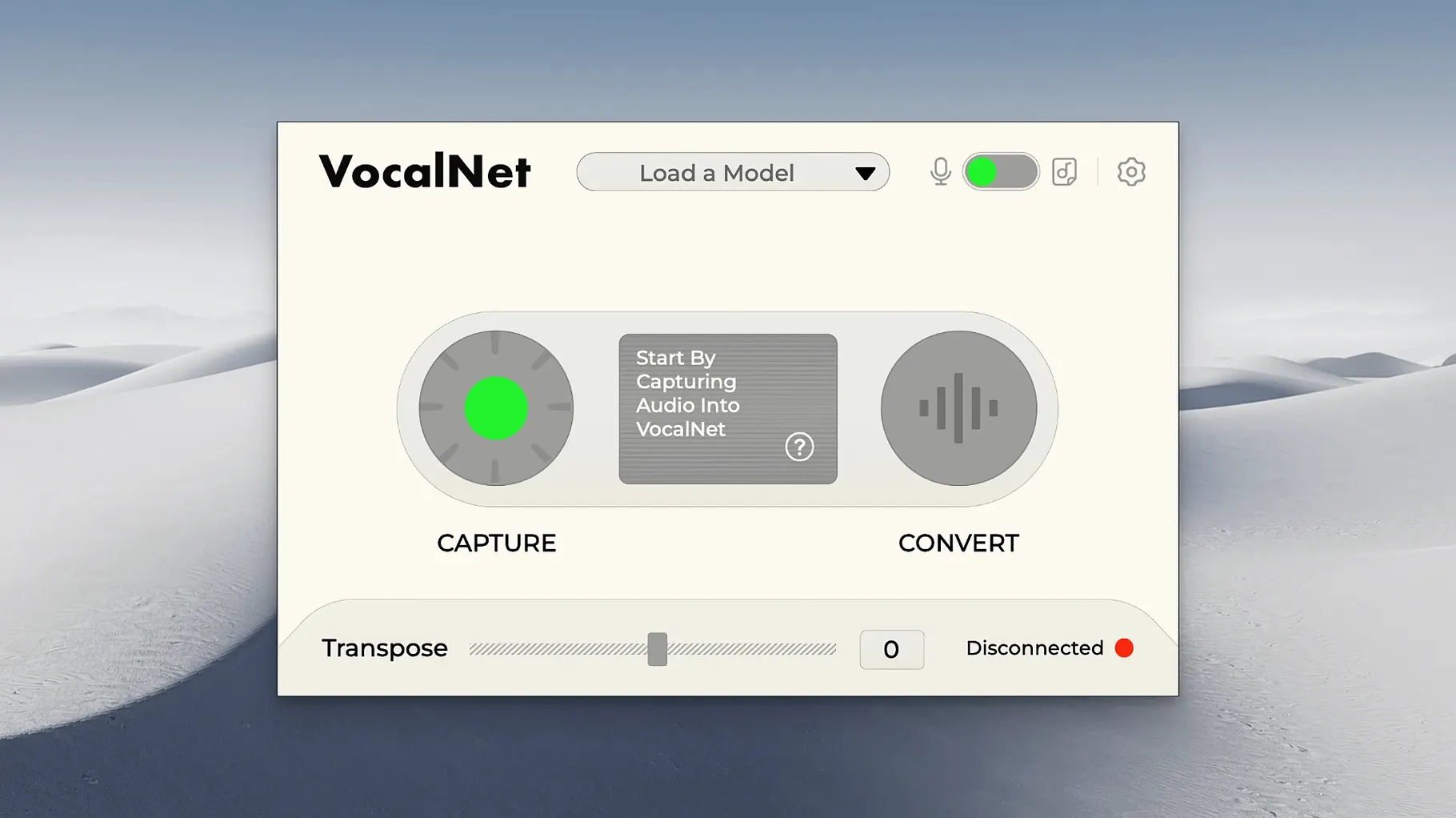
The core mechanism is local analysis: VocalNet reads a short voice recording you feed it and constructs a new spectral imprint. It does not stream data out — the processing stays on your machine. The result is a timbre shift that can make a dry take sound like a different speaker without re-recording.
Dial in character with four controls
A wet/dry mix keeps the original signal within reach, while a formant offset shifts the perceived vocal tract size independent of pitch. The intensity slider determines how heavily the target model is applied, and a smoothing control tamps down processing artefacts on sibilants and breaths.
Audition ideas mid-take
Low-latency operation means you can sing or speak through the plugin and hear the transformed output in real time. It is built for quick trials — layer a spoken line under a melody, test a harmony voice, or rough out a character before committing to a final recording.
No phoning home, no account, all on your drive
One recurring question is whether VocalNet phones home. It does not. The analysis runs entirely on your Mac, and the voice samples you feed it never leave your drive. No account, no activation server pinging after the initial install — just a local plugin doing local work.
People also ask how short the reference sample can be. A two-second snippet of steady phonation is often enough to grab a usable timbre, though three to five seconds gives the model more spectral detail to work with. Anything under one second tends to produce a brittle result, and a heavily processed or noisy clip will pass those artefacts straight into the target voice, so a clean, dry recording is the starting point.
On the hardware side: the plugin is light enough to run on a 2018 MacBook Air without glitching, but stacking four or five instances will push older dual-core machines. Apple Silicon owners get a native path that keeps buffer sizes low; Intel users running Rosetta 2 should expect marginally higher round-trip latency but nothing that breaks real-time use.
The AU, VST3, and AAX formats are all included in one installer. Logic users drop it on an audio track and it appears as an effect; Pro Tools users will find it under the AAX list. If the plugin does not show up after a clean install, the usual culprit is an outdated plug-in cache — trashing the AU cache or re-scanning in the DAW sorts it nine times out of ten.
Laying down a huskier double-track without a second singer
Imagine a producer who has laid down a verse with her own voice but wants a huskier double-track for the chorus without booking a second singer. She opens Logic, creates a stereo audio track with a dry vocal comp, and inserts VocalNet in the first slot.
She drags a four-second voice memo — a friend speaking a neutral sentence — onto the plugin’s sample drop zone. VocalNet chews for a moment, then the timeline marker jumps. She sets the mix to about sixty percent wet and nudges the formant down by two semitones. The voice drops in apparent depth without sounding like a pitch-shifted cartoon.
She records-enables the track and sings the chorus while monitoring through headphones. The processed voice sits right behind her own take, and the latency is short enough that she does not feel disconnected from her performance. She rides the intensity slider during a bridge, pulling it back to thirty percent for a more natural blend, then pushes it to eighty for the final hook. The smoothing knob stays at its default of twelve percent — just enough to soften sibilant crunch without dulling the attack.
Before printing, she bounces the processed take to a new track, disables VocalNet to free up CPU, and keeps the raw sample in a muted session folder in case she wants to tweak the timbre later. The whole experiment takes under ten minutes.
Crackly monitoring means your buffer is too low
A crackly output during live monitoring almost always comes from a buffer size set too low for the session’s CPU load. Bumping the DAW’s I/O buffer to 128 or 256 samples usually clears it. If the crackle persists even at 512 samples, check whether another plugin earlier in the chain is introducing ultrasonic content; VocalNet’s analysis reacts poorly to aliasing artefacts above 20 kHz, so a low-pass filter placed before it can help.
Some users report a hollow, phasey sound when blending wet and dry signals. This happens when the DAW does not compensate for the plugin’s internal processing delay. Most modern hosts handle this automatically, but in older versions of Ableton Live, manually enabling delay compensation on the track routing panel fixes the comb-filtering straight away.
If VocalNet refuses to analyse a sample — the progress bar stalls or the plugin throws no error but stays silent — the file format is often the issue. The analysis engine prefers uncompressed WAV or AIFF at 44.1 or 48 kHz. MP3 and AAC files work in many cases but occasionally confuse the onset detector. Converting to 24-bit WAV with Finder’s built-in encoder or Audacity resolves it.
On Apple Silicon machines running an early build of macOS Ventura, a handful of users saw the plugin interface render blank. Updating to VocalNet 1.0.4 and granting microphone permission in System Settings — even though the plugin does not use the mic directly — cleared the drawing glitch for those who reported it.
A whisper won't give you a full-bodied chest voice
The most common slip is feeding VocalNet a sample that sounds nothing like the target they hear in their head and expecting a magic transformation. A whispered source will not suddenly produce a full-bodied chest voice; the model builds from what you give it. If you want breathy intimacy, feed it a breathy reference. If you want bite, give it something with bite.
Another early mistake is cranking the intensity slider to maximum and leaving it there. Full intensity often introduces a synthetic edge — useful for a sci-fi cue, less so for a lead vocal. Beginners who dial intensity back to forty or fifty percent and use the formant control for the heavy lifting tend to land on more musical results.
Some people treat VocalNet like a pitch correction tool. It is not. It does not snap a wavering note to the nearest semitone; it changes the spectral envelope of whatever pitch is already there. Singing off-key into it just gives you an off-key performance in a different timbre. Tuning comes first, transformation second.
Finally, new users sometimes stack VocalNet on a bus with other time-domain effects — delays, reverbs — and wonder why the stereo image collapses. The plugin outputs a mono-compatible signal by design, and a stereo reverb after it restores width without issue. Keeping modulation effects downstream avoids phase cancellation headaches.
- macOS 10.15 or later
- Intel and Apple Silicon support
- DAW host capable of loading VST3 or AU plugins
Questions on file
Does VocalNet process audio locally or in the cloud?
All processing happens on the local computer. The plugin analyses the sample and applies the timbre model directly inside the DAW, with no cloud upload required.
Can I use VocalNet in real time while recording?
Yes, it is designed for live input. You can monitor the transformed voice while singing or speaking through the plugin.
Sign in · Create an account to add a field note.
No field notes yet. A measurement, a version, a machine — they appear after moderation.