AI Tools
djay Pro 5.6.10
AI ToolsUpdated
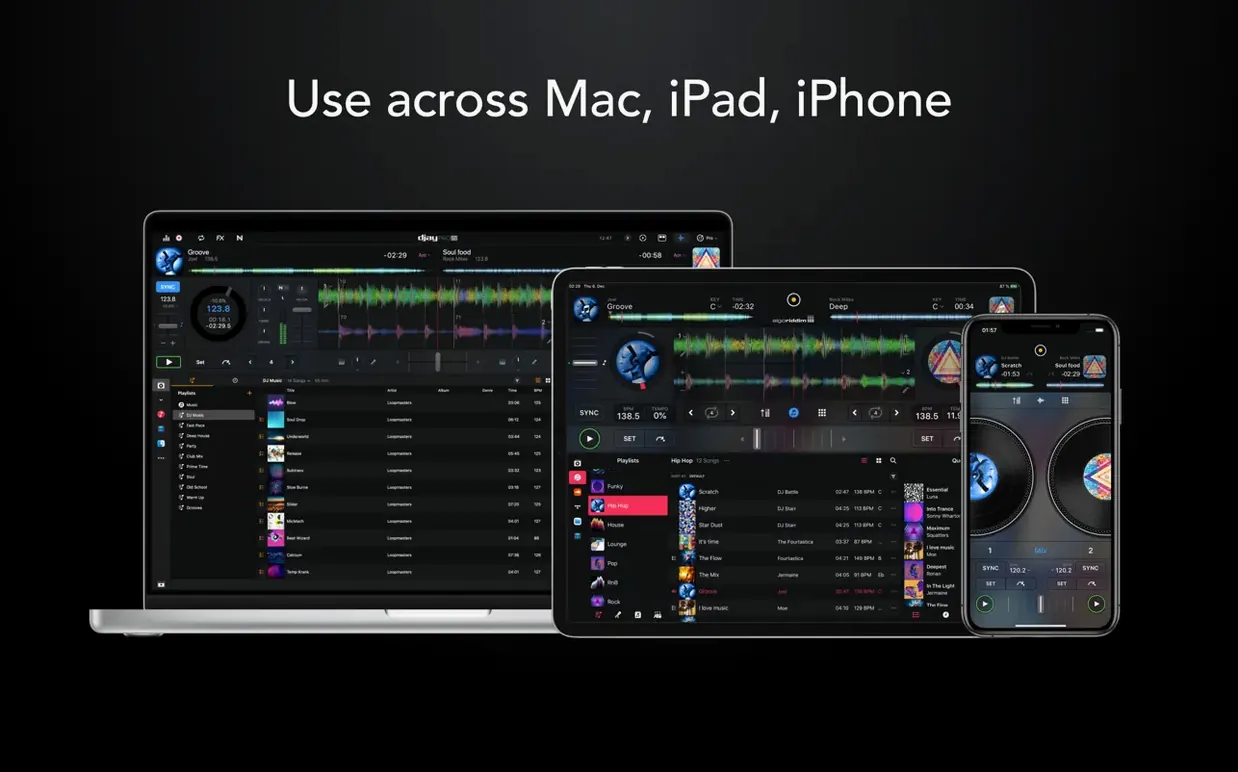
| Requirement | On file |
|---|---|
| macOS | macOS 10.15 or later |
| CPU | Apple Silicon, Intel 64-bit |
| Download | 322 MB |
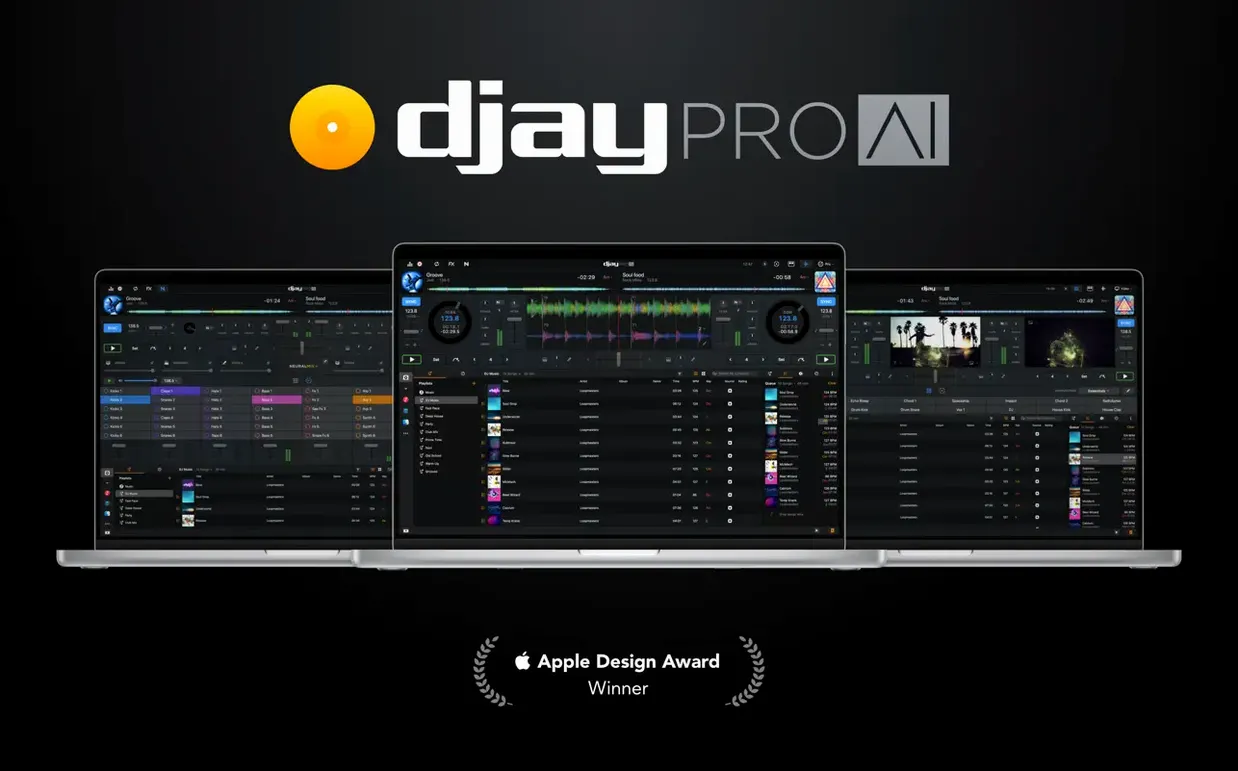
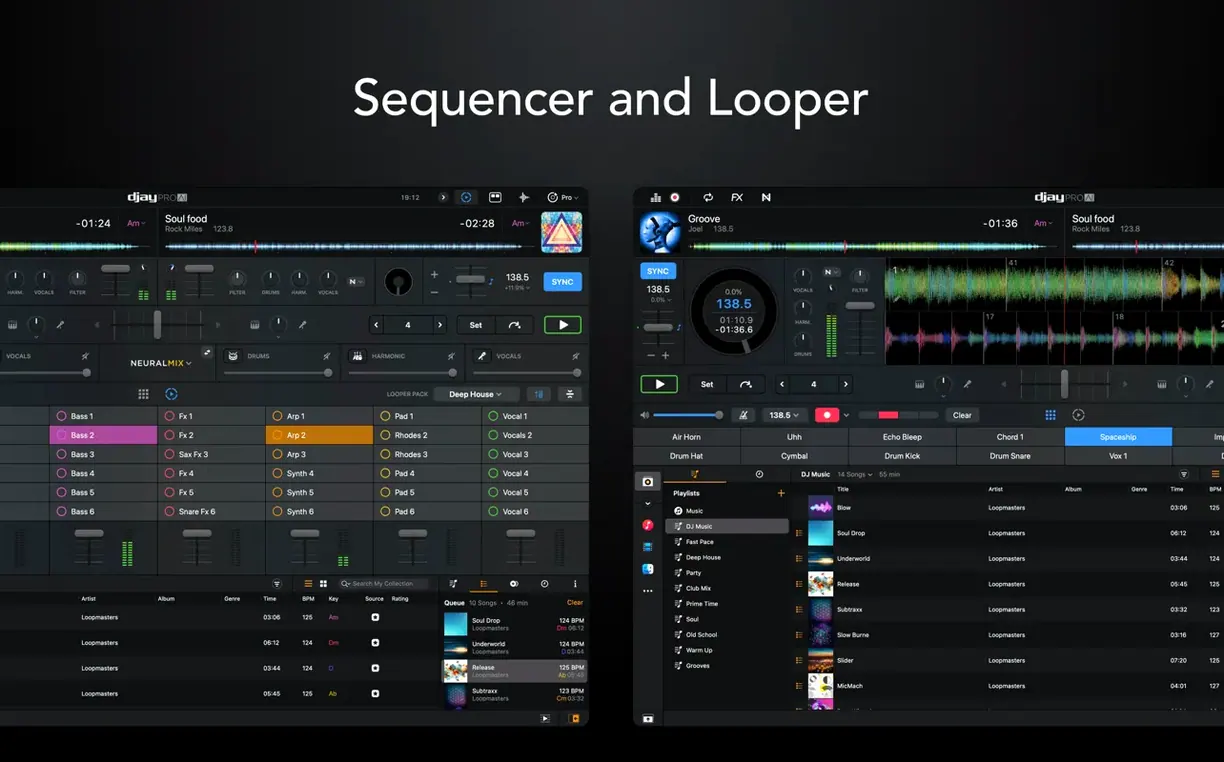
A single track in djay Pro can host up to 48 independent loops, each triggerable on the fly. That kind of headroom defines an app built for detailed, layered sets rather than simple crossfades. The 5.6.9 release tightens this further with fresh hardware ties, notably native display support for the RANE System One, and new MIDI actions that let you adjust beat jump duration from a controller.
| Detail | Spec |
|---|---|
| Current version | 5.6.9 |
| Architecture | Apple Silicon & Intel 64-bit |
| Minimum OS | macOS 10.15 |
| Key technology | Neural Mix (real-time stem separation) |
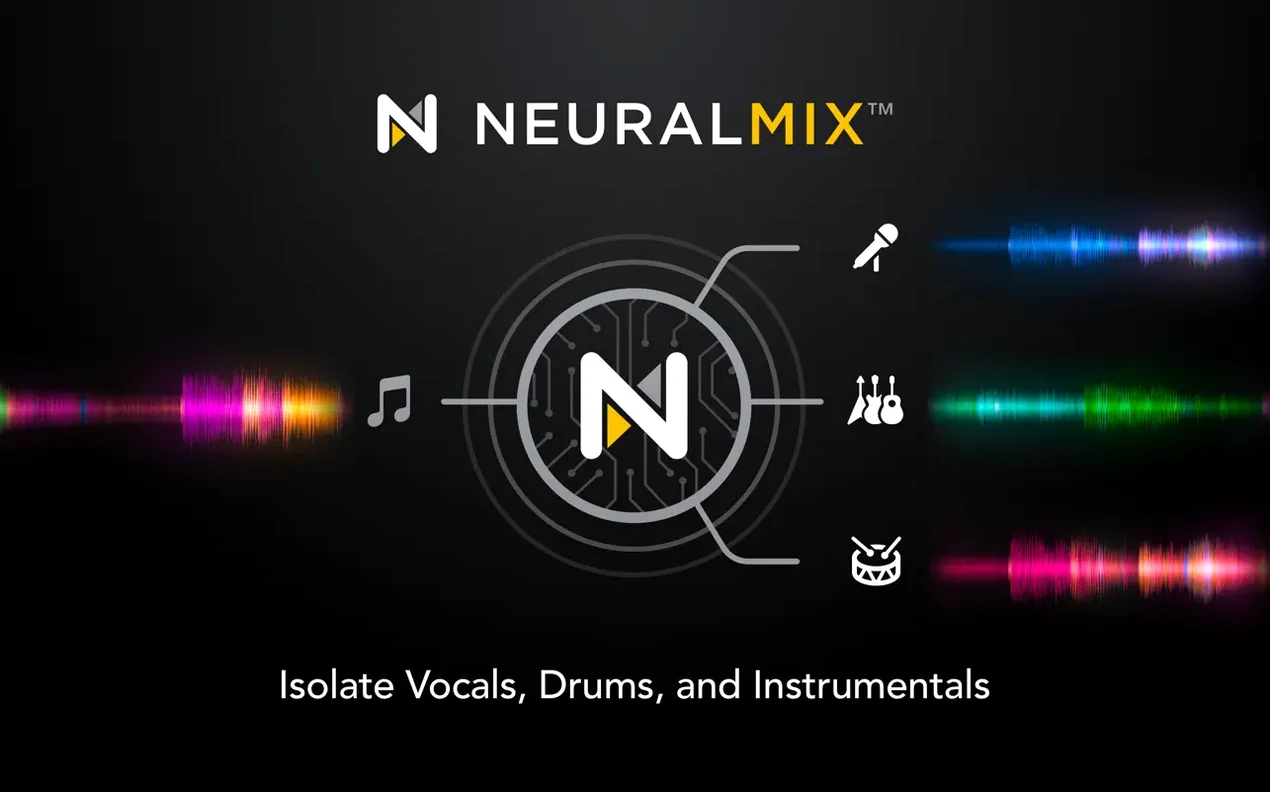
Neural Mix is the engine that separates any track into its instrumental, vocal, and drum components in real time. You can kill the drums on a pop track to blend it into a house break, or isolate a vocal and apply effects while the backing slides away. The high-definition waveforms update to reflect which stems are active, so the visual feedback matches what the room hears. Video mixing works the same way: load a clip, crossfade into another, and apply audio stems processing to the soundtrack without touching the visual layer. Automix mode handles transitions when you need a hands-off stretch, while the looper (up to those 48 slots per track) lets you build call-and-response patterns from a single source file. Library improvements in this version also polish playlist presentation on CDJs, making the jump from a prepared Mac session to club gear a little cleaner.
Your MIDI Controller Probably Already Works
One of the first things anyone checks is whether their existing controller will work. The short answer: if it's a standard MIDI DJ controller, the odds are good. djay Pro recognises over 100 models out of the box, including most Pioneer DJ, Reloop, Numark, and RANE units. Mapping is automatic — plug it in, and the jog wheels, faders, and pads map to sensible defaults within seconds. If you use a niche controller or want custom behaviour, the MIDI learn system lets you assign any physical control to any software function without editing XML files by hand.
The next concern is library migration. Many prospective users have spent years building crates in other software. djay Pro reads iTunes and Music.app playlists directly, and it integrates with the Finder's file system for loose folders of AIFF, WAV, FLAC, MP3, and AAC files. Traktor and Serato libraries are not imported natively, but standard M3U playlists exported from those apps load without issues. Cue points and beat grids set in other software will not carry across — that metadata stays locked to the original application. Plan for a few hours of re-cueing your core tracks if you switch.
People also ask about the Neural Mix quality. It is not a gimmick: the separation is clean enough for live use on a decent system. Vocals pull out with minimal artefacts on well-mixed source material, though bass isolation occasionally leaves a faint ghost of the kick drum on tracks with heavy compression. It works on any track you load, not just a curated catalogue, and it runs on-device without phoning home. An M1 or M2 chip handles it with room to spare; older Intel Macs will see the CPU meter climb when you engage stems on all four decks simultaneously.
On the installation side, macOS 10.15 is the floor, and Gatekeeper may block the first launch depending on where you sourced the file. The disk image mounts, you drag the app to Applications, and if the system refuses to open it, a right-click Open or a quick trip to Privacy & Security in System Settings resolves it. Some configurations ask for a Terminal confirmation; others require SIP to be disabled. The app runs natively on Apple Silicon and Intel 64-bit, so there is no Rosetta penalty on newer Macs.
Whether you need in-app purchases depends on what you use. Core mixing, four decks, Neural Mix, the looper, and Automix are all included. Some effects packs, the video mixing module, and certain content libraries sit behind a one-time unlock. The build carries the [MAS] tag, meaning it is the Mac App Store variant repackaged; if you are after the full djay Pro Mac experience with every feature enabled out of the box, confirm what is already activated before you start a gig.
Option-Click Changes Looper Quantise Per Slot
Holding the Option key while clicking a pad in the looper changes the quantise setting for that specific slot. Most users stumble across this by accident and then never forget it. The same modifier key, when held over the waveform, lets you scrub without snapping to the beat grid — useful for finding a precise point in a breakdown without fighting the quantise engine.
The keyboard shortcuts for stem controls ship with defaults that few people change, but they are worth memorising. Press V to mute or unmute vocals, D for drums, B for bass, and H for harmonic instruments. These work on the currently selected deck and respond instantly, even during playback. Tapping them in sequence mid-transition can create breakdowns that sound pre-planned.
In the media browser, right-clicking any track and choosing "Analyse for Neural Mix" pre-processes the stems separation. This writes a small metadata file to disk, so the next time you load that track, the vocal, drum, and instrumental channels are available immediately with zero loading delay. Doing this ahead of a set for your entire playlist removes the half-second pause that otherwise hits when you first engage Neural Mix on a new file.
The Automix panel has a hidden behaviour: if you drag the transition slider all the way to the right, it fades out the outgoing track completely before bringing in the next one, which is useful for ending a set or creating a deliberate silence between genres. Dragging it left does the opposite, overlapping tracks for a radio-style segue. The default centre position crossfades on the beat. Few DJs bother adjusting this because the control is small and tucked away, but it changes the character of an Automix sequence significantly.
For controller users, the 5.6.9 update added MIDI actions to change beat jump duration. That means you can assign a knob or a pair of buttons to shift the beat jump increment from 1 beat to 2, 4, 8, or 16 beats without touching the laptop. If your controller has spare pads or encoders, mapping these takes under a minute through the MIDI preferences pane. The same update also fixed cue point jumping on motorised controllers during scratching and platter spindown — previously, hitting a cue while the platter was still spinning from a back-spin could land you on the wrong beat. That no longer happens if your controller firmware is current.
RANE System One Now Shows Waveforms On-Screen
Version 5.6.9 is a hardware-focused update. The headline addition is native display support for the RANE System One, which means track metadata, waveforms, and library browsing now appear directly on the controller's screens without requiring a separate laptop window. For anyone who owns that specific mixer, the experience shifts from "laptop plus controller" to "integrated hardware console." Earlier versions treated the System One as a generic MIDI device; now it gets the same first-class treatment that Pioneer and Reloop flagships have had for several releases.
The MIDI actions for beat jump duration, also new in 5.6.9, close a gap that power users had been filling with third-party mapping tools. Before this, changing the beat jump amount required a mouse click on the screen or a pre-set hardware button that could not be reassigned on the fly. Now any MIDI control surface can adjust it, which matters during fast genre switches — jumping 1 beat for a vocal chop, then 8 beats to skip a chorus, all from the controller.
The playlist presentation improvements for CDJs are subtle but practical. Previous versions would sometimes truncate long playlist names or misalign the folder hierarchy on the CDJ screen. 5.6.9 cleans this up, so exports to USB drives meant for club Pioneer gear display exactly as they do in the djay Pro browser. If you prepare a setlist in djay Pro, export it to a USB stick, and load it into a CDJ-3000, the track order, playlist names, and subfolders now match one-to-one.
Looking slightly further back, 5.6.1 introduced 45 RPM support for motorised controllers, which mattered to vinyl emulation users. The 5.6.9 update refined this further — the platter speed now stays locked at 45 RPM across track loads and does not momentarily dip when you switch decks, a bug that had annoyed DVS users since the initial implementation. Cue point jumping during spindown, also tightened in 5.6.9, means you can stop a platter mid-spin, tap a cue, and the audio snaps to the correct position without drift. For turntablists, these are the kind of fixes that make a set feel solid rather than fragile.
Set Buffer to 128 Samples on Apple Silicon
Open Preferences before your first mix and change the buffer size. The default is 256 samples, which balances latency and CPU load, but if you are on an Apple Silicon Mac with 16 GB of RAM or more, dropping to 128 samples cuts the headphone cue delay in half without visible CPU strain. On older Intel machines, keep it at 256 or raise it to 512 if you hear pops during Neural Mix processing.
Next, switch the crossfader curve to "Sharp" if you scratch or do fast cuts. The default "Smooth" curve is meant for blending, and it leaves a wide overlap zone where both channels are audible. The "Sharp" setting gives you a near-instant cut at the halfway point, which is what battle DJs expect. The curve adjustment is a single dropdown in the Mixer tab.
Enable "Load Lock" in the General preferences. Without it, dragging a track onto a playing deck loads it immediately and stops the current playback. Load Lock requires you to physically press the load button, which prevents the kind of accidental drag that kills a room's energy mid-set. It is off by default, and nearly every working DJ who uses a laptop alongside a controller turns it on within the first week.
In the Library tab, check "Analyse new tracks automatically." This forces Neural Mix pre-processing on any file you add, which costs a few seconds of background CPU time at import but saves you the mid-set loading pause described earlier. If your Mac is fast enough, it is a set-it-and-forget-it improvement.
Finally, if you use a motorised controller, calibrate the platter speed in the Vinyl section of the controller settings. The 5.6.9 45 RPM improvements assume correct calibration; if your platter is off by even a few tenths of a percent, the new spindown and cue-jump fixes will not feel right. The calibration tool plays a test tone and measures the rotation, so it takes about twenty seconds per deck.
Mute the Harmonic Layer for an Instant Rhythm Bed
Start by loading a house track with a strong kick and a simple hi-hat pattern into Deck A. Enable Neural Mix on it and mute the harmonic layer, leaving only drums and bass active. This becomes your rhythmic bed — the low-end pulse and percussion that will run through the entire segment. Set a 4-beat loop on the intro and leave it running.
Load a pop acapella-friendly track into Deck B. Pre-analyse it if you have not already. With Neural Mix, isolate the vocal stem and mute everything else. Set a cue point on the first word of the chorus. Bring the Deck B channel fader down, press play, and listen in your headphones to align the phrasing — the vocal should sit naturally over the house groove you have looping on Deck A. Use the beat jump buttons set to 4 beats (assignable from your controller now, thanks to the 5.6.9 MIDI actions) to nudge the vocal forward or back until the downbeat matches.
Now load a third track into Deck C — something with a melodic instrumental hook, like a synth riff or a string sample. Isolate the harmonic stem with Neural Mix and mute vocals, drums, and bass. Set a 2-beat loop on the hook. With the crossfader still on Deck A and B, bring Deck C's channel fader up slowly over eight bars, applying a high-pass filter on Deck A's bass at the same time to create space. The result: a house beat, a pop vocal, and a melodic hook all playing simultaneously from three separate source tracks, each reduced to its essential component.
Record the output by hitting the Record button in the master panel. The file saves as a 16-bit or 24-bit WAV, depending on your recording preferences. Name it immediately — the default timestamp filename is hard to identify later. If you want to save the setup for a live performance, export the cue points and loop settings as a session file. The next time you
Version 5.6.10 [MAS] has been released. The build notes refer to Algoriddim's official site for the full change log.
- macOS 10.15 or later
- Apple Silicon or Intel 64-bit
Questions on file
Does djay Pro separate vocals and instruments in real time?
Yes. Neural Mix technology splits any track into vocals, drums, and harmonics instantly during playback, with no pre-analysis needed.
Can djay Pro mix video as well as audio?
It supports full video mixing alongside audio, letting you crossfade between video clips and apply stem processing to the accompanying soundtrack.
Sign in · Create an account to add a field note.
No field notes yet. A measurement, a version, a machine — they appear after moderation.