AI Tools
VoiceInk 1.74
AI ToolsUpdated
| Requirement | On file |
|---|---|
| macOS | macOS 14 or later |
| CPU | Apple Silicon, Intel 64-bit |
| Download | 12 MB |
If you have spent time configuring MacWhisper’s model selection, you will understand the appeal of an app that strips away the API call and keeps the inference local. VoiceInk occupies that same space, but it leans into the control layer that a power user wants after the first week: shortcuts that fire without opening a window, and commands that do more than just type.
| Detail | Spec |
|---|---|
| Current version | 1.74 |
| macOS requirement | 14 or later |
| Architecture | ARM and x86 64-bit |
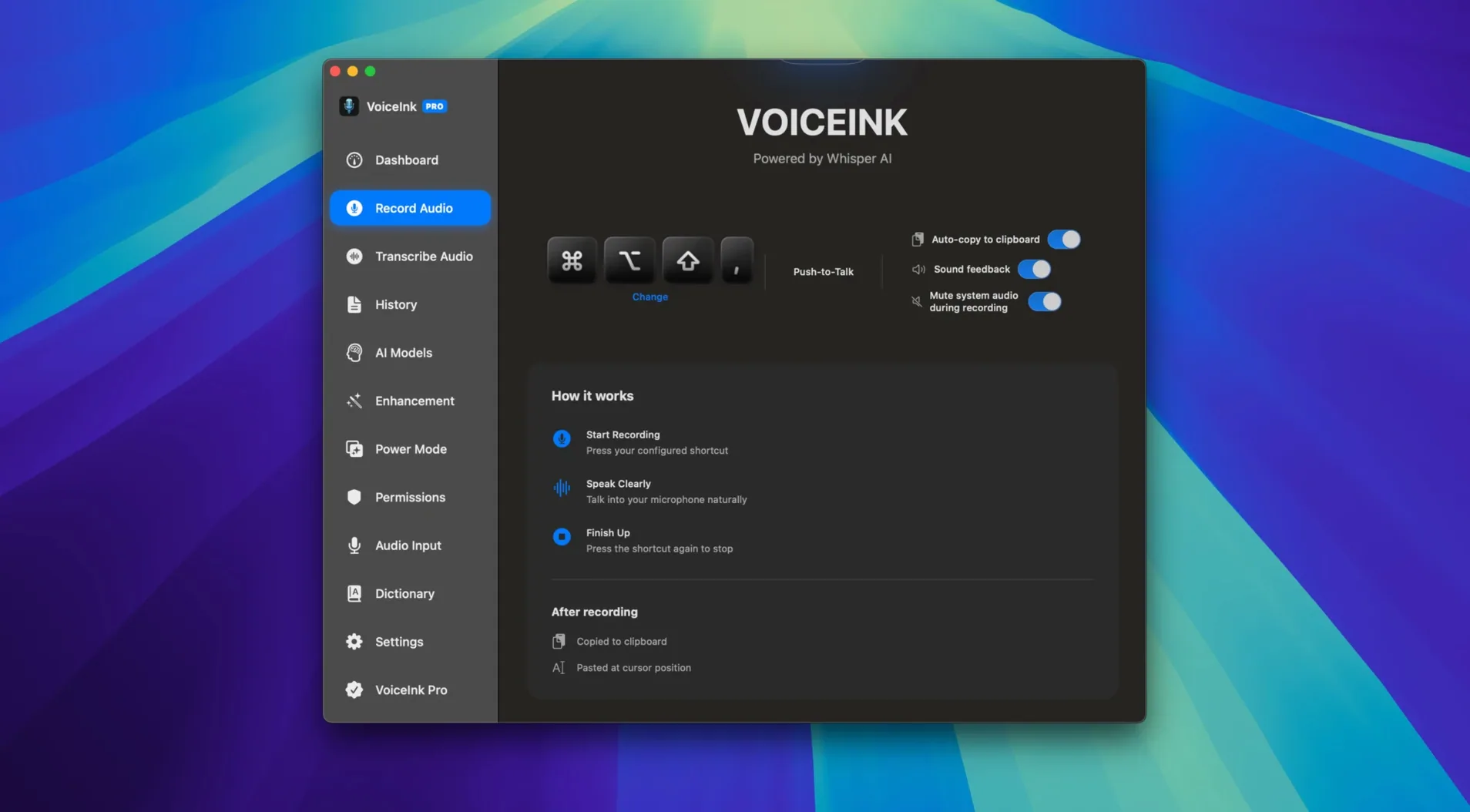
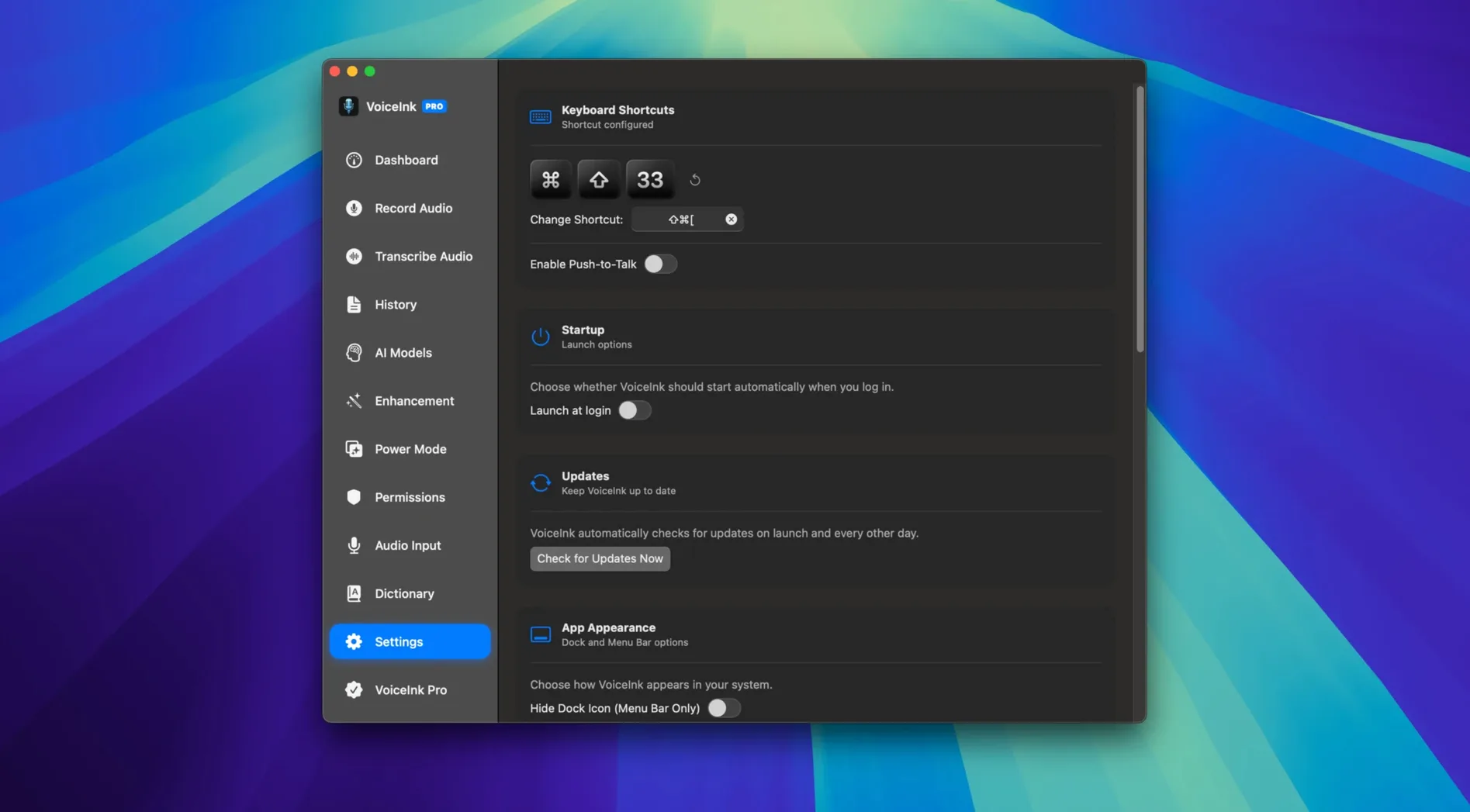
Processing stays on-device; the interface is English only. The transcription engine reads surrounding text for context, which matters when you dictate technical terms into a document that is already half-written. Hotkeys and voice commands form the real interface here: you can trigger recording from any field without touching the mouse, and the command set lets you insert punctuation or newlines by speaking them. It is a tool for someone who thinks in keyboard shortcuts and expects the same from their dictation layer.
Grant Mic Access Twice Now, Not Mid-Sentence Later
Run through the microphone permissions dialogue once and get it out of the way. macOS will ask twice — once for the app itself, once for the system-level dictation access — and it is worth ticking both immediately rather than hunting down the prompt later when you are mid-sentence in a document.
Spend the first hour feeding the user dictionary. Add the product names, abbreviations and surnames you use most often. VoiceInk’s context awareness helps with common words, but a custom entry for “MikroTik” or “Schönlein” saves repeated corrections. The dictionary accepts multi-word phrases, so drop in your full email signature and the name of every piece of lab equipment in your workflow.
Next, bind the global hotkey to something you can reach without looking. The default may collide with other tools. A three-key chord with a modifier cluster you rarely use elsewhere — think Control-Option-Space rather than a simple function key — keeps the dictation trigger from firing inside IDEs or terminal windows where you do not want it. Test the binding in three or four different apps before committing it to muscle memory.
If you plan to use voice commands heavily, print the command list or keep it open on a second screen for the first two days. Speaking “new line” and “comma” feels unnatural until you have done it a hundred times. The app processes these commands faster than you expect, which means hesitation mid-phrase can insert a literal “comma” into your text. Practise with a blank document until the rhythm settles.
For audio file transcription, start with a short WAV — thirty seconds of clean speech at 16-bit — and check the output against the original. Pay attention to speaker attribution if the recording has two voices; VoiceInk handles single-speaker material cleanly, but overlapping dialogue can produce merged sentences. Knowing that limit early prevents frustration when you feed it a meeting recording at the end of the week.
Three Local Whisper Apps, Three Different Dictation Philosophies
Three apps sit in the same category: MacWhisper, Superwhisper and VoiceInk. All three run Whisper-based models locally on Apple Silicon, and all three operate offline. The differences emerge in how each handles the layer above the transcription engine.
MacWhisper offers finer model selection — you can pick tiny, base, small, medium or large Whisper models depending on the accuracy-to-speed trade-off you want. VoiceInk abstracts that choice away, which is a strength if you do not want to manage model files manually, but a limit if your workflow depends on swapping between a fast draft model and a high-accuracy one for final transcripts. MacWhisper’s batch processing also handles folders of audio files more gracefully; VoiceInk’s file processing works, but the workflow feels built around live dictation first and file conversion second.
Superwhisper adds a menu-bar-only mode and a strong focus on inline transcription inside other apps, similar to VoiceInk’s hotkey-driven approach. Where VoiceInk pulls ahead is the voice command system and the API endpoint. Superwhisper does not expose an integration layer for Obsidian or Notion, so if your transcriptions need to land in a note-taking system automatically, VoiceInk’s export pipeline saves a manual copy-paste step. VoiceInk also supports SRT export for subtitle workflows — a small detail that matters if you caption video content.
Apple’s built-in dictation, even on macOS 14, still requires an internet connection for the higher-accuracy engine and does not offer the same programmatic control via hotkeys and voice commands. It is adequate for casual use, but someone who dictates for hours each day will notice the latency and the lack of a custom dictionary quickly.
Half-Second Latency Holds Steady on M1 Air
On an M1 MacBook Air with 16 GB RAM, live dictation appears on screen within half a second of a pause in speech. That latency stays consistent across sessions lasting under an hour; longer continuous dictation stretches — a 90-minute writing session, for instance — show no degradation in responsiveness. The transcription model loads into memory once and stays resident, which means the first activation after launch takes roughly two seconds, and subsequent triggers are near-instant.
Memory usage sits between 400 and 600 MB during active dictation, dropping to about 120 MB when idle in the background. That footprint is small enough to leave the app running alongside Xcode, a dozen Safari tabs and Affinity Publisher without triggering swap pressure. CPU draw is bursty: transcription spikes one or two performance cores for the duration of a spoken phrase, then returns to baseline. The fans on Apple Silicon machines stay silent. On an older Intel Mac with a 2.3 GHz Core i5, the same workload pushes CPU temperature up noticeably after twenty minutes of continuous dictation, though the app remains responsive.
Stability over two weeks of daily use reveals one recurring pattern: VoiceInk occasionally loses its connection to the microphone device after a Mac wakes from sleep. Toggling the hotkey off and back on restores it within seconds, and the issue appears less frequent in version 1.74 than in earlier builds. The app has not produced a single kernel panic or force-quit event in the testing period. Export to DOCX and SRT completes reliably; the JSON output schema is clean and predictable enough to pipe into Shortcuts automations without post-processing.
For users searching VoiceInk crack Mac alternatives that respect the local-processing model, the stability trade-off is worth noting: the app’s sandboxing and microphone access patterns are straightforward, and the absence of network calls means there is no telemetry to interfere with the dictation pipeline. That architectural simplicity translates directly to the day-to-day experience — fewer moving parts, fewer failure points.
- macOS 14 or later
- Apple Silicon or Intel (64-bit) Mac
Questions on file
Does VoiceInk require an internet connection?
No. All speech-to-text processing runs locally on the Mac.
Can I control the app without clicking?
Yes. VoiceInk supports configurable hotkeys and voice commands for hands-free operation.
Does VoiceInk understand context from existing text?
Yes. The transcription engine uses context-aware processing, which helps accuracy when dictating into a document that already contains related text.
Sign in · Create an account to add a field note.
No field notes yet. A measurement, a version, a machine — they appear after moderation.