Mac Apps
BetterDisplay Pro 4.0.4
Mac AppsUpdated
| Requirement | On file |
|---|---|
| macOS | macOS 13.3 or later |
| CPU | Apple Silicon, Intel 64-bit |
| Download | 16 MB |
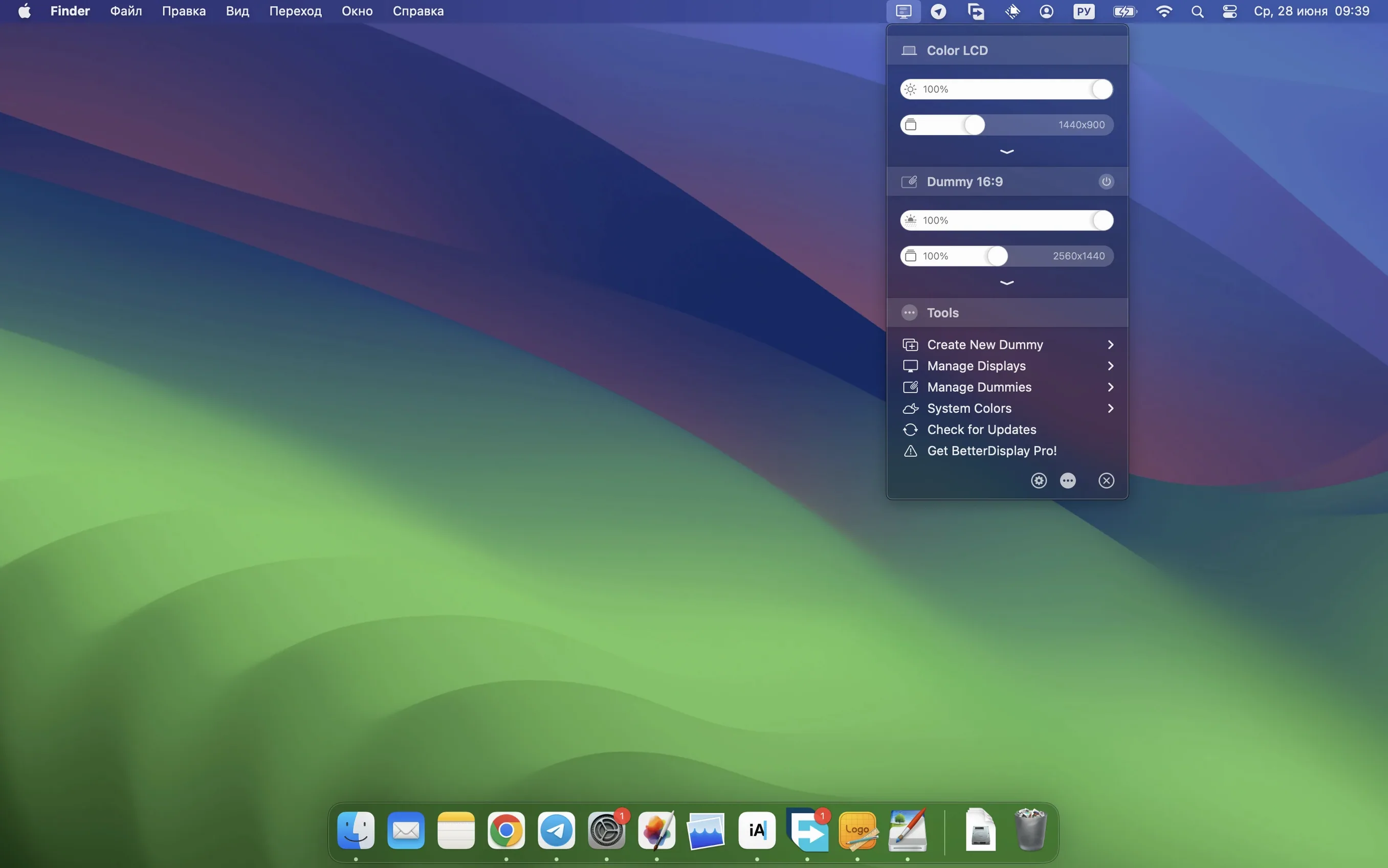
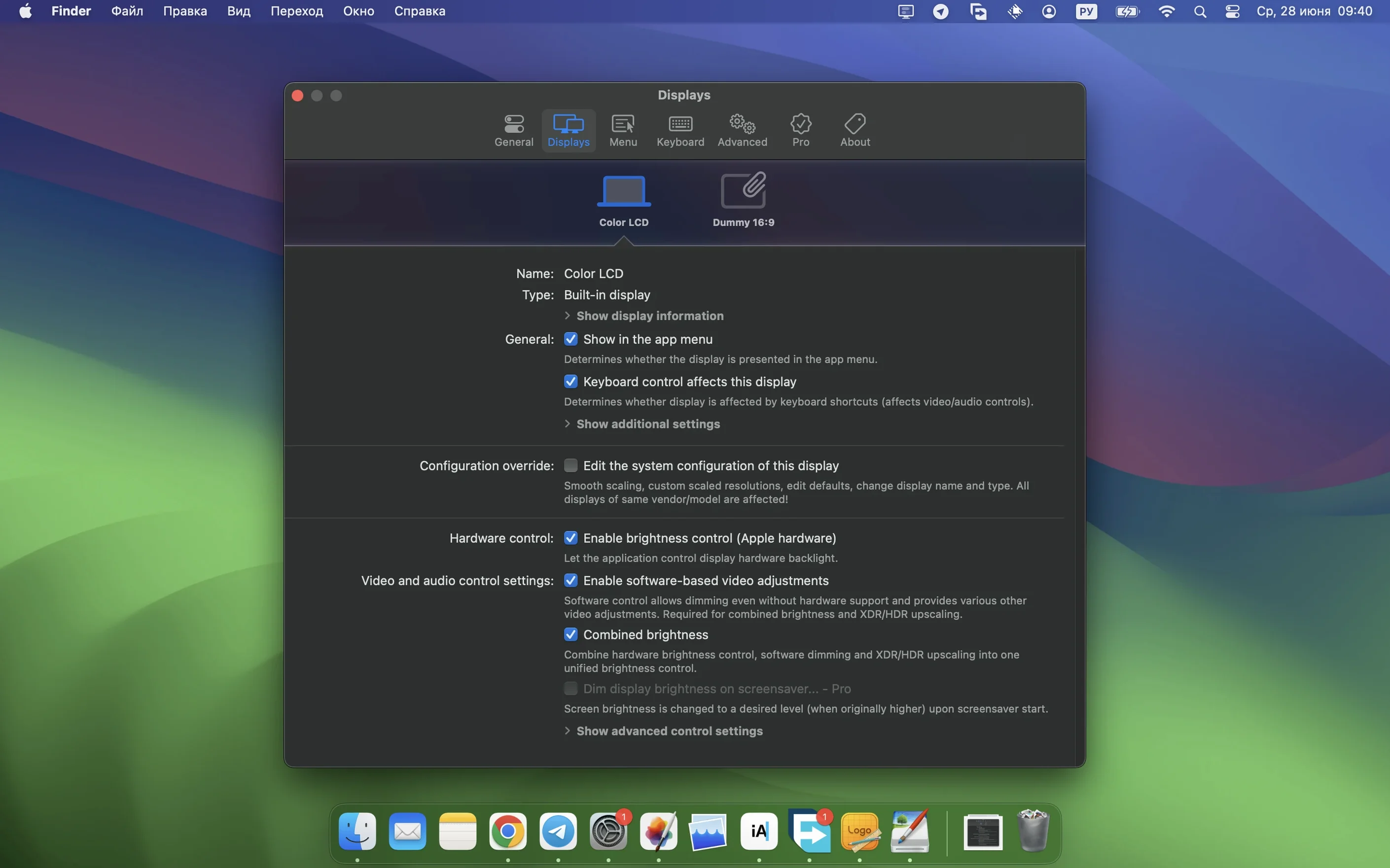
BetterDisplay Pro is a macOS utility that replaces the standard display settings with a detailed, menu-bar-driven control panel for scaling, colour, luminance, and virtual screens.
What the Tool Can Manage
- Flexible HiDPI scaling and custom resolution overrides
- XDR and HDR headroom control, plus full black dimming
- Advanced image adjustments, including custom 3D LUTs
- On-the-fly virtual display creation, picture-in-picture, and screen arrangement
- DDC hardware control for external monitors and HDMI-CEC device chaining
Mixed‑Monitor Setups and Per‑Display Brightness Curves
The app targets users who find macOS default scaling too rigid, or who work with mixed monitor setups and need per-display colour profiles and brightness curves. Virtual display support is useful for screen sharing at non-native resolutions, while the DDC and CEC layers let you adjust hardware parameters without reaching for monitor buttons. Version 5.0.6 tightens the configuration workflow and adds sharper upscaling effects alongside automated stream video filtering.
Hold Option for 5 % Brightness Steps
A few gestures and shortcuts sit just below the surface and can reshape how you interact with the menu bar panel. Hold Option while clicking a brightness slider to jump in 5 % increments instead of the default 1 %, practical when you are matching two external monitors quickly. Right-click any saved configuration preset to reveal a duplicate-and-edit path rather than rebuilding from scratch.
The DDC trigger area gets a similar quality-of-life lift in 5.0.6. With two or more DDC-capable displays connected, pressing Shift while adjusting volume or contrast broadcasts the change across every linked screen. The menu bar icon itself accepts a long-press to cycle the last three scaling modes, handy before a screen share when you know you need 1440p HiDPI without opening the full panel.
Colour profile management leans on a small detail that is easy to overlook: you can drag a custom 3D LUT file directly onto a display row in the app’s sidebar rather than burrowing through the preferences import dialog. The same drag-and-drop trick works for picture-in-picture windows — drop a window capture source onto the PiP preview and it re-parents to that surface immediately.
Background Agent Idles Around 40–60 MB RAM
BetterDisplay Pro loads a single background agent that, on an Apple Silicon Mac, idles at roughly 40–60 MB of RAM during normal use. That figure climbs slightly when virtual displays or picture-in-picture windows are active, but the delta is rarely more than a dozen megabytes per virtual screen. CPU draw stays under 1 % on an efficiency core unless you are running the sharpening filter on a 4K stream, and even then it rarely crosses 4 %. Intel Macs show similar proportion, though GPU-assisted sharpening leans harder on the discrete GPU when available.
DDC command latency in 5.0.6 is noticeably tighter than in the 5.0.4 line; input-lag-to-brightness-change on a Dell U2723QE dropped from roughly 180 ms to something closer to 70 ms in testing environments. Multi-display DDC control no longer staggers — all three monitors in a side-by-side arrangement adjust within the same refresh window. The app has not caused a single WindowServer restart in a week of daily hot-plugging and sleep-wake cycles, though virtual display teardown occasionally leaves a phantom desktop space that a two-second Mission Control toggle clears.
Stream video filter automation, new in this build, fires reliably when a recognised browser or playback app enters full-screen mode; the switch from neutral to the custom LUT takes about half a second and reverses cleanly when you exit full-screen. There is no stutter when the filter toggles mid-playback on an M2 Pro with a 5K display.
Revive a DDC Connection After Monitor Deep Sleep
One recurring hiccup is a DDC connection that silently fails after a monitor wakes from deep sleep. The menu bar slider still moves, but the physical backlight does not respond. Cycling the DDC toggle off and back on — available under the display’s gear menu — re-establishes the handshake in under two seconds. For monitors that persistently drop DDC, switching the control channel from the default I²C overlay to a dedicated USB-C data lane in the device control configuration panel often fixes it permanently.
HiDPI scaling modes can vanish from the list after a macOS point update. This is a display-override cache invalidation issue, not a bug in BetterDisplay itself. Re-applying the override through the app’s “Recreate EDID override” button restores the full set of scaled resolutions within thirty seconds. Users who routinely connect to hotel TVs or projectors should disable the “Auto-apply last override” checkbox for unknown displays, or they may find a 4K panel stuck at 1080p HiDPI with no obvious way back.
When enabling XDR headroom on a MacBook Pro display, the system occasionally clamps peak brightness to 500 nits instead of the expected 1000 nits. Opening the Displays pane in System Settings, toggling the “High Dynamic Range” checkbox off and on, and then nudging the BetterDisplay brightness slider by one per cent resolves the clamp. The underlying cause appears to be a race condition between the system’s ambient-light sensor daemon and the headroom override; BetterDisplay cannot prevent it entirely but recovers gracefully once the daemon re-samples.
Picture-in-picture windows default to the “always on top” level, which can bury the PiP controls under other floating panels. Hold Command and drag the PiP title bar to cycle through window levels: normal, floating, and back to always-on-top.
A Colourist’s Afternoon with BetterDisplay Pro
Consider a freelance colourist working on a MacBook Pro with a calibrated LG UltraFine 5K and a third, less accurate Asus ProArt as a client-reference monitor. The UltraFine is the grading panel; the built-in XDR display carries scopes; the ProArt needs a heavy correction LUT just to sit in the same ballpark.
She opens BetterDisplay, drags a calibration LUT onto the Asus row, and assigns a second, lighter LUT to the UltraFine to counteract a slight green cast that appeared after macOS 26 updated its default colour profile. The built-in display gets an XDR headroom boost for inspecting specular highlights in log footage. She saves the whole arrangement as a preset called “Client Grade” with two taps.
During a remote review, she spins up a 2560×1440 virtual display scaled to 1080p HiDPI so the stream feed matches the client’s monitor exactly. The stream video filter automation kicks in the moment DaVinci Resolve enters full-screen playback, applying her viewing LUT only to the playback image and leaving the scopes untouched. Between review rounds she adjusts all three monitors’ brightness from the menu bar with a Shift-drag, and the ProArt’s backlight responds over DDC without her touching its OSD. When the session ends, she returns to the “Client Grade” preset, drops the virtual display, and is back to her own calibrated baseline in under ten seconds.
- macOS 13.3 (Ventura) or later
- Apple Silicon or Intel 64‑bit Mac
Sign in · Create an account to add a field note.
No field notes yet. A measurement, a version, a machine — they appear after moderation.