Mac Apps
Binary Ninja 6.0.10601-personal
Mac AppsUpdated
| Requirement | On file |
|---|---|
| macOS | macOS 10.15 or later |
| CPU | Apple Silicon, Intel 64-bit |
| Download | 584 MB |
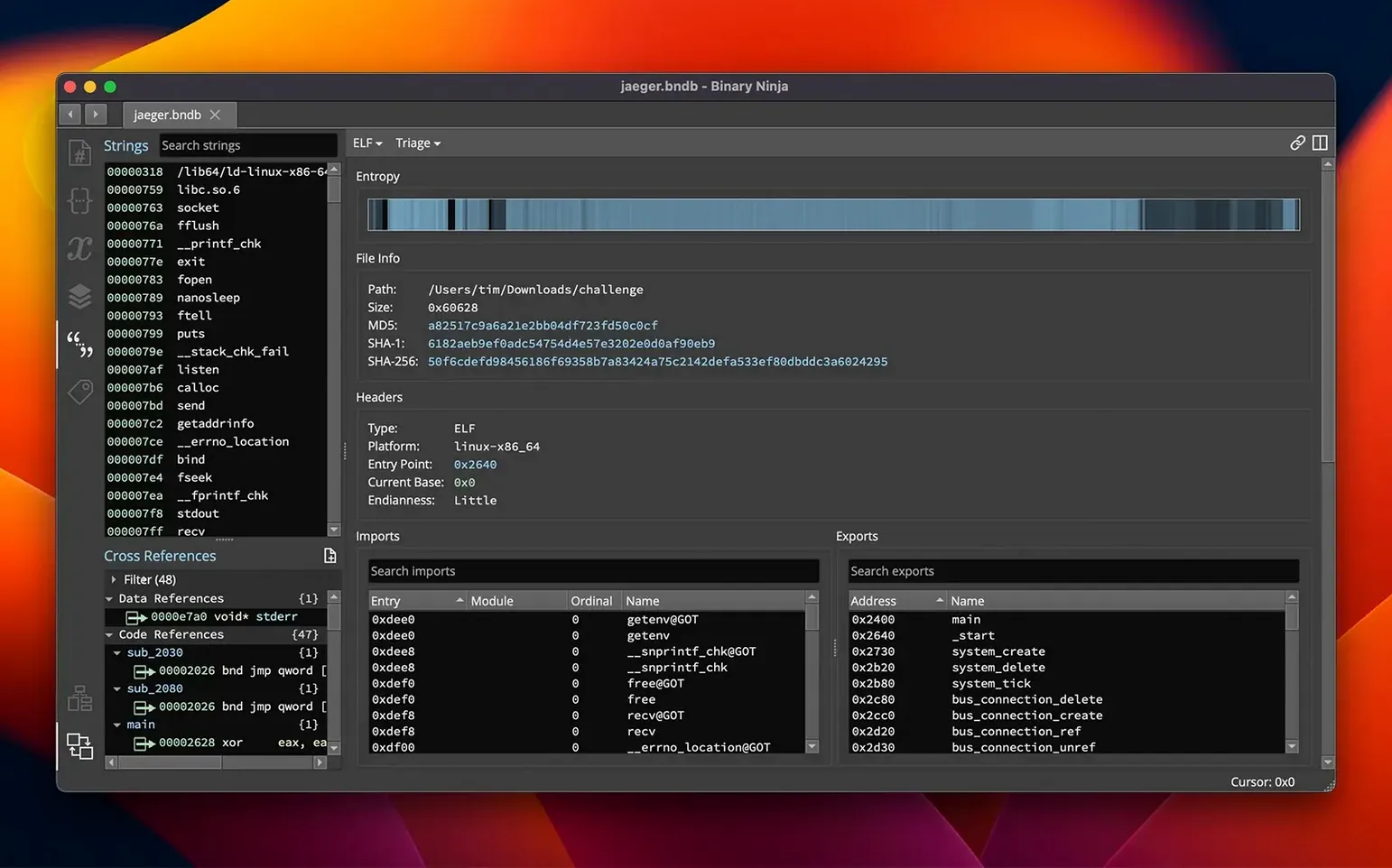
The entropy graph isn't a feature you reach for on day one. It's what you open after a hex dump raises questions — a flat, colour-mapped overview showing where compressed data, encrypted blocks, or embedded resources sit inside a file. In a large Mach-O or PE binary, a sharp spike in the entropy view often marks the boundary between code and a packed payload, saving an analyst from stepping through dead bytes.
| Detail | Spec |
|---|---|
| Platform | macOS, Windows, Linux |
| Architectures (macOS) | ARM, x86 64-bit |
| Loaders | PE, Mach-O, ELF |
| Current version | 6.0.10601-personal |
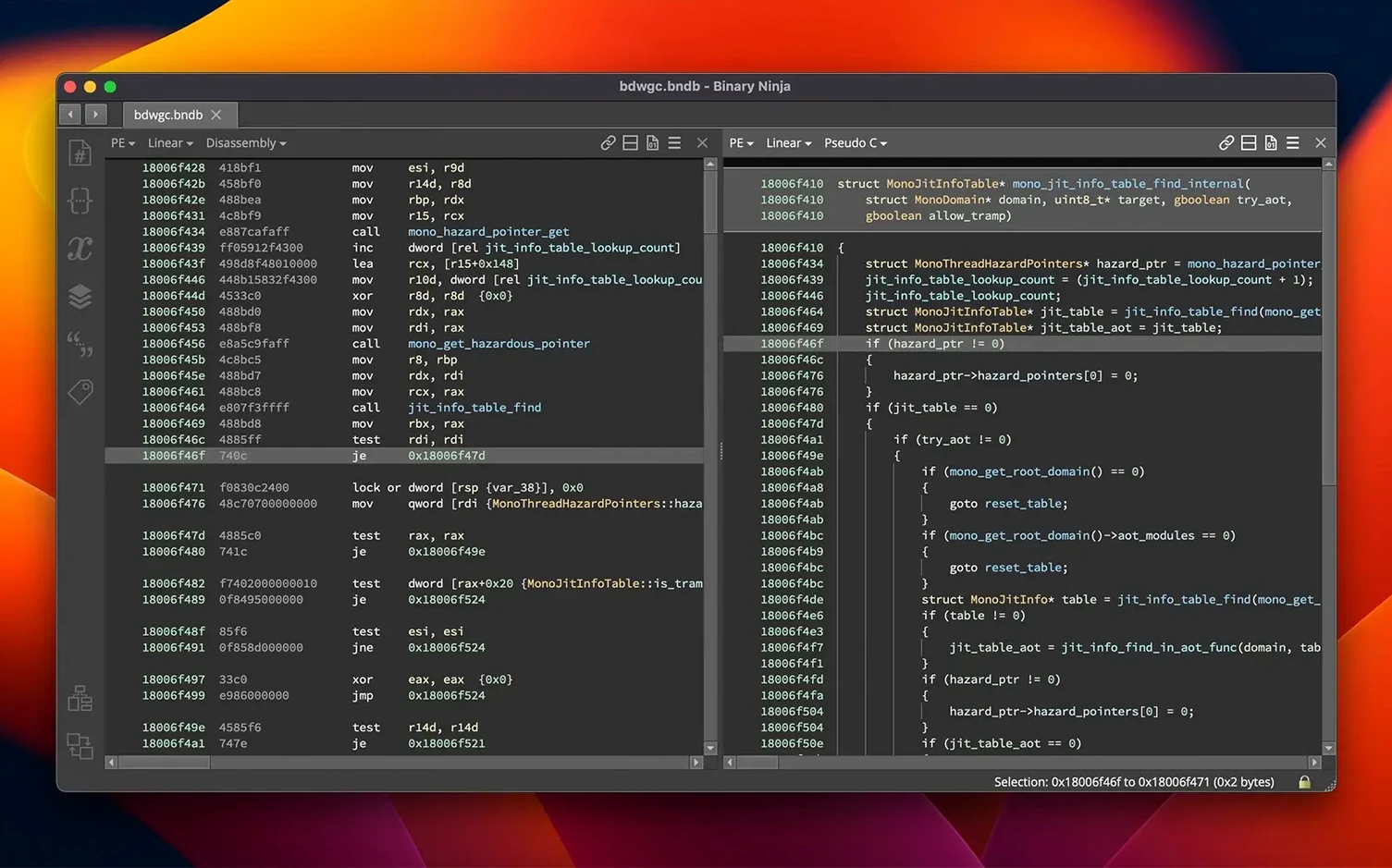
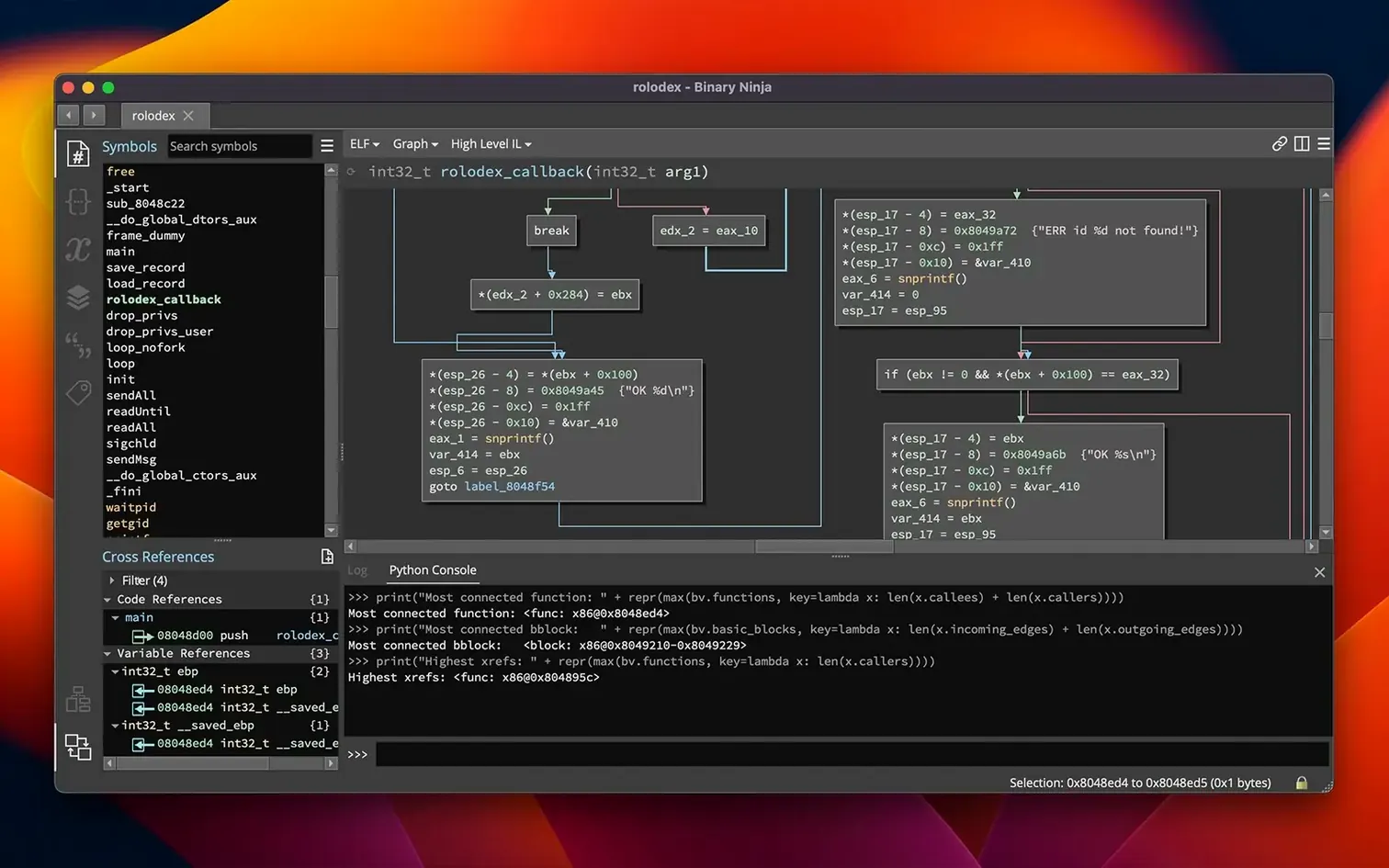
Batch processing turns the platform into a headless analysis pipeline. You feed it a directory of firmware extracts or suspicious binaries, and it runs disassembly and decompilation across all of them without touching the GUI. Combined with the type system — where you can define structures, set function prototypes, and propagate types across cross-references — batch mode turns manual reverse engineering into a repeatable, commentable project. When something looks wrong, binary patching is immediate: edit raw bytes in the hex editor, rewrite an instruction in the disassembly view, or drop into the built-in SCC compiler to recompile a C snippet directly into the target. That loop — graph, disassemble, annotate, patch — is where the tool stops being a viewer and starts being a workbench.
Entropy graph reveals payload shape in seconds
You drag a Mach-O binary into Binary Ninja. The linear disassembly fills the main pane, x86-64 instructions in neat rows. The first thing you notice is the entropy graph along the top — a mostly flat green line with a sharp red spike near offset 0x4A00. You click the spike. The view jumps to a block of high-entropy data that otool would have shown as raw bytes. You press P to define a data region there, then mark it with a comment: "Probable compressed payload — not referenced in __text".
You move to a function the call graph flags as central: sub_100003f20. It's called from fourteen places. The decompiler gives you C-like output, but the variable names are var_10, var_18. You double-click var_10, rename it to packet_len, then set its type to uint32_t from the right-click menu. The decompiled output shifts immediately — comparisons that looked opaque now read as bounds checks. You trace packet_len back to a caller and type its source parameter too. After three more renames, the logic of a custom network protocol emerges from what was generic arithmetic.
A cross-reference on a string catches your eye: "/private/var/tmp/.s". You press X to list every location that references it. One is inside a function the decompiler renders as a chain of fopen, fwrite, chmod. You rename it write_payload_to_disk. The graph view now shows this function sitting two calls away from sub_100003f20. You select both, press 2 to add them to a new "Persistence" tag, and add a comment on the edge: "Triggered after packet validation".
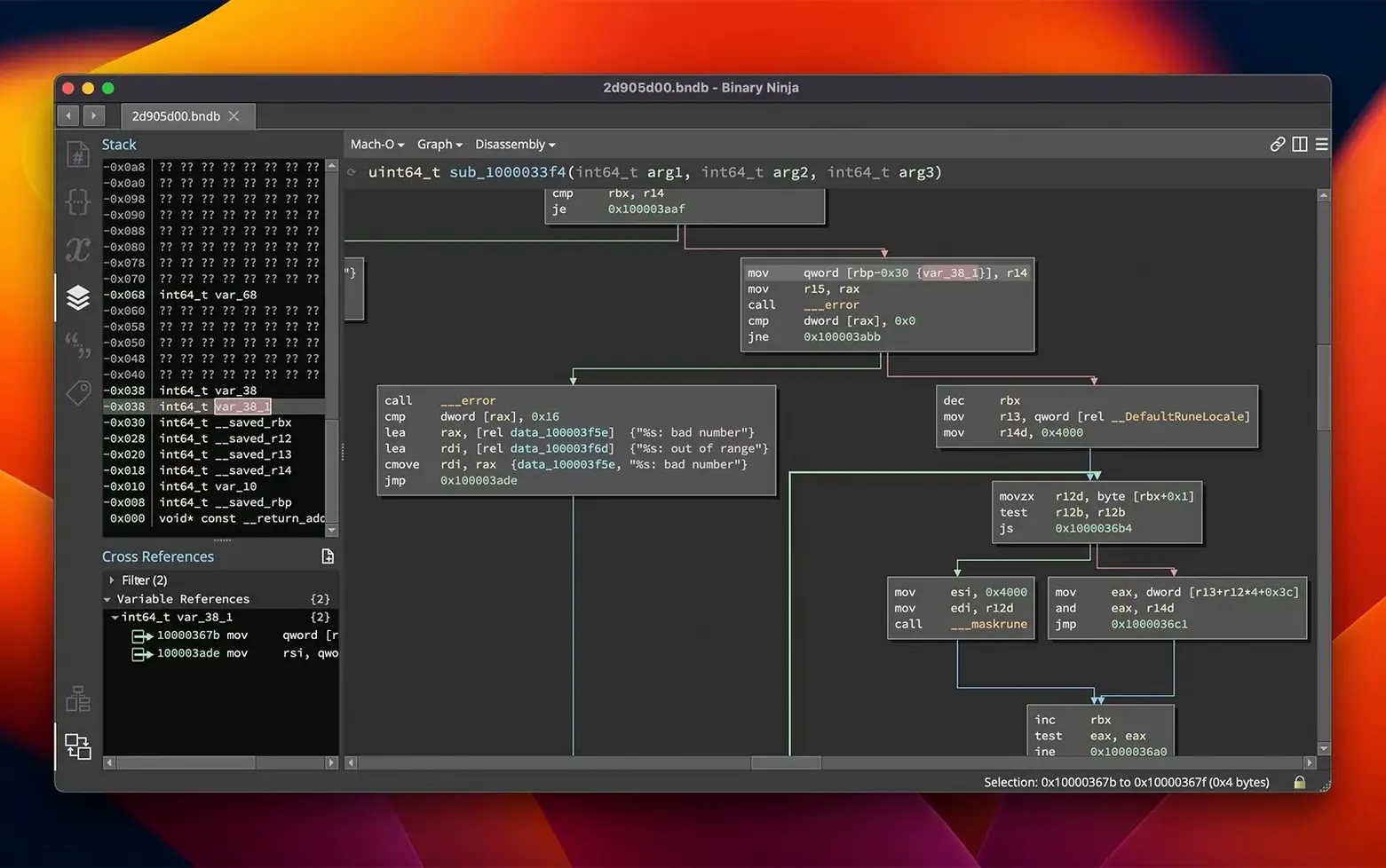
Later, you notice the decompiler misinterpreting a jump table. You switch to the disassembly, spot the computed jump at 0x100004a10, and manually define the switch cases. The control-flow graph redraws with the correct branches. You apply the same structure to the HLIL view and the decompiled switch statement snaps into place. Before exporting, you run the batch header on a folder of related samples — same binary, three versions — and let the headless mode annotate them against the types you just defined. Forty minutes in, you have a tagged, typed, cross-referenced project, and the entropy spike at 0x4A00 has a label: compressed_stage2.
Unpacked malware triage with linear sweep
Malware analysts who deal with unpacked or lightly obfuscated samples find Binary Ninja's linear sweep and entropy graph fast to triage. A Mach-O dropper with an embedded payload shows its shape in under a minute: entropy spike, cross-reference to a write routine, decompiled logic for a launchd plist. The type propagation then lets an analyst label structures once and see them light up across every function that touches the same memory layout.
Vulnerability researchers working on closed-source macOS or Linux daemons benefit from the combination of HLIL and binary patching. You can decompile a function, spot an unsafe memcpy whose size parameter comes from user input, then switch to the hex editor, patch the size check, and re-run the binary — all without leaving the workspace. Binary Ninja stores patches as a layer; the original file stays intact.
Embedded developers pulling apart firmware extracts lean on the batch processor and the architecture coverage. A folder of ARMv7-M binaries from an IoT device can be disassembled overnight with headless mode, loading a custom memory map and a set of structure definitions once, then applying them across every image. The entropy graph also helps locate compressed sections inside raw flash dumps where no ELF headers exist.
Software developers who need to understand third-party libraries without source use the decompiler as a faster way to answer narrow questions: what does this function return under error conditions, which syscalls does it wrap, does it check a return value before using it. The C output is readable enough that you do not need to be a full-time reverse engineer to extract the answer.
Handles 200 MB binaries smoothly on Apple Silicon
Can it handle large binaries without crawling? Version 6.0 brought performance and memory improvements, and the linear-sweep disassembler runs quickly on files in the 100–200 MB range on Apple Silicon Macs. The analysis is not fully asynchronous — a 500 MB raw firmware image will pause the GUI briefly during the initial linear sweep — but the pause is measured in seconds, not minutes. Headless mode offloads heavy work entirely.
Does it replace Ghidra or IDA? That depends on which part of your workflow matters most. Binary Ninja's decompiler produces clean HLIL and the API surface is more approachable for scripting in Python or C++. It does not yet match the decompiler maturity or the ecosystem depth of IDA for every architecture, but for x86-64 and ARMv8/AArch64 analysis on macOS, the gap is narrower than many expect. Plenty of analysts run two platforms side by side, using Binary Ninja for the interactive annotation and patching, then exporting to another tool only when a specific plugin or processor module is missing.
Is the personal version enough? The build labelled 6.0.10601-personal includes the core disassembler, decompiler, and the major 6.0 additions — Extension Manager, Binary Similarity feature, and the MCP server among them. Headless analysis, batch processing, and binary patching all work. What differs is the commercial licensing scope, not the feature set you see day to day.
HLIL control flow can mislead on jump tables
The most common misstep is treating the decompiler output as ground truth. Binary Ninja's HLIL is good, but it reconstructs control flow from disassembly, and disassembly can be wrong when a jump table boundary is misdetected or a function's start is off by one byte. A new user will sometimes rename a variable and type a whole function based on incorrect decompilation, then wonder why the patched binary crashes. The fix is quick: press Tab to flip between disassembly, LLIL, and HLIL, and verify that the control-flow graph in each layer matches before committing to annotations.
Another early mistake is ignoring the entropy graph entirely. Beginners open a binary, scroll through linear disassembly looking for strings, and miss the compressed or encrypted block sitting in plain sight. A red spike in the entropy view is often the single most informative pixel in the window — it tells you where the interesting bytes are before you have read a single instruction.
Over-annotating too early also trips people up. A new user finds a function called from many places and immediately renames it, applies a type, and adds three comments — only to discover ten minutes later that the function has six distinct call contexts and the chosen name fits only one. Tagging the function with a short label and deferring the full rename until more callers are understood saves rework. Tags are lightweight; type changes propagate in ways that are harder to undo.
Finally, some newcomers skip the hex editor for patching and try to edit the disassembly listing directly, then wonder why their one-byte change to a cmp instruction produced an invalid encoding. Editing raw bytes in the hex view while watching the disassembly update in the adjacent pane gives immediate feedback on whether the patch is valid. Once the bytes are right, Binary Ninja's patch layer lets you export the modified binary or revert instantly.
- Major release 6.0 — New MCP server and Binary Similarity feature.
- Plugin Manager — Redesigned and relaunched as the Extension Manager.
- Architecture support — TMS320C6x architecture added.
- macOS 10.15 or later
- Apple Silicon or Intel processor
Questions on file
What does the entropy graph in Binary Ninja show?
It maps byte-level randomness across a file to help visually identify encrypted, compressed, or packed sections that differ from plain code or data.
Can Binary Ninja patch a binary directly?
Yes — you can edit raw bytes in a hex editor, modify assembly instructions, apply preset patches, or compile new C code with the built-in SCC compiler.
Sign in · Create an account to add a field note.
No field notes yet. A measurement, a version, a machine — they appear after moderation.