Mac Apps
Downie 4.13.1
Mac AppsUpdated
| Requirement | On file |
|---|---|
| macOS | macOS 11 or later |
| CPU | Apple Silicon, Intel 64-bit |
| Download | 42 MB |
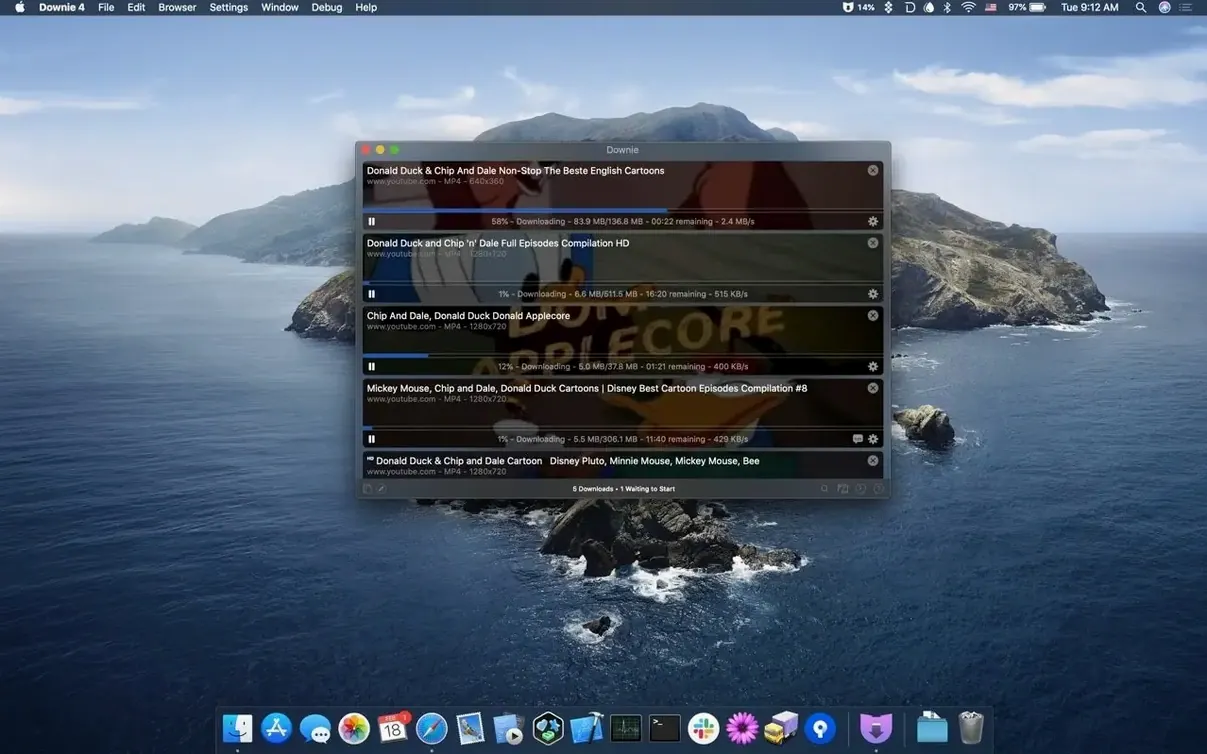
Copying a video link and ending up with a proprietary web player instead of a file is a familiar friction point. Downie 4 strips that process back to its essentials: the link goes in, and a local video file comes out. It sits next to a media player like IINA or a converter like Permute without overlapping their roles—it handles only the retrieval, then hands off the result.
One-click browser handoff via extensions
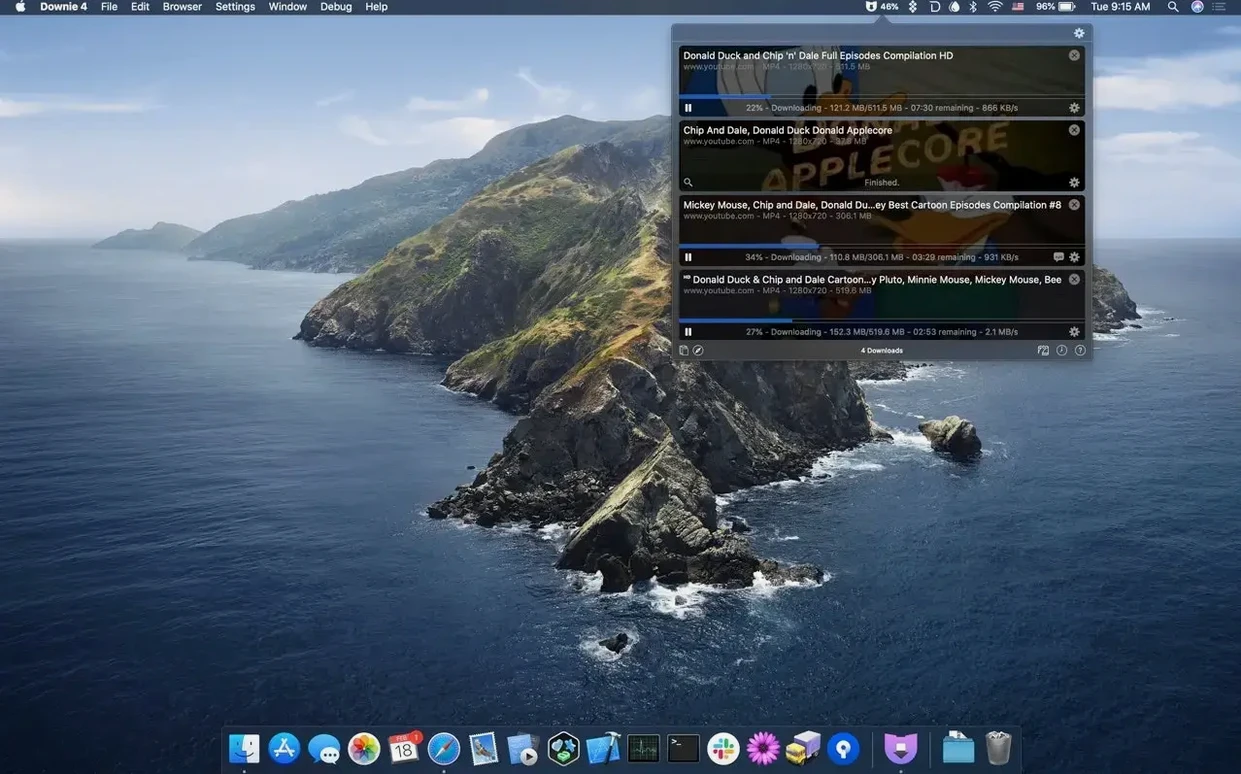
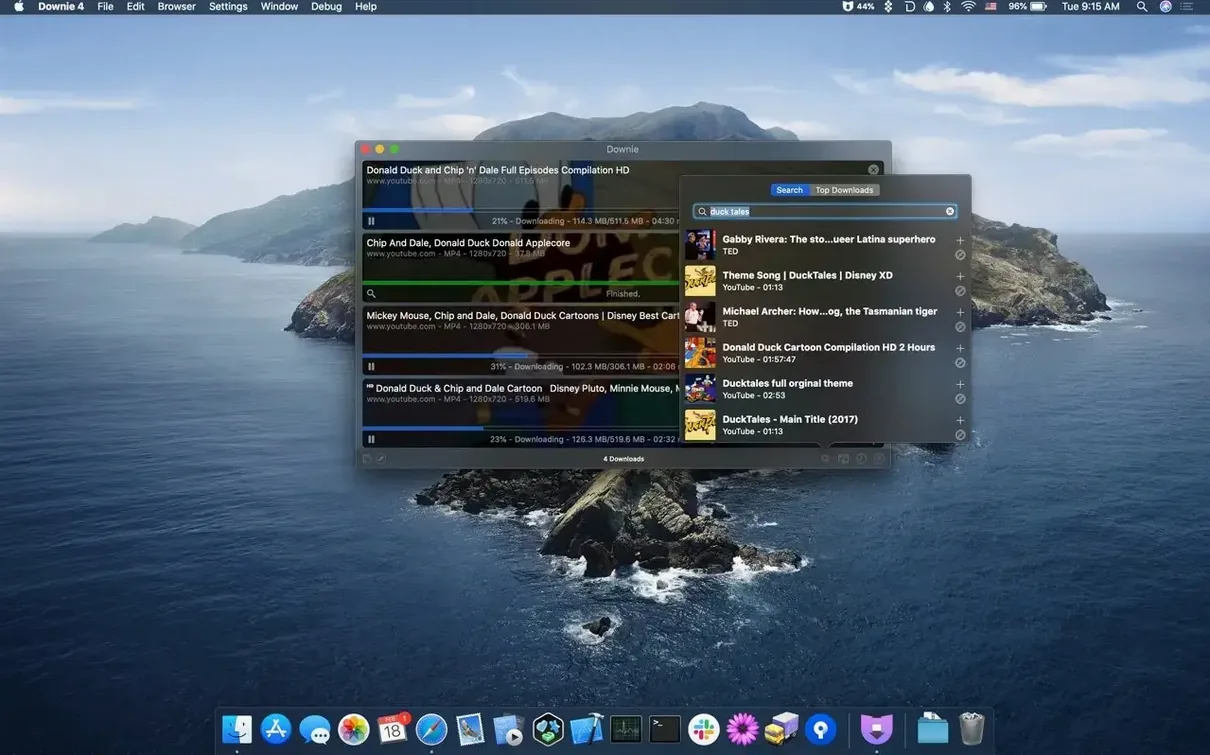
Downie provides extensions for Safari and other major browsers. Click the extension button on a page with video content, and the app queues the download directly. The manual method—pasting a URL into the main window—works as a fallback for unsupported or obscure sites.
Can it fit into an automated media workflow?
Yes. Downie accepts CSV or XML files containing lists of URLs with custom titles, so batch jobs can be prepared externally. For post-processing, it pairs with Permute to convert the downloaded file into a specified format immediately after the download finishes.
Extract audio or force MP4 conversion
The app can strip the audio track from a video and save it as a separate audio file. It also offers automatic conversion of video downloads to MP4, letting you standardise the output before it reaches your library.
macOS 11+ Apple Silicon native in 30+ languages
Downie 4 requires macOS 11 or later and runs natively on both Apple Silicon and Intel Macs. The interface is localised into over 30 languages, including German, Japanese, French, and Arabic.
Pasting channel pages instead of video links
Dropping a generic page URL into Downie instead of the video-specific link is the most common stutter. A YouTube channel homepage or a Vimeo search-results URL triggers a silent failure—the progress ring spins briefly, then nothing. The fix is simple: navigate to the actual watch page and copy that address.
Another early misstep is ignoring the Quality & Format dropdown in the main window before the download begins. By default Downie picks a balanced 1080p H.264 stream on YouTube, but 4K is available on many videos if you switch the preset. Doing this after the download has started means cancelling and re-adding the link.
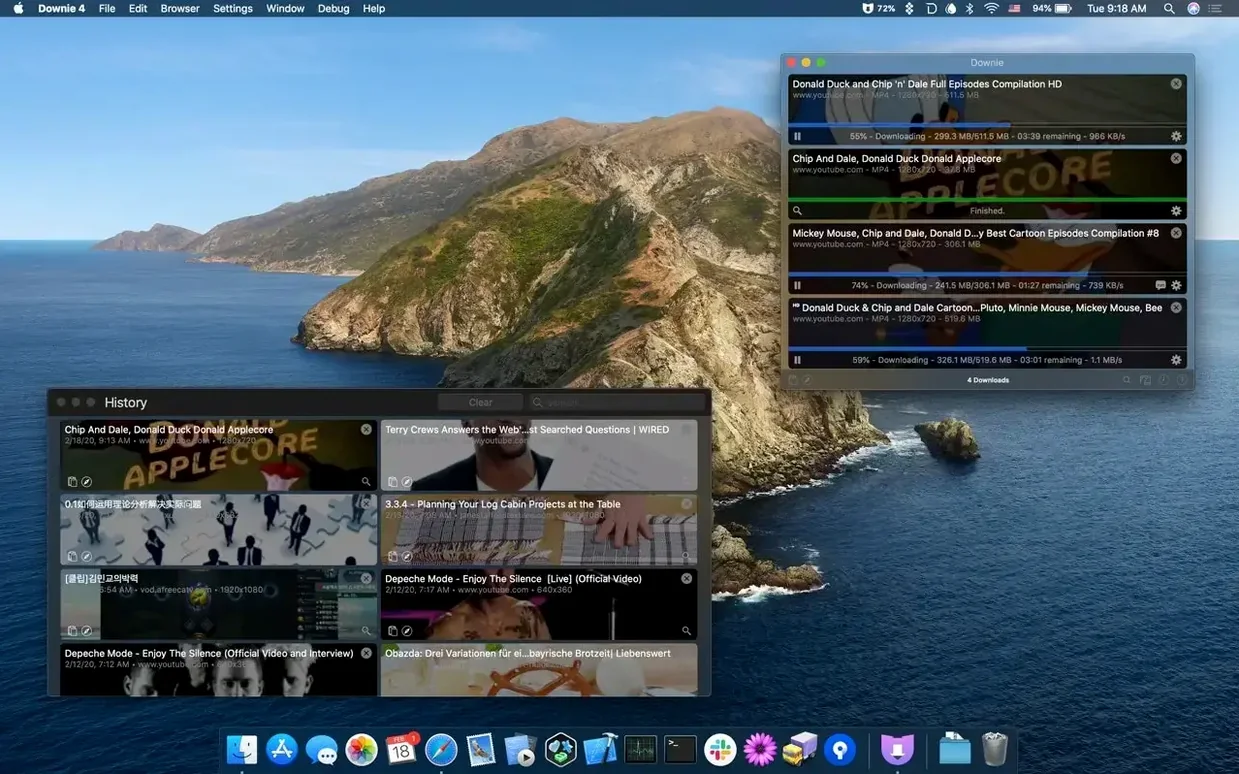
Users coming from browser-based downloaders sometimes overlook that Downie can queue dozens of items. They add one link, wait for it to finish, then add the next. Pasting a list of URLs—one per line—into the window queues them all in one go. The same applies to dragging a .csv file onto the dock icon.
A subtler mistake: leaving the Post-processing preference set to “Convert to MP4” and then wondering why a perfectly good MP4 source file got re-encoded. The conversion step is lossy. If the source is already an MP4 in the desired resolution, set post-processing to “None” for that session.
Finally, the menu-bar popover (enabled in Preferences > User Interface) can look like the full app to a newcomer. It handles single-link pastes well, but it hides the queue, the history log, and the per-item format controls. Beginners who never open the main window miss those tools entirely.
Workflow: grabbing a conference talk and its slides
A common task: a half-day online conference publishes a playlist of recorded talks, and the slides are linked in each video description. The goal is a local folder with the video file and a matching PDF, named by talk title, for offline reference.
- Open the conference playlist in Safari and expand the video descriptions to check that slide links are present. Note which talks need the PDF.
- Click the Downie browser extension. From the popover, choose Add to Queue for each video you want. The extension picks up the playlist items individually—no need to open each talk in a separate tab.
- Switch to the Downie main window. Select all queued items and set Quality & Format to “Highest Available (4K)” if the source supports it, or “1080p” for a safe baseline.
- In Preferences > Post-processing, set Convert to to “None” unless the source format is VP9/WebM and your playback chain needs MP4.
- Let the queue run. While it processes, open each talk page in the browser and download the linked slide PDF manually into a staging folder.
- Once Downie finishes, select all completed items and choose File > Show in Finder. Rename each video file to match the talk title using the filename suggested by Downie (derived from the page metadata).
- Drag the matching PDFs into the same folder. The result is a talk-by-talk directory ready for an app like DEVONthink or a plain Finder archive.
If the playlist is long, an alternative is to copy all video URLs into a text file, add a comma-separated custom title column, save as CSV, and drag that file into Downie. The app parses the titles and queues everything without further interaction. This cuts out the manual step of selecting each item in the popover.
Downie‘s extraction engine versus the competition
Downie vs. ClipGrab
ClipGrab handles YouTube and a handful of other sites by shelling out to youtube-dl under the hood. Its interface is a single window with a search field and a format picker. Downie covers over 1,200 sites with its own extraction engine and offers browser extensions that ClipGrab lacks. Where ClipGrab stops at download-and-convert, Downie adds CSV import, Permute handoff, and a menu-bar mode. For quick one-off YouTube grabs ClipGrab works; for daily mixed-site use Downie’s breadth shows.
Downie vs. JDownloader 2
JDownloader 2 is a cross-platform Java download manager that handles video sites, file hosters, and link crawling. Its link-grabber can scan an entire playlist page and present a filterable list of found media. Downie’s scope is narrower—video only, no archive extraction, no hoster captcha solving—but its macOS integration is deeper. JDownloader’s interface feels heavy on a Mac; Downie sticks to native controls, a compact menu-bar popover, and light resource use. If your workflow includes file hosters and multi-part archives, JDownloader covers that ground. If it begins and ends with online video, Downie 4 is the leaner tool.
Downie vs. youtube-dl / yt-dlp
The command-line tools youtube-dl and yt-dlp support an enormous site list, expose every extraction parameter, and cost nothing. Downie wraps much of that capability in a GUI with drag-and-drop queue management, per-item format previews, and post-processing without shell scripting. The trade-off is flexibility: yt-dlp can extract subtitles into separate files, apply custom naming schemes with regex, and throttle bandwidth—features a power user scripts themselves. Downie chooses sensible defaults and hides the flags. For a person who spends half a day in Terminal, yt-dlp is the sharper scalpel. For everyone else, Downie removes the command-line barrier entirely.
Age-restricted YouTube without a logged-in session
Version 4.12 brought a rewritten extraction core that improved handling of age-restricted YouTube videos without requiring a logged-in browser session. Site-specific fixes for Instagram, Facebook, and Bilibili landed in the same update, reducing the failure rate on those platforms noticeably in daily use.
Version 4.13 followed with a reworked Safari extension that loads alongside page content rather than after a manual toolbar click. This makes the extension icon appear reliably on dynamically loaded pages—single-page apps and infinite-scroll feeds no longer hide the button. The same update added a per-site quality preset memory: set a Vimeo link to “Original” once, and all subsequent Vimeo downloads default to that choice until changed. This small change cuts repetitive format switching for users who pull from a handful of regular sources.
Build 4.13.1, the current release, refined the CSV import parser to handle UTF-8 titles with mixed quotation marks more gracefully. A bug that caused the menu-bar popover to remain blank after waking from sleep on Apple Silicon machines was also fixed, which had been a recurring annoyance for users who keep the popover pinned.
- macOS 11 or later
- Apple Silicon or Intel processor
Questions on file
Does Downie 4 include its own media player?
No. It is a single-purpose download tool. Playback is left to your existing media player, avoiding feature duplication.
Can Downie 4 accept a list of links from another program?
Yes. It can import CSV or XML files with download URLs, letting you feed it jobs from a text editor, spreadsheet, or custom script.
Sign in · Create an account to add a field note.
No field notes yet. A measurement, a version, a machine — they appear after moderation.