
Mac Apps
Folder Tidy 2.9.7
Mac AppsUpdated
| Requirement | On file |
|---|---|
| macOS | macOS 10.13 or later |
| CPU | Apple Silicon, Intel 64-bit |
| Download | 10 MB |
Undo now recalls hidden files and removes created folders
Version 2.9.7, released 2025-10-10, adds support for macOS 26 Tahoe and tightens the undo behaviour. Undoing a tidy now restores hidden files and folders to their original locations, and any folders the app created during a tidy are removed after undo completes — even if you restart the Mac in between. Tunabelly also resolved a crash when upgrading from an older version and fixed a launch problem that affected some users.
How a tidy works
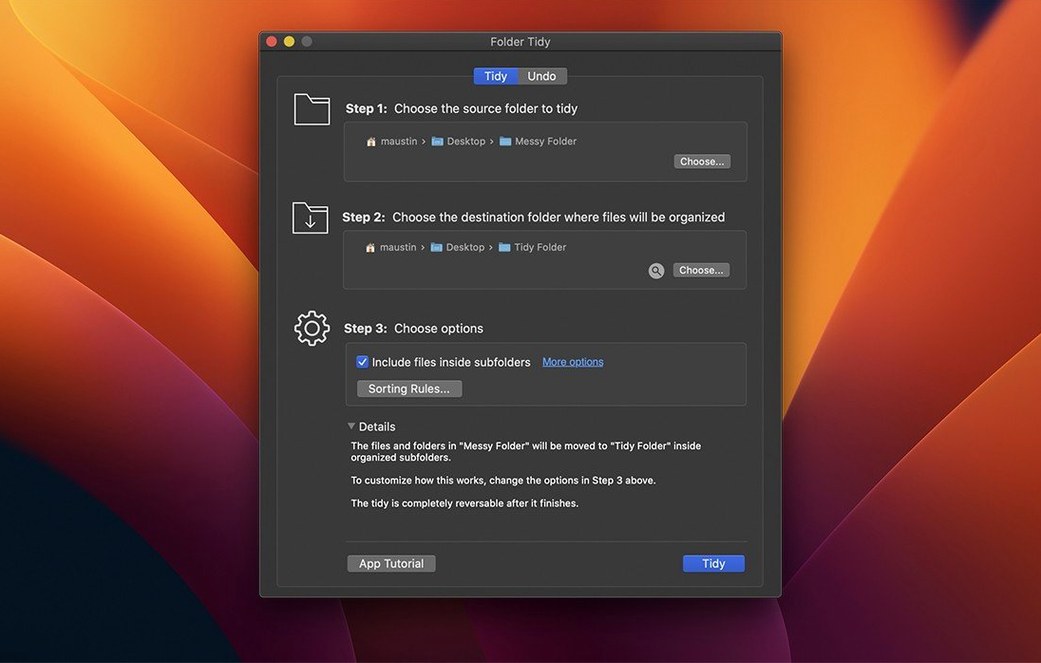
- Point Folder Tidy at a messy directory — a Downloads folder with 10,000 loose files, for instance.
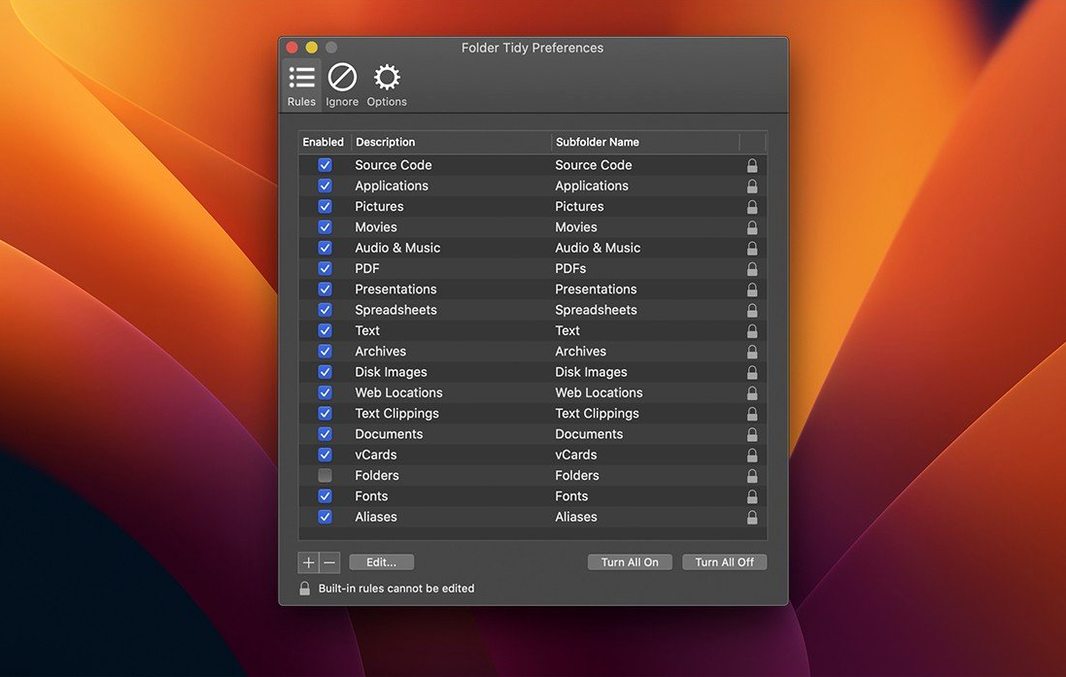
- Pick rules from the 15+ built-in options: group by file type, date modified, file size, or extension, among others.
- Hit the Tidy button. The app uses all available CPU cores and sorts the lot in seconds on a modern SSD.
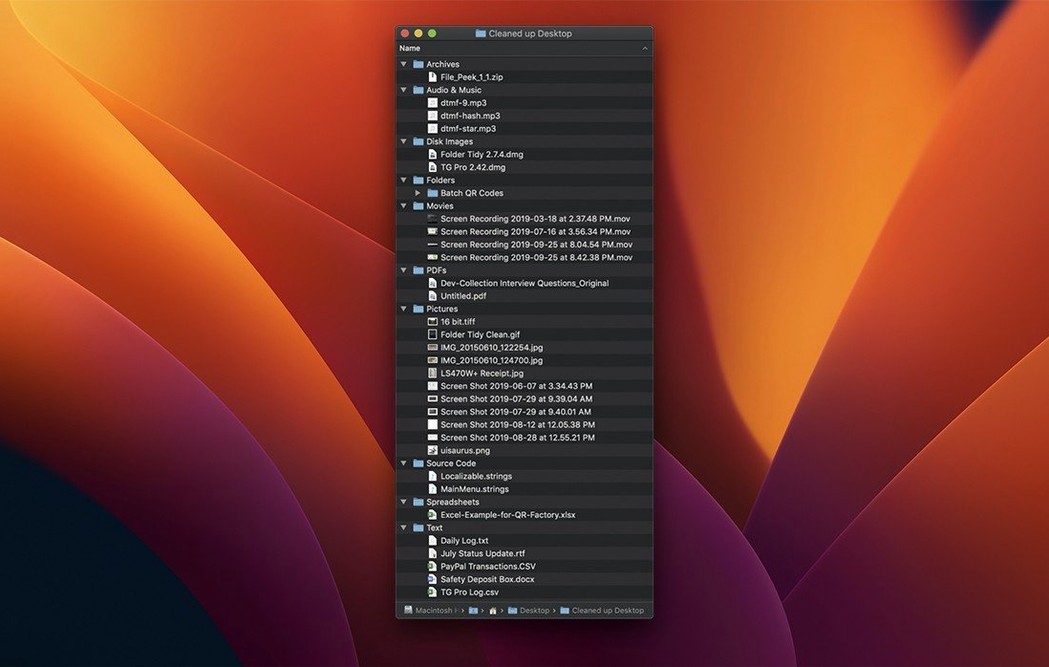
- Open the destination folder and find everything in clean subfolders named by the rules you chose — PDFs, Images, 2025-10, whatever you set.
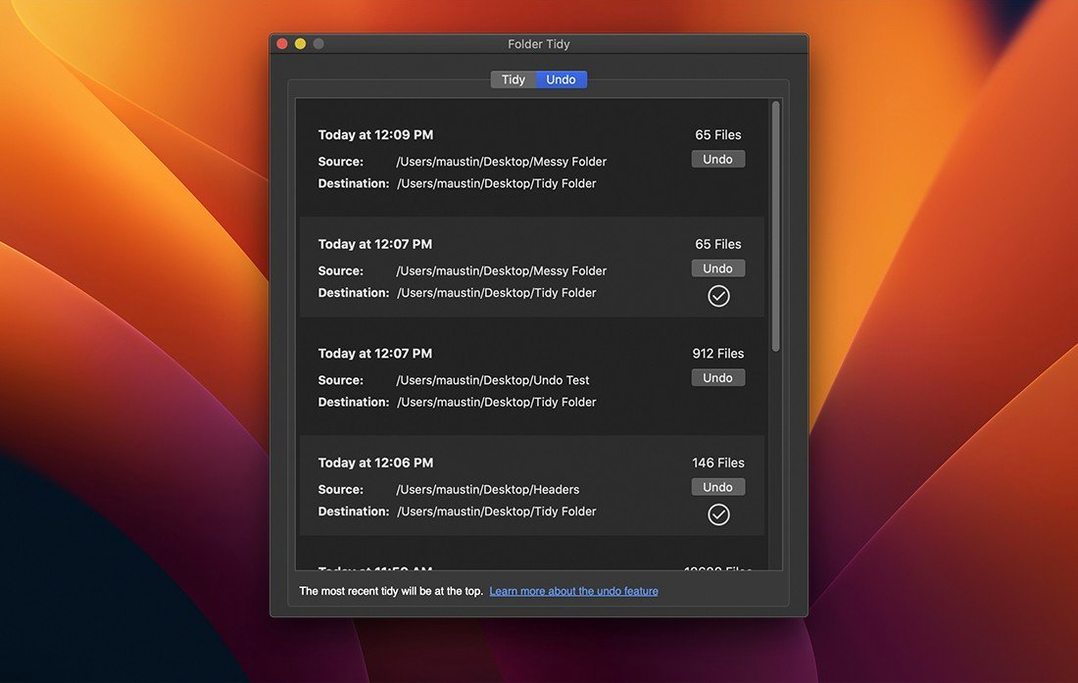
- Changed your mind? The Undo button pulls every file back to exactly where it was, using a full move history that persists.
The folder tidy mac app keeps that move history across sessions, so you can undo a sort long after closing the window. It also works after logout, which matters if you set it running on a large directory and walk away. The app runs natively on Apple Silicon and Intel Macs and needs macOS 10.13 High Sierra or later.
Sorting a 200-file desktop by type in one pass
Say the desktop has become a parking lot for 200 screenshots, a dozen PDF invoices, three DMG files and a scattering of loose .csv exports. You launch Folder Tidy, drag the desktop folder into the source field, and tick By Kind as the rule. The preview panel populates immediately — a column of current filenames on the left, their destined subfolders on the right. Nothing has moved yet.
You scan the preview. The app plans to create Images, PDFs, Disk Images and Spreadsheets folders right on the desktop. That looks fine, but there is one .png you want to keep loose. You uncheck that single row in the file list, excluding it from the sort, then click Tidy. In under two seconds the desktop snaps into order — four neat subfolders, one screenshot still sitting where it was.
You open Images and realise the screenshots would be more useful grouped by date. You hit Undo. Everything returns. You run the tidy again, this time with By Date Modified and a custom date format of YYYY-MM. The same files now land inside folders named 2025-10, 2025-09 and so on. The whole cycle — sort, review, undo, re-sort with a different rule — takes under a minute.
First days: practical pointers
Resist the urge to point Folder Tidy at your entire home directory on day one. Pick a single high-churn folder — Downloads, Desktop, or an unsorted project folder — and run three or four small tidies before you trust the rules to larger sets. The preview panel is your safety net; always check it before clicking Tidy.
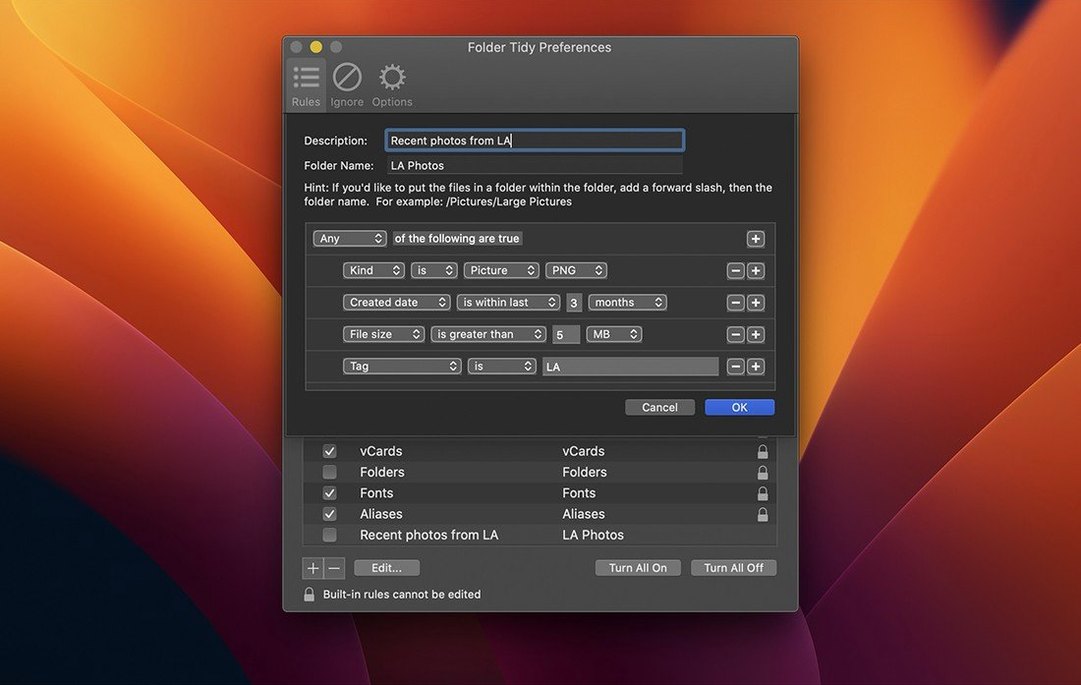
Custom rules reward a few minutes of experimentation. If the 15 built-in rules do not cover your workflow, open the rule editor and combine conditions. A rule that matches .afphoto and .psd files into an Editable Images folder, while leaving exported JPEGs in a separate Finished folder, keeps a photography project tidy without mixing working files and deliverables.
The folder tidy mac app writes its move history to disk, so closing the app does not erase your undo path. That said, if you run a second tidy on the same folder before undoing the first, the history chain resets. When you are still learning the behaviour, tidy once, inspect the result, then undo or commit before moving on.
Resolve locked-file skips from open applications
The app says a file is in use and skips it. This happens when another program holds a lock — a PDF open in Preview, a spreadsheet still referenced by Numbers. Close the file in the other application and run the tidy again. The skipped file will be picked up on the second pass.
Undo does not restore files to their exact original paths. This usually means the parent folder was renamed or deleted between the tidy and the undo. Folder Tidy remembers the absolute path at the moment of sorting. If that path no longer exists, the undo cannot reconstruct it. Recreate the original folder structure first, then trigger undo.
A folder tidy crack mac search phrase can point you to a modified build that may need a few checks to run smoothly. Version 2.9.7 fixed a specific upgrade crash and a launch problem that affected some users. If you run a build that predates those fixes, the symptoms match exactly what Tunabelly patched in October 2025. Use a build that includes the 2.9.7 changelog and the launch issue disappears.
Sorting feels slow on a large mechanical drive. The app is bound by disk I/O, not CPU. On a spinning hard disk with 10,000 files, the head seeks dominate. There is no setting to adjust; moving the source folder to an SSD before tidying is the only meaningful speed-up. On a modern internal SSD, the same job completes in seconds.
- macOS support — Added compatibility with macOS 26 Tahoe.
- Undo behaviour — Restores hidden files and folders to their original locations; folders created during a tidy are removed after undo, even after a restart.
- Stability — Resolved a crash when upgrading from an older version; fixed a launch problem affecting some users.
- macOS 10.13 High Sierra or later
- Apple Silicon and Intel Macs
- English interface
Questions on file
Can I undo a sort after I close the app?
Yes. Folder Tidy keeps a full list of previous moves, so you can open the app later and restore files to their original locations.
Does it handle large folders without slowing down?
It uses all available CPU cores and can sort 10,000 files in seconds on a modern SSD.
What happens to hidden files when I undo a tidy?
Since version 2.9.7, undoing a tidy restores hidden files and folders to their original locations and removes any folders created during the tidy.
Sign in · Create an account to add a field note.
No field notes yet. A measurement, a version, a machine — they appear after moderation.