Mac Apps
JPEGmini Pro 4.1.3
Mac AppsUpdated
| Requirement | On file |
|---|---|
| macOS | macOS 10.15 or later |
| CPU | Apple Silicon, Intel 64-bit |
| Download | 55 MB |
Version 4.1.3 supports both x86 64-bit and ARM Macs and requires macOS 10.15 or later.
Standout Features
Metadata Preservation — EXIF and GPS data remain intact through the compression pass.
Most aggressive optimisers strip camera settings, timestamps and location coordinates to shave off a few extra bytes. JPEGmini Pro keeps the full metadata block, so a compressed library still carries shoot dates, exposure details and geotags for sorting and map views.
Target Quality Level — a slider sets the visual fidelity floor.
Instead of a single on/off compression toggle, the app exposes a quality target. Lower values produce smaller files; higher values keep more texture and fine detail. The control lets you tune the trade-off per batch—archive exports can go lean, while client proofs stay rich.
Dual Architecture Binary — one build for Intel and Apple Silicon Macs.
The unified binary runs natively on both platforms. No Rosetta translation, no separate installer—the same disk image handles older Intel hardware and current M-series machines with full performance on each.
Website Load Reduction — smaller JPEGs cut page weight directly.
Image payload dominates most page sizes. Running a site’s media folder through JPEGmini Pro reduces transfer volume without re-encoding to a different format, so existing CMS references and srcset declarations stay valid.
Simple Disk Image Install — drag to Applications and run.
Pick One Folder, Run Defaults, Check the Savings
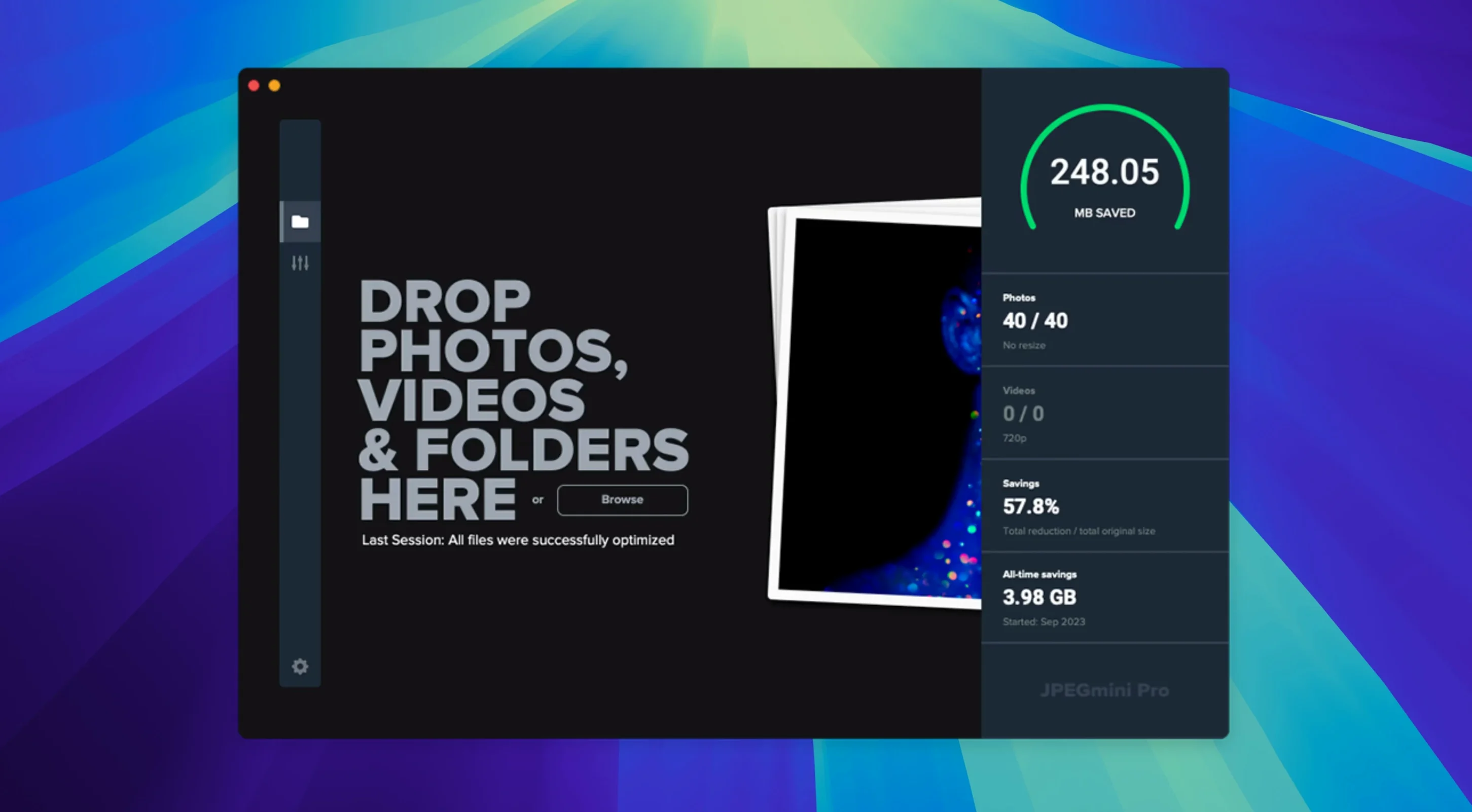
Start small. Pick one folder—perhaps a recent client export or a site’s media directory—and run it through with the default quality target before committing your whole library. This gives you a baseline for file-size reduction and lets you compare side-by-side originals without risk. JPEGmini Pro overwrites files in place when saving to the same location, so cloning the test folder first avoids replacing source material you may want to revisit.
Set up a watch folder early. Point it at a staging directory you use for web exports or email attachments, and the app will compress new images as they land. The processing happens in the background; you drop files in, and a few seconds later they are smaller, with no extra step in your export routine.
For photographers working with GPS-tagged shots from a field session, verify that the metadata passthrough behaves as expected on your camera model. Sony, Canon and Nikon EXIF blocks all parse differently, and while JPEGmini Pro preserves the standard fields, a quick check on a test batch confirms your geotagging workflow survives intact.
24 MP File on Apple Silicon: Under Two Seconds
Compression speed scales with image resolution and quality target. A 24-megapixel JPEG from a typical mirrorless body processes in under two seconds on an M1 or M2 Mac, often closer to one second on the M3 and M4 series. Older Intel hardware adds about 40–60% to processing time per file, though batch throughput remains steady because the app saturates available CPU cores during multi-file runs.
Memory usage stays modest. A batch of 200 full-resolution JPEGs at 24 MP will push RAM consumption toward 600–800 MB during the active pass, then release it immediately. The app does not hold a persistent memory footprint when idle; dock-icon presence costs under 50 MB. For users squeezing work out of an 8 GB MacBook Air, this leaves headroom for a browser and Lightroom running alongside.
Stability in version 4.1.3 is uneventful—no kernel panics, no hangs on malformed files. Corrupt JPEGs trigger a quiet skip entry in the processing log rather than blocking the queue. The unified binary loads without Rosetta overhead on Apple Silicon, and the absence of a translation layer eliminates the micro-stutter some Intel-only apps show during rapid file-open calls.
Will a 300 DPI Print Show the Compression
Does it degrade prints? A common concern from photographers who sell fine-art prints or deliver high-resolution files to labs. At the default quality target, compression artifacts sit below the threshold of a 300 DPI print on matte or lustre paper. If you print on glossy stock at A2 or larger, nudge the quality slider to the right by 10–15 points for extra margin; the file will still be 30–40% smaller than the original.
Will it break my CMS image references? No. JPEGmini Pro compresses files in the same format with the same filename and extension. WordPress media libraries, static-site generators and Shopify product images all reference files by name and path, so compressed uploads slot in without changing a single URL. The same applies to srcset and picture element sources—file dimensions remain identical.
Is there a practical difference between this and the Suite? The Pro application handles still images only. The Suite adds video compression. If your work is photo-first—website builds, event galleries, email newsletter assets—Pro covers the full pipeline. People searching for a jpegmini pro mac solution specifically want the stills tool without paying for video features they will not use.
What happens with HEIC files from an iPhone? The app reads HEIC containers and outputs compressed JPEGs by default. For Mac-based workflows that receive AirDropped iPhone shots, this collapses a two-step convert-then-compress routine into one drag-and-drop action, stripping the HEVC payload down to a compact JPEG ready for upload or archive.
Distribution comes as a standard DMG. Copying the app bundle into the local Applications folder completes the setup; Launchpad picks it up immediately.
- macOS 10.15 or later
- Intel 64-bit or Apple Silicon Mac
Questions on file
Does JPEGmini Pro strip GPS coordinates from photos?
No. GPS coordinates and other EXIF metadata are preserved during compression.
Sign in · Create an account to add a field note.
No field notes yet. A measurement, a version, a machine — they appear after moderation.