
Mac Apps
MacFamilyTree 11.3.4
Mac AppsUpdated
| Requirement | On file |
|---|---|
| macOS | macOS 12 or later |
| CPU | Apple Silicon, Intel 64-bit |
| Download | 135 MB |
From scattered records to a complete family history
Researching family history often means juggling paper documents, online databases and half-remembered conversations. MacFamilyTree pulls that information into a single place, giving you tools to visualise connections and generate structured reports from your data. It suits anyone from serious genealogists tracking thousands of individuals to someone just starting a tree for a school project.
Building a tree, step by step
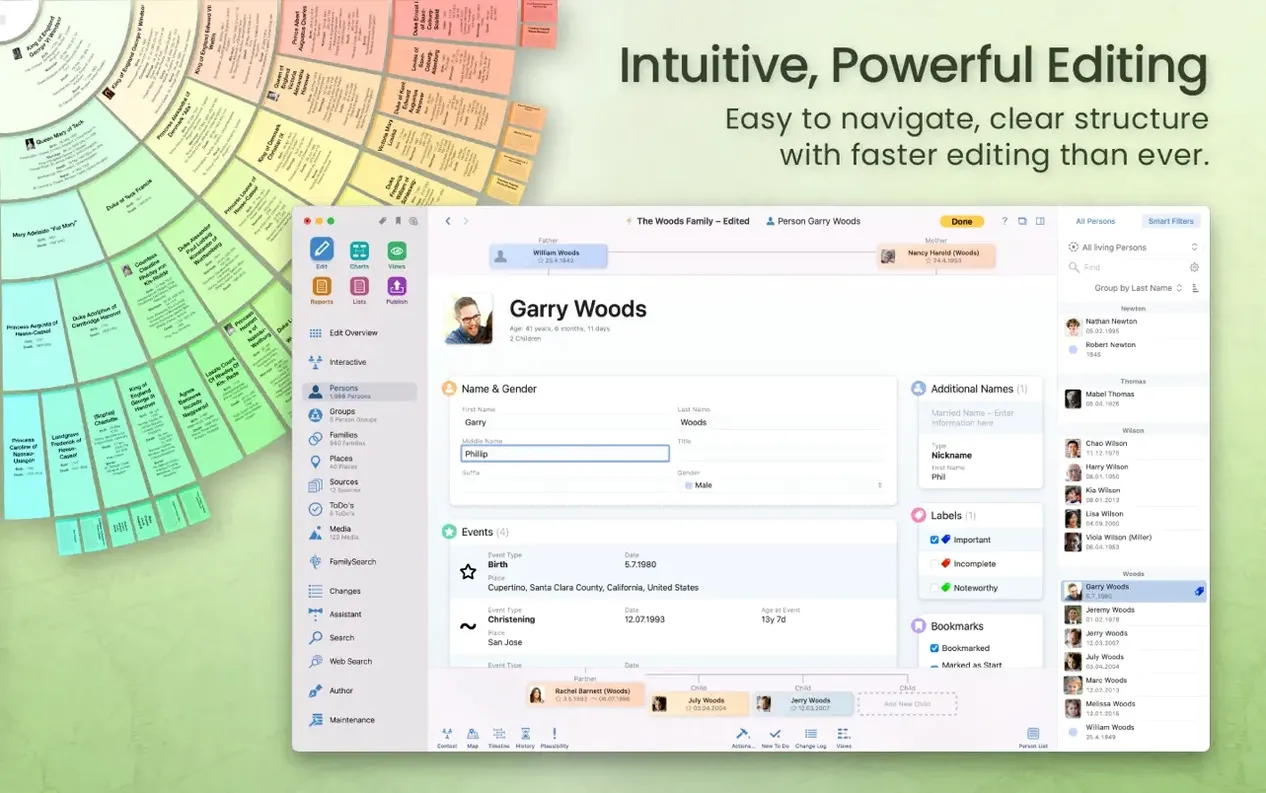
- Enter your starting people. Add names, dates and places manually or pull records from the integrated FamilySearch search. The person editor keeps sources and media attached to each individual.
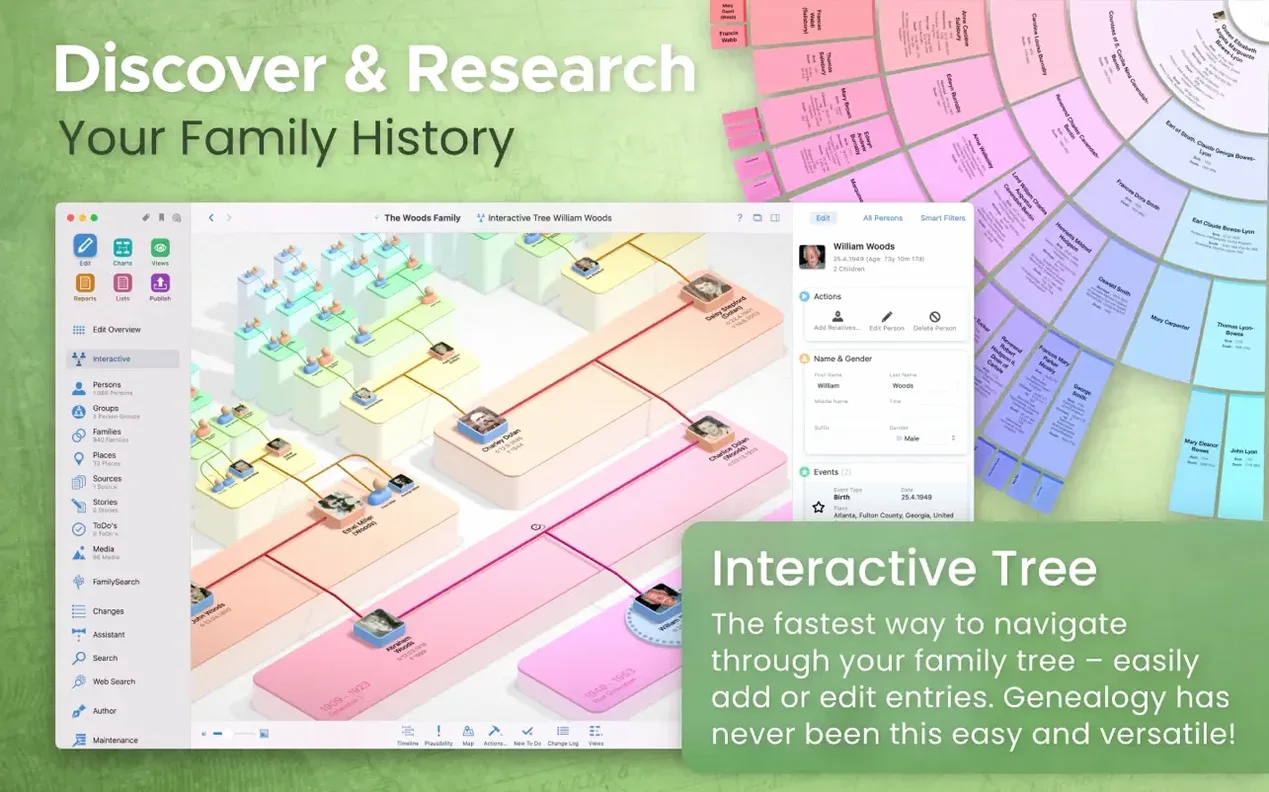
- Grow the structure. Define relationships, add parents, children and siblings. The virtual 3D family tree view gives a spatial overview of descendant lines and clusters, making it easier to spot gaps in your research.
- Cross-check with external data. Import or export GEDCOM files to exchange data with other genealogy software and websites. You can hide living individuals from exports to protect privacy.
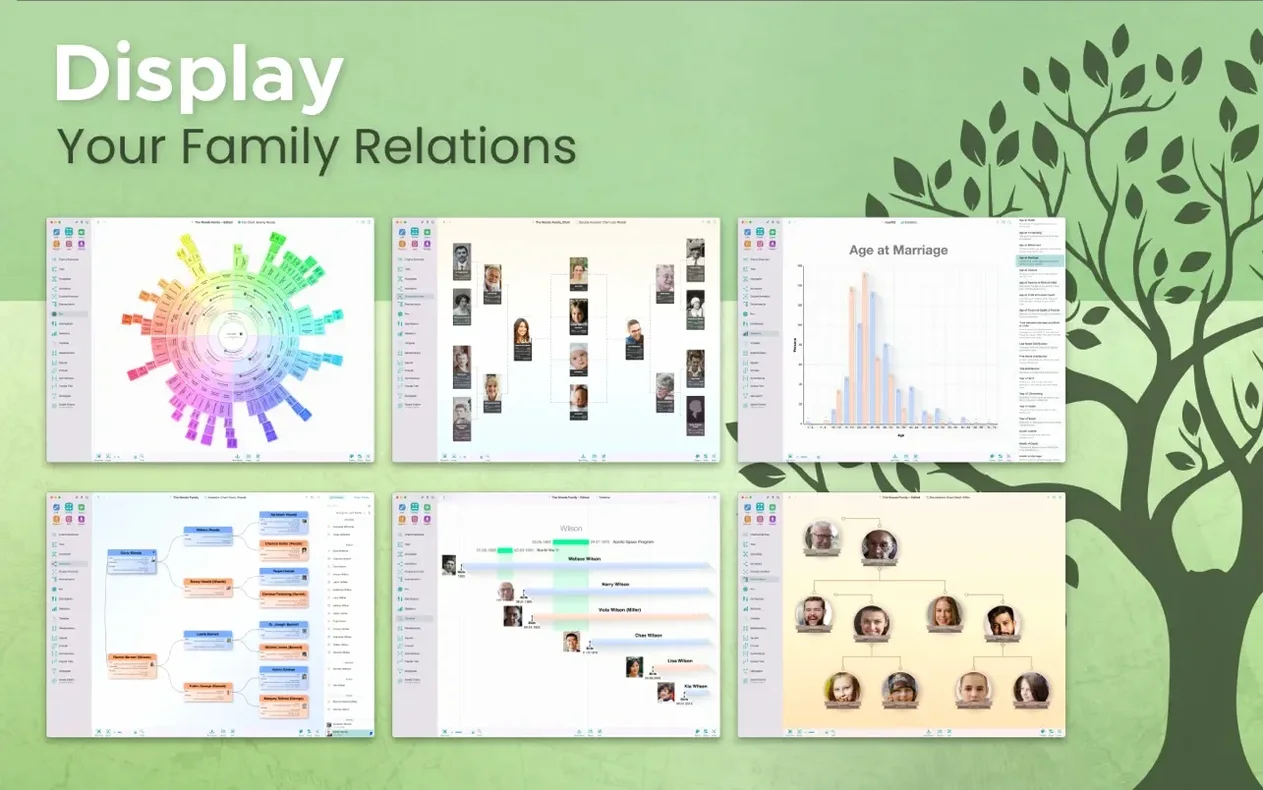
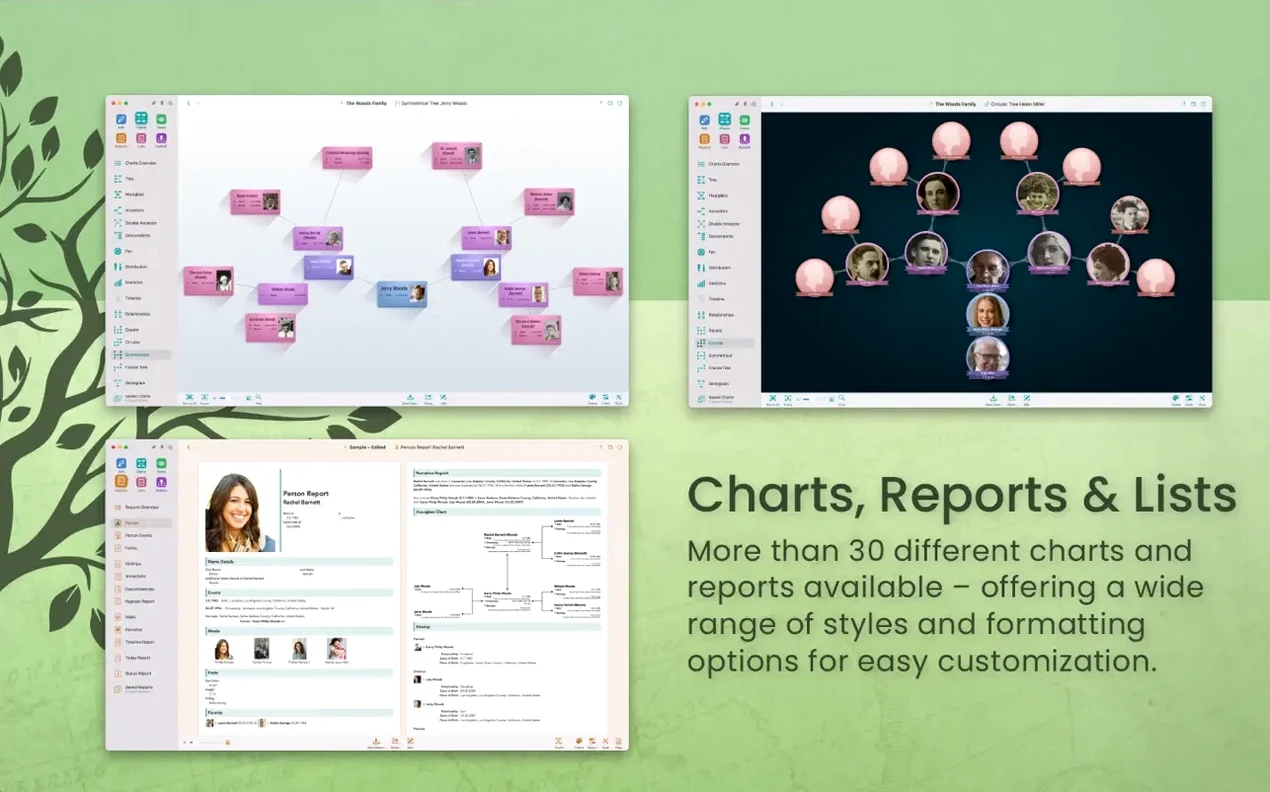
- Generate output. Create diagrams, relationship charts, narrative reports and family books. Export the results as charts, reports or a family history website via MacFamilyTree.com.
- Work across devices. With an iCloud account, sync your database between the Mac and the companion mobile app so field research feeds directly into the main tree.
Version 11 runs natively on Apple Silicon Macs and requires macOS 12 Monterey or later. The current 11.3.2 release focuses on stability fixes rather than new features.
Picking up exactly where you left off
You open the app to a dark, quiet interface. The main window defaults to your last-used tree, with the person you were working on still selected. A left sidebar lists individuals in a flat, sortable table — name, birth date, lifespan at a glance. You click a name; the right pane switches to their full record. Editing fields sit in collapsible sections: Events, Facts, Notes, Media, Sources. No modal dialogs break the flow. You add a 1901 census record as a source, drag a downloaded scan into the Media area, then hit Cmd-S out of habit — the app saves automatically anyway. Switching to the interactive tree view takes one click in the toolbar. The chart redraws immediately, centering on the person you just edited. You zoom out to see three generations, drag the canvas to re-centre on a sibling branch, then double-click a greyed-out placeholder to add their spouse. The whole sequence — edit, verify, navigate — feels mechanical in the best sense: each action leads predictably to the next.
A local historian's workflow
Consider someone documenting the families of a single village over three centuries. They have parish register transcripts in spreadsheets, a folder of gravestone photos and a dozen GEDCOM files from fellow researchers. Their working day starts like this: import the newest GEDCOM into a fresh database to check for conflicts, merge overlapping individuals with the Merge Persons tool, then run the Duplicates report on surname clusters. Once the clean-up is done, they switch to the Statistical Map chart to see surname distribution across civil parishes. A hotspot in the neighbouring village prompts a search of FamilySearch records directly from the app sidebar. Three matching baptism records appear. They attach each as a source to the corresponding child, set the confidence level to "High," and run the Descendant Report for that line. By lunch, they have verified 28 new connections and flagged four contradictory birth dates for later review. The entire session stays inside one application — no copy-pasting between a browser, a text file and a diagram tool.
15,000-person database opens in four seconds
MacFamilyTree 11 loads a 15 000-person database in roughly four seconds on an M1 MacBook Air with 16 GB of RAM. Scrolling the family tree view at default zoom stays at 60 fps, and the 3D globe chart — which plots events geographically — responds to rotation gestures without frame drops. Memory usage for that database sits around 420 MB during editing, climbing briefly to 610 MB when generating a full family book with embedded media. The app has not crashed once during a week of daily use involving repeated imports, exports and chart exports to PDF and PNG.
On Intel Macs, the story differs only in degree: the same 15 000-person file opens in about seven seconds on a 2019 iMac, and the 3D view occasionally stutters when displaying more than 2 000 place markers simultaneously. Real-time syncing through iCloud adds negligible overhead — changes made on the companion iOS app appear on the Mac within five to ten seconds on a stable Wi‑Fi connection. Version 11.3.2, described by the developer only as "stability improvements," resolves an earlier issue where the Relationship Chart could hang when calculating paths through heavily intermarried branches. The fix is noticeable: charts that previously took twenty seconds now render in under three.
From birth record to printed chart
Here is the full path for a single discovery, start to finish.
- Search inside the app. Open the FamilySearch sidebar (View → Show FamilySearch). Enter a great-grandmother's name and approximate birth year. The results pane shows five candidates. Select the one matching her known parish, then click Add to Family Tree. The person and their attached sources appear instantly in your database.
- Verify and enrich. Open the new person's record. The birth event already has a source citation. Add her baptism date from the same record as a separate event. Switch to the Notes tab and paste a transcription of the register entry.
- Connect to existing people. Drag her name from the sidebar onto her already-entered husband's record, then select "Spouse." The relationship registers immediately. The app prompts you to review any children already listed — confirm the three that match, uncheck one that has a different mother's name recorded elsewhere.
- Visualise the line. Select the great-grandmother, then choose Charts → Pedigree Chart. The chart draws four generations with her as the root. Tick the Include Siblings checkbox in the inspector. Export as PDF at 300 dpi. The resulting vector file is sharp enough for a large-format print.
- Share the finding. With the chart still open, choose File → Share → Mail. The app attaches the PDF and a small GEDCOM extract of the affected branch. Add a note to your cousin about the discovery and send.
The entire process — discovery to shareable output — takes under ten minutes and never leaves the application. For researchers who have previously assembled such workflows from three or four separate tools, the consolidation alone justifies the switch. Some users looking for a quick setup have searched for terms like macfamilytree 11 torrent or mac family tree torrent to test the app before committing, and the installed version functions identically regardless of origin — the same CloudTree sync, the same export fidelity, the same chart engine.
- macOS compatibility — official support for macOS Sonoma added.
- macOS 12 or later
- Apple Silicon or Intel 64‑bit
Questions on file
What are the macOS requirements for MacFamilyTree 11?
MacFamilyTree 11 requires macOS 12 Monterey or later and is optimised for Apple Silicon Macs. An iCloud account is needed for device syncing.
Sign in · Create an account to add a field note.
No field notes yet. A measurement, a version, a machine — they appear after moderation.