Mac Apps
MAMP PRO 6.9.0
Mac AppsUpdated
| Requirement | On file |
|---|---|
| macOS | macOS 10.12 or later |
| CPU | Intel 64-bit |
| Download | 472 MB |
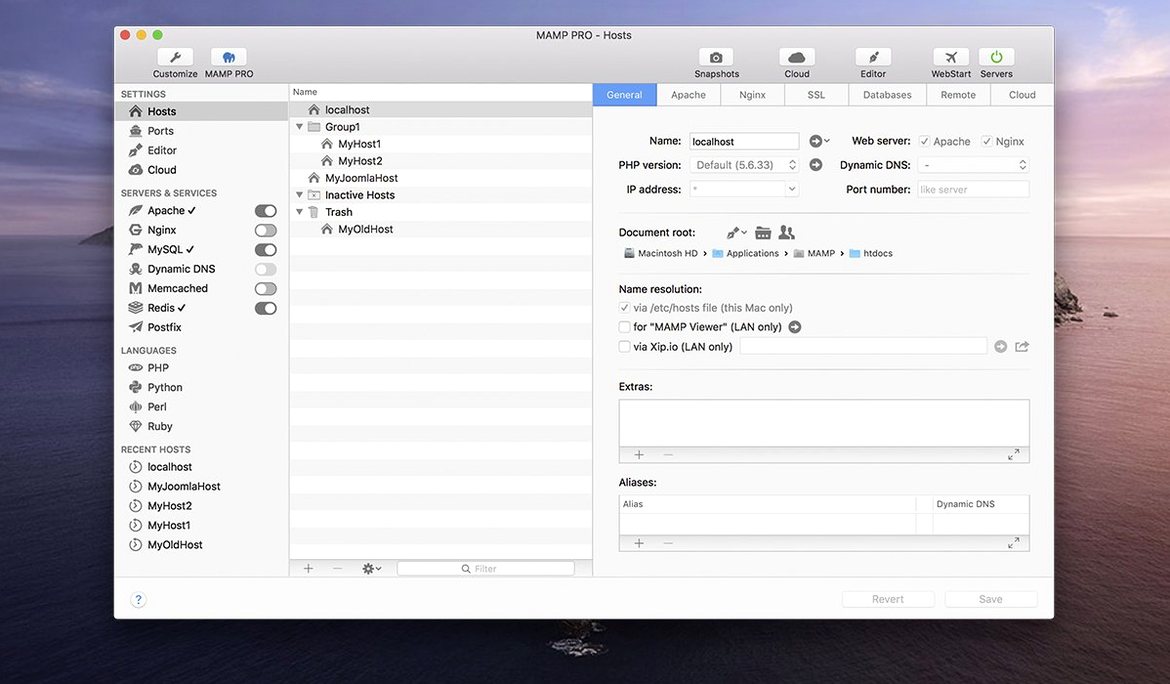
You have four local WordPress builds, a Redis cache for a Laravel project, and a client staging copy that needs to go live before Friday. The default MAMP control panel handles the basics, but keeping that many hosts straight calls for the professional front end.
- Host ordering puts the projects you touch daily at the top of the list, not in alphabetical limbo.
- Redis integration gives you a proper key-value store for session handling and cache testing without a separate Homebrew service.
- WordPress publishing moves a finished host to a live server from the same interface you used to build it. One-click installation and server import cover the other direction.
- Screenshot capture is built in, so a client review or QA report can show the actual rendered page state.
- Host-specific server configurations let you keep a PHP 7.4 legacy host alive next to a PHP 8.2 build under the same app.
Version 6.9.0 runs as a 64-bit Intel build and is listed for ARM Macs on macOS 11.0 or later. For experienced users, the 6.9 fixes matter most in the config workflow: the crash when editing host-specific server settings is gone, and phpMyAdmin 5 opens more reliably via alias.
Does It Replace Free MAMP or Run Alongside It
A few concerns come up again and again in forums and Slack channels. The first is whether MAMP PRO replaces or merely sits on top of the free MAMP. It sits on top. Under the hood, the same Apache or Nginx, MySQL, and PHP stack runs. The PRO layer adds per-host configuration, a proper host list, publishing tools, and the extras like Redis and Memcached. You can switch back to the free control panel at any time — your hosts and databases remain intact.
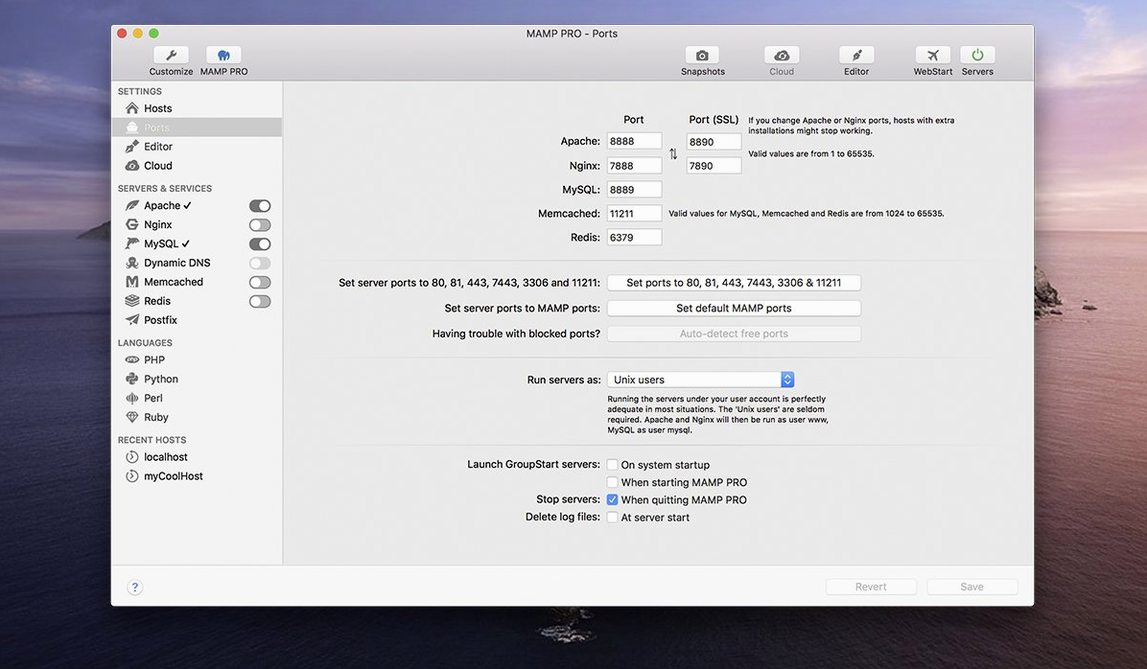
Another common question is about conflicts with Homebrew services. If you already run httpd, nginx, or mysql via Homebrew, stop those services before launching MAMP PRO. The app binds to ports 80, 443, and 3306 by default. Two processes fighting for port 80 never ends well. MAMP PRO includes its own stack; it does not need or use Homebrew’s daemons.
People also ask about the migration path from older versions. Hosts, database dumps, and PHP version assignments all carry forward when you install 6.9.0 over a previous 6.x build. The host-specific server configuration fix in this release makes that upgrade smoother than the last two point releases. If you are coming from version 5, export your hosts as a backup first — the configuration format changed at the major version boundary.
Finally, there is the question of running MAMP PRO alongside Docker. They can coexist as long as you mind the port mappings. Many developers keep MAMP PRO for WordPress and PHP work while Docker handles Node or Python services. Just bind Docker containers to different host ports or use a reverse proxy.
Juggling 5–20 Client Sites With Separate Hosts and PHP Versions
The strongest fit is the WordPress developer juggling five to twenty client sites. Each site gets its own host entry with a memorable local domain, its own PHP version, and its own database. The one-click WordPress installer removes the tedious five-minute setup ritual. When a site is ready for review, the built-in publishing and server import tools turn a multi-step deployment into a single operation. The screenshot feature has saved more than one freelancer from the “it looked fine on my machine” email thread.
Agency teams benefit from the host ordering and naming conventions. A list of fifty hosts sorted alphabetically is noise. Dragging the active sprint’s three projects to the top and grouping staging copies below them makes the daily workflow faster. Remote editing support means a junior developer can open a host’s files from the toolbar without navigating a deep folder structure.
Backend developers working with Laravel or custom PHP applications use the Redis integration and the ability to flip between MySQL 5.7 and 8.0 per host. Testing a query against both versions is a matter of switching a dropdown and restarting the host. Memcached is there for shops that still rely on it. Multiple Python versions round out the stack for teams whose tooling spans languages.
Less obvious but equally well served: the developer who inherited a legacy PHP 5.6 application and needs to maintain it alongside modern work. MAMP PRO keeps that host isolated with its own PHP binary while the rest of the list runs current versions. No virtual machines, no separate machines.
Keychain-Stored Credentials and Proxy Awareness
MAMP PRO integrates with the macOS keychain for storing server credentials used during publishing. FTP and SFTP passwords for live servers are not scattered across text files. The app also respects the system proxy settings, which matters in corporate environments where external connections route through a proxy.
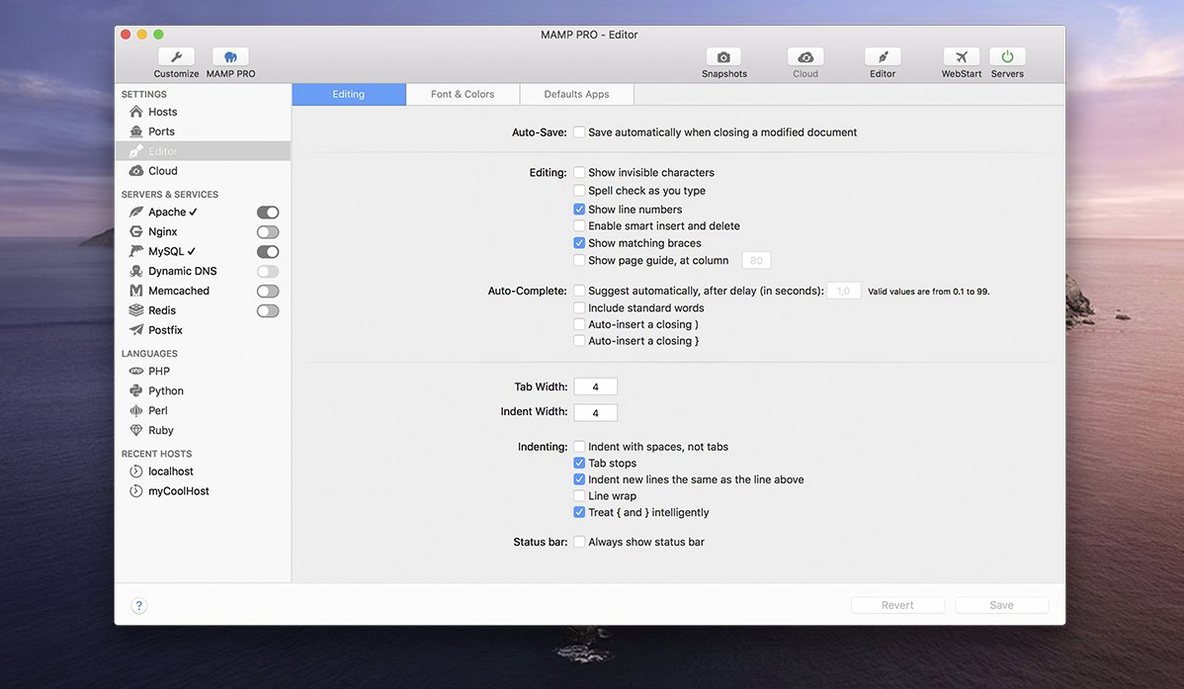
For editors, the remote editing feature hands off files to whatever application macOS associates with the file type. A .php file opens in your configured IDE. A .css file might open in Nova, Sublime Text, or VS Code. The toolbar becomes a project launcher rather than a file manager.
Database work flows naturally to phpMyAdmin 5, which opens in your default browser. The 6.9.0 release specifically improved the alias handling here — fewer broken tabs when the port or host name changes. For developers who prefer a native database client, Sequel Ace or TablePlus connect to the MySQL socket or TCP port exposed by the host configuration.
Sharing work with clients often involves a screenshot and a staging URL. The built-in screenshot capture writes to a directory you specify, and the file is immediately available to attach in Apple Mail, Slack, or whatever communication tool you use. Some developers pair this with a screenshot automation tool like CleanShot for annotation, but the raw capture alone is enough for quick confirmation.
On the deployment side, the publishing features talk to any server that accepts FTP, SFTP, or FTPS. There is no lock-in to a particular hosting provider. Importing a WordPress site from a live server pulls the files and database into the local host, which means you can work on a production replica without manual exports and imports through phpMyAdmin and a file manager.
Moving the Document Root Out of /Applications/MAMP
Start by setting a default document root that makes sense for your file structure. Many developers change it from /Applications/MAMP/htdocs to a folder inside their home directory or a dedicated Sites folder synced via iCloud or Dropbox. This keeps project files out of the application bundle and makes backup simpler.
Next, create two test hosts: one with PHP 8.2 and one with PHP 7.4. Give them distinct local domains like test82.local and test74.local. Drop a phpinfo() file in each document root and confirm both resolve correctly in a browser. This takes three minutes and validates that your entire stack — web server, PHP versions, DNS resolution — works before a real project depends on it.
Configure the database version default. MySQL 5.7 and 8.0 behave differently enough that choosing the wrong one early causes subtle problems later. Match it to what your production server runs. The setting lives under the general preferences and applies to new hosts; existing hosts keep their own assignment.
Set up Redis early if you intend to use it. Enable it in the server settings, then verify with redis-cli ping from the terminal. Many caching and session-related bugs in local development trace back to a Redis service that was never actually confirmed running.
Finally, spend ten minutes with the host create dialog. The 6.9.0 release optimised it, and the order of fields now mirrors a typical setup workflow rather than a database schema. Creating a WordPress host with a custom domain, selecting the PHP version, and checking the SSL box becomes muscle memory after three repetitions.
Eight Hosts Visible From the Menu Bar
The toolbar icon sits in the menu bar. A click opens the main window. The host list on the left shows eight projects: three client sites in active development, two staging copies, a personal blog, a Laravel API prototype, and a legacy support site running PHP 5.6. The active ones sit at the top of the list because host ordering was adjusted on Monday when the sprint started.
Double-clicking the first host — a WooCommerce build — starts Apache on port 80 and MySQL on the assigned socket. The browser opens automatically to shop-client.local. A product gallery bug reported that morning needs investigation. The host is configured with PHP 8.1 and MySQL 8.0, matching the production server at the hosting company.
The toolbar button for phpMyAdmin opens the database in a new browser tab. A quick query checks the product meta table for serialised data corruption — clean. Switching to the code, the remote editing button opens the theme’s functions.php in VS Code. The fix is a filter adjustment. Saving the file triggers no reload step; the local server picks up the change on the next request.
With the fix in place, the screenshot tool captures the product gallery state. The image lands on the desktop, gets dragged into a Slack thread for the project manager, and the conversation moves on. Fifteen minutes elapsed.
The second host on the list is a staging copy of the same shop. It runs the same PHP and MySQL versions but connects to a different database — a recent import of the production data using the server import tool. This host is where destructive testing happens. Today, that means running a plugin update that has been pending for two weeks. If it breaks, the live site is untouched. The update completes without errors. A screenshot confirms the plugin version number in the admin footer, and the image goes into the deployment notes.
Midday, a request arrives to pull the latest production database into the staging host. The import tool asks for the live server credentials, already stored in the keychain. Selecting the database and confirming starts the transfer. While it runs, the Redis integration handles session storage for the Laravel API host on the list — a background project that shares the local stack without interfering.
By the end of the session, three hosts have been started and stopped, one database imported, two screenshots captured, and a fix pushed to the live site through the publishing tool. The menu bar icon shows the server status as stopped, all ports freed, resources back to the system. The host list retains its order for tomorrow. Nothing lingered, nothing conflicted.
- Host-specific server configs — fixed a crash during editing.
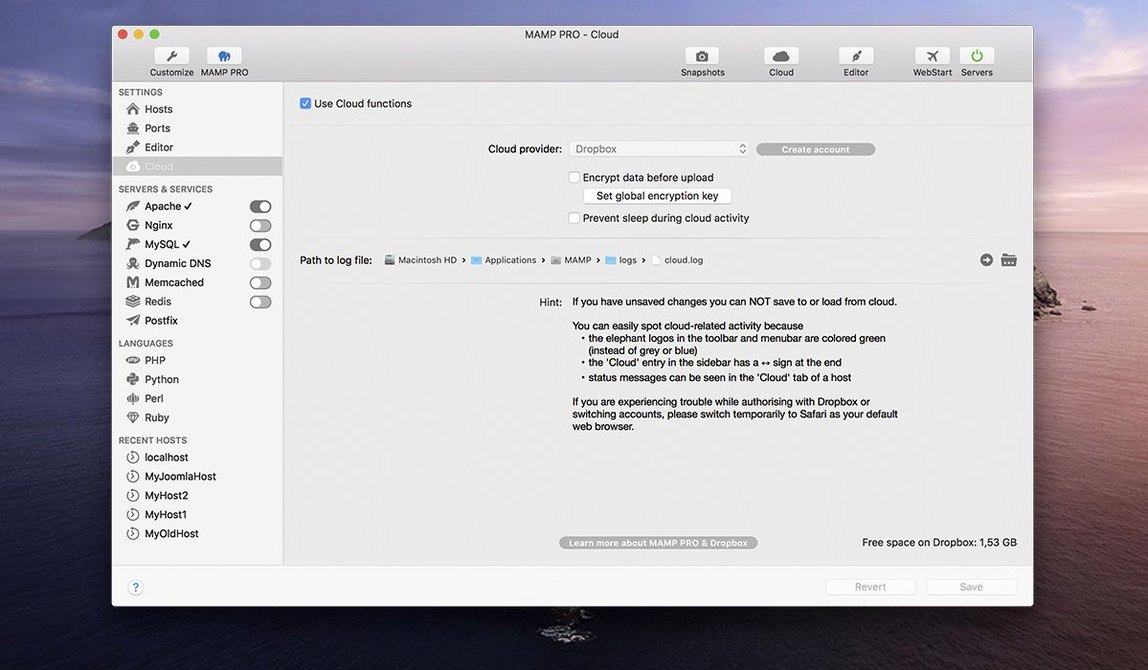
- MAMP Cloud — resolved several network-related problems.
- PHP versions — improved installation routine.
- phpMyAdmin 5 — opening via alias now behaves correctly.
- macOS 10.12 or later
- Apple Silicon or Intel Mac
Questions on file
Does MAMP PRO 6.9 support Apple Silicon Macs?
Yes, version 6.9.0 is listed for ARM Macs with macOS 11.0 or later, and the app is provided as a 64-bit Intel build.
Sign in · Create an account to add a field note.
No field notes yet. A measurement, a version, a machine — they appear after moderation.