
Mac Apps
Movavi Video Suite 22.4.1
Mac AppsUpdated
| Requirement | On file |
|---|---|
| macOS | macOS 10.13 or later |
| CPU | Intel 64-bit |
| Download | 294 MB |
Movavi Video Suite recognises more than 180 file formats, so the first import usually goes smoothly whether your source is a phone, a camera, or a screen recording. Here’s a practical sequence a newcomer can run through to see what the program does.
- Capture the screen with sound. Open the recording module, choose the capture area or full screen, and enable system audio or microphone input. Mouse cursor effects are available if you need to highlight clicks or a workflow in a tutorial. Record a short clip and save it to the timeline.
- Add a commentary track. With the recording on the timeline, use the audio commentary tool to record a voice-over directly into the project. This is useful for quick walkthroughs where you talk over the footage instead of editing a separate audio file.
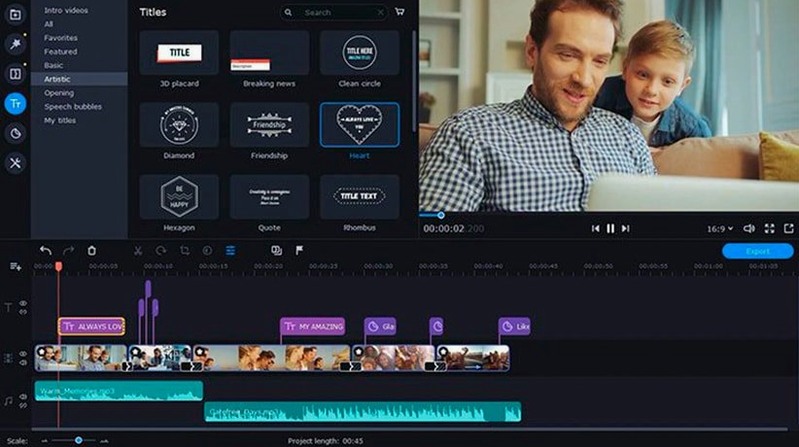
- Apply a title and an effect. Drag a title onto the track above the clip. In version 22.4.1, the symbol for applied effects was updated, making it easier to see which clips carry adjustments. The title editor has also been stabilised — earlier builds could shut down during title work.
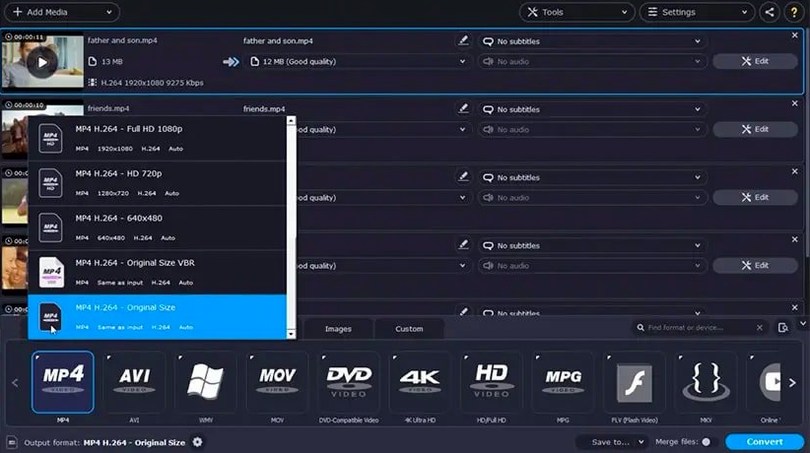
- Convert the exported file. Once the project is rendered, switch to the conversion tool. You can add subtitles during conversion and target any of the 180-plus supported formats. If your source material is on a phone, the app can pull files over the local network before conversion begins.
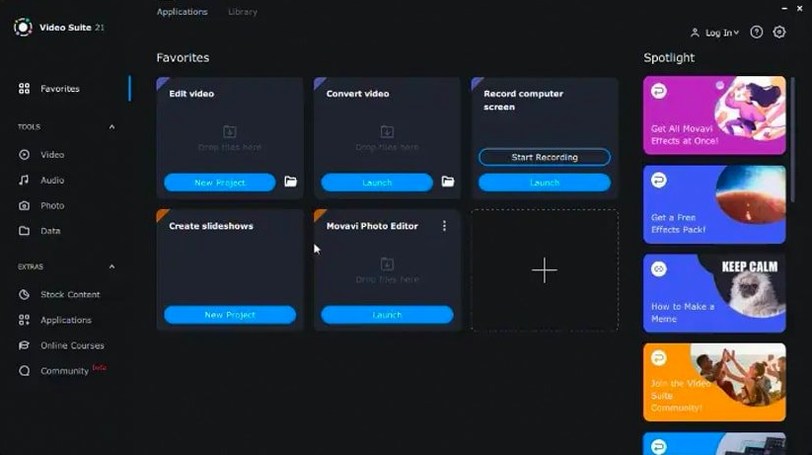
This path touches the four core tools — recorder, editor, converter, and file transfer — in less than fifteen minutes. The new royalty-free music tracks in 22.4.1 give you something clean to drop under a voice-over straight away.
One‑Window Bundle vs. Separate Recording, Editing and Conversion Apps
Where Movavi Video Suite bundles recording, editing and conversion into a single window, most alternatives split those jobs across separate tools. That difference shapes who finds the suite comfortable day to day.
Versus Camtasia. Camtasia is a screen-first recorder with a focussed editing timeline, but it lacks any built-in format converter. If you regularly need to transcode a batch of camera footage into ProRes or pull a clip from a phone over Wi‑Fi, Camtasia sends you to another utility. Movavi keeps the round-trip inside one interface. On the other hand, Camtasia’s annotation and cursor‑highlighting tools are deeper, making it the stronger pick for people who produce training videos full‑time rather than occasionally.
Versus ScreenFlow. ScreenFlow offers a polished recording engine and a powerful stock media library, yet its export is geared toward publishing — not toward bulk file conversion. Movavi’s batch converter handles more than 180 formats and adds subtitles during conversion without extra steps. ScreenFlow feels more refined for long‑form documentary‑style screen work; Movavi feels quicker when the task is “record something, trim it, and spit out an MP4 for a messaging app.”
Versus Shotcut. Shotcut is a free, open‑source editor with a broad format list and no recording module. The overlap is in the editing and export range. Movavi’s advantage is the integrated recorder and the ability to pull files straight from a phone — two things Shotcut simply does not do. Shotcut rewards users who enjoy building a timeline from pre‑existing media and tweaking filter stacks; Movavi rewards those who want to move from capture to share in one place.
Fixed Title‑Editor Crashes That Forced Saves Before Every Caption
Version 22.4.1 addressed a handful of real friction points rather than adding headline features. The title‑editor shutdown bug was a known annoyance: adding a title caused an unexpected quit often enough that users learned to save before touching the titler. With that fixed, title work no longer feels fragile.
The updated effect symbol is a small visual change that pays off when you scan a crowded timeline. Previously, a clip with an applied effect looked much like a bare clip; now the marker is distinct at a glance. This matters when you are trimming a project with colour adjustments, filters or speed changes across a dozen short clips and need to see which ones carry processing.
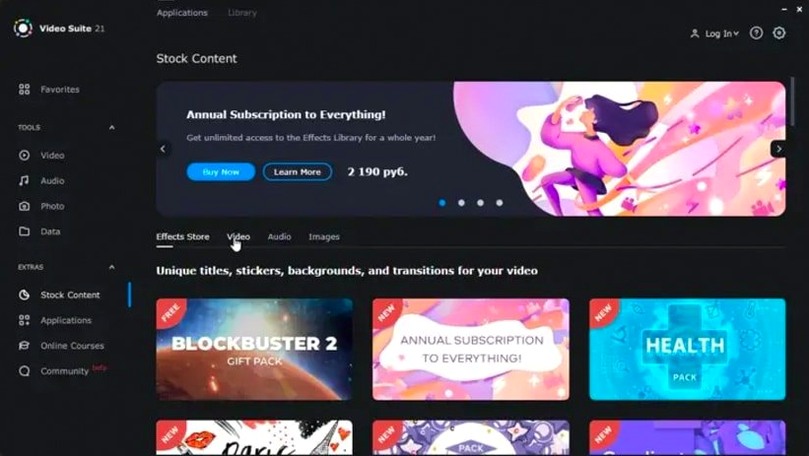
The fresh batch of royalty‑free music tracks quietly fills a gap for people who do quick voice‑over pieces. Instead of hunting for a safe background track elsewhere, you can stay in the suite, drop a track under a commentary recording, and export. It is not a large library, but it is enough to avoid silence in short tutorials and personal updates.
Screen‑Record, Voice‑Over and Batch‑Export Pipeline for Support Staff
Remote trainers and support staff who need to record a screen, add a voice‑over, and hand over a small video file without juggling three apps. The screen recorder, commentary tool and batch converter cover that pipeline. A support engineer documenting a bug can capture the steps, record a spoken explanation, and convert the result to a format the ticket system accepts — all inside one application.
Users who deal with a messy collection of formats. The 180‑plus format list and the phone‑to‑Mac transfer feature help when source files arrive from Android phones, action cameras, and screen grabs in odd containers. Batch conversion with subtitle insertion means someone compiling a set of short clips for a classroom can add burned‑in captions during the format change rather than as a separate editing pass.
Mac users looking for a single‑window utility often search for a movavi mac torrent or a movavi video suite torrent precisely because the bundle replaces three separate tools. That same bundle structure makes it less appealing for a professional colourist or a dedicated editor who already lives in DaVinci Resolve or Final Cut Pro — those users want depth in a single discipline, not breadth across four. If your week involves screen captures, quick cuts, phone footage, and format requests from colleagues, the suite fits the rhythm. If you spend most of your time grading log footage, it will feel shallow.
Intel Macs on macOS 10.13 and later remain the target, so users on older machines that cannot run the latest Apple‑silicon‑only software still have a capable recording‑and‑editing package here. That alone keeps the movavi torrent relevant for a segment of Mac users who maintain older hardware for specific tasks. The trade‑off is that the interface does not feel native on Apple‑silicon Macs running under Rosetta — functional, but not fluid.
- Stability — the program no longer shuts down while working with titles.
- Music library — new royalty-free tracks were added.
- Interface — the symbol for applied effects was updated.
- macOS 10.13 or later
- Intel processor
Questions on file
Can I add subtitles while converting a file?
Yes, Movavi Video Suite lets you embed subtitles during the conversion step so you don’t need a separate muxing tool.
Sign in · Create an account to add a field note.
No field notes yet. A measurement, a version, a machine — they appear after moderation.