
Mac Apps
Transmit 5.11.7
Mac AppsUpdated
| Requirement | On file |
|---|---|
| macOS | macOS 13 or later |
| CPU | Apple Silicon, Intel 64-bit |
| Download | 34 MB |
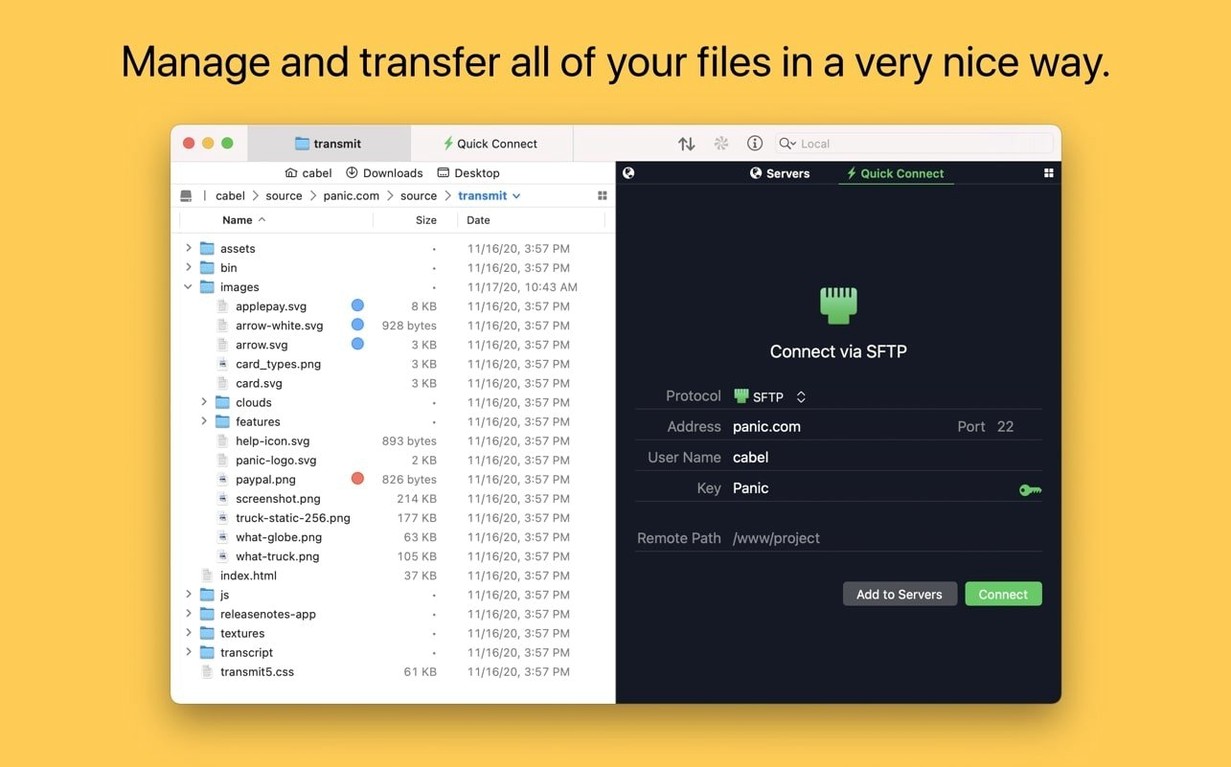
Transmit is a native macOS file transfer client built by Panic for moving data across FTP, SFTP, Amazon S3, and WebDAV servers. Version 5.11.6 runs on Apple Silicon and Intel Macs with macOS 13 Ventura or later, presenting a classic dual-pane layout that puts your local files on one side and a remote server on the other.
S3 Uploads With Size‑Limit Error Detail
- Managing very large Amazon S3 uploads, with improved error reporting in the current release when a file exceeds size limits.
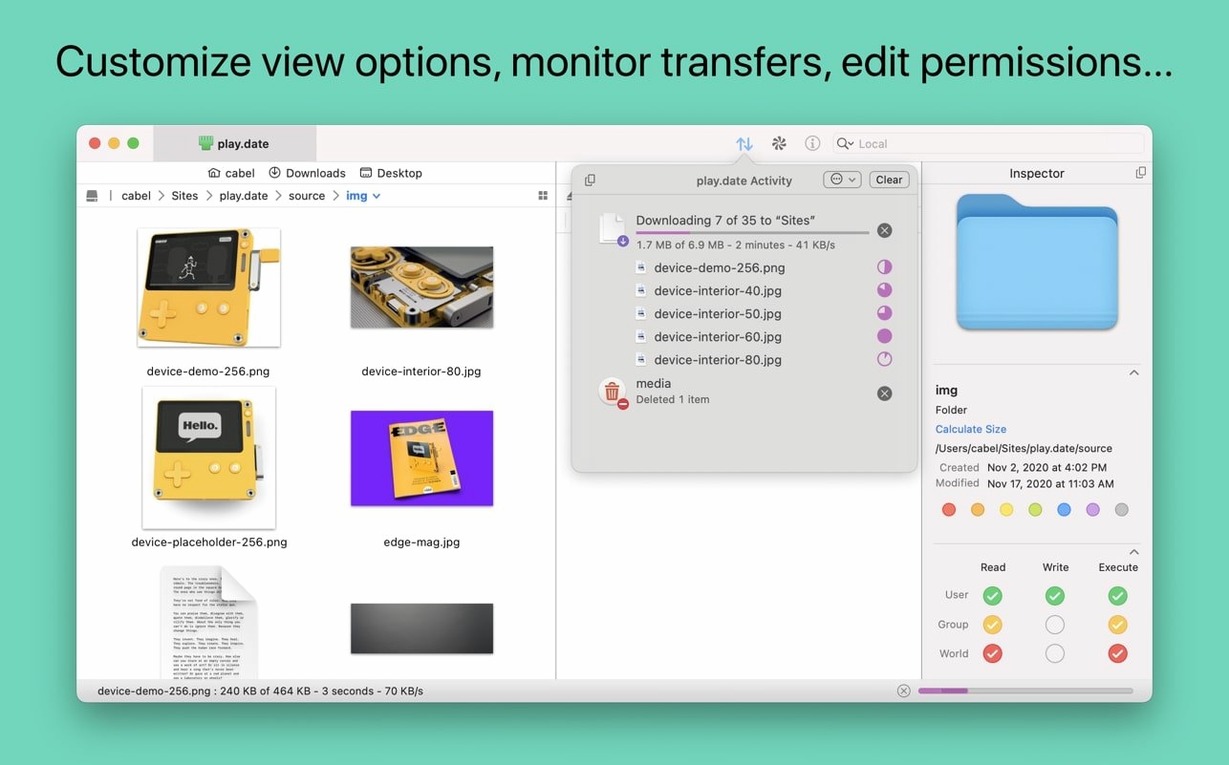
- Quick server inspection via the information sidebar, which shows permissions, modification dates, and file details without opening a separate window.
- Batch renaming files on a remote server or your local disk before a transfer begins.
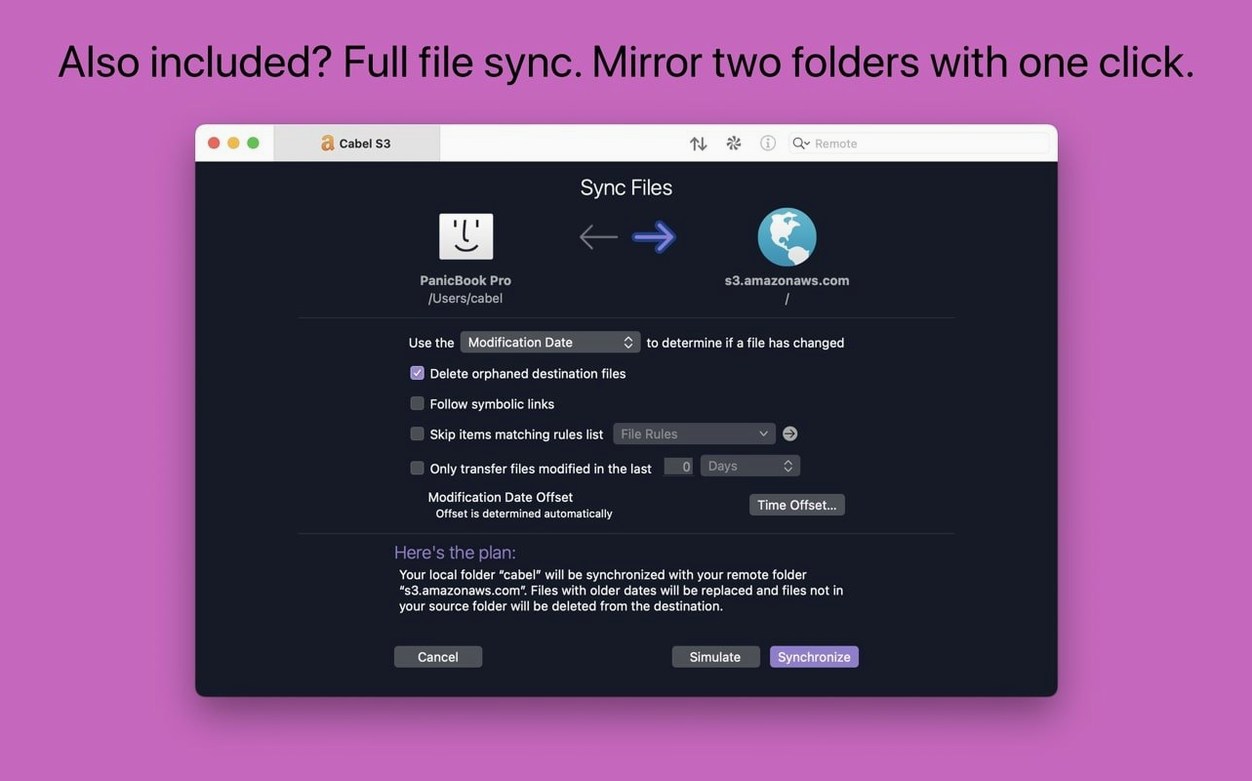
- Keeping folders aligned with the sync tool, which compares local and remote content and transfers only what changed.
- Navigating to frequent locations instantly through the Places Bar — a one-click shortcut strip for favourite folders.
macOS 13 Floor, No iOS Companion
- The app requires macOS 13.0 or later; older Macs stuck on Monterey or earlier cannot run this version.
- Panic offers no iOS companion, so all transfers happen on a Mac.
- The Get Info toolbar button now activates immediately upon launch, a small quality-of-life fix that previously needed a manual refresh.
Dual‑Pane Is Not a Finder Replacement
One of the first things people check is whether Transmit replaces the Finder for basic file work. It does not. The dual-pane view shows your local volume on one side, but it is not a Finder replacement — you cannot set desktop wallpaper or tag files with Finder colours from inside Transmit. It handles remote servers and cloud storage, and that is where its toolset makes sense.
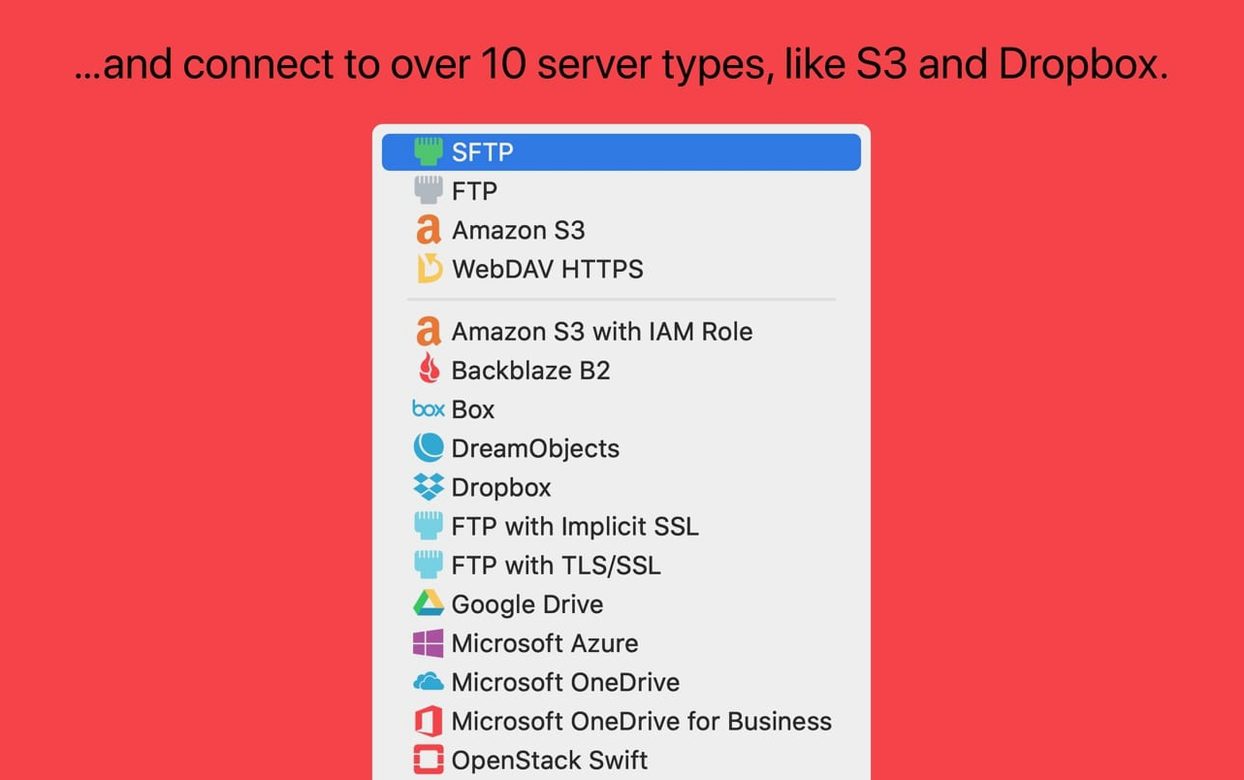
Another common question is about protocol coverage. Transmit speaks FTP, SFTP, S3, and WebDAV natively. On top of that, it connects to Backblaze B2, Box, Google Drive, DreamObjects, Dropbox, Microsoft Azure, and Rackspace Cloud Files. What surprises some newcomers is that it treats cloud services as remote locations you browse alongside a local folder, rather than as a sync daemon running in the background. If you want continuous background sync, you still need the provider's own client or a dedicated sync tool. Transmit's sync function is manual and on-demand.
People also ask whether the app handles very large files reliably. The answer leans toward yes for S3, where Panic specifically designed multipart uploads for large objects. The 5.11.6 release tightened error reporting when an S3 upload exceeds the service limit, so the failure message now explains the problem instead of leaving you guessing. For FTP and SFTP, performance depends on your server's configuration, but Transmit itself imposes no artificial cap on file size.
A final frequent question: can you manage SSH keys without leaving the app? Yes. Transmit includes a key manager that generates and stores secure keys. The generator supports Ed25519 and RSA, and you can assign keys to individual site connections. Two-factor authentication is also built in for services that demand it, so you are not forced into a separate authenticator app.
Get‑Info Toolbar Button Behaves Again
The 5.11.6 update, dated April 27, 2026, is a maintenance release that addresses a handful of friction points rather than adding new capabilities. The most visible fix for daily users is the Get Info toolbar button. Previously, the button could appear greyed out when you first launched the app, requiring a click inside the file list to wake it up. Now it is active immediately, so inspecting file permissions or sizes is one click from the moment the window opens.
A crash that occurred when dragging files into IntelliJ has been resolved. If you edit code in JetBrains IDEs and use Transmit to grab files from a staging server, you can drag directly into the editor again without the app quitting. This is a narrow fix aimed at web developers, but it is the kind of annoyance that wastes minutes daily if you hit it often.
S3 users received better error reporting for oversized uploads. Instead of a generic failure, Transmit now surfaces the exact size limit that was exceeded. That small change removes the need to look up S3 documentation mid-transfer.
German localisation saw a tweak: text entry fields on the File Rename sheet are larger, fixing a truncation issue with longer compound nouns that are common in German. The app also speaks English, Simplified Chinese, French, and Japanese.
SFTP Drops From Keep‑Alive Silence
Connection timeout on SFTP. If Transmit drops an SFTP connection after a period of inactivity, the server's keep-alive interval is often the culprit. Open the site settings, switch to the Advanced tab, and adjust the keep-alive value. A setting of 30 seconds resolves most home-lab and shared-hosting timeouts. For key-based logins, double-check that the private key format matches what your server expects — Ed25519 keys work on most modern OpenSSH setups, but some older appliances still want RSA.
S3 bucket listings appear empty. An empty bucket list usually points to an IAM permission gap. Transmit needs s3:ListAllMyBuckets for the bucket list itself and s3:ListBucket for the contents. If you generated credentials with a restrictive policy, add those permissions and re-test.
Sync tool transfers unchanged files. The sync comparison relies on file modification timestamps and sizes. When a server reports timestamps in a format Transmit cannot parse, or when clock drift between your Mac and the server exceeds a few seconds, the tool errs on the side of caution and re-transfers. For FTP, enabling the Preserve modification dates option in the site profile helps. For S3, confirm that your bucket's default time zone matches what you expect.
Places Bar items disappear after an update. This happens rarely, but if your saved Places vanish, they live in ~/Library/Preferences/com.panic.Transmit.plist. Restoring that file from a Time Machine backup brings them back. You can also rebuild them manually by dragging folders into the bar.
Batch rename preview looks wrong. The batch rename panel applies its rules live against the selected items. If the preview shows unexpected results, check whether you have a find-and-replace rule still active from an earlier session — Transmit remembers the last-used rule set between launches.
Sync Theme Folders to Staging Servers
Web developers who push files to staging and production servers daily will find the dual-pane layout and sync tool the strongest fit. Dragging a theme folder from a local project to an SFTP server, then using sync to update only changed files, cuts out the guesswork of partial deployments. The ability to open a remote folder directly in Terminal means you can tail logs or run server-side scripts without switching apps.
System administrators who manage multiple cloud buckets alongside traditional FTP servers benefit from Transmit's unified interface. One connection can point to an S3 bucket for backups, another to a Rackspace container for media, and a third to an on-premises SFTP server — all in the same sidebar. Tags let you colour-code production servers separately from staging ones, reducing the risk of a wrong-server mishap.
Photographers and video editors sending large files to clients via S3 or Backblaze B2 will appreciate the multipart upload handling and the clearer error messages introduced in 5.11.6. The information sidebar gives a quick read on file dimensions and sizes before you commit to a transfer, which is useful when a client needs a specific resolution and you are picking from a folder of raw exports.
People who run a home NAS over SFTP or FTP and want a straightforward Mac-native client — not a web interface, not a command-line tool — will also find Transmit a comfortable fit. The Places Bar maps directly to shared media folders, and batch renaming tidies up file names before a bulk transfer to an archive drive. It is not the lightest client available, but for users who value a clear, local-and-remote side-by-side view, the trade-off makes sense.
Transmit 5.11.7 focuses on a compact round of housekeeping: connection corrections, stability refinements, and routine back-end polish.
- macOS 13 (Ventura) or later
- Apple Silicon or Intel 64-bit processor
Questions on file
Which protocols does Transmit 5 support?
It handles FTP, SFTP, Amazon S3, and WebDAV connections, with explicit support for very large S3 files and batch operations across all protocols.
Sign in · Create an account to add a field note.
No field notes yet. A measurement, a version, a machine — they appear after moderation.